
iTechGuides is reader-supported. When you buy through links on our site, we may earn an affiliate commission. As an Amazon Associate I earn from qualifying purchases. Learn more
Sometimes—but only if your exact laptop model supports it. Many modern laptops have processors soldered to the motherboard, which rules out a CPU-only replacement. Even a socketed processor is not automatically upgradeable: the motherboard, BIOS, cooling system and manufacturer’s supported configurations must all be compatible.
Before buying a processor or opening the laptop, identify the full model and check its service manual and manufacturer documentation. Intel also advises consulting the system maker about upgrade options: Intel’s laptop processor upgrade guidance.
How to find out whether your laptop’s CPU can be changed
- Identify the exact laptop. Find its full model number or service tag. A broad product-family name is not enough to establish which motherboard or processor configuration it has.
- Check the service manual and parts documentation. Look for whether the processor is described as removable or soldered to the motherboard, and check the manufacturer’s supported configurations or parts list. Intel advises contacting the system or motherboard maker for model-specific upgrade information: Intel’s processor upgrade guidance and Intel’s laptop support guidance.
- If it is socketed, confirm full compatibility. Check the laptop’s own documentation for supported processor, package or socket, motherboard and chipset support, required BIOS version, and power and cooling requirements. A matching socket by itself does not prove that a processor will work in the laptop. Intel’s notebook installation guide explains these compatibility considerations: Intel’s notebook processor installation guidance.
- Check service conditions before proceeding. Review the manufacturer’s service instructions and warranty terms, and decide whether you are equipped to access the socket and remove and reinstall the cooling system. Intel recommends professional installation in its notebook guidance; the laptop’s current, model-specific service manual should take priority over general instructions.
What it means if the processor is soldered
A soldered CPU is attached to the motherboard rather than installed as a removable socketed part. A loose replacement processor is not a practical CPU-only upgrade for that design. Intel notes that a processor may be soldered to the motherboard, making an upgrade impossible; its general guidance does not establish that every laptop of a particular age or generation uses the same design.
Quick wins for a faster PC:
Clear out junk files and repair common Windows errorsFree Scan →Scan for outdated or missing drivers - takes under a minuteDriver Scan →Check whether the manufacturer offers a supported motherboard replacement for your model. Compare the repair quote and expected useful life of the laptop with your alternatives. Feasibility and cost depend on the specific model, so there is no universal rule that a board replacement or a new laptop is the better value.
#1 Best Overall

- Effortlessly chic. Always efficient. Finish your to-do list in no time with the Dell 15, built for everyday computing with Intel Core 3 processor.
- Designed for easy learning: Energy-efficient batteries and Express Charge support extend your focus and productivity.
- Stay connected to what you love: Spend more screen time on the things you enjoy with Dell ComfortView software that helps reduce harmful blue light emissions to keep your eyes comfortable over extended viewing times.
- Type with ease: Write and calculate quickly with roomy keypads, separate numeric keypad and calculator hotkey.
- Ergonomic support: Keep your wrists comfortable with lifted hinges that provide an ergonomic typing angle.
Why a socketed CPU may still be incompatible
A removable processor is only the first requirement. The candidate CPU must be supported by the laptop’s motherboard and BIOS, and the system must be able to meet its power and cooling needs. The laptop manufacturer’s validated configurations and service documentation are more useful than a socket match alone.
Desktop and notebook processors are not interchangeable simply because they appear similar. Intel warns that their electrical specifications differ. Do not assume that a desktop CPU can be fitted to a laptop; check the system documentation for an explicitly supported processor.
Rank #2

- All In The Detail: The HP laptop has a beautiful brushed full-size keyboard with 10-key number pad. The 17.3 HP laptop features Wide Vision 720p camera + digital microphones, delivering clear and detailed image for video chats. Work and play non-stop with long battery life and HP Fast Charge. The large laptop hp computer is one place for all...
- Immersive Full HD Display: Experience high performance with the HP laptops featuring a stunning 17.3 inch FHD anti-glare display with sharp details and vivid color. The large 17 inch HP laptops slim bezel and big screen is perfect for multitasking, work, and entertainment. Its slim, sleek, durable design in new vibrant silver finish makes this eye-catching, thin lightweight HP 17.3 laptop easily portable..
- Windows 11 & Office 365 for Web: Preloaded with Windows 11 for a secure and easy-to-manage work experience. Built-in AI Copilot helps you quickly organize tasks, summarize information, and create content. With Office 365 for Web, you can create, edit, and share documents, presentations, and spreadsheets anytime, anywhere.
What installation can involve
Replacing a socketed laptop processor can require substantial disassembly to reach the CPU and removal and reinstallation of the cooling assembly. Follow the service manual for the exact laptop rather than applying generic disassembly instructions. If the OEM documentation specifies new thermal interface material during reassembly, use it as directed. Thermal paste does not make a soldered processor removable.
Do these 3 things before closing this tab:
1Scan for outdated or missing drivers - takes under a minute2Repair Windows errors before they cause bigger problems3Fix the driver behind crashes, sound loss and screen glitchesIntel’s notebook installation guide is older, so its socket and package examples apply to the products described in that guide—not automatically to current laptops. Use the current service documentation for your model and consider a qualified repair professional if the work exceeds your experience.
Rank #3

- [High Speed RAM And Enormous Space] 40GB high-bandwidth RAM to smoothly run multiple applications and browser tabs all at once; 1TB PCIe NVMe M.2 Solid State Drive allows to fast bootup and data transfer
- [Processor] AMD Ryzen 7 5825U Processor (8 Cores, 16 Threads, 16MB Cache, Base at 2.0 GHz, Up to 4.5 GHz Max Turbo Frequency), with AMD Radeon Graphics
- [Display] 15.6" FHD (1920 x 1080) Display
- [Tech Specs] 1 x USB 3.2 Type-C, 1 x USB 3.2 Type-A, 1 x USB 2.0 Type-A, 1 x HDMI, 1 x RJ45, 1 x headphone/microphone combo, Webcam, Numeric Keypad, Wi-Fi and Bluetooth
- [Operating System] Windows 11 Pro - Organize open apps with pre-configured layouts to optimize productivity, Navigate with more intuitive experience to get things done, Collaborate with teams with more features
Choose among the realistic options
| Option | When it may fit | What to verify |
|---|---|---|
| CPU-only replacement | The CPU is socketed and the manufacturer documents a compatible configuration. | Motherboard, BIOS, supported CPU, power and cooling requirements, and service instructions. |
| Motherboard replacement | The CPU is soldered, and the manufacturer offers a supported replacement board for the model. | Part availability, repair quote, warranty or service conditions, and expected useful life. |
| Keep or replace the laptop | No supported upgrade or affordable board repair is available, or repair does not suit your needs. | Compare your actual repair options and costs; there is no model-independent performance or savings guarantee. |
No specific speed increase can be predicted without the laptop model, current and proposed processors, workload, and relevant test results. Avoid buying a CPU based only on its brand, product family, or apparent socket match.
Quick Recap
Best Value

- Efficient Performance for Everyday Tasks: Powered by the New Generation Intel N150 Processor and Intel Graphics, this 14-inch laptop delivers smooth performance for browsing, online classes, office tasks, and streaming
- Key Features:Enjoy faster, more reliable wireless performance with Wi-Fi 6 and Bluetooth 5.4. Includes all the essential ports you need: USB-C, 2× USB-A, HDMI 1.4b, SD media card reader, headphone/microphone combo jack, and AC Smart Pin.The sleek design blends durability, simplicity, and modern style for everyday productivity
- Portable 14" HD Display with Anti-Glare Comfort: Features a 14-inch HD LED micro-edge display with 250 nits brightness and anti-glare technology, offering clear and comfortable viewing indoors or on the go. 62.5% sRGB coverage and a 79% screen-to-body ratio provide an immersive visual experience
- Enhanced Video Calls & Smart Input Features: Stay clear and confident in virtual meetings with the HP True Vision 720p HD camera featuring temporal noise reduction and dual array microphones. Includes a full-size keyboard with a dedicated Microsoft Copilot key and a multi-touch HP Imagepad for effortless navigation
- Lightweight Design with All-Day Battery Life: Designed for mobility with a sleek Natural Silver chassis weighing just 3.24 lbs. Enjoy up to 11.5 hours of video playback or 7.5 hours of wireless streaming, making it ideal for school, travel, and everyday use
Rank #4
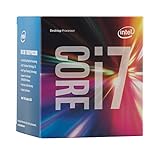
- LGA 1151
- DDR4 & DDR3L Support
- Display Resolution up to 4096x2304
- Intel Turbo Boost Technology. Memory Types : DDR4-1866/2133, DDR3L-1333/1600 @ 1.35V
- Compatible with Intel 100 Series Chipset Motherboards
Product prices and availability are accurate as of the date/time indicated and are subject to change. Any price and availability information displayed on Amazon at the time of purchase will apply.

