
The Tool Desk
Outbyte Driver Updater FREEScan for outdated or missing drivers - takes under a minuteDriver Scan →Outbyte PC Repair FREEClear out junk files and repair common Windows errorsFree Scan →iTechGuides is reader-supported. When you buy through links on our site, we may earn an affiliate commission. As an Amazon Associate I earn from qualifying purchases. Learn more
No. Memoji are made by choosing their appearance in Messages; Apple’s instructions do not describe scanning your face to create one. On supported devices, an animated Memoji can later mirror your expressions and record your voice—that is animation, not avatar creation.
How do you make a Memoji look like you?
Create one in Messages and customize its features yourself. Apple’s iOS 18 guide and its newer support article describe slightly different control labels, so look for the Memoji option in the Messages interface on your device rather than expecting identical wording on every version.


-
Open Messages and start a conversation or open an existing one.
Quick wins for a faster PC:
Scan for outdated or missing drivers - takes under a minuteDriver Scan →Clear out junk files and repair common Windows errorsFree Scan →Fix the driver behind crashes, sound loss and screen glitchesFind Drivers →Special offer. See more information about Outbyte and uninstall instructions. Please review EULA and Privacy policy. -
Open the add or app controls, then choose Memoji. If it is not immediately visible, look farther down the panel.
-
Choose the option to create a new Memoji, then adjust its appearance, including features such as skin tone, hairstyle, and eyes.
-
Tap Done to save it. You can later edit, duplicate, or delete an existing Memoji.
Rank #2
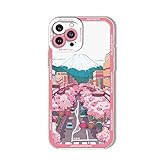 Mamarmot for iPhone Air Cute Clear Case, Japanese Cool Cartoon Anime Aesthetic Scenery Design Stylish Soft Shockproof Angel Eyes Protective Transparent Back Case Cover Shell (Fuji, for iPhone Air)
- 【Anime case for iPhone Air 6.5inch】: Protect your phone, support wireless charging, you can charge wireless without removing the case. Please check your mobile phone model before buying.
- 【UNIQUE DESIGN】: The cool pattern is made with unique printing technology and won't rub off, fade or smudge. The cool anime pattern on the case makes your phone colorful and stand out, and the comfortable feel adds fun to your iPhone.
- 【TPU Material】: Made of soft material, easy to use and install, precise hole position allows you to use it without any trouble.
- 【Perfect Protection】- High quality material protects your phone from all-round scratches, full lens protection design prevents camera scratches and wear, strong resistance design on the back prevents damage from dropping the phone.
- 【Gift Choice】- Specializes in fashionable, innovative and interesting cell phone cases in a variety of styles. This cute clear cartoon anime design phone case for iPhone Air 6.5 inch is very artistic and is a good choice for gift giving.
Apple’s instructions use built-in Messages controls and do not require a separate purchase or accessory. Apple Support: Use Memoji on your iPhone or iPad Pro and its iOS 18 Messages guide describe the creation flow.
Crashes, No Sound, or Screen Glitches?
Random freezes, missing sound and display glitches usually trace back to one bad driver. Find and replace yours safely.Free scan · under a minutePC Slower Than It Used to Be?
A free scan shows the junk files, broken settings and background clutter dragging Windows down - then fixes them in one click.Free scan · Windows 10 & 11What does animated Memoji do?
Animation is a separate feature from designing the avatar. Apple says that, on supported models, animated Memoji can record your voice and mirror your facial expressions. In Messages, select a Memoji and use the record control to make an animated message. Apple also documents Memoji use in FaceTime and in Clips on compatible devices. Apple’s Memoji support article and iPhone user guide explain these uses.
Rank #3

- Compatible models: iPhone XS / X (5.8 inch)
- Type: Notebook Type
- Apple Logo on the back Clear Case
- Card Case turns into a Stand. How to charge wirelessly. Please read the
- case on. Please note that parallel import products are not covered by after-sales service
Which devices support Memoji?
Requirements depend on the feature. For using Memoji in Clips specifically, Apple lists iPhone X or later, or an 11-inch iPad Pro or 12.9-inch iPad Pro (3rd generation or later). Apple says Clips uses the device’s front-facing camera. This is a Clips-specific requirement, not a complete compatibility list for every Memoji feature. See Apple’s Clips guide.
Face ID support and Memoji creation are not the same thing: a device’s ability to use Face ID does not mean Messages scans your face to build an avatar. Apple’s Memoji creation steps instead have you choose visual features. Its Face ID model list provides device compatibility context, not evidence of face-scanning for Memoji.
Independent reader supportYour contribution helps us test, update, and keep practical guides available for everyone.Can you sync a Memoji across devices?
To sync Memoji across compatible devices, Apple says to use the same Apple Account on each device, enable two-factor authentication, and turn on iCloud Drive. See Apple’s sync requirements.
Free tools Windows power users keep installed
One-click scans. No signup required.
Quick Recap
Best Value

- In the classroom or at the office, our notepad phone case is perfect for taking notes on the go
- Our patented design is the only phone case which combines a small notepad and mini pen
- You'll never struggle to find a pen and pad the next time you have a good idea
- Our case will replace your sticky notes and notebooks - great for shopping lists, reminders, or taking meeting notes
- Also functions as a card holder and wallet just in case you need extra space for your credit cards and IDs
Product prices and availability are accurate as of the date/time indicated and are subject to change. Any price and availability information displayed on Amazon at the time of purchase will apply.

