
Recommended Free Tools
iTechGuides is reader-supported. When you buy through links on our site, we may earn an affiliate commission. As an Amazon Associate I earn from qualifying purchases. Learn more
Usually, yes. If your iPhone Duo pre-order was placed through the Apple Online Store and has not shipped, sign in to Apple’s Order Status page and request cancellation. If the status is Preparing for Shipment or Shipped, Apple generally requires you to accept delivery and start a return instead. Apple’s refund timing depends on your payment method, country and whether a carrier agreement is attached to the purchase.
What this policy covers
Apple announced iPhone Duo pre-orders for October 16, 2026, through apple.com and the Apple Store app. The iPhone Duo is a foldable iPhone; Apple says its inner display is 50 percent larger than the display on an iPhone 18 Pro Max. The cancellation guidance below concerns orders placed directly with Apple. A carrier, retailer or other seller can apply different deadlines and refund rules.


Check your order status first
The order status determines whether you can cancel immediately or must return the phone after delivery. Sign in with the Apple Account used for the purchase and open the order details.
| Order status | What you can normally do | Refund route |
|---|---|---|
| Not preparing for shipment | Request cancellation online from Order Status. | Apple begins the refund process after accepting the cancellation. |
| Preparing for Shipment | Online cancellation may no longer be available. Wait for delivery. | Start a return after the item arrives. |
| Shipped or in transit | Do not rely on refusing the parcel to cancel the order. Accept delivery and use Apple’s return process. | Refund is processed after Apple receives the returned item, subject to the applicable market policy. |
Apple’s published guidance says an item generally remains cancellable online until it enters Preparing to Ship or Shipped status. Wording can differ slightly by market, such as “Preparing for Shipment” versus “Preparing to Ship,” but the practical distinction is the same: once fulfillment has started, the cancellation button may disappear.
#1 Best Overall
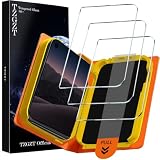
- First-class Quality and Bold Commitment: This product designed for iPhone Duo 2026. Includes 3 x Front Tempered Glass, 1 x One-Touch Auto-Install Box, Cleaning Tools Accessories. [0 Bubble + 0 Misalignment + 0 Dust = Successfully Installed Every Time] Provide quality service, any questions, you can send us a message through Amazon's “Message Center”, rest assured that we will provide you with a satisfactory solution within 24 hours
- Outstanding Military Grade Shatterproof Glass for Peace of Mind: This 9H hardness tempered glass utilizes state-of-the-art float glass processing technology that is much harder than the common 9H materials available on the market, providing superior shatter, scratch, and abrasion resistance and twice the durability of other materials. This ensures that your phone can withstand any drop or impact, providing the highest level of screen protection in any environment
- 2026 Breakthrough Exclusive One-Touch Automatic Installation Technology: especially beginner-friendly. features automatic positioning, automatic air release, automatic dust removal, and super-fast installation. Zero bubbles, precise adhesion
- 100% Ultra HD Eye Protection & Fingerprint-Free Touch: Utilizing top quality high-transparency optical material, it brings the best visual feast to your screen. Professional blue light filtering technology to create a more relaxed and comfortable viewing experience. The surface is smooth and consistent, providing the same tactile experience as the bare screen. Advanced anti-fingerprint coating technology, it can effectively prevent fingerprints from sweat and oil stains, clean as new
- Case Friendly & 3D micro-arc Technology: Compatible with 99% of phone cases. the rounded edges are polished to be comfortable to the touch, saying goodbye to sharp corners.. 1:1 size screen coverage design perfectly wraps around every curve of the screen, preserve the original beauty
How to cancel an Apple Online Store pre-order
- Open Apple’s Order Status page. Sign in with the Apple Account used to place the iPhone Duo order. If you checked out as a guest, use the order number and the email address or postal code requested on the page.
- Open the iPhone Duo order. Confirm the model, storage, finish and delivery address so you do not cancel the wrong item in a multi-item order.
- Read the current fulfillment status. Cancellation is normally available only while the order has not entered shipment preparation or transit.
- Select the cancellation option. Follow the on-screen confirmation steps. If Apple asks for a reason, choose the one that best describes your situation; the reason does not change your legal right to a refund where the order is eligible for cancellation.
- Save proof of the request. Keep the confirmation page, email and cancellation reference. Take a screenshot showing the order number and time of cancellation in case the charge remains pending or you need Apple Support to trace the request.
- Monitor the original payment method. The money normally returns to the method used for the order, not to a different card or bank account selected later.
If there is no cancel button, refresh the order page and check the status again. A missing option usually means fulfillment has advanced, the order was placed through another seller, or a payment, pickup or carrier workflow requires separate handling.
What to do when the order is preparing to ship or already shipped
Once Apple has begun preparing the package or the package is in transit, Apple directs customers to wait for delivery and then initiate a return. Use the return option in Order Status or contact Apple Support for the instructions shown for your country.
After delivery
- Open the order in Order Status and choose the return option, or ask Apple Support to create the return.
- Follow the country-specific packing and shipping instructions. Keep the shipping receipt and tracking number until the refund is completed.
- Return the iPhone Duo and any included items Apple requires, such as cables or documentation. Missing components can delay inspection or alter the amount refunded under the applicable policy.
- Wait for Apple to receive and process the return. The refund clock for a returned item starts after Apple receives it, not when you first decide to return it.
Some markets may charge return transportation. The amount, if any, depends on the market’s terms; Apple does not state one universal fee for every country. Do not assume that declining delivery, leaving the parcel uncollected or sending it to an address other than the one Apple specifies will count as a completed return.
PC Slower Than It Used to Be?
A free scan shows the junk files, broken settings and background clutter dragging Windows down - then fixes them in one click.Free scan · Windows 10 & 11Crashes, No Sound, or Screen Glitches?
Random freezes, missing sound and display glitches usually trace back to one bad driver. Find and replace yours safely.Free scan · under a minuteHow long the refund takes
Apple describes different timing for a billed pickup cancellation and a card payment. The bank or card issuer can add posting time after Apple sends the refund.
| Payment or situation | Apple’s stated action | What can affect when you see the money |
|---|---|---|
| Billed pickup cancellation | Apple initiates the refund immediately after the cancellation request. | Your bank or payment provider may still need time to post it. |
| Card payment canceled before shipment | Apple sends the refund to the card-issuing bank within five business days after the cancellation request. | The issuer’s posting schedule, weekends, holidays and pending-authorization handling. |
| Card payment returned after delivery | Apple sends the refund to the card-issuing bank within five business days after Apple receives the returned item. | Inspection, return transit and the issuer’s posting schedule. |
| Apple Account balance, gift card, financing or another payment method | Timing and destination are not stated in the available Apple guidance. | Check the order confirmation and the payment provider’s terms, or ask Apple Support for the market-specific rule. |
A card refund being “sent” does not mean it is already visible in your account. If five business days have passed since Apple’s stated trigger and the credit is still missing, ask Apple for the refund reference or confirmation, then contact the card issuer. Give the issuer the exact amount, date and last four digits of the card when requested; never send a full card number by email or chat.
Canceling the phone is not the same as canceling wireless service
Returning an iPhone does not automatically cancel or reset wireless service. Carrier agreements, activation charges, installment contracts and other fees remain your responsibility unless the carrier separately cancels or adjusts them.
Rank #3

- Compatibility: This kickstand case is only compatible with iPhone Duo 7.6 inches.
- Hidden Stable Kickstand: The hidden adjustable stand allows you to enjoy hands-free viewing everywhere. When the stand feature is not in use, this foldable stand is ready to hide and allows your iPhone Duo case to lie flat on a flat surface.
- Screen Protection: This iPhone Duo case has a responsive, scratch-resistant screen protector. Built-in temepered glass screen protector protects your front screen from drops and scratches.
- Precise Cutouts: Raised edges for extra screen and camera protection. Perfectly aligned cutouts allow easy access to the speaker, camera, buttons and other features.
- No Slip & Lightweight: While providing reasonable protection for iPhone Duo, the back cover is made of anti-slip polka dots, which provides a comfortable grip and secure hold. Slim and lightweight design, easy to carry at any time.
Carrier activation or a carrier pre-order
If you ordered iPhone Duo from a carrier, the carrier’s order system controls cancellation. Contact that carrier directly and ask for written confirmation that the device order, line activation and any deposit were canceled. Apple’s retail cancellation workflow cannot terminate a carrier contract.
Do these 3 things before closing this tab:
1Scan for outdated or missing drivers - takes under a minute2Repair Windows errors before they cause bigger problems3Fix the driver behind crashes, sound loss and screen glitchesInstallments or financing
If the phone is linked to an installment plan or financing account, ask who owns the credit agreement. A device refund may need to be matched to the financing account rather than paid directly to you, and any remaining balance or promotional credit should be confirmed in writing.
Trade-in
Do not ship a trade-in until you know whether the iPhone Duo order will be canceled. If Apple or a carrier has already received your old device, request the trade-in status and the procedure for returning or crediting it. A trade-in can be administered separately from the phone refund.
Apple Online Store versus another seller
The steps above apply to an Apple Online Store order. The seller named on your confirmation email is the party whose terms control the cancellation and refund.
- Apple Store app or apple.com: Use Apple Order Status and Apple’s return process.
- Carrier: Use the carrier’s account, preorder page or customer service channel. Ask about activation, installments and service commitments separately.
- Retailer or reseller: Follow that seller’s cancellation window, return label rules and refund method. Apple may not be able to modify the order.
If you are unsure where the order originated, check the merchant name on the receipt and the card transaction. Do not open duplicate cancellation requests with different sellers before confirming which order number is active.
What’s actually slowing this PC down?
Pick the symptom - the matching free tool is one click away.
Why your refund may look delayed
The charge is only a pending authorization
Some payments appear as a pending authorization rather than a completed charge. In that case, the bank may release the hold instead of displaying a separate refund credit. The release time is controlled by the issuer.
Best Value
![Lamicall Cell Phone Stand for Desk - [Height Angle] Adjustable Phone Holder](https://m.media-amazon.com/images/I/41B6xLJiVNL._SL160_.jpg)
- 【Wide Compatibility】Universal phone holder works with smartphones and small tablets from 4-10 inches (8-10" devices require landscape mode), including Apple iPhone Duo/18 Pro/18 Pro Max /17/17e/17 Pro/17 Pro Max/17 Air, iPhone 16/16 Pro/16 Pro Max/16 Plus, iPhone 15/15 Pro/15 Pro Max/15 Plus, iPhone 14/14 Plus/14 Pro/14 Pro Max, iPhone 13 Series, iPhone 12 Series, iPad mini, and other similar-sized devices.
- 【Adjustable Height & Angle】Upgraded Lamicall phone stand features smooth height adjustment from 150-269mm (5.9-10.6 inches) and a 90° adjustable angle, allowing you to position your device at a comfortable viewing height. Perfect for video calls, online meetings, reading, streaming, and everyday hands-free use.
- 【Ultra Sturdy & Non-Slip Base】Built with a weighted metal base, reinforced aluminum support rod, and anti-slip rubber feet for enhanced stability during daily use. Designed primarily for smartphones and small tablets. For 8-10 inch devices, landscape orientation is recommended for better balance and viewing comfort.
- 【Case Friendly Design】Fits phones with cases up to 0.71 inch (18mm) thick. Thickened silicone backrest pads and rubber hooks help keep your device securely in place while protecting it from scratches. Devices with ring holders, wallet cases, finger grip accessories, or other bulky back attachments may not fit securely.
- 【Perfect for Multi-Scenes】An essential phone accessory for your desk, office, kitchen, bedside table, or workspace. Enjoy comfortable hands-free viewing for TikTok, FaceTime, Zoom meetings, YouTube, gaming, recipe viewing, and charging while keeping your device within easy reach.
The order contains multiple items
Apple may cancel or refund items independently. Check each line item and its status instead of assuming that canceling one iPhone Duo order canceled accessories or another device in the same checkout.
The cancellation confirmation has not arrived
Check spam and promotional folders, then return to Order Status. If the order still shows active after you received a cancellation confirmation, contact Apple Support with the order number and saved screenshot.
The refund went to a replaced or expired card
Card refunds normally travel through the original card account. Contact the issuer even if the physical card was replaced; banks usually have a process for crediting the underlying account. Apple cannot redirect a card refund to an unrelated card without following its payment rules.
Free tools Windows power users keep installed
One-click scans. No signup required.
Country and date qualifications
Apple publishes market-specific consumer and return policies. The guidance confirming that items generally remain cancellable until Preparing to Ship or Shipped, and that billed-pickup refunds are initiated immediately, is also reflected on Apple’s Ireland help page. That does not make Ireland’s terms universal.
Your country can change the return deadline, who pays return transportation, the available payment methods and the way taxes or duties are refunded. Read the policy attached to your order confirmation and use the local Apple support channel. The information here reflects Apple guidance available on October 16, 2026; policies can change after that date.
A practical decision path
- Find the seller. If it is Apple, continue with Order Status. If it is a carrier or retailer, use that seller’s process.
- Check the status. Before shipment preparation, request cancellation. During preparation or transit, plan a return after delivery.
- Identify payment and service commitments. Note whether you paid by card, pickup billing, Apple Account balance, gift card or financing, and whether a carrier line, installment or trade-in is attached.
- Keep records. Save cancellation or return confirmation, tracking, receipts and support case numbers.
- Escalate in the right order. Ask Apple about the order and refund reference; ask your bank about posting or a released authorization; ask your carrier about service and financing obligations.
Cancellation checklist
- Order number and Apple Account email are available.
- Seller is confirmed as Apple, a carrier or another retailer.
- Status is recorded before you act.
- Cancellation confirmation or return tracking is saved.
- Original payment method is monitored for the refund or authorization release.
- Carrier activation, installment and trade-in obligations are handled separately.
- Local return terms and any possible transportation charge have been checked.
Bottom line
An Apple Online Store iPhone Duo pre-order is normally cancelable before it reaches shipment preparation. Use Order Status, save the confirmation and expect a card refund to be sent to the issuing bank within five business days after Apple’s cancellation or receipt of the returned phone. If the order is preparing to ship or already in transit, accept delivery and start a return. A device refund does not by itself cancel a carrier plan, installment agreement or trade-in arrangement.
Quick Recap
Product prices and availability are accurate as of the date/time indicated and are subject to change. Any price and availability information displayed on Amazon at the time of purchase will apply.

