
Do these 3 things before closing this tab:
1Scan for outdated or missing drivers - takes under a minute2Repair Windows errors before they cause bigger problems3Fix the driver behind crashes, sound loss and screen glitchesiTechGuides is reader-supported. When you buy through links on our site, we may earn an affiliate commission. As an Amazon Associate I earn from qualifying purchases. Learn more
Short answer: an LTE smartwatch can replace a phone for selected short outings and routine tasks, but it is not a complete smartphone substitute. You need a cellular-capable watch, an eligible carrier plan and coverage. Even then, battery life, tiny-screen input and phone-dependent messaging or notifications can limit what you do.
The crucial distinction is between using a watch away from a nearby phone and setting it up or operating it without a phone at all. Official documentation supports the first scenario much more clearly than the second.
What “replace a phone” means in practice
A smartwatch can cover a narrow set of phone jobs: calls, short messages, navigation, payments, music, reminders, health tracking and emergency-oriented functions. Those jobs work best when the watch has LTE service or access to a known Wi-Fi network.
It does not provide the same screen, keyboard, camera, storage, app catalogue or sustained battery capacity as a smartphone. Long messages, document work, complex searches, social-media browsing and many account-management tasks remain awkward or unavailable. Treat the watch as a wrist-worn communications and utility device, not a miniature handset.
#1 Best Overall

- KNOW WHERE YOUR WILD THINGS ARE - The Fitbit Ace LTE is the first-of-its-kind kids smartwatch and fitness tracker designed to move the next generation of gamers; with built-in cellular 4G LTE and GPS location, they’re never out of reach[1,4]
- IN-APP CALLS & MESSAGES WITHOUT A PHONE NUMBER - Stay connected and add up to 20 contacts (ages 13 and up) for them to call and message with; Works with most Android 11.0 or newer or iOS 16 or newer[20,21,22]; Google account and Fitbit Ace app required.
- A BATTERY THAT KEEPS ON GOING - With 16+ hours of battery life, Fitbit Ace LTE can keep up with kids all day long[15]; and fast charging provides 11 hours of battery life in just 30 minutes[16]
- LTE DATA FOR UNLIMITED FUN - The Fitbit Ace Pass data plan gives you access to calling, messaging, and location sharing; plus, kids get every game title in the Fitbit Arcade[4,7]
- HELP YOUR KIDS FOCUS AT SCHOOL - School Time lets you limit gameplay on your kid’s watch during the day to help them focus, while still letting them getting in touch if they need to; kids cannot message each other using Fitbit Ace LTE[8]
Manufacturers also describe different levels of independence. Samsung presents LTE Galaxy Watch models as companions to a Galaxy smartphone, while Apple and Google document specific functions that continue when the paired phone is not nearby. None of those statements establishes a universal, brand-agnostic setup that works indefinitely with no compatible phone.
How a smartwatch connects when your phone is elsewhere
Bluetooth: the phone is still the network
A Bluetooth-only watch normally uses the paired phone for internet access, calls, notifications and synchronization. Leave the phone behind and most connected functions stop unless the watch can use Wi-Fi independently. Bluetooth models can still show the time, record some workouts, play downloaded media and provide other offline features, but they are not a practical phone replacement.
Wi-Fi: useful, but only where a known network is available
When an Apple Watch is away from its iPhone, Apple says it can connect through Wi-Fi or cellular if it is a cellular model. Wi-Fi lets the watch perform many online tasks, but it depends on a compatible network and does not follow you between locations. Apple documents calling over Wi-Fi only when the relevant Wi-Fi Calling conditions are met. See Apple’s support guide for the model and region qualifications.
Recommended Free Tools
Rank #2

- Next-Generation 3nm Processor: Exynos W1000 chipset delivers significantly faster performance and smoother app navigation.
LTE: the option for broad coverage away from the phone
LTE is the key hardware feature for regular use outside Wi-Fi range. The watch contains a cellular radio and an eSIM, and the carrier activates service for that device. Google states that Pixel Watch cellular service requires an LTE model and a separately purchased compatible 4G LTE plan; service and roaming are not available on every carrier or in every area. Full talk, text and data functionality can also depend on the watch and its companion Android device using the same carrier. These requirements are listed in Google’s Pixel Watch specifications.
| Connection | What it can do away from the phone | Main limitation |
|---|---|---|
| Bluetooth only | Offline time, workouts, downloaded media and limited local apps | Needs the phone for most live communication and data |
| Wi-Fi | Online features at a configured, compatible network | Works only where that network is available |
| LTE | Calls, messages, maps, streaming and other supported data tasks over the mobile network | Requires an LTE watch, eligible plan, coverage and often carrier compatibility with the phone |
What you can actually do without the phone nearby
Calls and short messages
LTE models can place and receive calls and handle supported messaging while the phone is elsewhere. Samsung lists calls and messages among the functions available on LTE versions of Galaxy Watch8, Galaxy Watch8 Classic and Galaxy Watch Ultra. Its US newsroom description also includes music and podcast streaming, navigation, Gemini, SmartThings control, workout and health tracking, and Samsung Wallet. Those are supported watch tasks, not evidence that every phone app has a watch equivalent. Read the manufacturer’s feature description at Samsung Newsroom.
Apple’s cellular watch can call and use several communication and utility services when the iPhone is off or out of range, provided the watch has Wi-Fi or cellular connectivity. However, there is an important dependency: To receive SMS, MMS, or push notifications from third-party apps on your cellular Apple Watch, your paired iPhone must be powered on and connected to Wi-Fi or cellular, but it doesn’t need to be nearby.
That qualification comes directly from Apple’s guide at support.apple.com.
Rank #3

- WHY GALAXY WATCH ULTRA: Longest-lasting battery yet.¹* Advanced health and sleep tracking features.* Personalized Running Coach.* Durable titanium casing.* 10ATM Water Resistance.⁹* Dual-frequency GPS.* Personal AI assistant for hands free help.⁶*
- A BATTERY BUILT FOR ENDURANCE: Have the confidence to adventure off-grid with a battery that can keep up with you. Galaxy Watch Ultra features our longest-lasting battery yet,¹ so you can go to the extreme for days on end without needing to recharge.
- YOUR ADVENTURE STARTS THE NIGHT BEFORE: Fuel tomorrow’s performance with a great night’s sleep, thanks to Advanced Sleep Coaching² - now improved with even more ways to help you sleep smarter.
- BUILT FOR THE LONG RUN: Whether you’re on a trail or a track, unleash the winning runner within using Running Coach³ on Galaxy Watch Ultra. It analyzes factors⁴ such as your age, weight, oxygen levels and heart rate to guide you through your run.
- UPDATES THAT GIVE YOU THE EDGE: Navigate the wild more easily with Now Bar⁵ and an improved user experience. Now Bar conveniently puts the info you use the most - like weather, timers, directions and more - right on your main Watch screen.
Maps, weather and voice assistance
Connected watches can provide turn-by-turn navigation, weather information, reminders and voice assistance. They are useful for checking a route or issuing a short command while walking or exercising. A small display and short interaction windows make them less suitable for researching a destination, comparing several routes or entering a long address.
Free tools Windows power users keep installed
One-click scans. No signup required.
Music and podcasts
Streaming is possible on supported LTE watches, but it consumes more battery than playing files stored on the watch. Apple lists downloaded audio among its offline capabilities, while streaming requires a connection. Google’s battery guidance similarly warns that streaming music drains the battery faster; the guidance is available at Google Pixel Watch Help.
Payments, health and safety
Apple lists Apple Pay, workouts, activity tracking, selected health and utility apps, downloaded media, synced photos, time and alarms as functions that can continue when the watch has no Wi-Fi, cellular or iPhone connection. Samsung lists Samsung Wallet and health and workout tracking on its LTE models. Availability varies by model, country and region, so check the specifications for the exact watch you intend to buy.
Rank #4
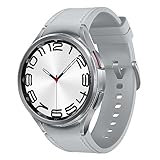
- Rotating Bezel Design: Classic rotating bezel enables precise control and smooth navigation.
Where the phone is still required
Notification delivery can depend on a powered-on phone
The Apple SMS, MMS and third-party push-notification rule is easy to miss: the iPhone may be far away, but it must be switched on and connected to Wi-Fi or cellular. Leaving the phone at home therefore works only if the phone remains powered and online. A watch cannot be assumed to receive every notification independently.
Initial setup and account management
Compatibility is ecosystem-specific. Google lists Pixel Watch 5 support for most phones running Android 12 or newer and requires a Google Account plus the Pixel Watch app. The watch still needs to be paired and managed through that ecosystem for setup, updates and many settings. The reviewed manufacturer documentation does not establish a universal activation path that lets every smartwatch be configured with no phone at all.
Quick wins for a faster PC:
Scan for outdated or missing drivers - takes under a minuteDriver Scan →Clear out junk files and repair common Windows errorsFree Scan →App availability is narrower than on a phone
A watch app may offer a focused view of a service rather than the full phone application. Some services are unavailable on particular models or in particular countries. Apple explicitly warns that not all features are available on all models or in all regions; Google makes similar availability and carrier qualifications. Check the exact model, operating system, country and carrier before assuming a feature will work.
Best Value
![Samsung Galaxy Watch 7 40mm LTE AI Smartwatch w/Energy Score, Wellness Tips, Heart Rate Tracking, Sleep Monitor, Fitness Tracker, 2024, Green [US Version, 1Yr Manufacturer Warranty]](https://m.media-amazon.com/images/I/414u6mCC97L._SL160_.jpg)
- PUSH PAST YESTERDAY: Looking for a great way to bring out your personal best every day? Challenge yourself to excel on your next run or bike ride using tracking with Galaxy AI¹ that lets you compare your current performance to your last one²
- START YOUR DAY WITH YOUR ENERGY SCORE: Know how ready you are to take on the day using your personalized Energy Score with Galaxy AI¹; It calculates today’s physical readiness based on what you did yesterday
- KEEP A CLOSER EYE ON YOUR HEART HEALTH: Get the most out of your fitness workouts using improved Heart Rate Tracking³ with Galaxy AI¹ that filters out your body’s movements for a more accurate reading
- GET A BOOST TOWARD YOUR GOALS: Stay on track toward your goals using personalized suggestions from Wellness Tips⁴; Your Watch collects the insights and then they’re analyzed on your phone
- BETTER SLEEP. A HEALTHIER YOU: Learn better habits for more restful nights using sleep tracking⁵ with Galaxy AI¹ — it also helps detect moderate to severe sleep apnea⁶; Get helpful insights collected by your Watch and analyzed by your phone
Battery life is the practical limit
Published battery numbers are manufacturer estimates, not a guarantee for continuous LTE calls, GPS, streaming and an always-on display. Google’s 2026 specifications for Pixel Watch 5 give the following maximum estimates:
| Model or mode | Google’s stated estimate | Qualification |
|---|---|---|
| Pixel Watch 5, 41 mm, always-on display | Up to 30 hours | Manufacturer estimate, 2026 |
| Pixel Watch 5, 45 mm, always-on display | Up to 40 hours | Manufacturer estimate, 2026 |
| Pixel Watch 5, 41 mm, Battery Saver | Up to 48 hours | Manufacturer estimate, 2026 |
| Pixel Watch 5, 45 mm, Battery Saver | Up to 72 hours | Manufacturer estimate, 2026 |
| Pixel Watch 3, always-on display | Up to 24 hours | Prior-model estimate from Google |
| Pixel Watch 3, Battery Saver | Up to 36 hours | Prior-model estimate from Google |
Google says actual life may be lower because of cellular connection, network conditions, features, environment and usage. Its support guidance lists approximately 8–10 hours for continuous GPS use. A day of heavy standalone LTE use can therefore end sooner than the headline maximum, especially with a bright always-on screen and streamed audio. The figures and conditions are documented in Google’s Pixel Watch 5 specifications and battery guidance.
Independent reader supportYour contribution helps us test, update, and keep practical guides available for everyone.Input and screen limits you should expect
The wrist-worn form factor is a usability constraint even when connectivity is excellent. Voice input is convenient for a short reply, but noisy environments, accents and privacy concerns can make it unreliable. On-screen keyboards are cramped, and selecting text, editing a long message or filling out a form takes much longer than on a phone. A watch is strongest for glances, short replies, quick navigation decisions and one-tap actions.
Media control and downloaded playlists work well with Bluetooth earbuds. Streaming directly from the watch is optional, not a requirement for phone-free use; downloaded audio avoids relying on a mobile signal and reduces data use, although it still consumes storage and battery.
How to decide whether an LTE watch fits your routine
- List the outings where you want to leave the phone behind. Include runs, school pickups, short errands, commuting and nights out. Note whether you need calls, two-factor messages, maps, payments, music or emergency contact.
- Confirm ecosystem compatibility. Check the required phone operating system, companion app and account. For Pixel Watch 5, Google specifies most Android 12-or-newer phones, a Google Account and the Pixel Watch app.
- Choose LTE only if the use case needs it. Bluetooth or Wi-Fi can be sufficient if you are usually near a known network or carry the phone. LTE adds independence but requires a separate service plan.
- Verify carrier and country support before buying. Ask the carrier whether the exact watch model, phone model and region are supported, whether both devices must share a carrier, and how roaming works. Plan pricing and eligibility vary; no universal price applies.
- Check each critical task on the manufacturer’s support page. Confirm calls, SMS, third-party notifications, navigation, payments, health features and music for your model. Do not infer that a phone app’s presence guarantees an equivalent watch app.
- Compare the published battery estimate with your charging tolerance. If daily charging is unacceptable, an always-on display, LTE, GPS and streaming may rule out the smallest model. Use Battery Saver only if its reduced features fit your routine.
Setting up a phone-away test
Before relying on the watch for a full day, test it under the conditions you will actually face.
- Pair and update the watch using the required companion phone, account and app.
- Activate the eligible LTE plan if you bought a cellular model, then confirm the watch shows cellular service when Bluetooth is disabled.
- Turn off Bluetooth and leave the phone powered on in a place with Wi-Fi or cellular service if your messaging system requires it.
- Place a call, send and receive a short message, load a map route, make a payment and play both downloaded and streamed audio.
- Record the battery percentage after a representative period of LTE, GPS, display and audio use. Treat this observation as your own planning data, not a standardized benchmark.
- Repeat the test in the locations where coverage matters. A watch that works at home may fail in a building, rural area or roaming destination.
Common failure points and fixes
- No cellular service: confirm the watch is an LTE model, the plan is active, the model is carrier-approved and coverage exists. Recheck whether the watch and companion phone must use the same carrier.
- Calls work but SMS or app alerts do not: on Apple Watch, verify that the paired iPhone is powered on and connected to Wi-Fi or cellular. A nearby phone is not required, but an offline phone is.
- Music stops away from the phone: download albums or podcasts before leaving, or confirm that the watch has LTE data and the streaming service supports watch playback.
- Battery falls much faster than expected: reduce continuous GPS and streaming, disable the always-on display when practical, and check signal conditions. Weak cellular coverage can increase power use.
- A feature is missing: check the exact model, software version, country and region. Manufacturer feature lists are not promises that every service is available worldwide.
When a smartwatch can—and cannot—replace your phone
| Situation | Likely outcome |
|---|---|
| Short run or errand; calls, payments and safety contact are the priority | An LTE watch can often cover the essentials if coverage and plan support are in place. |
| Exercise session with downloaded music and GPS | A watch can work without the phone, but GPS and audio reduce battery life. |
| All-day work involving long messages, files, camera use or complex apps | A phone remains substantially more capable and comfortable. |
| Travel across regions with uncertain roaming | Do not rely on the watch until the carrier confirms service and emergency capabilities for each destination. |
| Household where the paired phone is switched off | Some watch functions continue, but Apple’s documented SMS, MMS and third-party push requirements will not be met. |
The practical verdict
Buy an LTE smartwatch if your goal is to leave the phone behind for defined, short activities and you accept a separate carrier plan, daily charging and a smaller set of apps. Choose Bluetooth or Wi-Fi if you mainly want notifications, fitness and media controls while keeping the phone nearby. No current evidence supports treating a smartwatch as a universal replacement for a phone: connectivity, carrier rules, battery behavior, app support and the paired phone’s power state all determine what remains available.
Quick Recap
Product prices and availability are accurate as of the date/time indicated and are subject to change. Any price and availability information displayed on Amazon at the time of purchase will apply.
What’s actually slowing this PC down?
Pick the symptom - the matching free tool is one click away.

