
Free tools Windows power users keep installed
One-click scans. No signup required.
iTechGuides is reader-supported. When you buy through links on our site, we may earn an affiliate commission. As an Amazon Associate I earn from qualifying purchases. Learn more
Yes—if your games, settings and portability priorities fit what the laptop can sustain. A Ryzen AI Max+ 395 system with Radeon 8060S integrated graphics can deliver credible 1080p gaming, including 75.6 frames per second in a specific Cyberpunk 2077 test at Ultra settings with FSR disabled. It is not a universal replacement for a laptop built around a discrete graphics processor: performance depends heavily on the exact chassis, power limit, cooling, firmware, memory configuration and display, and a less expensive discrete-GPU model can be faster in games.
What a Ryzen AI Max gaming laptop actually is
Ryzen AI Max is a laptop processor platform aimed at more than gaming. AMD positions the family for power users, professional workloads and local artificial-intelligence tasks as well as graphics-intensive applications. The top model cited here, Ryzen AI Max+ 395, combines a high-core-count CPU with Radeon 8060S integrated graphics rather than a separate graphics card.
AMD lists the Ryzen AI Max+ 395 with 16 CPU cores, 32 threads, boost clocks up to 5.1 GHz and a 55 W processor figure. Those are specifications for the chip itself, not a guarantee that every laptop will hold the same performance during a long game. The manufacturer of each laptop can set different power modes, cooling capacity and firmware behavior.
The Tool Desk
Outbyte PC Repair FREEClear out junk files and repair common Windows errorsFree Scan →Outbyte Driver Updater FREEFix the driver behind crashes, sound loss and screen glitchesFind Drivers →Tom’s Hardware describes Radeon 8060S as a 40-compute-unit integrated GPU with 2,560 shader cores. “Integrated” means the graphics processor is part of the laptop’s processor platform, not that it is automatically slow. It does mean the design and power budget are shared within a compact system, so implementation matters more than a model name alone.
#1 Best Overall

- THE ULTIMATE 2-IN-1 – Stay in the zone with a larger touchpad, up to 10 hrs of battery life, and a flexible 170° kickstand that adapts effortlessly to create, game and work on the go.
- POWER MEETS PORTABILITY – Equipped with a brand-new one stop shop chipset experience in the AMD Ryzen AI MAX+ 395 processor with 16 cores, up to 50 tops NPU power and RDNA 3.5 graphics in a 13-inch chassis, the Flow Z13 is designed for next generation portable power.
- GAME CHANGING AI ASSISTANT – Experience productivity boosts and improved power efficiency curtesy of ROG Intelligent Assistance with Copilot + PC powered by AMD Ryzen AI.
- SEAMLESS PERFORMANCE – The LPDDR5X 8000MHz quad-channel memory dynamically balances the integrated CPU and GPU. With 32GB of low-latency memory, it ensures smooth gaming.
- ROG NEBULA DISPLAY, BRILLANCE UNLEASHED – Experience brilliance with the 16:10 WQXGA 180 Hz/3ms PANTONE Validated touchscreen, covering DCI-P3 color space.
What the independent benchmark shows
The clearest published gaming evidence comes from Notebookcheck’s test of an ASUS ROG Flow Z13 GZ302EA-RU073W using Ryzen AI Max+ 395 and Radeon 8060S. That specific configuration received an aggregate GPU performance rating of 76.1 points.
| Test | Result | Conditions and scope |
|---|---|---|
| Notebookcheck aggregate GPU rating | 76.1 points | ASUS ROG Flow Z13 GZ302EA-RU073W with Ryzen AI Max+ 395 and Radeon 8060S; rating applies to the reviewed system |
| Cyberpunk 2077 | 75.6 fps | 1,920 × 1,080, Ultra preset, FSR off, on the same reviewed configuration |
| Notebookcheck’s relative assessment | Approximately Radeon RX 7600M XT class and slightly ahead of its tested 90 W GeForce RTX 4050 Laptop GPU | Comparison is tied to Notebookcheck’s tested systems and methods, not every laptop carrying those names |
A 75.6-fps result at 1080p Ultra is strong evidence that the 8060S can support demanding modern games at a conventional laptop resolution. It is not an average for all games, and it does not establish minimum frame rates, frame-time consistency or performance at a higher native display resolution. A laptop with a 2,560 × 1,600 panel, for example, has substantially more pixels to render than the 1,920 × 1,080 test.
Notebookcheck’s comparison also places the tested 8060S around Radeon RX 7600M XT performance and slightly ahead of the 90 W GeForce RTX 4050 Laptop GPU it tested. Because those are review measurements from identified machines, use them as a reference point rather than as a promise for an untested model.
PC Slower Than It Used to Be?
A free scan shows the junk files, broken settings and background clutter dragging Windows down - then fixes them in one click.Free scan · Windows 10 & 11Crashes, No Sound, or Screen Glitches?
Random freezes, missing sound and display glitches usually trace back to one bad driver. Find and replace yours safely.Free scan · under a minuteWhy one Ryzen AI Max result cannot represent every laptop
Power limits
The 55 W figure in AMD’s catalogue identifies the processor specification and the test configuration AMD describes; it does not mean every laptop will sustain 55 W for the processor and graphics workload in every mode. A quiet or battery-saving profile can reduce performance, while a plugged-in performance profile may allow higher sustained output if the cooling system can handle it.
Cooling and chassis design
Thin convertibles, detachable designs and conventional clamshells can use the same processor while providing very different thermal headroom. A system that performs well for a short benchmark may reduce clocks after a long session if heat accumulates. Look for independent sustained-load testing of the exact model rather than transferring the Flow Z13 result to another 8060S laptop.
Firmware and memory configuration
Firmware controls power behavior, fan curves and performance modes. Memory capacity and configuration also affect a shared integrated-graphics platform. Confirm the exact amount and arrangement of memory in the SKU you are considering; a retailer listing that only says “Ryzen AI Max” is not enough to identify gaming capability.
Display resolution and refresh target
The cited 75.6-fps Cyberpunk result used 1080p Ultra with FSR disabled. A high-resolution internal screen, ray-tracing options, a more demanding preset or a target such as 120 or 165 fps changes the workload. If a laptop has a high-resolution panel, you may need to run games at 1080p or use an upscaling mode to achieve the same performance class.
Recommended Free Tools
AMD’s own comparison: useful context, not a guarantee
AMD’s published comparison uses a specific ASUS ROG Flow Z13 configuration with Ryzen AI Max+ 395, Radeon 8060S, 32 GB of RAM, a 1 TB SSD, Windows 11 and a 55 W setting. AMD says selected game comparisons were run at 1080p with high settings against a system using an RTX 4070. The notes identify test configurations and methodologies from February and April 2025.
Rank #2
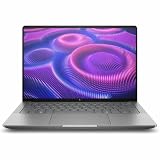
- AI-powered: Yes
- Processor Manufacturer: AMD
- Processor Type: Ryzen AI MAX PRO
- Processor Model: 380
- Processor Core: Hexa-core (6 Core)
Those figures are vendor testing. They can show how AMD wants the platform evaluated, but they should not replace independent reviews of the exact retail laptop. The configuration, operating-system image, driver versions, power mode and game settings all stay attached to the result. The comparison does not establish that every Ryzen AI Max laptop will match an RTX 4070 system or that every game will scale in the same way.
The gaming-first counterexample
Tom’s Hardware’s review of the TUF Gaming A14 (2026) illustrates the other side of the decision. Its Ryzen AI Max+ 392 system earned praise for CPU productivity performance, yet the review judged the integrated GPU short of what it expected from a premium gaming-first machine. In that comparison, a Lenovo LOQ with an RTX 5060 delivered substantially greater gaming performance while also costing significantly less.
The exact prices, markets and configurations in that review matter, so this is not a universal price rule. It is a warning about value: a powerful integrated GPU can make a compact system unusually versatile without being the fastest gaming choice per dollar. Compare same-period street prices and independent game tests before paying a premium for portability or CPU capability.
Use this decision framework before buying
1. List the games you actually play
Separate competitive games, older titles and demanding new releases. Competitive games may prioritize high, consistent frame rates, while a visually intensive single-player game may be satisfactory at 60 to 75 fps with image-quality adjustments. Search for benchmarks of the exact games, not just a synthetic GPU score or one headline result.
2. Set a realistic frame-rate and quality target
Write down your minimum acceptable experience: for example, 60 fps at 1080p high, or 120 fps at 1080p competitive settings. The 75.6-fps Cyberpunk result demonstrates one point on that scale; it does not prove that the same laptop will deliver 120 fps in every title or maintain 75 fps during every demanding scene.
3. Match the target to the panel
Check the laptop’s native resolution and refresh rate. If the panel is above 1080p, determine whether the game offers a sensible render-scale or upscaling option. If your goal is high-refresh competitive play, verify measured results at the settings you intend to use rather than relying on the display’s advertised refresh rate.
4. Verify the complete implementation
- Confirm the exact processor suffix: Ryzen AI Max+ 395 and Ryzen AI Max+ 392 are not interchangeable product names.
- Check the graphics designation, installed memory capacity and storage configuration.
- Identify performance, balanced and quiet modes, and whether the review tested the mode you would use.
- Read long-duration gaming measurements or thermal comments for the exact chassis.
- Check whether the tested screen resolution matches the panel you plan to buy.
5. Compare against discrete-GPU alternatives
At the same street price and review period, compare a Ryzen AI Max model with laptops using discrete GPUs. Include game frame rates, sustained performance, display quality, weight, battery behavior and CPU performance. A discrete-GPU machine may win the gaming-per-dollar contest, while the Ryzen AI Max system may win for a smaller chassis or stronger mixed CPU workload.
What’s actually slowing this PC down?
Pick the symptom - the matching free tool is one click away.
When it can replace a conventional gaming laptop
A Ryzen AI Max+ 395 laptop is a credible substitute when you want one compact computer for gaming and demanding non-gaming work, play mainly at 1080p, accept adjusting settings on the heaviest titles, and choose a model with independently verified sustained performance. The Flow Z13 result shows that integrated graphics are no longer synonymous with entry-level gaming.
Rank #3

- PORTABLE AND COMPATIBLE DESIGN - The HP ZBook Ultra G1a Mobile Workstation redefines the next-gen ZBook Power experience with AI-driven performance in an ultra-portable design. Its durable aluminum chassis meets MIL-STD 810H standards and features a 74.5Wh battery for sustained productivity. With HP Wolf Pro Security (1-year), it provides enterprise-grade protection for your data. ISV certifications ensure reliable performance for apps like AutoCAD, PTC Creo, SolidWorks, ANSYS, and MATLAB
- POWERFUL PERFORMANCE & GRAPHICS - Powered by the AMD Ryzen AI Max PRO 385 (up to 5.0GHz max boost, 8 cores) for fast, efficient computing, featuring a dedicated 50 TOPS NPU for AI acceleration and smooth local LLM workloads. Integrated AMD Radeon 8050S graphics deliver smooth visuals for creative and professional tasks. Paired with 32GB DDR5 8533 MT/s RAM for seamless multitasking and a 512GB PCIe NVMe M.2 SSD for ultra-fast data access and ample storage
- STUNNING VISUALS - 14" 2.8K QHD+ (2880x1800) OLED Touchscreen with 400 nits brightness and 100% DCI-P3 color delivers ultra-smooth visuals and vibrant detail. Features BrightView and Low Blue Light for premium viewing comfort. It supports expanding the workspace with 4 external monitors via HDMI, USB-C, or Thunderbolt 4, with a maximum resolution of up to 4K@60Hz, without a docking station. Plus, a 5MP IR webcam with privacy shutter for facial recognition and clear video conferencing
- RICH CONNECTIVITY OPTIONS - Stay productive with comprehensive connectivity, including 2× Thunderbolt 4, USB-C 3.2 Gen 2, USB-A 3.2 Gen 2, HDMI 2.1, and headphone/microphone combo jack. Enjoy enhanced connectivity with the bundled IST Computers 7-in-1 Hub, featuring HDMI (4K@30Hz), USB-C 2.0, two USB 2.0 ports, Type-C Power Delivery, and an SD/TF card reader. Features Intel Wi-Fi 7 and Bluetooth 5.4 for ultra-fast wireless performance. Built-in fingerprint reader and backlit keyboard enhance both security and everyday usability
- OPERATING SYSTEM - Pre-installed with Microsoft Windows 11 Pro, offering enterprise-grade security with BitLocker and Remote Desktop, designed to support demanding professional applications and enhanced by AI Copilot for smarter, more efficient productivity across business and creative tasks
It is especially sensible when portability, a versatile form factor and high CPU capability are worth more to you than maximum graphics throughput. You still need to check the games and frame-rate target individually; the platform’s broad capability does not remove that step.
Independent reader supportYour contribution helps us test, update, and keep practical guides available for everyone.When a discrete-GPU laptop remains the better choice
Choose a gaming-first design with a discrete GPU when your priority is the highest frame rate, high-resolution gaming, demanding ray-tracing workloads, consistently high-refresh competitive play or the best gaming performance for a fixed budget. The TUF Gaming A14 comparison demonstrates that a Ryzen AI Max system can lose on gaming value even while winning on CPU productivity.
A discrete-GPU laptop is also the safer choice when you cannot tolerate researching power modes and model-specific testing. Ryzen AI Max results vary enough across chassis and configurations that buying by processor branding alone is risky.
Practical buying and setup checklist
- Record the exact model number, processor, graphics designation, memory and display resolution.
- Find an independent review of that exact configuration and note its plugged-in performance mode.
- Compare results in your own games, including demanding scenes and not only average fps.
- Check whether the review reports minimums, frame pacing or sustained performance after extended play.
- Compare the system’s current price with discrete-GPU laptops reviewed in the same period.
- After purchase, update the manufacturer’s firmware and graphics driver, connect the charger, select the intended performance mode and test at your target resolution.
If a game underperforms, first confirm that the laptop is plugged in and not in a quiet or battery mode. Then lower resolution or the most expensive quality settings, enable the game’s supported upscaling option, and retest. If performance starts high and falls during a long session, investigate thermal limits and use the manufacturer’s documented performance or cooling profile rather than assuming the processor is defective.
Bottom line
Ryzen AI Max can replace a gaming laptop for the right owner, not for every gamer. Ryzen AI Max+ 395 with Radeon 8060S has demonstrated substantial 1080p capability—76.1 points in Notebookcheck’s aggregate GPU rating and 75.6 fps in its 1080p Ultra Cyberpunk 2077 test—but those numbers belong to one ASUS ROG Flow Z13 configuration. Treat them as evidence of potential, then validate the exact laptop, games, settings, display and price. If maximum gaming performance or performance per dollar comes first, a well-reviewed discrete-GPU laptop remains the more dependable choice.
Frequently Asked Questions
Does Ryzen AI Max+ 395 have a discrete graphics card?
No. Radeon 8060S is integrated into the Ryzen AI Max platform. The tested results show that this integrated design can handle demanding 1080p gaming, but it remains sensitive to the laptop’s shared power, cooling and memory implementation.
Is the 75.6-fps Cyberpunk result typical for every Radeon 8060S laptop?
No. It is Notebookcheck’s result for an ASUS ROG Flow Z13 GZ302EA-RU073W at 1,920 × 1,080 Ultra with FSR off. Other laptops can differ because of power limits, cooling, firmware, memory and display resolution.
Should I buy Ryzen AI Max+ 395 or a cheaper RTX 5060 laptop for gaming?
Compare current prices and independent tests of the exact models. The Ryzen system may offer a smaller, more versatile design and strong CPU performance, while the RTX 5060 example reviewed by Tom’s Hardware delivered substantially higher gaming performance at lower cost in that comparison.
Quick Recap
Product prices and availability are accurate as of the date/time indicated and are subject to change. Any price and availability information displayed on Amazon at the time of purchase will apply.

