
iTechGuides is reader-supported. When you buy through links on our site, we may earn an affiliate commission. As an Amazon Associate I earn from qualifying purchases. Learn more
A free AI assistant can run on a phone without sending every prompt to a cloud model—but the available route, offline tasks, and privacy depend on your device and the specific app. Android phones may support local features through Google’s AICore system service; separate apps can download models and run them on compatible phones. The evidence here does not identify the assistant, phone, or setup behind the headline, so it cannot support a claim that one particular app replaced Gemini in a hands-on test.
What “runs entirely on your phone” means
For an AI feature to run locally, the model performs inference on the device for that feature. That is different from an app merely presenting a privacy-focused interface while sending prompts to a remote service. Local inference can reduce the need to transmit prompts to a cloud model, but it does not by itself prove that the app sends no analytics, crash reports, advertising requests, backups, or optional cloud requests.

There are two main routes described in the available product documentation:
What’s actually slowing this PC down?
Pick the symptom - the matching free tool is one click away.
- Android AICore features: Android’s AICore system service runs supported on-device tasks, including text summarization and smart replies. Google says these supported tasks can work without a network connection. Availability varies by device and manufacturer. Google’s AICore help page explains the service and its limits.
- A separate local-model app: The app downloads one or more model files and runs them on the phone, if both the app and model support that device. The app itself may be small while the model download takes additional storage. An Android app vendor describes offering smaller models for budget phones and larger ones for flagship phones; that is vendor guidance, not a universal compatibility rule. On Device AI describes its Android app and model approach.
AICore is a system service, not a regular app that users should expect to find through a standard Play Store search. Google directs users to Settings > Google profile > All Services > Privacy & Security > System services to find it.
#1 Best Overall

- Zero-Subscription AI Voice Recorder with Offline Transcription — No Monthly Fees: Unlike cloud-dependent ai voice recorders that charge $100-$240/year for transcription, the PR1 digital voice recorder processes everything on-device — delivering highly accurate speech-to-text instantly without internet. Toggle between "Basic Mode" for extended battery life or "High Accuracy Mode" for crucial meetings. (70+ transcription languages, up to 95% accuracy).Say goodbye to subscription fatigue.
- Privacy Protection and File Security:Your voice data never leaves the device, ensuring complete privacy protection with no cloud uploads. Best for professionals, lawyers, and journalists who need secure, cost-free ai voice recorder with transcription.Meanwhile for important files, you can select the backup recording mode, which will save two copies of the recording to ensure your files are secure.
- AI-Powered Smart Summarize & Meeting Assistant — Your Pocket AI Note Taker: PR1's built-in "AI-Do" engine automatically analyzes transcripts, generates structured summaries, mind maps, and Translate — so you never miss key points. With integrated ChatGPT and Gemini, ask questions about your meeting notes directly on the device. One-tap recording captures insights during Zoom and Google Meet calls, then sends meeting summaries via Gmail instantly. Ideal ai note taker for business professionals, students recording lectures, researchers, and content creators who need an ai recorder notetaker that turns hours of audio into organized, actionable notes in seconds.
- 3.99" Touchscreen Android Voice Recorder —17-Hour AI Recording & All-in-One Mobile Office: The PR1 features a crisp 3.99-inch display with 4GB RAM + 64GB ROM, navigating like a smartphone for effortless transcript reading and file management. The 2800mAh battery delivers up to 17 hours of continuous AI recording (screen off) or 58 hours of pure Hi-Fi audio recording — outperforming most pocket recorders in its class. Built-in ReadEra for PDFs and e-books, Google Docs and Microsoft 365 for document editing, plus Send Anywhere and Google Drive/OneDrive auto-backup via Dual-Band WiFi. This digital audio recorder replaces your notebook, e-reader, and file hub in one ai assistant device.
- Professional Beamforming 4+1 Microphone Array — Crystal Clear Voice Capture: Equipped with 4 array mics + 1 high-SNR mic, the PR1 voice recorder with playback uses advanced beamforming technology to precisely focus on the speaker's voice while aggressively filtering background noise. Whether you're in a crowded meeting room, a large lecture hall, or a noisy interview setting, this digital voice recorder with transcription captures every word with exceptional clarity. Supports Smart Record, ANC Max, and Hi-Fi recording modes — plus voice activated recorder auto-start and scheduled recording for hands-free operation.
Will it work offline?
Offline support is feature-specific, not a guarantee that every part of an assistant works without internet. Google says supported AICore functions, including summarization and smart replies, can work offline or in Airplane mode. For a separate app, check whether it needs a connection for first-time setup, model downloads, account sign-in, or any optional cloud fallback.
One iPhone app vendor says its app needs internet during initial setup and when browsing or downloading models, then can run offline. That is a claim about that app, not a general rule for local AI apps. Its compatibility statement is iOS 17 or later; this requirement should not be generalized to other apps. OnDevice LLM’s iPhone page describes its setup and offline use.
Rank #2
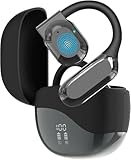
- Real-Time Translation in 180 Languages:Communicate more easily across different languages with real-time two-way translation in 180 languages and accents. Ideal for travel, business meetings, online learning, and everyday conversations.
- HD Audio & Noise Cancelling:Enjoy clear voice pickup and immersive HD sound for translations, calls, and music. Built-in noise reduction technology helps improve communication clarity in airports, offices, restaurants, and other busy environments.
- Up to 90 Hours Battery Life:Designed for long trips and daily use, these translator earbuds provide up to 90 hours of combined playback time with the charging case, helping you stay connected throughout travel and work.
- Comfortable Ergonomic Fit:Lightweight translator earbuds with an ergonomic in-ear design for a secure and comfortable fit. Suitable for extended wear during flights, meetings, commuting, and language study sessions.
- Compatible with iOS & Android:Easy to pair with most iOS and Android smartphones and tablets via Bluetooth. A versatile translation device for travelers, students, business professionals, and multilingual communication needs.
How to check whether a local assistant is a practical alternative
- Check your phone and operating system. For AICore, Google lists Android 14 or later, but says availability varies by device and manufacturer. Android 14 alone does not guarantee a particular feature. For a standalone app, check the app’s current compatibility information and supported models.
- Confirm which tasks work offline. Test or consult documentation for the exact features you need—such as drafting, summarizing, or answering questions—and distinguish offline model responses from features that require online search or cloud services.
- Check storage before downloading a model. Model files are separate downloads in some apps. Leave room for the model and account for temporary extra storage: Google notes that AICore model updates can require additional space temporarily.
- Choose a model for your use, not just its size. A larger model may be more capable but can be more demanding on storage and device resources. Verify the app’s own device guidance instead of treating a vendor’s model-size recommendations as a universal phone specification.
- Assess answer quality and responsiveness for your tasks. A phone model may be sufficient for short, routine requests but less suitable for difficult reasoning or current information. The iPhone app vendor says its assistant is weaker at hard reasoning and current events than cloud services; this is a vendor characterization, not an independent comparison.
- Review the app’s data disclosures and settings. Look for analytics, crash reporting, advertising, backups, and cloud fallbacks in addition to where inference happens. Apple’s App Store listing for the reviewed iPhone app says the developer’s privacy disclosure has not been verified by Apple. The App Store listing provides the listing and disclosure.
What local processing does—and does not—mean for privacy
For supported AICore tasks, Google states: “Sensitive information remains on your device. It’s never sent to the cloud or to Google.” That statement applies to AICore’s supported local features; it should not be read as a blanket description of every Gemini feature or of third-party assistant apps. Google’s AICore documentation describes that boundary.
Do these 3 things before closing this tab:
1Scan for outdated or missing drivers - takes under a minute2Repair Windows errors before they cause bigger problems3Fix the driver behind crashes, sound loss and screen glitchesGemini Apps have a separate privacy notice covering interactions with Gemini Apps. It says information may include prompts, uploaded content, recordings and transcripts, information from apps, browsers and devices, and location and subscription information. The notice was last updated June 29, 2026. Google also cautions that “LLM experiences (Gemini Apps included) can hallucinate and present inaccurate information as factual.” Read the Gemini Apps Privacy Hub for the service’s disclosure and settings.
Rank #3

- Pixel 8 Pro is the all-pro phone engineered by Google; it’s super fast, powerful, and secure, with the new Google Tensor G3 chip that’s custom-designed with Google AI for cutting-edge photo and video features and smarter ways to help[1]
- Unlocked Android 5G phone gives you the flexibility to change carriers and choose your own data plan[2]; it works with Google Fi, Verizon, T-Mobile, AT&T, and other major carriers
- With the most refined design yet, Pixel 8 Pro has an immersive, 6.7-inch Super Actua display that makes everything sharp[3]; the refresh rate intelligently adjusts between 1 and 120Hz for responsive performance[4]
- Google Pixel 8 Pro has four updated pro-level cameras with Pixel’s best zoom ever[1]; Pro controls unlock advanced settings and support full-resolution photos[5]
- The Pixel 8 Pro camera gives you amazing video quality; it records sharp, smooth videos, even in dimly lit places; and Audio Magic Eraser uses Google AI to reduce distracting noises, like cars and wind[6]
So, a local model can help keep prompts from being sent to a remote model for inference, but privacy still depends on the whole app and its configuration. Do not infer “nothing leaves the phone” from the phrase “on-device AI” alone.
What you give up compared with a cloud assistant
Local models have real constraints. The iPhone app vendor says long sessions use meaningful battery and warm the phone, and describes weaker performance on hard reasoning and current events than cloud services. These are vendor claims, not independently measured results for every phone or local assistant. A local model also cannot provide fresh web information unless the app has an online feature, which may mean some requests leave the device.
Rank #4

- A Professional AI Translator, Not Just Earbuds: All-in-One Translation Terminal Wooask A9S integrates AI translator earbuds with a handheld screen device, enabling professional-grade conversations, meetings, and on-the-go translations — without switching between devices. Powered by a dedicated Qualcomm AI chip, the A9 delivers 98% accurate voice translation across 144 languages online and 16 essential languages fully offline in under 0.5 seconds.
- Multiple Translation Modes for Real-World Use: Supports face-to-face conversation, real-time earbuds translation, text translation, camera photo translation, and AI-assisted dialogue — designed for business meetings, travel, and daily global communication.
- Fully Independent — Designed for Serious Travelm. No Phone. No App. No Distractions: A9S works completely on its own. No smartphone pairing, no app installation — trusted by business travelers who need stable and instant communication worldwide.
- Offline Translation You Can Rely On: Expanded Offline Languages for Business Scenarios Communicate confidently even without internet access. Ideal for flights, trade shows, remote areas, and cross-border negotiations. Supports multiple global 144 languages online and essential business languages offline, allowing reliable communication even without internet access.
- Camera Translation For Documents & Signage: built-in camera with larger display instantly translate menus, contracts, signs, and printed text with improved clarity and speed — designed for real-world professional use.
Google’s Android Developers comparison warns that local models can have lower accuracy, higher latency, and limited feature support. However, its benchmarks and hardware requirements concern Android Studio on computers, not phones, so they should not be used to predict handset performance or minimum phone specifications. Android Developers’ local-model documentation states the scope of that comparison.
PC Slower Than It Used to Be?
A free scan shows the junk files, broken settings and background clutter dragging Windows down - then fixes them in one click.Free scan · Windows 10 & 11Outdated Drivers Are Slowing You Down
One free scan finds every outdated or missing driver and matches the right update for your exact hardware.Free scan · exact hardware matchCan it replace Gemini?
It can replace some uses of a cloud assistant if the tasks you rely on are supported by the local model and work adequately on your phone. It is a less convincing replacement when you depend on current web information, consistently strong complex reasoning, or features tied to an online service. The right comparison is task by task: offline availability, compatibility, model storage, response quality and speed, battery and heat, and what data the app transmits.
The available documentation establishes that phone-based local assistants exist and that some can operate offline after setup. It does not establish which free assistant the headline author used, the phone involved, a measured battery impact, or comparative results against Gemini. Treat any specific “I replaced Gemini” claim as a personal test only when the author’s app, phone, setup, and observed results are disclosed.
Quick Recap
Product prices and availability are accurate as of the date/time indicated and are subject to change. Any price and availability information displayed on Amazon at the time of purchase will apply.

