
Recommended Free Tools
iTechGuides is reader-supported. When you buy through links on our site, we may earn an affiliate commission. As an Amazon Associate I earn from qualifying purchases. Learn more
Yes. A DIY retro-style phone can place calls without being paired to a smartphone, but the handset alone is not a telephone service. A portable build needs a voice-capable cellular modem, antenna, microphone, speaker, power system, SIM and active carrier service. A vintage desk phone can instead use an analog telephone adapter and an internet voice service. In both cases, the network, subscriber arrangement and local compatibility determine whether calls actually connect.
What “without a smartphone” actually means
A Raspberry Pi or microcontroller can provide the interface: it reads a rotary dial or buttons, controls a display, runs call logic and drives the enclosure. It does not provide radio access by itself. The part that reaches a telephone network is a cellular modem or a provider-supplied voice adapter.
There are two different projects that people call a DIY retro phone:
Quick wins for a faster PC:
Fix the driver behind crashes, sound loss and screen glitchesFind Drivers →Repair Windows errors before they cause bigger problemsFix Now →Scan for outdated or missing drivers - takes under a minuteDriver Scan →- Portable cellular handset: a controller operates a cellular modem with its own SIM or eSIM arrangement, antenna and battery. It can travel anywhere the subscribed network supports the modem.
- Retro desk-phone conversion: a vintage telephone remains on a desk and connects through broadband and a digital voice service, usually via provider equipment or an analog telephone adapter (ATA). It behaves like a home phone and is dependent on that internet connection and service endpoint.
Neither design bypasses a carrier or voice provider. “No smartphone” means the smartphone is not required as a companion device; it does not mean the project can make calls without network service.
#1 Best Overall

- Novelty Gifts: Our vintage phone brick and old fashioned brick mobile phone prop makes excellent novelty presents for friends, family, or colleagues. These imitation devices of vintage cell phones 90s and fake retro phone offer a whimsical twist on traditional gifts, bringing a playful touch to special occasions
- Embrace Retro Charm with Nostalgic Decor: The 80s cellphone and vintage cellphone prop serve as decorative accessories that transport you back in time, evoking the nostalgic charm of retro brick style mobile phones. These old school cell phone prop and 90s cellphone capture the essence of a bygone era and make for captivating conversation starters in any setting
- Recreate Vivid Brick Phone Look: The distinctive design of the old brick phone prop is faithfully captured in brick mobile phone props. Available in black and red colors, our cellular phone prop and old cell phones from the 90s allow enthusiasts to indulge in the aesthetics of their favorite vintage devices without sacrificing modern functionality
- Set Stage for Retro Themed Events: When hosting a retro themed event or party, our 80s brick cell phone prop and retro brick phone prop are must have accessory to complete the ambiance. These vintage brick mobile phone ornaments and 90s retro phone shoots effortlessly capture the retro vibe and transport guests to a different era
- Wide Application: The 90s cell phone prop and fake 90s cell phone are often used as decorative items, novelty gifts, or as props for themed events, parties, or photo shoots. These retro phone props typically feature the distinctive shape and design of old brick style mobile phones, with large buttons and a block like appearance
Compare the two workable architectures
| Characteristic | Portable cellular handset | Retro desk phone over VoIP |
|---|---|---|
| Mobility | Travels within the subscribed cellular coverage area. | Normally stays at the internet-connected location; portability depends on the provider’s endpoint. |
| Network and service | Voice-capable cellular modem, SIM/subscriber arrangement and carrier acceptance. | Broadband connection, digital voice/VoIP service and compatible provider equipment or ATA. |
| Core hardware | Controller, modem, antenna, microphone, speaker or headset, battery and charging/power circuitry. | Vintage telephone, compatible analog telephone interface and the provider’s voice equipment. |
| Longevity risk | Depends on modem generation, carrier bands, voice technology and network shutdown plans. | Depends on broadband continuity, provider support and the terms of the digital voice service. |
| Build complexity | Integrating modem control, audio routing, power and a dial or keypad. | Matching the phone’s line interface to the ATA and configuring the voice service. |
How to build a portable cellular retro phone
1. Choose the controller
A Raspberry Pi, microcontroller or similar board handles the user interface and modem control. It can scan push-buttons, interpret a rotary dial, show status on a display and run the call-state software. Select a board with the serial, USB or other interface required by the chosen modem and enough stable power for the modem’s transmit bursts.
2. Start with a modem that supports voice
Check the exact modem data sheet for ordinary voice calling, not merely mobile data. A data-only LTE board can provide internet access while offering no supported circuit voice or VoLTE path. Verify the modem’s voice technology, supported frequency bands, SIM format, audio interfaces and carrier approval before designing the enclosure or buying a large batch of parts.
The modem also needs an antenna suited to its bands. Audio may be exposed through analog microphone and speaker pins, a headset connector or a digital audio interface. Your controller and software must support that particular path; a modem that has voice codecs on paper still needs a working microphone, earpiece and control implementation.
Do these 3 things before closing this tab:
1Fix the driver behind crashes, sound loss and screen glitches2Repair Windows errors before they cause bigger problems3Scan for outdated or missing drivers - takes under a minute3. Arrange SIM and service
Insert a SIM of the size and type the modem accepts, then activate a plan that permits voice on that device. Some carriers require device registration, approved equipment or specific provisioning for VoLTE. A SIM that works in a modern phone is not proof that a self-built radio will be accepted. Ask the intended carrier about bands, voice technology, SIM provisioning and device-approval rules for the exact modem.
4. Build the audio path
Provide a microphone and speaker with suitable amplification, or begin with a compatible headset while you debug the modem. Keep the microphone physically separated from the speaker to reduce feedback. Make sure the enclosure does not block the microphone opening or antenna. Call audio is a system-level feature: modem settings, gain, grounding and software routing all affect whether the person on the other end can hear you.
Rank #2

- ☏ Compatible with : AT&T, T-Mobile, H2O Wireless, Hello Mobile, Mint Mobile, Net10, Redpocket, Simple Mobile, Straight Talk, Ting, Walmart Family Mobile and many more.
- ☏ Desktop Cellphone : This is a push-button cell phone / cellphone for the desk, i.e. a cellular desktop phone / desktop cellular phone / Wireless GSM Desktop Phone / GSM Desk Phone Cordless.
- ☏ Cell Phone for Senior With Dementia : This Wireless GSM Desk Phone is a great solution for dementia patients. An unlocked GSM Desk Phone with SIM Card that works just like a normal landline phone.
- ☏ Push-Button 4G Desk Phone : This is not an outdated wireless quadband GSM desk phone, but a modern 4G Desktop Cellphone / 4G Desktop Cell Phone / 4G VOLTE Desk Phone that works today.
- ☏ Minimalist Phone : This 4G GSM Desk Phone is a dumb phone. A Wireless SIM Card GSM Classic Desk Phone / 4G LTE Desk Phone / Retro Phone with Cell Technology without screen, internet, etc.!
5. Design power and charging
Portable cellular radios draw substantially more current while transmitting than while idle. Use a battery, regulator and charging circuit rated for the modem’s peaks, and provide a controlled shutdown so the controller does not corrupt its storage when the battery is exhausted. Test the phone while it is registering, ringing and speaking; an apparently adequate supply can reset the modem during a call.
6. Add the retro controls and enclosure
A rotary dial can be read as pulses by the controller; buttons or a keypad are simpler for a first prototype. Add hook-switch or call/end controls, a status indicator and a way to adjust volume. Build the radio and antenna into the case only after checking signal strength in the intended locations. Metal hardware, batteries and tightly packed wiring can detune or shield an antenna.
Free tools Windows power users keep installed
One-click scans. No signup required.
7. Implement and test call states
Software must initialize the modem, wait for network registration, accept an incoming call, place an outgoing call, route audio, detect hang-up and recover from lost service. Test each state separately: registration without audio, audio in an established call, incoming ringing and a deliberate loss of coverage. Keep a serial diagnostic connection available so a failed call does not require disassembling the case.
8. Confirm registration before blaming the dial
The modem must be associated with the mobile network before dialing can work. Adafruit’s PiPhone User Guide, last edited September 6, 2014, uses a Raspberry Pi and FONA cellular board and instructs the builder to connect a microphone headset, dial and place a call. Its troubleshooting note says: “If it’s blinking faster, then it’s not associated, and will not be able to make calls.” Treat that guide as an architectural example rather than a current parts list or carrier recommendation.
Network generation is the most important design decision
Why a 2G-only modem is a poor default
Older modules can be inexpensive and easy to control, but a SIM slot does not guarantee a live network. Network shutdowns differ by country and carrier. A new project built around 2G-only hardware can become unusable when the local GSM service is retired, even if every electronic component still works.
Rank #3
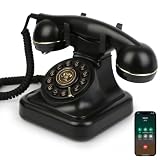
- Classic Bluetooth Landline Telephone: Enjoy the retro charm of a classic desk phone combined with modern Bluetooth technology. Connect to your smartphone and make calls using the handset or speakerphone.
- Convenient Bluetooth Home Phone: Perfect for family use, this cordless phone works as both a stylish home telephone and a Bluetooth speaker. Ideal for home offices, living rooms, or bedside tables.
- Multi-Function Bluetooth Desk Phone: Switch easily between handset calls, hands-free speakerphone, or music playback. One-touch controls allow quick redial, ringtone selection, and volume adjustments.
- USB Rechargeable Power: Designed for cordless convenience, this Bluetooth telephone charges quickly via USB. Keep it ready for daily calls without worrying about replacing batteries.
- Stylish Bluetooth Retro Phone Gift: A functional and decorative retro-style phone. Combines timeless looks with practical features, making it a thoughtful gift for family, friends, or office colleagues.
SIMCom’s SIM800F specification illustrates the issue. It is a 2G GSM/GPRS modem with voice codecs, analog audio and an external SIM interface. Those capabilities make it a clear example of a voice-capable module, but its stated radio support is 2G. It is therefore not a future-proof recommendation; confirm that a local carrier still operates compatible 2G voice before using it.
The Tool Desk
Outbyte Driver Updater FREEFix the driver behind crashes, sound loss and screen glitchesFind Drivers →Outbyte PC Repair FREEClear out junk files and repair common Windows errorsFree Scan →What the UK timetable means
UK government guidance says mobile operators plan to switch off 2G between 2029 and 2033. The timetable is UK-specific, not a worldwide deadline, but it demonstrates why a 4G and/or 5G-capable, voice-enabled modem is the safer starting point for a new build. Other countries have different schedules, so check the network you will actually use.
A historical Raspberry Pi project shows the migration problem
Raspberry Pi Official Magazine described a project using a Raspberry Pi B+, 3G GSM modem, display, camera, battery, speaker, microphone and custom case. The maker’s earlier TyTelli design was 2G-only, and he reported that 2G had been phased out in Canada. Moving to a 3G module created software work because the old control software was not compatible; he wrote, “Unfortunately, all of the software produced by others for their phones won’t work with this new chip, so this is my challenge.” This is a report of that project and time, not a statement about every Canadian carrier today.
Carrier and modem checks before you buy parts
- Confirm that the exact model supports voice calling, including VoLTE where the target network requires it.
- Match every supported frequency band to the intended carrier and country.
- Ask whether the carrier accepts the modem’s device identity and permits its SIM provisioning.
- Check the SIM size, voltage and account type; some data plans do not include voice.
- Verify the antenna connector, antenna band coverage and mounting constraints.
- Confirm the available microphone, speaker or headset interface and the software control method.
- Check the carrier’s shutdown notices for 2G and 3G before committing to an older module.
There is no universal carrier-by-carrier compatibility matrix for DIY voice modems. Compatibility is a local, model-specific question that must be answered with the carrier and modem documentation.
Independent reader supportYour contribution helps us test, update, and keep practical guides available for everyone.Troubleshoot a cellular build in the right order
The modem never registers
- Check SIM seating, account activation and any PIN lock.
- Confirm that the antenna is connected and the modem supports a band used at your location.
- Read the registration indicator or diagnostic output; rapid blinking on the FONA example indicates it is not associated.
- Test outdoors or in another location to separate coverage problems from wiring problems.
- Ask the carrier whether the device is permitted and whether voice or VoLTE provisioning is enabled.
It registers but cannot place a voice call
Recheck that the module is voice-capable rather than data-only. A network may register a modem for data while rejecting voice because the device lacks the required voice technology or provisioning. Verify the dialing command and call-state software against that module’s documentation.
Rank #4
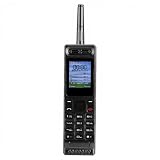
- Excellent audio and playback functions. Support MP3 playback function, support external radio playback, support video playback.
- 4800 mAh lithium battery, 1.77-inch main screen, low power consumption, long battery life.
- Support Bluetooth dialing, support four card four standby, support voice change.
- Support Bluetooth dialing, support four card four standby, support voice change.
- Support for up to 32GB memory cards. Support 5pin headphone jack.
The call connects but audio is silent or distorted
- Confirm that the microphone and speaker are connected to the modem’s supported audio interface.
- Check gain, polarity, grounding and physical separation of microphone and speaker.
- Try a known-compatible headset to isolate the enclosure’s amplifier and wiring.
- Test the power supply during a call; voltage drop can reset or mute the modem.
The phone works now but may fail later
Record the modem model, bands, carrier, software version and registration behavior. Recheck network shutdown announcements periodically. A working prototype is not evidence of long-term service if it relies on a generation the carrier plans to retire.
Converting a vintage desk phone to internet voice
If your goal is a rotary or push-button home telephone rather than a pocket handset, retain the telephone and replace the old public switched telephone network connection with a digital voice path. Depending on the provider, the phone may plug into a broadband router or into an ATA supplied or approved by the provider.
Typical setup sequence
- Confirm that the vintage telephone’s electrical interface is compatible with the chosen ATA or provider equipment.
- Subscribe to a digital voice service that supports the calling features and number arrangement you need.
- Connect the ATA or provider device to broadband and follow its registration instructions.
- Connect the telephone to the ATA’s analog phone port, not directly to an arbitrary network socket.
- Place an outgoing call, receive an incoming call and test ringing, dialing and hang-up behavior.
- Read the provider’s emergency-calling terms and keep an alternative method available if power or broadband fails.
UK government guidance describes the migration from analogue PSTN to VoIP, Digital Voice or All-IP and notes that, depending on the provider, a phone can plug into a broadband router. The exact adapter, service and emergency-call arrangements vary by provider and location. This route is not a way to make a portable handset work without a network; it is a home-phone conversion that depends on broadband and the provider’s voice service.
Why service continuity matters
Legacy landline infrastructure is itself being retired and has experienced reliability problems. Ofcom reported a 45% increase in PSTN incidents in 2024, and UK government guidance reported more than 2,600 major PSTN incidents in 2024/25. Those figures describe UK legacy infrastructure, not the reliability of a particular DIY phone, but they explain the industry’s move toward digital voice and the need to understand power and broadband failure behavior.
PC Slower Than It Used to Be?
A free scan shows the junk files, broken settings and background clutter dragging Windows down - then fixes them in one click.Free scan · Windows 10 & 11Outdated Drivers Are Slowing You Down
One free scan finds every outdated or missing driver and matches the right update for your exact hardware.Free scan · exact hardware matchSafety, compliance and practical limits
Use radio modules with documented approvals for your jurisdiction, follow antenna and power instructions, and do not modify transmit hardware beyond what the manufacturer permits. The legal and compliance requirements for self-built radio equipment differ by country; there is no single universal assessment that covers every project. Keep batteries protected from shorts and crushing, provide strain relief for the antenna and power leads, and avoid using an untested build as the only way to reach emergency services.
Emergency calling deserves special care. Cellular emergency access, VoIP emergency routing, location handling and operation during a power or broadband outage vary by carrier, provider and jurisdiction. Confirm those terms before relying on either architecture.
Which approach should you choose?
- Choose a portable cellular build when you need the phone to travel and are prepared to validate modem bands, voice support, SIM provisioning, antenna performance, battery behavior and carrier acceptance.
- Choose a desk-phone VoIP conversion when the retro object is primarily for a home or office and broadband service is available. It usually avoids battery and cellular-radio integration but introduces ATA compatibility and provider-dependence.
- Use an older 2G design only when you have verified current local service and accept the shutdown risk. For a new project, favor a modem with the carrier’s current 4G/VoLTE or 5G voice path.
The most reliable plan is to prove the network connection with the modem, SIM and audio hardware on a bench before designing the final retro enclosure. Once registration, an actual voice call and stable power are demonstrated, the dial, display and case become an interface project rather than a gamble over whether the radio can connect.
Quick Recap
Product prices and availability are accurate as of the date/time indicated and are subject to change. Any price and availability information displayed on Amazon at the time of purchase will apply.

