
iTechGuides is reader-supported. When you buy through links on our site, we may earn an affiliate commission. As an Amazon Associate I earn from qualifying purchases. Learn more
Desktop pets can make focus routines more engaging by pairing an animated companion with tools such as Pomodoro timers, to-do lists, and reminders. But the available evidence does not show that desktop pets generally make people more productive. Treat them as a possible aid to starting and sustaining a routine—not as a proven way to get more work done.
What a desktop pet can do beyond sit on your screen
Some current desktop-pet products combine the companion with practical focus features. The mix depends on the platform and product: a menu-bar animation, a pet that reacts to typing, a timer, task list, reminders, or activity statistics are not universal features. These are descriptions from product listings and websites, not independent evaluations of how well the tools work.
| Product | Platform and availability | Features described by its listing or website |
|---|---|---|
| FocusPet | Mac; listed in the Mac App Store | Animated menu-bar pet and customizable timer from five minutes to two hours; the listing describes the interface as unobtrusive. Mac App Store listing |
| KeyPets | Mac; listed in the Mac App Store | Pets that react to typing, timer, Pomodoro cycles, lightweight to-do list, statistics, and optional AI chat. Mac App Store listing |
| Productivity Desktop Pet | Windows; developer listing | Free standard version with to-do list, Pomodoro timer, hydration and movement reminders, and support for one or multiple monitors. Developer website |
| PetPomo | Browser-based | Free timer with a virtual pet, no account requirement, and offline operation after the first visit. Its default is 25 minutes, but its website encourages choosing a focus length that suits your attention. PetPomo website |
| NoSlack Pets | Steam listing | Desktop pet mode, Pomodoro, lo-fi music, white noise, to-do lists, and focus statistics, according to the seller. Steam listing |
| TappyCat | Steam listing; forthcoming | Desktop cat, Pomodoro, app and website tracking, productivity analytics, and accessories, according to the listing. It gives a Q1 2027 release window, so it should not be treated as currently available. Steam listing |
Availability, features, prices, and privacy terms can change. The examples illustrate different approaches rather than establish a best app or a controlled comparison.
Do desktop pets actually improve productivity?
That has not been established. The directly relevant evidence is limited, and the studies identified here examine small samples, mobile or physical prototypes, self-care, or engagement—not whether desktop pets reliably increase work output.
#1 Best Overall

- All Food Eraser Set: This value-for-money set includes a variety of food erasers to help children recognize food.
- Random Variety: The erasers in the set are not exactly the same as the first picture, and will be randomly combined.
- 3D Eraser: The 3D shape helps children recognize food and can also exercise spatial thinking ability.
- Safe Material: Made of non-toxic and odorless TPR environmentally friendly material, safe and reliable.
- Delicate Quality: Each eraser is individually packaged, about 1 to 2 inches, and can cleanly remove pencil marks.
- A 2026 preprint by Mohamed Ouf and Rowan Hussein describes a two-week deployment of FocusBuddy, a virtual pet displayed on a water bottle, with 20 undergraduate students. The authors report self-reported median water intake changing from 3 to 4 cups per day and movement episodes from 2 to 4 per day. This concerns self-care habits and a physical prototype, not desktop software or workplace productivity. FocusBuddy preprint
- A 2026 article page for Focus-Buddy describes a gamified focus-management app tested for suitability with 30 students. Its abstract claims increases in focus-session length, task completion, and reported motivation, but the material available on the page does not provide enough methodological detail to establish a general causal effect or a result for desktop pets. Journal of Android and IOS Applications and Testing article page
- A 2026 page in Politecnico di Torino’s research archive describes Brainy, a mobile virtual-pet digital-wellbeing app studied with 17 users over 10 days. It reports increased awareness of smartphone-use patterns, which is different from improved productivity at a computer. Politecnico di Torino archive page
- A Kudos summary of a 2019 ACM study says users found an emotionally reinforced to-do list with a virtual pet engaging over a one-week study. Engagement can support a design rationale, but it is not a measured productivity gain. Kudos summary
These findings offer ideas for designing engaging reminders and routines, but they do not justify saying desktop pets make users more productive. No named statistic identified here directly quantifies a productivity gain from desktop-pet software.
When the companion may help—and when it may distract
An animated pet can provide a visible cue to begin a timed session or make a routine feel less mechanical. The same animation, movement, or notifications can pull attention away from work. A 2026 student discussion framed the practical question as whether a pet would help someone study or feel distracting; that is an individual prompt, not survey evidence. Student discussion
Rank #2

- All-animal eraser set: This value-for-money set includes different animal erasers to help children learn about various animals.
- Random varieties: The erasers in the set are not completely the same as the first picture, and will be randomly combined.
- 3D erasers: 3D shapes cultivate children's cognition of animal shapes and exercise spatial thinking ability.
- Safe material: Made of non-toxic and odorless TPR environmentally friendly material, safe and reliable.
- Detailed quality: Each one is individually packaged, about 1 to 2 inches, and can cleanly remove pencil marks.
Emotional framing also has a trade-off. The FocusBuddy preprint’s authors note tension between prompts that respect focused work and the possibility that feeling a pet has been neglected could create guilt. That is a design concern, not proof that every user will react that way. If an always-visible companion nags, interrupts, or makes missed sessions feel like failure, it is not serving the routine.
Recommended Free Tools
Choose a desktop pet around your workflow
Start with the job you want the software to do, then check whether its controls fit how you work. A pet bundled with more features is not automatically a better fit.
Rank #3
- Match the platform and display behavior. Confirm support for your operating system and whether the pet stays on the desktop, reacts to activity, or lives in a menu bar. If you use more than one monitor, check how it behaves across them.
- Pick a timer you will use. Check whether you can set session length, take breaks, and use cycles such as Pomodoro. A 25-minute default is only a starting point, not a rule; shorter or longer sessions may suit your task and attention better.
- Keep the feature set proportional. A simple timer and unobtrusive pet may be enough. Add task lists, reminders, or statistics only if they solve a real problem rather than create another interface to manage.
- Look for ways to quiet or hide it. Before installing, find out whether you can mute sounds, disable notifications, pause animations, or hide the pet during demanding work. If those controls are not described, do not assume they exist.
- Review tracking and privacy disclosures. Understand what the app counts, records, stores, and shares, especially when its features depend on activity tracking.
- Check current terms. Verify availability, price, in-app purchases, platform support, and privacy policy on the provider’s current listing or site. The product descriptions above do not establish a current price for every example.
What to know about activity tracking
KeyPets’ Mac App Store listing says the app counts keystrokes but does not store typed characters, passwords, app names, window titles, screenshots, or clipboard content. That is the developer’s disclosure, not an independent privacy audit. Read the current privacy information and decide whether the tracking is acceptable before enabling the app.
More generally, distinguish a feature label such as “productivity analytics” from a clear explanation of what activity is measured and where that data goes. If the provider does not explain those details, you cannot infer them from the feature name alone.
Rank #4

- UNIQUE DESIGNS: 40 different options for student variety and enjoyment.
- PACKAGING: Individually wrapped for cleanliness and easy distribution.
- BEHAVIOR REWARD: Use as positive reinforcement for good classroom conduct.
- ORGANIZATION INCENTIVE: Motivate students to maintain tidy and organized desks.
Try one as a small, reversible experiment
- Choose one outcome. Decide whether you want help starting a session, remembering breaks, or keeping a short task list. Do not treat a pet’s presence as a productivity metric.
- Set a low-distraction configuration. Use a timer length that suits the task and turn off nonessential sounds or prompts where controls are available.
- Use it for a few work sessions. Notice whether it helps you begin and return to work, or whether you spend time watching, adjusting, or dismissing it.
- Keep or remove it based on your experience. If it interrupts concentration or adds guilt, hide it, reduce its prompts, or uninstall it. If it supports a routine without competing for attention, it may be a useful personal cue.
This is a practical self-check, not a scientific test. For a browser option, PetPomo says it needs no account and works offline after the first visit; its website describes a free tool. PetPomo website
Quick Recap
Best Value
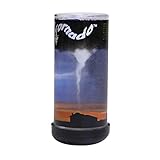
- Nature's most destructive force can be observed and enjoyed in the palm of your hand
- Hold Pet Tornado from top or bottom and rotate wrist form amazing funnel clouds
- Includes educational information aboutEF-0 to EF-5 tornados and is a perfect addition to a weather science curriculum or for your future meteorologist
- Great Stress reliever and the perfect desk toy or Birthday party favor
- The Original Pet Tornado - Proudly made in the USA
Product prices and availability are accurate as of the date/time indicated and are subject to change. Any price and availability information displayed on Amazon at the time of purchase will apply.

