
iTechGuides is reader-supported. When you buy through links on our site, we may earn an affiliate commission. As an Amazon Associate I earn from qualifying purchases. Learn more
A local retrieval-augmented generation (RAG) backend can keep document search and model inference on a developer’s machine, but “local” and “resilient” are claims to verify—not guarantees. Ankan Roy’s DEV Community article describes a Hacktoberfest 2026 challenge submission built with FastAPI, PostgreSQL and pgvector, and Ollama. It reports asynchronous API handling, HNSW vector indexing, and retries; the article does not provide independent reliability tests or enough detail to establish production readiness. This guide explains the reported design, the RAG request path, and the failure and privacy questions to answer before relying on a local backend.
What the Hacktoberfest 2026 project reports
Roy’s DEV Community article calls the project a local-first RAG backend and lists this stack:
- Python 3.13 for the application environment.
- FastAPI and Uvicorn for the API service.
- AsyncPG for asynchronous PostgreSQL access.
- PostgreSQL with pgvector for persistent vector storage and search; the article reports using an HNSW index.
- Ollama running llama3.2 for local language-model inference.
- Docker Compose to start services.
The article also reports error handling with retries and provides a setup sequence: install requirements, start the Docker Compose services, then run Uvicorn. It does not establish the exact commands here, retry limits, backoff strategy, or behavior when only part of the system is available, so those details should not be inferred from the stack description.
Roy describes the project as “a zero-dependency, local-first Retrieval-Augmented Generation (RAG) backend engine designed to run open-weight models completely offline.” That is the author’s characterization, not an independently verified result. The reviewed page shows “Posted on Oct 4” without a year. It identifies the submission with the Hacktoberfest 2026 DEV Challenge, but does not establish the event’s official dates, rules, eligibility, or current status.
#1 Best Overall

- EVOLUTION CORE ULTRA 9 285H MINI PC - GMKtec EVO-T1 is the next evolution in AI mini PC Ultra 9 series. The Core Ultra 9 285H offers 16 cores (six P-cores + eight E-cores + two LPE-cores) and 16 threads with a turbo clock of 5.4 GHz. It is currently one of the best value for performance AI mini PC computers.
- AI NPU - The 285H features an Intel AI Boost NPU, capable of up to 13 TOPS (Tera Operations per Second) for INT8 calculations, which is designed to accelerate AI tasks.
- INTEL ARC 140T GAMING PC - The Arc 140T GPU includes 8 Xe cores and supports features like DirectX 12, OpenGL 4.5, and OpenCL 3, making it capable of handling modern games and creative applications. It also supports Quick Sync Video for efficient video encoding and decoding, as well as AV1 encoding and decoding.
- 64GB DDR5 RAM + 1TB SSD - The EVO-T1 is equipped with Dual 32GB (Total 64GB) SO-DIMM DDR5 5600MHz memory sticks. 2TB PCIE 4.0 SSD Drive with 3x M.2 2280 Expansion slots. Each slot capable of reading up to 4TB. (12TB MAX)
- QUAD SCREEN 8K DISPLAY SUPPORT - EVO-T1 AI Mini PC support 4-screen 4K/8K output via HDMI 2.1 (8K@60Hz), DisplayPort 1.4 (4K@60Hz), and USB Type-C Transfer speed (supporting PD3.0/DP1.4/DATA). Ideal for gaming, video editing, and multitasking, it provides expansive and crisp multi-display support.
How a local RAG request works
RAG answers a question by retrieving relevant material from a prepared collection and giving that context to a language model alongside the question. Microsoft Learn’s on-device RAG tutorial describes the core sequence:
- Prepare documents. Collect the material the system is allowed to search.
- Represent the material. Split or otherwise prepare document content, then compute embeddings—numeric representations used to compare semantic similarity.
- Store the representations. Save embeddings and the associated content or references in a searchable store.
- Embed the incoming question. Convert the query to a representation compatible with the document embeddings.
- Retrieve relevant items. Search for content similar to the query.
- Generate a response. Pass the retrieved context and question to the language model, which produces an answer grounded in that context.
In the project’s reported architecture, PostgreSQL with pgvector is the vector store and Ollama supplies local model inference. The article reports HNSW indexing, but publishes no benchmark showing that this index, database, or model is best for a particular collection, latency target, or machine. An index choice is an implementation decision to validate against the workload, not proof of speed or answer quality.
Choosing a retrieval and storage approach
For a small collection, Microsoft Learn’s tutorial demonstrates direct similarity comparisons across document embeddings and says this works well for small datasets. It advises considering a dedicated vector database as datasets grow. That is a scale-dependent trade-off: a simpler search path may be adequate for a small corpus, while larger collections can justify the added setup and operations of a dedicated search system.
Rank #2
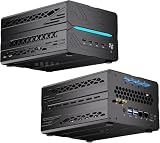
- 【Elite CPU & On-Device AI】Powered by AMD Ryzen 9 9950X3D — 16 cores, 32 threads, up to 5.7GHz boost clock, and a massive 64MB 3D V-Cache that slashes memory latency for gaming and simulation workloads. The integrated Ryzen AI engine provides 50 TOPS of dedicated NPU compute; combined CPU+GPU+NPU performance surpasses 100 TOPS total, enabling Microsoft Copilot+, real-time AI noise cancellation, live captions, background blur, and AI-accelerated encoding in top creative apps.
- 【DDR5 & Flexible Two-Drive Storage】 Dual-channel DDR5-5600 RAM delivers high-bandwidth, low-latency performance for 4K video editing, 3D rendering, and heavy multitasking — expandable up to 128GB for even the most demanding workloads. Two M.2 2280 PCIe 4.0 NVMe slots (read speeds up to 7,000MB/s). A dedicated 2.5" SATA solt, Due to limited internal space, only two types of hard drives can be installed in the three drive bays. keeping your OS, game library, and project files perfectly organized.
- 【RTX 5060 Ti 16GB GDDR7 — Connect 6 Monitors】GeForce RTX 5060 Ti with 16GB GDDR7 VRAM powers hardware ray tracing, DLSS 4 AI super-resolution, and AV1 hardware encoding for pristine 4K/8K gaming, livestreaming, and professional 3D rendering. Unique 6-display output: 1×HDMI 2.1b + 3×DisplayPort 2.1b + 2×Type-C, supporting 8K/4K@60Hz. Whether you're building a multi-screen trading desk, creative workstation, or panoramic gaming setup, every port delivers flawless image quality.
- 【Rich I/O & Dual 2.5G Ethernet】Two 2.5GbE RJ-45 ports run 2.5× faster than standard Gigabit and support link aggregation for a combined 5Gbps wired throughput — perfect for NAS, home AI servers, and competitive gaming. Full port lineup: 4×USB 3.2, 4×USB 2.0, 2×Type-C, 1×HDMI 2.1b, 3×DP, 1×Audio in/out. Wi-Fi 7 (802.11be) and Bluetooth 5.4 ensure the fastest wireless speeds with minimal interference. Wake-on-LAN and auto power-on supported for remote management.
- 【Advanced Cooling & 2-Year Warranty】Engineered for sustained performance in a compact 8.6×6.6×4.5 in chassis (5.5 lb). Four all-copper turbo fans combined with eight vacuum heat pipes form a high-efficiency thermal system that rapidly dissipates heat even under full CPU+GPU load, maintaining stable clocks and near-silent operation during extended gaming or rendering sessions. Backed by a 24-month warranty with responsive professional support for complete peace of mind.
MongoDB documents a separate local implementation path using a local Atlas deployment as the vector store, locally generated embeddings, and a local language model. Its guidance says local Atlas deployments are intended for testing and recommends a cluster for production. A tutorial that runs locally is therefore not, by itself, a production deployment recommendation. The available material does not establish a universal winner among these approaches; compare them using your corpus, query load, machine, and recovery requirements.
What “resilient” needs to mean in practice
Retries can help with transient errors, but a retry feature alone does not show that a service can recover safely. Roy’s article reports retries and error handling without specifying retry limits, backoff, idempotency, queuing, partial-failure behavior, observability, backup and restore, or tests under failure. Before treating the project as dependable, look for concrete answers to these operational questions:
- What is retried? Identify which database, model, and network errors are considered temporary, and set bounded retries with a defined delay rather than retrying indefinitely.
- Can an operation be repeated safely? Check whether a retry can create duplicate document records, repeat a costly job, or leave partially updated state.
- What happens when a dependency is unavailable? Determine whether the API fails clearly, queues work, returns partial results, or waits until a timeout. Do not assume behavior that the implementation does not document.
- Can you see and diagnose failures? Look for structured errors and useful logs or metrics that reveal where requests fail, without exposing sensitive document content.
- Can the system be restored? Test recovery from a backup, not just backup creation, and confirm that restored records and their corresponding vector data remain consistent.
A separate local RAG repository documents scheduled backups that combine its SQLite database with a Qdrant snapshot, along with restoration. This is an example of backing up related persistent state together; it is not evidence that Roy’s project implements backups or uses those storage systems.
Rank #3

- 【Ryzen 5 3500U Processor】The BOSGAME mini pc is driven by the Ryzen 5 3500U (4C/8T, up to 3.7GHz) , with integrated Radeon Vega 8 Graphics, delivering reliable power, 4K video streaming and multitasking. Handle daily workloads like spreadsheet calculations, web browsing, and HD video editing effortlessly.
- 【8GB DDR4 & 256GB SATA SSD】E4 Air mini computers with 8GB DDR4 RAM and a 256GB SATA SSD, this mini desktop ensures quick app launches and efficient multitasking. while the SSD accelerates file transfers—ideal for office documents, media storage, and everyday computing.
- 【4K Triple Display & USB-C & USB3.2】The mini desktop computer Drives three 4K monitors via HDMI, DisplayPort and USB-C for multi-window productivity or immersive home theater setups;USB 3.2 meets your multi-interface transfer needs.
- 【Dual RJ45 LAN & Wi-Fi 5 & BT5.0】Equipped with Dual Gigabit Ethernet, dual-band Wi-Fi 5, and Bluetooth 5.0, this ryzen mini pc ensure stable connections for 4K streaming, video calls, and file transfers. Wirelessly connect keyboards, headphones and speakers via BT5.0 ideal for office productivity and home entertainment.
- 【3-Year Reliable Customer Services】 All of our BOSGAME mini pc gaming have FCC, ROHS, CE certifications. BOSGAME enjoy a 1-year wa-rranty for the entire machine and a 3-year wa-rranty for parts, ensuring your long-term peace of mind. If you have any questions about your purchase, please let us know through Amazon.
Local execution is not a complete privacy guarantee
Running the model on the same machine can reduce the need to send documents or prompts to a third-party model API. Roy says sensitive data stays on the workstation, but the reviewed article does not independently verify that claim or establish every component’s network behavior. “Local-first” should be checked component by component.
What’s actually slowing this PC down?
Pick the symptom - the matching free tool is one click away.
- Confirm where the model, embedding generation, document store, and API actually run.
- Check whether setup downloads model files or other dependencies, and whether the application makes outbound requests during normal use.
- Review telemetry and logging behavior, including whether prompts, retrieved passages, or generated answers are recorded.
- Protect local files, database credentials, backups, and access to the API; keeping data on one machine does not itself prevent unauthorized local access.
These checks distinguish a locally executed workflow from a broader security or privacy assurance. The project article’s offline and workstation statements should remain attributed to its author unless independently verified for the specific build and configuration being used.
Hardware and setup expectations
Microsoft Learn lists a Windows, macOS, or Linux computer with at least 8 GB of RAM as a prerequisite for its local RAG tutorial; the page’s publication year is not displayed. This is a requirement for that tutorial, not a universal performance recommendation or a guarantee that every model and workload will run well. Hardware needs depend on the chosen model, collection size, and workload; the available sources do not establish a required laptop, GPU, or memory configuration for Roy’s project.
The DEV article’s setup outline is to install the project requirements, start the Docker Compose services, and launch the API with Uvicorn. Because the reviewed material does not provide verified command strings or execution results here, use the project’s own current instructions rather than guessing filenames, flags, ports, or environment variables.
Quick Recap
How to assess the project before relying on it
- Trace one request end to end. Verify that document ingestion, embedding, storage, query retrieval, and model generation work in the configuration you intend to run.
- Test dependency failures. Check what users see if PostgreSQL or the model service is unavailable, a request times out, or an operation is repeated.
- Check search against your own corpus. Compare retrieved passages with questions whose relevant documents you already know; the article reports no accuracy or retrieval benchmark.
- Exercise backup and restore. Restore a copy and verify that documents and their searchable representations remain aligned.
- Inspect network and log behavior. Confirm actual outbound connections and what the service writes to logs in your chosen setup.
- Match deployment claims to evidence. A working local tutorial or demo is not equivalent to demonstrated production reliability. Require workload-specific evaluation before making that leap.
Product prices and availability are accurate as of the date/time indicated and are subject to change. Any price and availability information displayed on Amazon at the time of purchase will apply.
Recommended Free Tools

