
iTechGuides is reader-supported. When you buy through links on our site, we may earn an affiliate commission. As an Amazon Associate I earn from qualifying purchases. Learn more
You do not need an expensive camera to make a strong YouTube video. Start with the device you own, then improve the part that is limiting the result: framing, sound, lighting, preparation, or editing. YouTube Help puts it plainly: “Often, the best equipment is the one you have at hand.”
Choose a camera that fits the video
Consider the style you want, how much you need to move, and how much setup and learning you can manage. YouTube’s equipment guidance offers broad tradeoffs rather than a single best camera:
| Option | What it suits | Tradeoffs |
|---|---|---|
| Mobile device | A practical starting point, especially for portable or simple shoots. | Check how you will support it, frame the shot, and capture clear sound. YouTube Help says, “All you need to get started on YouTube is a mobile device.” YouTube Help: Tips to film with mobile |
| Point-and-shoot camera | Creators who want a simple, all-in-one camera. | It offers less lens flexibility than a camera with interchangeable lenses. |
| DSLR | Creators seeking more lens flexibility or a more cinematic look. | It is heavier and may require more effort to learn and operate. |
These are general categories, not a model comparison. Before choosing, weigh portability, focusing and learning demands, lens flexibility, and budget. For mobile filming, horizontal framing supports a 16:9 high-definition picture. Use the rear camera when practical, silence notifications, and lock focus and exposure so the image does not shift unexpectedly. Auto mode is the easiest place to begin; manual mode provides more control. YouTube Help: Tips to film with mobile
The Tool Desk
Outbyte Driver Updater FREEFix the driver behind crashes, sound loss and screen glitchesFind Drivers →Outbyte PC Repair FREEClear out junk files and repair common Windows errorsFree Scan →Get intelligible sound before upgrading the camera
Microphone placement and room noise often matter more than buying another camera. If you rely on the camera’s built-in microphone, YouTube advises staying about three to four feet from the camera for best audio. That is practical guidance, not a guaranteed performance threshold. YouTube Help: Video equipment tips
#1 Best Overall

- Latest 8K Video Camera with Remote Control : This Video camera features 8K video resolution at 15FPS, with additional options for 6K at 30FPS, 5K at 30FPS, 4K at 30FPS, 1080P at 60FPS/30FPS, 720P at 60FPS/30FPS. With an impressive 88MP image resolution and 18X digital zoom, this camcorder delivers exceptional visuals. The included remote control allows for effortless self-recording and photography from any angle, making it an ideal 8K vlogging camera for bloggers and content creators.
- Experience Smooth and Stable Footage with Our 8K Camcorder : Featuring advanced 6-Axis anti-shake technology for high-precision stabilization. The 3-inch, 270-degree rotatable touch screen allows for effortless self-recording and framing, making it perfect for vlogging and self-blogging. Additionally, the digital video camera's intuitive interface and user-friendly navigation ensure easy operation, so you can focus on capturing stunning 8K video and photos.
- Infrared Night Vision Video Camera with WiFi : Stay connected and share your moments instantly with our 8K Camera's built-in Wi-Fi and companion app "iSmart DV2". Download the app on your Android/iOS device to easily transfer photos/videos, and share them directly to social media platforms like Facebook and YouTube. Additionally, this camera features infrared night vision, allowing you to capture footage in low-light environments, producing clear black and white images even in complete darkness.
- Dual-Functionality and Enhanced Audio : This 8K video camera for YouTube doubles as a high-quality webcam, simply connect via USB and switch to "Webcam" mode for seamless video calling, live streaming, vlogging, and online teaching. The included external X-Y stereo microphone reduces ambient noise and captures clear, stable audio, ensuring professional-grade sound quality for your recordings.
- Versatile camcorders video camera 8k for Every Adventure: This multifunctional camera features a range of creative modes, including continuous shooting, time-lapse, slow motion, and recording while charging. Perfect for capturing life's adventures, whether you're traveling, camping, hiking, or enjoying your favorite sports. Plus, our dedicated team is available to provide technical support, troubleshooting, and answers to any questions you may have after your purchase.
Match the microphone to the shot
- Built-in microphone: A reasonable starting point when the speaker is close and the room is quiet.
- Shotgun microphone: Can help capture natural sound from farther away.
- Wireless lavalier: Suits a person speaking while positioned away from the camera or moving within the shot.
Before buying an external microphone, check that the camera or phone has a compatible input or connection. In a noisy environment, an external mic may help, but compatibility and placement still matter. For phone recording, avoid covering the microphone, turn off fans or close windows when practical, and reduce echo by softening hard reflective surfaces with cloth or pillows. YouTube Help: Tips to film with mobile
Shape the light with what is available
Lighting should make the subject easy to see without creating harsh shadows. A basic two-point setup uses a key light as the primary illumination and a fill light to balance shadows. A soft light may work well for close-ups. If you are filming with limited gear, place the subject near a window, use shade outdoors to avoid harsh sun, or bounce light with a white card or reflector. A camera-mounted light can be useful when portability matters. YouTube Help: Video equipment tips YouTube Help: Tips to film with mobile
Rank #2

- 【2026 Latest 8K ULTRA HD & 88MP Video Camera】This video camera records videos up to 8k resolution at 15FPS, and captures 88MP High-resolution Image with advanced 6-axis gyroscope autofocus. The 8K video camera definitely producing sharp, clear images and smooth, stable video recording. Built-in 3 inch touch screen youtube camera supports 270°rotation and 18X digital zoom, which allows you to capture and records with precision.
- 【8K Wifi Camcorder & IR Night Vision】Our 8K video cameras supports WiFi fast transmission, download "iSmart DV2" APP, then simply connected your camcorder with Android /IOS smartphone and tablets. Then you can fast view, browse, share, transfer images and videos via mobile devices without any annoyed cable, you can also remote control the camera by App. Just press ''OK'' button, this YouTube camera with IR night vision, you can capture black and white photos or videos in dimly lit or dark environments.
- 【Webcam Function & External Microphone】8K Vlogging camera supports used for live streaming and video calling. Just simply connected our 8k camcorder with computer through the usb cable comes with package and choose ‘‘PC Camera’’ to enter webcam mode, and choose ‘‘General UVC Camera’’ on external camera of social media software. The external microphone reduce wind noise and eliminate background noise effectively.
- 【Lens Hook & Handheld Stabilizer & Remote Control】Our 8K Digital Video Camera comes with lens hook for blocking excess light, not only protect your camcorder lens from accident break, also keep your images avoid overexposed. Fordable stabilizer allow you recording stable 8K video from different angle. This 8k YouTube camera with 2.4G wireless technology, you can remote control the digital video recorder within 60 feet from different direction.
- 【Multifunctional 8K Camcorder & After-Sale Support】8K digital camera has many powerful features, like pause function, face detection, slow motion, continuously shooting, time-lapse recording, selfie, anti-shake, self-timer, time-lapse shooting, recording while charging, date stamp, USB 2.0 and up to 256GB SD card(SD Card not included), support tripod and LED light (tripod and LED light not included).Please refer to the user manual for detailed instructions on each button's functions.
Choose based on the scene: a close-up may benefit from soft, controlled light; a wider or mobile shot may call for a portable solution. Window light, shade, and reflectors can reduce the need for additional equipment.
PC Slower Than It Used to Be?
A free scan shows the junk files, broken settings and background clutter dragging Windows down - then fixes them in one click.Free scan · Windows 10 & 11Outdated Drivers Are Slowing You Down
One free scan finds every outdated or missing driver and matches the right update for your exact hardware.Free scan · exact hardware matchPrepare the location and protect privacy
Choose a comfortable, accessible location that works for the content and the people involved. For outdoor filming, account for weather, how gear will be transported, and access to power. Scout the location and leave time for setup so you can catch distracting noise, difficult light, or logistical issues before recording. Set a background and clothing style that suit the video. YouTube Help: Film videos
Rank #3

- WORKS WITH ANY DEVICE YOU OWN: iPhone, Android, DSLR, mirrorless, camcorder, GoPro, or laptop. Cables for cameras included — newer USB‑C/Lightning phones may need a 3.5mm adapter. Your go‑to external microphone for phone and camera.
- BUILT TO LAST, READY TO TRAVEL: Solid aluminum body won't break in your bag. The built‑in shock mount absorbs bumps and handling noise so your audio stays clean, no extra gear required.
- DIRECTIONAL SOUND, NOT BACKGROUND NOISE: This directional shotgun microphone focuses on what's in front of it and rejects distractions from the sides. Ideal for vlogging, podcasts, interviews, and recording on the go.
- SOUND LIKE A PRO ON SOCIAL: Whether you're vlogging, live‑streaming, or capturing interviews and music, this compact camera microphone makes your voice clear and your content stand out on YouTube, TikTok, and Instagram.
- EVERYTHING YOU NEED IN THE BOX: Fuzzy windscreen for outdoor recording, carrying case, camera cable, original and Rycote shock mounts, and smartphone cable — all included. Unbox it, plug it in, hit record.
- Get permission where it is required.
- Respect the privacy of people who may appear or be heard.
- When filming at home, avoid showing identifiable details such as an address, postal code, or phone number.
Use a pre-shoot checklist
Testing and planning before recording can prevent missed shots and avoidable interruptions. For a simple video, a short outline may be enough; a more complex production benefits from a shot list with framing, angle, and camera movement.
- Test the camera, lights, and microphones in the location where you will record.
- Decide the resolution and camera settings before shooting.
- Charge devices, label and pack equipment, and bring backups such as batteries and memory cards.
- Keep talking points or a script available. For a larger shoot, prepare a call sheet or shot list.
- Consider batching videos or scenes when it saves setup time, and plan shots around the edit you intend to make.
Plan the edit before you press record
Think through the opening, ending, and key transitions while writing. Decide whether you need alternate takes, B-roll, a trailer, or short teasers; planning those shots in advance can reduce unnecessary retakes. When choosing editing software, compare it against your budget, supported devices and file formats, computer requirements, and the features you actually need. Beginners can start with editing software already available on a phone or computer. YouTube Help: Edit videos
Rank #4
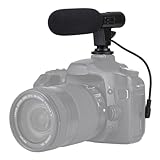
- Universal Compatibility Universal mini shotgun microphone designed for use with cameras, camcorders, DSLR cameras, and compatible smartphones using a 3.5mm audio input for external audio recording.
- Compact & Lightweight Design Small, lightweight form factor makes this microphone easy to carry and ideal for handheld shooting, travel videos, vlogs, and on-the-go content creation.
- External Audio Upgrade Improves audio capture compared to built-in device microphones by positioning the mic closer to the sound source for clearer video recordings.
- Simple Plug-and-Play Setup Connects via included 3.5mm plug cable with no apps or software required, making setup quick and beginner-friendly.
- Ideal for Content Creators Suitable for YouTube videos, vlogging, live streaming, online meetings, interviews, and short-form video recording for social media platforms.
As you learn the software, practice and use shortcuts for tasks you repeat. Match pacing to the subject rather than cutting quickly by default. After publishing, review audience-retention data to spot sections where viewers may be losing interest. YouTube Studio can also trim videos, add end screens, and provide music and sound effects from its audio library. YouTube Help: Edit videos
Quick wins for a faster PC:
Clear out junk files and repair common Windows errorsFree Scan →Fix the driver behind crashes, sound loss and screen glitchesFind Drivers →Repair Windows errors before they cause bigger problemsFix Now →Upgrade only to solve a specific problem
Before spending money, identify what is holding back the video. A phone support or selfie stick can help with mobile framing; a reflector can redirect available light; extra batteries or memory cards can serve as shoot backups. These are optional aids, not requirements. If speech is hard to hear, improve microphone distance or choose a compatible external mic. If the picture is difficult to see, adjust the light or framing. The right next step depends on the recording situation, not on a universal gear list.
Quick Recap
Best Value

- UHD 5K Video Camera: The 5K & 56MP camcorder can capture video footage with a resolution of 5K and 56MP image resolution. The 3.0 inch touch screen can rotate at 270° allows you to take photos and record videos at any angle. Cam corder Video camera 5K supports WDR, playback, continuous shooting, time-lapse, slow motion, loop recording, 16X digital zoom, etc.
- Camcorder with IR Night Vision & Super Long Battery Life: The video camera for Vlogging comes with two 2400mAh large-capacity rechargeable batteries, one fully charged battery can recording 120-150min. The 5K camcorder video camera supports U3 speed 32GB SDHC Card (included). Short-press the “Power” button to enable or disable the infrared night vision mode. You can take clear black and white photos and videos even in a dark environment.
- YouTube Camera with WiFi & Webcam Function & HDMI: The vlogging camera supports for video chatting and live streaming when used as webcam. Just connect with PC via USB cable, choose 'PC Camera' mode to enter webcam function. This digital video camera camcorder can be connected to TV by HDMI cable, You can download and share photos and videos with your friends and family via your mobile device by using the WiFi function. This Camcorder is perfect for beginners and Content Creation.
- 5K Camcorder with Microphone & Remote Control: The external microphone can effectively eliminate noise, improve stability of audio and receive clear, precise stereo. The filming camera with a IR Remote control, when you use the remote control, you must open the movie camera, face the podcast camera remote receiver window, and be within 8 meters.
- Digital Video Camera with Stabilizer & Lens Hood: The 5K digital camera comes with lens hood to block excess light and protect your 5k camera lens from accidental damage. Foldable handheld Stabilizer holder keep the video camcorder stable when recording. If you have any question with vlog camera, please kindly contact to us, we will reply you within 8 hours
Product prices and availability are accurate as of the date/time indicated and are subject to change. Any price and availability information displayed on Amazon at the time of purchase will apply.

