
Quick wins for a faster PC:
Clear out junk files and repair common Windows errorsFree Scan →Fix the driver behind crashes, sound loss and screen glitchesFind Drivers →iTechGuides is reader-supported. When you buy through links on our site, we may earn an affiliate commission. As an Amazon Associate I earn from qualifying purchases. Learn more
A Bluetooth beacon can prompt a nearby, compatible app to show useful information, but the beacon does not send a finished promotion directly to every phone. It repeatedly broadcasts an identifier; an app or service detects that signal, matches it to a place or object, and decides what content—if any—to display.
How a Bluetooth beacon triggers a marketing experience
A beacon is a small Bluetooth Low Energy (BLE) transmitter that repeatedly advertises an identifier. A compatible phone or other receiver can detect that broadcast. Software then interprets the identifier—for example, as a particular store aisle, museum exhibit, or travel area—and may respond with information or an offer. The broadcast is a proximity cue, not the message itself. Google’s explanation of BLE beacons describes this identifier-based role.

For Apple’s iBeacon approach, Apple documents two related capabilities: region monitoring can detect the presence of a matching beacon, while ranging estimates relative proximity. Ranging does not provide a precise distance. Treat the signal as evidence that a device is near a beacon, not as proof that a shopper is exactly a specified number of feet from a product. See Apple’s iBeacon proximity guidance.
Do these 3 things before closing this tab:
1Fix the driver behind crashes, sound loss and screen glitches2Clear out junk files and repair common Windows errors3Scan for outdated or missing drivers - takes under a minuteWhat a beacon can—and cannot—do for marketing
A beacon is useful when proximity makes information more relevant. A museum app might display details about a nearby exhibit; a retail app could surface product information or stock details when a visitor approaches an aisle. Google has also used a bus stop as an example of a location where a contextual prompt could help. In each case, the receiving app or platform supplies the content and action. Google’s beacon overview describes these contextual uses.
#1 Best Overall

- Compact Beacon with Button Trigger: This compact beacon includes all of the usual beacon features as well as a button trigger option that can be configured to trigger different broadcasts or broadcast only for X seconds after being pressed or broadcast a different UUID after pressed.
- Long Range BLE 5.0 Compatibility: Features Long Range BLE 5.0 technology while maintaining full compatibility with BLE 4.0 phones and scanners, ensuring broad device support across different Bluetooth versions
- Battery Level Monitoring: Shows battery level directly in TLM broadcast transmission, allowing you to monitor power status without needing to physically check the device
- Multi-Format Broadcasting: This Multi-Beacon broadcasts your choice of iBeacon, Eddystone TLM, Eddystone URL, and/or Eddystone UID format with Eddystone TLM broadcasting battery strength, temperature, and count data.
- Fully Customizable Settings: Beacon name, UUID, TX broadcast strength, broadcast interval, major/minor values are all customizable via free apps with wide TX Power range from -40 to +4dBm and adjustable intervals from 100 to 10,000 milliseconds
- It can: help an app recognize that a device is near a configured location or object and use that context to select relevant content.
- It cannot by itself: display an advertisement, guarantee that a phone will notice the signal, or ensure that a person sees a notification. The device needs compatible receiving software and the required permissions or settings.
- It should not promise: precise indoor positioning from signal strength alone. Radio conditions and the platform’s proximity estimate do not establish an exact distance.
A historical example illustrates the difference between a beacon cue and an ongoing service. A Think with Google PDF described United Airlines using beacons with Nearby Notifications on Android phones to help travelers find an in-flight entertainment app. That is a historical example, not confirmation that the service or setup is currently available.
Choose a beacon format your app can actually receive
“Bluetooth beacon” does not identify one universal beacon standard. Silicon Labs says there is no official Bluetooth SIG beacon standard and describes iBeacon, Eddystone, and AltBeacon as implementations developed by companies or groups. The transmitter and receiving software must support a compatible format; a beacon advertising one format will not automatically work with every app. See Silicon Labs’ Bluetooth LE beacon overview.
Rank #2
Google introduced Eddystone in 2015 as an open, extensible BLE beacon format with multiple frame types. Its announcement described EIDs—ephemeral identifiers—as frequently changing identifiers that authorized clients could decode. These details describe the format’s historical design; they do not establish that every Google service associated with it remains supported today. Google’s announcement is the source for that original description.
Before choosing hardware or software, check the full receiving path: the beacon format, the app or platform that listens for it, supported phone operating systems, and the permissions and settings the experience requires. There is no universally best format or vendor established by the available platform documentation.
Rank #3

- Our new generation compact beacon with a unique button trigger option AND movement sensor. Long Range BLE 5.0 but also compatible with BLE 4.0. Shows battery level in broadcast. Button and/or movement sensor can be configured to trigger different broadcasts.
- Button Trigger allows the beacon to be configured to broadcast only after a specific button click, or to broadcast a different UUID after a specific button click, or to broadcast one UUID at all times but to switch to a modified UUID for a limited period after a specific button click. The movement sensor feature has similiar configurability options. These unique powerful features open up a wide range of custom usage cases for this beacon.
- Long Range Connectivity: Utilizes advanced BLE 5.0 Bluetooth technology for extended transmission range and improved signal stability
- Multi-Purpose Tracking Device: Suitable for asset tracking, indoor navigation, proximity marketing, and attendance monitoring applications
- Low Energy Consumption: Designed with Bluetooth Low Energy technology to maximize battery life and minimize power usage
Plan an implementation around a real user task
- Define the task. Decide what a visitor or shopper should be able to do more easily near the beacon, and what information the app will show. A nearby signal without useful, relevant content is not a complete marketing experience.
- Select a compatible format and receiver. Confirm that your target app and devices support the chosen beacon format. Do not assume Bluetooth support alone is sufficient.
- Map identifiers to places or objects. Configure the app or backend to associate each broadcast identifier with the correct venue area, exhibit, product context, or other location.
- Configure and validate the deployment. Set up the hardware and test the app in the actual environment before launch. Walls, nearby devices, placement, and other radio conditions can affect detection; set trigger zones based on observed behavior rather than promising exact distances.
- Control when content appears. Avoid repetitive prompts and suppress messages that are not relevant to the visitor’s context. Make the experience useful even if a beacon is missed or a user declines permissions.
- Maintain the system. Track beacon power, placement, operation, identifier assignments, and the receiving software as the deployment changes.
Apple’s platform guidance is especially relevant to iOS deployments. Apple says an iOS app broadcasting as an iBeacon must remain in the foreground, and recommends dedicated third-party beacon hardware for other implementations. Apple’s current Core Location overview lists beacon ranging; the older CLBeaconRegion class is deprecated in favor of CLBeaconIdentityCondition. Build against the current APIs for your target operating system and recheck Apple’s documentation as platform requirements evolve. See Apple’s iBeacon broadcasting guidance and the Core Location framework overview.
Make consent and privacy part of the design
A beacon identifier is intended to be discoverable by nearby compatible devices; it is not private simply because it is transmitted over Bluetooth. Google’s Eddystone announcement describes the broadcast identifier as a public signal. The same announcement presents changing EIDs as one design approach for limiting decoding to authorized clients, not as a substitute for evaluating the entire data flow. Google’s explanation of beacon identifiers provides that context.
Rank #4

- Advanced Long Range Water-Resistant Beacon: Extra long range, water-resistant (IP67) beacon with adjustable sensitivity movement sensor accelerometer. Transmit range: 0.2-100 meters using iBeacon legacy, 300 meters with PHY-coded scanner, and 900 meters with long range PHY-coded scanner. Extra wide range of TX broadcast power settings from super low -40 to extra powerful +8dBm. Warning: Do not set to Phy coded unless you have a Phy-coded scanner. Use Legacy broadcast only with a smartphone
- Extended Battery Life with Easy Replacement: 4 year battery life (CR2477 included). The battery is easily replaceable after 4 years. Real time battery level can be monitored using our app or retrieved programmatically using a scan request method or broadcast as part of a TLM broadcast. Pro version firmware opens up many different options for configuring
- Motion-Triggered Broadcasting Capability: Using its built-in movement sensor, this beacon can be configured to broadcast only after sensing its own movement. It can also be configured to broadcast normally but then to broadcast a slightly modified iBeacon UUID or different protocol after sensing movement
- Multiple Broadcasting Format Support: Broadcasts your choice of iBeacon, Eddystone TLM, Eddystone URL, and/or Eddystone UID format. Eddystone TLM broadcasts battery strength, temperature, and broadcast count data. The BC04P has five different slots for broadcasting (slots are numbered 0 through 4). Most users will only use one slot, but if you wanted to, you could technically broadcast up to 5 different UUID numbers all with different configurations
- Comprehensive Setup Instructions Available: Our website has very detailed step-by-step instructions with multiple screenshots under the Quick Start Guide menu
Apple’s published iBeacon license text makes the licensee responsible for applicable laws and says the licensed technology must not be used to transmit or collect user, device, location, or personally identifying information without first obtaining consent and giving clear, complete information about the transmission, collection, and use. That is a condition in Apple’s license text, not a universal statement of law for every beacon deployment. Requirements depend on jurisdiction and on what the implementation actually collects or transmits. Review Apple’s iBeacon license information and the rules that apply to your deployment.
Be clear about what the app detects, what information it uses, and why. Do not treat a venue beacon as a personal tracking tag: a standard beacon broadcast does not, by itself, establish that a system tracks an individual over time. Apple and Google announced unwanted-tracking alerts for compatible Bluetooth tracking devices in 2024; that safety context concerns tracking devices that move with a person, not an automatic property of ordinary venue beacons. See the May 2024 Apple and Google announcement.
Quick Recap
Best Value
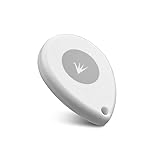
- ✅【Waterproof】 IP67 Protection Rating,Ideal for diverse applications, offering enhanced durability and product protection.
- ✅【Replaceable Battery】 With a battery life of up to 6 years in the default configuration, the replaceable battery design eliminates the need to worry about battery life.
- ✅【Up to 10 Advertising Frames】 Supports iBeacon (UUID), Eddystone (e.g. URL, UID, TLM), and AltBeacon for broadcasting.
- ✅【400m Long-rang】Broadcasting distance of up to 400 meters in open environments (please note that this is subject to environmental influences and is subject to actual testing).
- ✅【Free SDK & APP】You can quickly test and develop beacon functionalities using our resources, enabling faster integration into your projects (Please check “FeasyBeacon” in the app store).
Product prices and availability are accurate as of the date/time indicated and are subject to change. Any price and availability information displayed on Amazon at the time of purchase will apply.

