
Recommended Free Tools
iTechGuides is reader-supported. When you buy through links on our site, we may earn an affiliate commission. As an Amazon Associate I earn from qualifying purchases. Learn more
The smoothest way to play Halo: Combat Evolved multiplayer on an RG35XX H is the native ARM64 H700 port installed through Knulli or PortMaster—not an Xbox emulator. Begin with dynamic resolution enabled, render_scale = 0.75 (480×360 internal rendering), anti-aliasing and per-pixel lighting disabled, and high_res_hud = false. That profile is designed for the handheld’s Mali-G31 graphics and typically delivers about 40–55 fps in campaign play, with 60-fps menus and dips into the high-30s or low-40s in demanding fights.
The port supports online co-op and multiplayer over the internet or a local network, includes a server browser and PC-compatible menus, and reads button assignments from EmulationStation. You supply your own legally obtained Halo game data; this is a community port rather than a conventional console-emulation setup.
What you are installing on the RG35XX H
Halo: Combat Evolved runs on the RG35XX H through a native ARM64 build for H700 handhelds. Knulli provides the operating-system environment, while PortMaster is the usual delivery method for the port. The game code is compiled for the device’s ARM processor and uses the handheld’s Linux graphics stack directly. That distinction explains both the good performance and the setup requirements: you are not loading an Xbox disc into an emulator, and the port cannot provide game assets that you do not own.
At first launch, the project copies the required maps from your disc image and builds a cache. The extraction and cache step is normal and makes later starts considerably faster. Reserve approximately 3 GB of free space on the card before launching, in addition to the space occupied by your operating system and other games. Keep your original game data legally acquired and in the format expected by the port; the project documentation explains where its installer looks for that data.
#1 Best Overall

- [RG35XX H Handheld Game Console]The RG35XX H retro handheld game console is powered by an H700 quad-core ARM Cortex-A53 processor with a 1.5GHz clock speed, delivering smooth and responsive performance for an enhanced gaming experience.
- [Massive Storage for Game Downloads] The RG35XXH hand held game console comes with 64GB TF card, supporting expansion up to 2TB. It allows users to add emulators and games in various formats.
- [3.5-Inch IPS Display] Featuring OCA full lamination and multi-touch support, the 640*480 resolution IPS screen ensures sharp visuals. The tempered glass provides dual protection (scratch-resistant and drop-proof) while reducing eye strain.
- [3300mAh High-Capacity Battery] With long-lasting battery life, the RG 35XXH retro gaming console handheld offers up to 8 hours of continuous gameplay and supports fast charging via USB Type-C, making it perfect for gaming on the go.
- [Multiple Connectivity Modes for Interactive Fun] The RG35XX H handheld gaming console supports 2.4G wireless/wired controllers, Bluetooth controllers, HDMI TV output, vibration feedback, Wi-Fi multiplayer, and game streaming. The HDMI mode is ideal for family gatherings or parties, adding excitement to social gaming sessions.
Hardware limits that shape the settings
Anbernic lists the RG35XX H with a 3.5-inch 640×480 IPS display, an H700 quad-core ARM Cortex-A53 processor at 1.5 GHz, Mali-G31 MP2 graphics, 1 GB of RAM, 2.4 GHz and 5 GHz Wi-Fi, Bluetooth 4.2, and two TF/microSD slots supporting cards up to 512 GB. The graphics and memory configuration is capable of running the port, but it leaves little headroom for expensive lighting, anti-aliasing, or a high-resolution interface. The recommendations below prioritize consistent play over maximum image sharpness.
The recommended performance profile
Set the following values before judging any other combination. They are the project’s documented starting point for the H700 handhelds.
| Option | Recommended value | Reason |
|---|---|---|
| Internal render scale | render_scale = 0.75 |
Renders at 480×360 internally, reducing GPU load while retaining the handheld’s 4:3 output. |
| Dynamic resolution | Enabled | Allows the renderer to lower its internal workload when a scene becomes unusually heavy. |
| Anti-aliasing | Disabled | The release notes leave it off because the Mali-G31 cannot spare the additional cost. |
| Per-pixel lighting | Disabled | Also disabled by default in the handheld release to protect frame rate. |
| High-resolution HUD | high_res_hud = false |
Avoids the small memory and frame-rate penalty associated with the sharper HUD. |
With this profile, the project reports roughly 40–55 fps during many campaign scenes and 60 fps in menus. A large encounter such as the beach battle can fall into the high-30s or low-40s. Those figures are expectations from the project’s published testing, not a guaranteed frame rate for every map, firmware build, temperature, or background process.
What’s actually slowing this PC down?
Pick the symptom - the matching free tool is one click away.
Why 0.75 is the sensible default
The 0.75 scale is a balance between clarity and frame-time consistency. At the RG35XX H’s 640×480 output, the game still presents a readable 4:3 image, while the renderer handles fewer pixels internally. Dynamic resolution can then respond to spikes instead of forcing every scene to render at its most expensive setting.
Rank #2
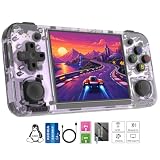
- Premium Retro Handheld Game Console Hardware:This RG35XX H retro handheld game console adopts H700 quad-core CPU and G31 GPU, equipped with 1GB LPDDR4 memory and 64GB TF card preloaded with massive classic games. Built for smooth emulator running, this portable pocket game console supports more than 20 mainstream emulators, delivering stable and fluent retro gaming experience for all leisure scenarios.
- 3.5 Inch IPS OCA Screen Immersive Visuals:Featured with 3.5 inch IPS OCA full lamination screen and 640×480 high resolution, this retro emulator console provides delicate color, ultra-wide viewing angle and eye-friendly display. The high-definition screen greatly enhances visual enjoyment, perfect for long gaming hours at home or while traveling outdoors.
- Long Battery Life & Ultra-Portable Design:Built-in 3300mAh rechargeable battery offers up to 8 hours of continuous gameplay, making this retro handheld game console ideal for long trips and daily use. Compact pocket size and lightweight design are easy to carry, perfectly fitting travel, commute, camping and home casual entertainment anytime.
- WiFi Bluetooth & HDMI TV Output Function:This RG35XX H portable pocket game console supports dual-band WiFi 2.4G/5G and Bluetooth 4.2, enabling online multiplayer, game streaming and wireless controller connection. With HDMI TV output function, you can project game content to large screen devices to enjoy immersive big-screen retro gaming at home.
- Expandable Storage & All-Scenario Entertainment:Dual TF card slots support up to 512GB storage expansion to store more classic retro games. Running on mature Linux system with multi-language support and simple operation, this retro emulator console fits home relaxation, travel leisure, outdoor gathering and retro game collection perfectly.
A scale of 1.0 is an optional experiment for players who value a sharper image more than consistency. The project’s comparison shows it is substantially more variable and slower in demanding scenes than 0.75, so it should not be the starting point for multiplayer. There is no published numerical latency advantage for either scale; choose between them on image quality and frame-time stability, not on an assumed input-lag difference.
What the HUD switch changes
Keep high_res_hud set to false for the safer profile. The release notes estimate that enabling the high-resolution HUD costs about one frame per second and consumes additional memory. That trade may be worthwhile if small text is difficult to read, but it does not improve the 3D world itself. Change only this option after you have established that the baseline is stable, and return to false if you see more frequent dips or out-of-memory behavior.
Applying the settings
The exact presentation varies slightly between Knulli builds and PortMaster releases, but the port reads the same display keys. Use the game’s supplied configuration interface when it exposes these options; otherwise edit the port’s configuration file and place the values in its [display] section.
Quick wins for a faster PC:
Fix the driver behind crashes, sound loss and screen glitchesFind Drivers →Clear out junk files and repair common Windows errorsFree Scan →Scan for outdated or missing drivers - takes under a minuteDriver Scan →[display]
render_scale = 0.75
high_res_hud = false- Install or update Knulli and PortMaster using the release instructions for the RG35XX H.
- Install the Halo: Combat Evolved port and copy your own game data to the location documented by that release.
- Open the port’s display settings, or edit its configuration file under the
[display]heading. - Set the render scale to
0.75, turn dynamic resolution on, and leave anti-aliasing and per-pixel lighting off. - Set
high_res_hudtofalse, save, and launch a campaign mission before testing multiplayer. - Allow the first-launch map extraction and cache build to finish. Do not assume the initial long start time represents later launches.
Test in a demanding outdoor area rather than only in menus. Menus can hold 60 fps even when a large combat scene cannot, so a menu-only check will overstate how much headroom the device has.
Rank #3
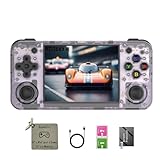
- 【3.5-inch HD creen】 3.5-inch HD Screen With Dual Joysticks, Vibration Motors, and Dual Speakers for better Fighting and Racing Gaming Experience.
- 【3300 mAh High-Capacity Battery】3300mAh High-Capacity Battery, Range of up to 8 Hours, USB Type-C Fast Charging. Enjoy Games Anytime, Anywhere.
- 【Built-in 10+ Emulators】64G TF Card built-in 10+ Emulators, Support PSP, Covering Adventure, Shooting, Action, Racing and Other types of Games.Supports 30+ Emulators, You Can Download Games For Related Emulators.
- 【Game Console Configuration】H700 Quad-core ARM Cortex-A53 with 1.5GHz Makes Retro Gaming Run Smoother and Ensures Higher Stability and Efficient Operation Speed.
- 【Anbernic retro gaming console】Screen is More Stable Using OCA Full Lamination, Horizontal Screen Design Makes the Grip More Comfortable and Easy to Operate. If There is a Problem, You Can Leave us a Message, We Try Our Best to Help You Out.
Control layout for handheld multiplayer
The port uses the control assignments configured in EmulationStation. There is no single mandatory universal map, so start with the arrangement that minimizes thumb movement and then adjust button reach for your hands. The following layout follows the conventional Halo arrangement while using the RG35XX H’s two analog sticks.
| Input | Suggested assignment | Why it works |
|---|---|---|
| Left analog stick | Move | Keeps strafing and forward movement under the dominant movement thumb. |
| Right analog stick | Camera and aim | Allows simultaneous movement and target tracking. |
| One trigger | Primary fire | Trigger travel is comfortable for repeated shots. |
| Other trigger | Grenade | Places the second combat action beside fire without leaving the sticks. |
| Most reachable face button | Jump | Easy to press while moving and aiming. |
| Adjacent face or shoulder button | Crouch | Separates crouch from jump to reduce accidental presses. |
| Remaining face/shoulder buttons | Reload, melee, and weapon swap | Assign the actions you use most often to the shortest reaches. |
Configure the mapping in EmulationStation’s controller setup, save it for the RG35XX H profile, and then start the port. If the game appears to ignore a change, exit fully to the frontend and relaunch; the port reads the handheld mapping when it starts. Keep a consistent layout between local and online sessions so muscle memory does not change when another player joins.
Making the layout comfortable for long sessions
- Keep movement and aim on the two sticks rather than replacing one with a digital pad; Halo’s strafing and camera control both benefit from analog input.
- Put jump and grenade on buttons you can reach without releasing either stick.
- Separate crouch and melee if you frequently use both in close combat.
- Use the shoulder buttons for reload or weapon swap if face-button presses make your thumb leave the right stick too often.
- Run a short offline match after remapping and verify every action before joining an online lobby.
These are ergonomic recommendations, not measured latency rankings. The published material does not include standardized input-latency tests for the RG35XX H, so no connection type or button position can be presented as a universal latency winner.
Free tools Windows power users keep installed
One-click scans. No signup required.
Using an external controller or television
For a second player, or simply for larger controls, the RG35XX H supports 2.4G wireless, wired, and Bluetooth controllers. It also supports HDMI output to a television. Pair or connect the controller through the handheld’s system settings, then assign its buttons in EmulationStation before launching the port. A wired pad avoids pairing steps; a 2.4G or Bluetooth pad removes the cable. The available documentation confirms compatibility but does not publish comparative latency measurements between these connection types.
Rank #4

- Built-in Linux system. The Anbernic RG35XX H handheld game console for seniors is equipped with the H700 processor quad-core ARM Cortexi-A53 1GB. It is a smooth and sensitive operating system that significantly improves the player's gaming experience.
- Long battery life. The rg 35xxh built-in high-capacity 3300mAh lithium battery, ultra-long standby, battery life and battery life. It can sustain up to 8 hours of gaming time and support fast charging with a USB Type-C cable.
- Multiple connection methods. The rg35xxh new handheld game console 2025 for kids retro classic supports 2.4G wireless controller and wired controller connection, Bluetooth connection controller, providing multiple options to enrich the gaming experience
- 3.5-inch IPS screen. The RG 35XX H preloaded handheld game console 3.5-inch IPS screen is fully laminated with OCA and has a resolution of 640*480, giving players a clear gaming experience. In addition, the screen is sturdy and not fragile.
- 64G storage space. The rg35xx h retro handheld game console for kids is used with a 64GTF card. It supports more than 30+ game formats. It supports Dual card slots and TF card expansion, and the maximum capacity can reach 512G to meet your diverse gaming needs.
On a television, keep the same in-game render profile first. HDMI output changes where the image is displayed, not the Mali-G31’s rendering budget. If the larger screen makes the 0.75 image look softer, try 1.0 only after confirming that the multiplayer scenes you play most often remain acceptable; the published comparison still indicates more variability at that scale.
Independent reader supportYour contribution helps us test, update, and keep practical guides available for everyone.Setting up online or local multiplayer
The port documents online co-op and multiplayer over the internet or a local network. Its menus are designed to be compatible with the PC version’s flow and include a server browser, so the handheld does not require a separate console-emulation network layer.
- Complete the first launch and let map extraction and cache creation finish.
- Connect the RG35XX H to a stable 2.4 GHz or 5 GHz Wi-Fi network. Use the band that gives your play area the most reliable signal; the hardware supports both.
- Open the multiplayer menu and choose the internet or local-network mode appropriate for the other players.
- Use the server browser to find an available session, or have the host create a room that the other players can see on the same network.
- Confirm your control layout in a low-stakes session before starting a long co-op run.
Because the port supports both internet and LAN play, players do not need to be in the same room for every session. A local network can reduce the number of routing variables, but the available documentation does not provide standardized ping or latency figures. Treat network quality as a property of your connection and host rather than as a fixed characteristic of the RG35XX H.
What the first launch is doing
The initial map copy and cache build can make the first start appear stalled compared with later launches. Check that the card has about 3 GB free and allow the process to complete. Once the cache exists, subsequent starts are faster because the port no longer has to perform that one-time preparation.
Best Value

- Premium Retro Handheld Game Console Hardware:This RG35XX H retro handheld game console adopts H700 quad-core CPU and G31 GPU, equipped with 1GB LPDDR4 memory and 64GB TF card preloaded with massive classic games. Built for smooth emulator running, this portable pocket game console supports more than 20 mainstream emulators, delivering stable and fluent retro gaming experience for all leisure scenarios.
- 3.5 Inch IPS OCA Screen Immersive Visuals:Featured with 3.5 inch IPS OCA full lamination screen and 640×480 high resolution, this retro emulator console provides delicate color, ultra-wide viewing angle and eye-friendly display. The high-definition screen greatly enhances visual enjoyment, perfect for long gaming hours at home or while traveling outdoors.
- Long Battery Life & Ultra-Portable Design:Built-in 3300mAh rechargeable battery offers up to 8 hours of continuous gameplay, making this retro handheld game console ideal for long trips and daily use. Compact pocket size and lightweight design are easy to carry, perfectly fitting travel, commute, camping and home casual entertainment anytime.
- WiFi Bluetooth & HDMI TV Output Function:This RG35XX H portable pocket game console supports dual-band WiFi 2.4G/5G and Bluetooth 4.2, enabling online multiplayer, game streaming and wireless controller connection. With HDMI TV output function, you can project game content to large screen devices to enjoy immersive big-screen retro gaming at home.
- Expandable Storage & All-Scenario Entertainment:Dual TF card slots support up to 512GB storage expansion to store more classic retro games. Running on mature Linux system with multi-language support and simple operation, this retro emulator console fits home relaxation, travel leisure, outdoor gathering and retro game collection perfectly.
Troubleshooting by symptom
Frame rate drops during firefights
First restore the documented baseline rather than adding visual effects. Confirm dynamic resolution is enabled, the internal scale is 0.75, anti-aliasing and per-pixel lighting are off, and the high-resolution HUD is disabled. Test again in the same demanding scene. If the result is still in the high-30s or low-40s during a particularly heavy battle, that may be within the project’s published behavior rather than a fault; menus can remain at 60 fps while the world is under load.
The picture looks too soft
At 0.75, the game renders at 480×360 before presenting the 640×480 output, so some softness is the expected trade-off for steadier frame times. Try 1.0 only if you accept that demanding scenes are documented as more variable and slower. Do not enable anti-aliasing as a compensating step: it adds GPU work on the Mali-G31.
The HUD is hard to read
Enable high_res_hud after the rest of the profile is stable. The release notes estimate a small performance and memory cost, so monitor a busy scene after changing it. If frame pacing worsens, return the value to false and rely on the standard HUD.
The first launch is unusually slow or fails to finish
Verify that your legally obtained disc image is in the location and format expected by the port and that the card has roughly 3 GB free. The map extraction and cache build happen once; interrupting them can force the process to repeat on the next launch. A later start that is still as slow as the first one suggests that the cache was not retained or that the data path is incorrect.
Buttons do not match the layout
Return to EmulationStation’s controller configuration, select the RG35XX H profile, and save the mapping again. Relaunch the port so it rereads the frontend assignments. Check one action at a time—movement, camera, fire, grenade, jump, crouch, reload, melee, and weapon swap—before entering multiplayer.
A second controller is not recognized
Connect the wired, Bluetooth, or 2.4G controller before opening the game, then assign it in the frontend’s controller settings. If it is paired but inactive, disconnect and reconnect it, save the profile, and restart the port. HDMI output affects the display only; it does not substitute for a paired gamepad.
A multiplayer session is missing from the browser
Confirm that every player is using a compatible port release and that LAN players are on the same local network. For internet sessions, check Wi-Fi connectivity and the host’s availability. The project documents a server browser and both network modes, but it does not promise a particular server list, ping, or matchmaking service, so a missing room is not automatically a rendering problem.
Do these 3 things before closing this tab:
1Fix the driver behind crashes, sound loss and screen glitches2Clear out junk files and repair common Windows errors3Scan for outdated or missing drivers - takes under a minuteQuick Recap
Quick decision guide
| Your priority | Choose | Accept |
|---|---|---|
| Most consistent handheld multiplayer | Dynamic resolution, 0.75 scale, standard HUD, effects off | A softer internal image and dips in the heaviest scenes. |
| Sharper image on a close television view | Test 1.0 scale after the baseline works | More variable frame times and slower demanding scenes. |
| Clearer interface text | Enable high_res_hud |
About one frame per second and additional memory use, according to the release notes. |
| Two-player comfort | Use a wired, Bluetooth, or 2.4G external controller | Pairing or cabling steps and no documented universal latency advantage. |
| Living-room play | Connect HDMI and keep the proven render profile | Output to a larger screen without extra GPU headroom. |
Checklist before your first multiplayer match
- Knulli or PortMaster is installed for the RG35XX H’s H700 platform.
- Your own Halo game data is present in the port’s expected location.
- At least 3 GB of free card space remains for map extraction and the cache.
- The baseline display profile is active and has been tested in a demanding scene.
- Both analog sticks, triggers, jump, crouch, reload, melee, and weapon swap have been verified.
- Every player has a working wired, Bluetooth, or 2.4G controller if the built-in controls are not being used.
- All players know whether they are joining an internet or local-network session.
Product prices and availability are accurate as of the date/time indicated and are subject to change. Any price and availability information displayed on Amazon at the time of purchase will apply.

