
iTechGuides is reader-supported. When you buy through links on our site, we may earn an affiliate commission. As an Amazon Associate I earn from qualifying purchases. Learn more
For most Switch owners who need a working microphone, choose a wired 3.5 mm CTIA headset. Nintendo supports Bluetooth audio for listening, but its Switch Bluetooth implementation does not accept microphone input. A wired headset avoids that limitation, adds no wireless latency, and works in handheld mode when the headset and game support voice chat.
If you only need game audio, Bluetooth is convenient. If you need wireless sound from a docked console, a headset with a USB or 2.4 GHz receiver may be appropriate, but compatibility depends on the exact headset, receiver, console generation, and connection mode. The best choice is therefore not one universal model: it is the headset that matches your microphone needs, Switch version, preferred connection, portability requirements, comfort, and budget.
Quick recommendations by player type
- Need voice chat or a dependable microphone: start with a 3.5 mm four-pole CTIA wired headset. Nintendo does not support Bluetooth microphone input on Switch, and game software must still provide chat support.
- Play mostly handheld and want the simplest setup: use a light wired headset with a short, flexible cable and a detachable or fold-away microphone.
- Want wireless listening: Bluetooth works for stereo audio, but latency varies by device, the console is limited to two connected wireless controllers while Bluetooth audio is active, and Bluetooth audio disconnects during local communication.
- Play docked and want wireless voice chat: investigate a USB or 2.4 GHz headset whose receiver is explicitly documented for your Switch model. Do not assume that a headset advertised as compatible with Switch works in every connection mode.
- Want a lower-cost option: look at a documented wired model first. A wired design generally avoids buying a separate transmitter and does not require charging.
How Nintendo Switch headset connections work
3.5 mm wired audio and microphones
Switch, Switch Lite, Switch OLED, and Switch 2 use a 3.5 mm, four-pole CTIA stereo mini-jack specification for headsets with microphones. The four-pole arrangement carries left and right audio, ground, and microphone signals through one plug. A headset with a different wiring standard, a three-pole stereo plug, or a nonstandard adapter may play sound but fail to provide microphone input.
The Tool Desk
Outbyte Driver Updater FREEFix the driver behind crashes, sound loss and screen glitchesFind Drivers →Outbyte PC Repair FREERepair Windows errors before they cause bigger problemsFix Now →Nintendo explicitly says it does not guarantee that every product will operate with the console. Treat CTIA as the required electrical standard, not as a promise that every CTIA headset will have working chat in every game. A detachable boom is useful because you can remove it for travel, but the microphone still depends on the game supporting voice or chat functions.
#1 Best Overall

- Immersive 7.1 Surround Sound: This gaming headset delivering stereo surround sound for realistic audio. Whether you're in a high-speed FPS battle or losing yourself RPG adventures, this Ps5 headset provides crisp treble, punchy bass, and precise directional cues, giving you a competitive edge
- Great Humanized Design: Comfortable and breathable permeability protein over-ear pads perfectly on your head, adjustable headband distributes pressure evenly, you’ll enjoy lasting comfort during hours of gaming and suitable for all gaming players of all ages
- Sensitivity Noise-Cancelling Microphone: 360° omnidirectionally rotatable sensitive microphone, premium noise cancellation, sound localisation, your voice comes through loud and natural, ensuring your teammates catch every callout, even in chaotic battle scenes.
- Universal Compatibility: This gaming headphone support for PC, Ps5, Ps4, Xbox one, Xbox Series X/S, Switch, Laptop, Mobile Phone and other devices with 3.5mm jack.Note 1: When you use headset on your PC, be sure to connect the "1-to-2 3.5mm audio jack splitter cable" (Red-Mic, Green-audio). (Please note you need an extra Microsoft Adapter when connect with an old version Xbox One controller)
- Cool style gaming experience: Colorful RGB lights create a gorgeous gaming atmosphere, adding excitement to every match. Heightening immersion for FPS, MOBA, and action titles. These eye-catching lights give your setup a gamer-ready look while maintaining focus on performance. (*Note: The USB connector is for LED lighting only)
Bluetooth audio
Nintendo documents Bluetooth audio using the A2DP profile and the SBC codec. Its support guidance states that Bluetooth microphones cannot be used. This means a Bluetooth headset can supply game sound, but its built-in microphone is not a direct voice-chat solution on the Switch through Bluetooth.
Nintendo also warns that you may experience audio latency depending on the Bluetooth device. The delay can be noticeable in rhythm games, competitive action, or any title where sound cues must line up closely with the picture. Bluetooth audio also limits the console to two connected wireless controllers. Nintendo says Bluetooth audio disconnects when the console starts local wireless communication, so it is unsuitable for a session that frequently switches into local wireless multiplayer.
USB and 2.4 GHz receivers
A wireless headset with a USB receiver uses a different path from the console’s direct Bluetooth audio feature. In a docked setup, the receiver normally plugs into a USB port; handheld use may require a compatible adapter. The headset, receiver, and console firmware must agree on the connection mode. A product page that lists Switch compatibility may refer to Bluetooth, USB, or only one particular console generation.
Do these 3 things before closing this tab:
1Fix the driver behind crashes, sound loss and screen glitches2Clear out junk files and repair common Windows errors3Scan for outdated or missing drivers - takes under a minuteReceiver-based wireless can be attractive when you want a microphone and freedom from a cable, but check the exact model number and the stated handheld and docked requirements. A receiver that fits a USB port is not automatically supported, and a receiver that works on an original Switch is not automatically supported on Switch 2.
Documented headset options
The table separates published specifications from buying advice. The named rankings come from GamesRadar+’s September 21, 2026 roundup, while the wired specifications come from PowerA’s 2026 manual for model UNHSHSWD. Those editorial rankings are assessments by that publication, not controlled, head-to-head measurements of sound quality or comfort.
| Headset | Published connection and features | Compatibility information | Best fit and cautions |
|---|---|---|---|
| PowerA Wired Stereo Headset, model UNHSHSWD | Wired 3.5 mm TRRS CTIA connector; detachable boom microphone; 1.37 m cable; 225 g. | PowerA lists original Switch, Switch OLED, Switch Lite, and Switch 2. | Practical starting point when a microphone matters. PowerA says only some software titles support microphone or chat functions, and Nintendo does not guarantee every headset. |
| SteelSeries Arctis Nova 3 Wireless | Over-ear, closed-back design; Bluetooth and 2.4 GHz dongle connections; detachable boom microphone; 260 g listed weight. | GamesRadar+ lists compatibility including original Switch and Switch 2. | Its roundup’s overall pick for wireless, multi-device shoppers. The same roundup says the 2.4 GHz connection is incompatible with Switch 2, so verify the exact SKU and use case rather than treating the compatibility label as universal. |
| Turtle Beach Airlite Fit | Wired budget headset described by GamesRadar+ as designed for Switch 2 and compatible with both handhelds. | Confirm the exact version and connector before ordering. | GamesRadar+’s budget pick. Choose it when price and a straightforward wired setup matter more than wireless flexibility. |
PowerA Wired Stereo Headset UNHSHSWD
UNHSHSWD is the clearest documented wired example for a Switch-family buyer. PowerA lists a detachable boom microphone, a 3.5 mm TRRS CTIA plug, a 1.37 m cable, and a 225 g weight. Its compatibility list includes the original Nintendo Switch, Switch OLED, Switch Lite, and Switch 2, which makes it useful for households with more than one console generation.
The important limitation is software support. PowerA states that only some software titles support microphone or chat functions. If a game has no voice-chat feature, a headset microphone cannot add one. If the game uses a separate mobile or account-based chat system, follow that service’s requirements instead of assuming the console jack handles it.
Rank #2

- STEREO SOUND GAMING HEADSET - Powerful 40mm speaker drivers deliver immersive gaming experiences with strong bass and crisp highs.Control Type:Volume
- PREMIUM LIGHTWEIGHT BUILD - Designed for long gaming sessions with deluxe comfort padding, adjustable durable headband, noise-isolating ear cups, and breathable, surround soft foam cushions.
- FLEXIBLE NOISE-CANCELING MIC - Enables crystal clear voice to your teammates with less background and ambient noise. Flip to mute microphone when not in use.
- ON-EAR VOLUME CONTROL - Make quick audio adjustments on the ear-cup while keeping your eyes on the game.
- WIRED COMPATIBILITY - Officially licensed by Nintendo for Switch, Switch OLED & Lite. Works great with Smartphones, Wii, 3DS, Windows PC, Mobile, Tablet, iPad, Mac, VR Devices. Great for travel.
SteelSeries Arctis Nova 3 Wireless
GamesRadar+’s September 21, 2026 roundup names the Arctis Nova 3 Wireless its overall Switch headset pick. The roundup describes an over-ear, closed-back design, a detachable boom microphone, Bluetooth, and 2.4 GHz dongle connectivity, and lists a 260 g weight. Those details make it a candidate for players who move between devices and want both a cable-free option and a removable mic.
Connection mode is the crucial caveat. Direct Bluetooth on an original Switch is for audio listening; Nintendo does not support Bluetooth microphone input. The roundup also says the 2.4 GHz connection is incompatible with Switch 2, despite listing the product as compatible with Switch and Switch 2. Before buying, confirm whether the exact SKU supports your console through Bluetooth, a receiver, or both, and whether the mode you need includes microphone functionality.
Turtle Beach Airlite Fit
GamesRadar+ calls the Airlite Fit its budget pick and describes it as a wired headset designed for Switch 2 while also matching both handhelds. Because GamesRadar+’s September 21, 2026 roundup does not establish a universal connector specification or a price, verify the current package, plug type, and version before purchase. A wired budget headset is generally easiest to use in handheld mode, but the game must still support chat and the headset must use the console’s CTIA wiring.
Choose by microphone requirement first
When you need in-game voice chat
Put the microphone requirement ahead of wireless convenience. On an original Switch, a Bluetooth headset microphone is not supported by the console’s Bluetooth audio feature. Select a CTIA wired headset, or investigate a receiver-based headset with explicit microphone support for your console and game.
What’s actually slowing this PC down?
Pick the symptom - the matching free tool is one click away.
Check the game’s own chat design. Some titles support voice chat only in selected modes, some require a separate application or account, and some provide no voice chat at all. A detachable boom is a useful hardware feature, but it does not change those software rules.
When you only need game audio
Bluetooth can be a sensible choice when you value fewer cables and do not need the headset microphone. Pair it from the console’s Bluetooth audio settings, then test the game you play most. Listen for delay in menus, dialogue, rhythm sections, and competitive play. If the delay is distracting, return to a wired connection or use a documented receiver-based mode.
When family members need to hear you
For shared rooms, a detachable boom lets you remove the microphone when you are not chatting. A closed-back over-ear design can reduce outside distractions, but it may feel warmer during long sessions and can be less convenient to pack. On-ear and lightweight designs are easier to carry but may provide less isolation. Since the cited sources do not provide controlled comfort or sound measurements, use fit, return terms, and your own wearing needs as the deciding evidence.
Rank #3
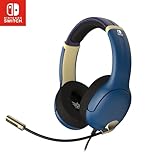
- STEREO SOUND GAMING HEADSET - Powerful 40mm speaker drivers deliver immersive gaming experiences with strong bass and crisp highs.
- PREMIUM LIGHTWEIGHT BUILD - Designed for long gaming sessions with deluxe comfort padding, adjustable durable headband, noise-isolating ear cups, and breathable, surround soft foam cushions.
- FLEXIBLE NOISE-CANCELING MIC - Enables crystal clear voice to your teammates with less background and ambient noise. Flip to mute microphone when not in use.
- ON-EAR VOLUME CONTROL - Make quick audio adjustments on the ear-cup while keeping your eyes on the game.
- WIRED COMPATIBILITY - Officially licensed by Nintendo for Switch, Switch OLED & Lite. Works great with Smartphones, Wii, 3DS, Windows PC, Mobile, Tablet, iPad, Mac, VR Devices. Great for travel.
Compatibility checklist for every Switch model
- Identify the console: original Switch, Switch Lite, Switch OLED, or Switch 2. Handheld and docked ports and supported connection modes can differ.
- Confirm the connector: for a wired headset with a microphone, look for a 3.5 mm four-pole CTIA or TRRS specification. Do not assume that any 3.5 mm plug includes a microphone connection.
- Confirm the connection mode: separate Bluetooth, USB, and 2.4 GHz receiver support. A headset can support one mode on one console and another mode elsewhere.
- Check microphone support: verify that the game supports voice or chat and that the headset’s microphone is supported through the chosen connection.
- Check physical fit: measure whether the cable reaches your usual seated position, especially when the console is docked. The UNHSHSWD cable is 1.37 m; other lengths are not established here.
- Check weight and portability: the documented figures are 225 g for the PowerA model and 260 g for the Arctis Nova 3 Wireless. Weight alone does not predict comfort; headband pressure, pad shape, glasses clearance, and heat also matter.
- Check return terms: fit and latency are personal, and compatibility claims can depend on the exact edition. A return window is valuable when specifications are incomplete.
Wired versus wireless: a practical decision table
| Priority | Best starting connection | Why | Trade-off |
|---|---|---|---|
| Microphone on original Switch | 3.5 mm CTIA wired | Uses the console’s headset jack and avoids unsupported Bluetooth microphone input. | Cable management and reduced freedom of movement. |
| Simple handheld listening | 3.5 mm wired or Bluetooth | Both can provide stereo game audio; wired needs no battery. | Bluetooth may introduce device-dependent latency. |
| Docked wireless gaming | Documented USB or 2.4 GHz receiver | Can provide wireless audio and, where supported, a microphone. | Receiver compatibility, adapters, charging, and console-specific limitations must be checked. |
| Local wireless multiplayer | Wired, or verify wireless behavior before playing | Nintendo says Bluetooth audio disconnects during local communication. | A wireless setup may need to be reconnected or replaced with wired audio. |
| Multi-device use | Dual-mode headset, after checking each mode | Bluetooth can be convenient for general listening while a receiver or cable serves another device. | Feature labels do not guarantee that every mode works with every Switch generation. |
Setup instructions
Set up a 3.5 mm headset
- Lower the console or television volume before connecting the headset.
- Insert the headset’s 3.5 mm CTIA plug fully into the Switch headset jack. A partially inserted plug can produce one-channel audio or a missing microphone.
- Open a game that supports voice or chat and select its audio and microphone settings.
- Speak into the boom microphone and confirm the game’s input indicator or chat test, if available.
- Route the cable away from controls and hinges. Do not sharply bend the plug where it enters the console.
Pair Bluetooth for listening
- Open System Settings on the Switch.
- Choose Bluetooth Audio, then use the option to add or pair a device.
- Put the headset into pairing mode and select it when it appears.
- Play a familiar game and check for delay, dropouts, and volume that is comfortable at the first setting.
- Remember that the Bluetooth microphone will not function for Switch voice input, Bluetooth audio is limited to two wireless controllers, and Nintendo says Bluetooth audio disconnects during local wireless communication.
Set up a USB or 2.4 GHz receiver
- Read the headset manual for the supported Switch model and whether handheld use requires an adapter.
- Connect the receiver to the dock or approved adapter before powering on the headset.
- Select the receiver’s connection mode on the headset, if it has more than one.
- Test both game audio and microphone input in a title that supports chat.
- If the headset works through Bluetooth but not the receiver, or on one Switch generation but not another, use the documented mode for that console rather than repeatedly pairing the wrong connection.
Troubleshooting common failures
You hear sound but the microphone does not work
- If the headset is connected through Bluetooth, this is expected on Switch because Nintendo does not support Bluetooth microphone input.
- With a wired headset, check that the plug is four-pole CTIA/TRRS and fully inserted.
- Confirm that the game supports microphone or chat. PowerA specifically warns that only some software titles do.
- Test with the boom attached and its mute switch disabled, if present.
The sound is delayed over Bluetooth
Nintendo says latency depends on the Bluetooth device. Try a wired connection for rhythm, timing-sensitive, or competitive games. If you continue using Bluetooth, test the exact headset rather than relying on a generic low-latency label.
Bluetooth disconnects during local play
Nintendo documents disconnection during local communication, including starting a local wireless multiplayer game. Use a wired headset for that session or reconnect Bluetooth after local communication ends, if the console allows it.
The receiver does not work on Switch 2
Check the exact model and connection mode. GamesRadar+’s listing for the Arctis Nova 3 Wireless includes Switch 2 compatibility but separately says its 2.4 GHz connection is incompatible with Switch 2. That apparent contradiction is why the receiver mode, not just the product name, must be verified before purchase.
Only one side produces audio
Remove and reinsert the plug, inspect the jack for debris, and test the headset on another compatible device. A three-pole plug, damaged cable, or incomplete insertion can prevent proper stereo or microphone operation. Do not force a connector into the port.
Comfort, portability, and daily use
Comfort is a fit decision rather than a reliable ranking from published specifications. Over-ear closed-back cups can help isolate game sound and are represented by the Arctis Nova 3 Wireless listing, while a smaller wired headset may pack more easily in a Switch case. Compare the listed 225 g PowerA weight and 260 g Arctis Nova 3 Wireless weight, then consider clamp force, pad depth, headband adjustment, glasses, hair, and heat.
Quick wins for a faster PC:
Scan for outdated or missing drivers - takes under a minuteDriver Scan →Repair Windows errors before they cause bigger problemsFix Now →For handheld play, keep the cable short enough not to catch on your hands but long enough to reach the jack without pulling. For docked play, measure from your seat to the console or television. A detachable boom is convenient for travel and single-player sessions, but store it where its connector will not collect dust or get bent.
What to verify before buying
- Exact model and edition: product names can cover revisions with different connectors or receiver behavior.
- Console list: look for your specific original Switch, Lite, OLED, or Switch 2 model.
- Connection details: distinguish direct Bluetooth from USB or 2.4 GHz receiver operation.
- Mic path: confirm whether the microphone works through the chosen connection and whether your game supports chat.
- CTIA wiring: for a wired mic, require a 3.5 mm four-pole CTIA/TRRS plug.
- Physical data: compare weight, cable length, foldability, boom removal, and charging needs.
- Evidence quality: treat a roundup’s best-overall or budget label as that publication’s judgment, not a universal laboratory result.
- Price and stock: verify current pricing and availability at the time of purchase because they can change.
Bottom line: which headset should you choose?
Choose a 3.5 mm CTIA wired headset when microphone reliability is the priority, especially on the original Switch. The documented PowerA UNHSHSWD is one concrete option covering Switch, Lite, OLED, and Switch 2, with a detachable boom and 1.37 m cable, but chat still depends on the game.
Choose Bluetooth when you want cable-free listening and can accept device-dependent latency, no Bluetooth microphone input, the two-controller limit, and disconnection during local wireless communication. Consider a USB or 2.4 GHz headset for docked wireless play only after confirming the exact receiver and console combination. The Arctis Nova 3 Wireless and Airlite Fit are current roundup options, but their stated connection and compatibility details should be checked at the model and mode level before purchase.
Quick Recap
Product prices and availability are accurate as of the date/time indicated and are subject to change. Any price and availability information displayed on Amazon at the time of purchase will apply.

