
iTechGuides is reader-supported. When you buy through links on our site, we may earn an affiliate commission. As an Amazon Associate I earn from qualifying purchases. Learn more
The best mobile bookkeeping apps are QuickBooks Online for broad accounting, Xero for collaboration and bank reconciliation, Zoho Books for value, FreshBooks for freelancers, and Wave for basic free bookkeeping. None replaces a desktop browser for every task, so the right choice depends on whether you need full books, invoices, receipts, mileage, payroll, inventory, or accountant access.
A phone is excellent for capturing a receipt at the moment of purchase, sending an invoice from a job site, recording mileage, checking overdue payments, and monitoring cash flow. A browser remains the better tool for year-end corrections, detailed reports, payroll, inventory, chart-of-accounts maintenance, and other complex accounting work.
Key takeaways
- QuickBooks Online is the strongest general-purpose choice when a business needs broad bookkeeping, integrations, payments, payroll options, mileage, and accountant support.
- Xero is especially attractive for shared access, bank feeds, and mobile bank-transaction reconciliation, but plan-specific features and U.S. accountant compatibility require checking.
- Zoho Books is the best value-oriented mobile-first alternative, while its free U.S. plan has a $50,000 annual-revenue threshold and annual invoice and expense limits.
- FreshBooks is best suited to service businesses centered on time tracking, client invoices, expenses, and payment collection rather than inventory-heavy accounting.
- Wave Starter costs $0 for basic invoicing and bookkeeping records, but bank imports, receipt capture, payroll, payments, and other capabilities can add cost.
What counts as a mobile bookkeeping app?
A mobile bookkeeping app is usually a phone or tablet companion to cloud accounting software, not a complete accounting system that can perform every task from a handset. A serious bookkeeping platform should record income and expenses, import or receive bank transactions, categorize activity, reconcile accounts, track invoices and payments, store receipts, produce financial reports, support accountant access, and allow data export.
Recommended Free Tools
The category also includes products that are useful but narrower:
#1 Best Overall

- Green paper printed in green and brown inks
- Faint colors make figures stand out sharply
- Punched for use with post binders
- Printed on both sides
- Sold 100 sheets per pack
- Full cloud bookkeeping platforms: QuickBooks Online, Xero, Zoho Books, FreshBooks, and Wave.
- Invoicing apps: useful for estimates, invoices, payment links, and reminders, but not necessarily for reconciled double-entry books.
- Receipt and expense apps: designed to capture documents and expenses, often as companions to accounting software.
- Mileage apps: focused on GPS trips, manual mileage, or employee expense claims.
- Payroll products: commonly sold as separate add-ons rather than included in the base bookkeeping subscription.
- Outsourced bookkeeping services: people or firms that maintain the books for you; a service is not interchangeable with DIY software.
That distinction matters because an app can create a polished invoice while still lacking bank reconciliation, journal entries, accounts payable, inventory, or useful reports. Choose the accounting depth first and the phone interface second.
Which mobile bookkeeping app is best?
There is no universal winner. The editorial recommendations below are based on feature fit and workflow, not a comparative performance test. NerdWallet’s comparison coverage supports the same broad segmentation, but prices, plan names, add-ons, and availability should be checked before purchase.
| App | Best for | Mobile strengths | Major limitation |
|---|---|---|---|
| QuickBooks Online | Best overall | Income and expense entry, invoices, payments, receipts, mileage, basic reports, cash flow, and accountant communication | Full reconciliation, journal entries, bank rules, payroll, advanced reports, and several complex workflows remain web-based |
| Xero | Bank reconciliation and collaboration | Invoices, quote-to-invoice conversion, receipt uploads, bank matching and reconciliation, cash-flow visibility | Expense, mileage, payroll, and other capabilities can depend on plan, product, or U.S. workflow |
| Zoho Books | Best value and mobile-first alternative | Invoices, recurring invoices, expenses, bills, bank feeds, matching, reconciliation, receipt scanning, notifications, and portals | Fewer third-party integrations than the largest ecosystems; mileage may require Zoho Expense |
| FreshBooks | Freelancers and service businesses | Time tracking, invoices, recurring billing, estimates, expenses, client payments, and mobile mileage | Client limits and higher-tier requirements can make it unsuitable for complex or inventory-heavy businesses |
| Wave | Basic free bookkeeping | Mobile invoicing plus basic financial information | Starter omits or limits automated bank feeds and receipt workflows; mileage, integrations, and advanced mobile reporting are weak |
What can you actually do from a phone?
Mobile bookkeeping is most valuable when the phone is used for immediate capture and monitoring. The following tasks are practical field workflows:
The Tool Desk
Outbyte Driver Updater FREEFix the driver behind crashes, sound loss and screen glitchesFind Drivers →Outbyte PC Repair FREERepair Windows errors before they cause bigger problemsFix Now →| Workflow | What a capable app may support | What to verify |
|---|---|---|
| Receipts | Camera capture, OCR extraction, attachments, and document upload | Whether OCR recognizes vendor, date, tax, and amount; whether the feature is included in the plan |
| Expenses | Record, categorize, annotate, and attach evidence to an expense | Whether the app creates a transaction automatically or only stores an image |
| Invoices | Create, send, remind, and track invoices | Recurring invoices, estimates, deposits, partial payments, and client limits |
| Payments | Payment links, card or ACH collection, and sometimes Tap to Pay | Processing fees, eligibility, geography, refunds, chargebacks, and instant-deposit charges |
| Bank activity | Review, match, and sometimes reconcile imported transactions | Supported institutions, duplicate handling, statement reconciliation, and plan restrictions |
| Mileage | GPS trip tracking or manual distance entry | Native versus separate app, battery use, iOS/Android support, and whether trips require review |
| Collaboration | Upload documents, respond to requests, and communicate with an accountant | Roles, permissions, audit trail, multi-company support, and browser-only accountant functions |
Full bank reconciliation, journal entries, chart-of-accounts changes, bank rules, recurring bills, accounts payable, inventory, project accounting, payroll, sales-tax workflows, budgets, forecasts, bulk editing, custom reports, and year-end closing commonly work better—or only work—through a browser. QuickBooks’ mobile-versus-web feature guide makes this boundary explicit, and Xero and Zoho Books describe their mobile apps primarily around everyday transactions, invoicing, reconciliation, and visibility.
QuickBooks Online: best overall mobile bookkeeping app
QuickBooks Online is the broadest general-purpose choice when a business expects to combine bookkeeping with invoicing, payments, mileage, integrations, payroll options, tax-related workflows, or professional accountant help. The recommendation is an editorial judgment based on breadth and ecosystem fit, not a claim that QuickBooks is best for every business.
The QuickBooks mobile app can record and categorize income and expenses, match bank transactions, create and send estimates and invoices, accept payments, send payment links, create sales receipts, record payments, issue refunds, show basic profit-and-loss and balance-sheet reports, review cash flow, capture receipts, track mileage, and communicate with an accountant. Tap to Pay on iPhone is available where supported with QuickBooks Payments. See the official QuickBooks mobile capability list for the current feature boundary.
The important limitation is that the mobile app is not the entire QuickBooks system. Full bank reconciliation, journal entries, bank rules, chart-of-accounts management, bill payment, recurring bills, payroll, contractor payments, detailed custom reporting, budgets and forecasts, and advanced projects, inventory, and tax workflows are identified as web tasks. The practical pattern is capture and monitor on mobile, then review and close the books in a browser.
What’s actually slowing this PC down?
Pick the symptom - the matching free tool is one click away.
Choose QuickBooks Online if: your accountant already works with it, you need broad U.S. small-business workflows, you expect to add payroll or payments, or you rely on integrations and detailed accounting controls.
Do not choose QuickBooks Online if: you only send occasional invoices, the subscription plus add-ons is disproportionate to your needs, or you specifically want a mobile-only bookkeeping system with no desktop work.
Rank #2
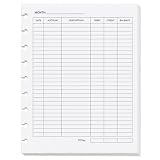
- Manual Accounting Ledger Sheets for Everyday Records: Keep expense, income and balance information organized with these Fynora accounting ledger sheets, designed for simple handwritten bookkeeping and account tracking
- Double-Sided Ledger Layout: Each sheet is printed on both sides and includes sections for Month, Date, Account, Description, Debit, Credit, Balance and Total, giving you a structured format for transaction records
- 9-Hole Punched for Organized Filing: The 7 x 9.25 inch ledger sheets feature a 9-hole punched edge, helping keep handwritten bookkeeping records organized in compatible 9-hole filing systems
- 50 Sheets / 100 Printed Sides: This listing includes 50 double-sided accounting ledger sheets, giving you 100 printed sides for manual recordkeeping, expense logs, income records and monthly account reviews
- For Business, Budget and Personal Finance Notes: Useful for small business bookkeeping, home budget tracking, personal expense logs, deposits, payments, account activity and month-by-month financial records
What does QuickBooks Online cost?
A current third-party price signal supplied by the research dossier lists QuickBooks Online entry pricing at $38 per month, with higher tiers at $75, $115, and $275 per month; the comparison also showed a promotion or trial at review time. Treat those figures as volatile, not as a guaranteed quote. Check the official QuickBooks Online page for the current standard price, renewal price, plan limits, and separate charges for payments, payroll, mileage-related features, and other add-ons.
Xero: best for collaboration and mobile reconciliation
Xero is the strongest alternative when several people need access to the same books and the owner places unusual importance on bank feeds, matching, reconciliation, and shared financial visibility. The Xero Accounting app supports invoices, quote-to-invoice conversion, receipt uploads, bank-transaction reconciliation, cash-flow monitoring, and real-time financial visibility. Xero also supports Tap to Pay through Stripe after an invoice has been raised, subject to availability.
Free tools Windows power users keep installed
One-click scans. No signup required.
Xero’s U.S. comparison material states that every Xero plan includes unlimited users, but unlimited users does not mean unlimited access to every feature or unrestricted permissions. Check the selected plan’s expense, payroll, reporting, and project capabilities, and confirm that the accountant and payroll provider support Xero in the United States. Xero’s comparison page is the relevant source for the unlimited-user positioning.
Xero’s mobile reconciliation emphasis is a meaningful contrast with QuickBooks’ explicit description of full reconciliation as a web workflow. In either product, readers should test the exact bank, statement, matching rules, and plan rather than relying on a yes/no “mobile app” label.
Choose Xero if: a small team, bookkeeper, and owner need shared access; mobile bank matching is central; or the business wants real-time visibility without making one person the only account holder.
Do not choose Xero if: an essential accountant, payroll service, or industry integration is built around another platform, or required expense and mileage functions are unavailable on the selected plan.
Do these 3 things before closing this tab:
1Repair Windows errors before they cause bigger problems2Scan for outdated or missing drivers - takes under a minute3Clear out junk files and repair common Windows errorsWhat does Xero cost?
The supplied comparison research lists Xero price signals of $25, $55, and $90 per month for its entry and higher tiers, alongside a promotion. Those figures require verification because Xero changes promotions, plan names, limits, and regional availability. Review Xero’s official U.S. pricing plans before publishing or subscribing.
Zoho Books: best value and mobile-first alternative
Zoho Books is a strong value-oriented choice for a price-conscious, mobile-heavy business, especially when the business already uses Zoho CRM, Projects, Inventory, or other Zoho products. Zoho Books promotes iOS and Android apps, tablet and desktop access, automatic synchronization, estimates, invoices, recurring invoices, bills, expenses, bank feeds, transaction matching, reconciliation, receipt scanning, push notifications, client portals, accountant access, multi-currency invoicing and payments, and real-time reports.
Zoho’s U.S. pricing page says its free plan is available indefinitely while annual business revenue remains below $50,000. The free plan allows up to 1,000 invoices and 1,000 expenses per year. Those are material limits, so “free” does not mean unlimited bookkeeping. Check the current Zoho Books U.S. pricing page for plan-specific users, automation, tax, and transaction limits.
Rank #3

- Sufficient Quantity to Use and Share: each package includes 200 pieces of ledger sheets, sufficient quantity is enough to last a long time, you can share it with your friends and family
- Extensive Usage: our ledger sheets are suitable to help you budget, financial record keeping, record income and expenditure, keeping household accounts, keep your different accounts organized and up to date, track all of your bills, etc
- Professional Design: our ledger sheets are designed for accounts payable and accounts receivable with debit, credit and balance columns, this sheets promote quick and easy accounting task results
- Proper Size: our ledger sheets are about 5 x 8.5 inches/ 12.7 x 21.6 cm; They can be applied to fill ledger binder, as extra ledger sheets and are small enough to be carried around, making it a convenient choice for families, individuals and professionals alike
- Quality Material: our ledger sheets are made of 80g coated paper, we can use quality acid free paper suitable for pens, pencils and ballpoint pens without ghosting and bleed through, acid free construction resists yellowing and disintegrating
GPS mileage needs especially careful wording. Zoho Books promotes GPS mileage conversion to expenses, while comparison coverage notes that mileage tracking may require the separate Zoho Expense app. Confirm whether the workflow you need is inside Zoho Books, included in your plan, or dependent on Zoho Expense before choosing it for field work.
Crashes, No Sound, or Screen Glitches?
Random freezes, missing sound and display glitches usually trace back to one bad driver. Find and replace yours safely.Free scan · under a minuteWindows Errors? Fix Them Before They Spread
Repair common Windows errors and clear accumulated junk for a smoother, more stable PC - no reinstall needed.Free scan · no reinstallChoose Zoho Books if: low total cost, mobile capture, cloud synchronization, and the broader Zoho ecosystem matter more than having the largest third-party integration marketplace.
Do not choose Zoho Books if: your accountant does not support it, your key tools lack integrations, or you need highly specialized U.S. workflows that have not been verified on your plan.
Can Zoho Books replace a desktop accounting workflow?
Zoho Books can cover many everyday tasks from a phone, including transactions, bank feeds, matching, receipts, invoices, and reports, but year-end accounting, complex corrections, and detailed review remain better suited to a larger screen. Mobile breadth is not proof that every accounting control is equally convenient on mobile.
FreshBooks: best for freelancers and service businesses
FreshBooks is the best fit for consultants, agencies, creatives, tradespeople, and other client-service businesses whose core process is tracking time, recording expenses, sending invoices, and collecting payment. FreshBooks emphasizes customized and recurring invoices, estimates, late-payment reminders, time tracking, expenses, automated bank import, mobile mileage tracking, tax-time reports, client payments, and client communication.
FreshBooks’ plan structure is particularly important. Its pricing page lists Lite, Plus, Premium, and Select plans with different billable-client limits. The same page identifies automated bank import, mobile mileage tracking, double-entry accounting reports, bank reconciliation, accountant access, and automatic receipt data capture as plan-dependent or selected-plan features. Payroll and team members are add-ons rather than assumptions about the base subscription. Review the FreshBooks pricing comparison for the current plan matrix.
The supplied pricing page shows signals of $11 per team member per month, $20 per month for Advanced Payments, and FreshBooks Payroll at $40 per month plus $6 per user per month. Those amounts are volatile and may depend on billing frequency, geography, or promotion; verify them directly before calculating total cost.
Choose FreshBooks if: client billing and time tracking dominate, invoices need to be easy to create and customize, and the business has relatively straightforward expenses.
Do not choose the lowest FreshBooks tier if: you need bank reconciliation, full double-entry reports, accountant access, automated receipt capture, or more billable clients than the plan allows. Do not choose FreshBooks as the default for inventory-heavy operations without verifying inventory and purchasing requirements.
Rank #4

- Standard Compatible Size: ledger paper measuring 5" x 8.5", these ledger sheets fit most common ledgers and binders. The ledger books for bookkeeping serve as useful refills for ledger books for bookkeeping and work with typical ledger book storage systems
- Structured Column Design: columnar pad with clear columns for debit, credit, and balance enhance efficiency in your accounting ledger and bookkeeping ledger. This functional layout supports smooth entry and organization within any standard ledger book and complements your daily use of ledger paper
- Durable Quality Material: our ledger Paper are made of 80g coated paper. The ledger paper resists ink bleed and yellowing, the quality acid-free paper works well with pens, pencils and ballpoint pens, without ink ghosting and bleed-through. This quality material supports long-term record keeping in ledger books for bookkeeping
- Practical Versatility: our bookkeeping ledger are suitable to help you budget, financial record keeping, record income and expenditure, keeping household accounts, keep your different accounts organized and up to date, track all of your bills, etc
- Sturdy 6 Ring Notebook for Business: the PU leather cover protects your accounting ledger from daily wear and tear. The 6 ring binder design allows you to add, remove, or rearrange sheets freely. This is more than just a ledger book for small business use; it is a sturdy, refillable ledger notebook that grows with your bookkeeping needs over time
Wave: best free bookkeeping app
Wave is the most compelling low-cost choice for a very small business with straightforward invoicing and basic bookkeeping needs. Wave’s Starter plan costs $0 and includes mobile invoicing plus unlimited estimates, invoices, bills, and bookkeeping records. Wave’s account provides more detailed financial information than the mobile app, so readers should not interpret mobile invoicing as full mobile reporting.
Wave separates important features between Starter, Pro, and add-ons. The supplied Wave pricing page lists Pro at $190 USD per year when billed annually. Automatic bank imports and automatic transaction merging and categorization are associated with Pro, while unlimited digital receipt capture and expense tracking are available through Pro or the receipts add-on. The receipt add-on is displayed at $11 per month or $96 per year for Starter and $8 per month or $72 per year for Pro.
Online payment processing is optional and charged separately. Payroll is also an add-on, with displayed starting prices varying by plan and location. Wave Advisors bookkeeping services are a separate paid service, with supplied pricing signals starting at $149 or $199 per month depending on the service option. Verify current prices, payment rates, and regional payroll availability before subscribing.
Choose Wave if: the business needs basic invoices, estimates, bills, and records at minimal software cost.
Do not choose Wave if: mileage tracking, broad integrations, advanced mobile reports, robust inventory, complex collaboration, or substantial growth is central to the decision. Wave’s free plan can stop being the cheapest choice once bank feeds, receipt capture, payroll, and payment collection are added.
Which app is best for each type of business?
| Business situation | Best starting shortlist | Why | Check before committing |
|---|---|---|---|
| Freelancer or consultant | FreshBooks, QuickBooks Online, Wave, Zoho Books | Invoices, time tracking, expenses, recurring billing, and tax-oriented reports | Client limits, receipt automation, mileage, accountant access, and payment fees |
| Mobile contractor or tradesperson | QuickBooks Online, FreshBooks, Zoho Books, Xero | Receipts, mileage, estimates, field invoices, deposits, and payment collection | GPS versus manual mileage, offline behavior, project profitability, and bank reconciliation |
| Growing small team | Xero, QuickBooks Online, Zoho Books | Users, permissions, shared documents, accountant access, bank feeds, and reporting | Plan-specific permissions, payroll, approval workflows, and audit trail |
| Product seller or inventory business | QuickBooks Online, Xero, or a verified industry-specific platform | Inventory, purchase orders, cost of goods sold, sales tax, and ecommerce integrations may matter more than mobile invoicing | Inventory valuation, multi-channel integrations, purchasing, and period-end controls |
| Very small business on a tight budget | Wave or Zoho Books | Free or low-cost entry plans with basic bookkeeping and invoicing | Bank imports, receipts, revenue thresholds, annual limits, payment processing, and future upgrade cost |
| Business with an accountant | QuickBooks Online, Xero, Zoho Books, or the accountant’s supported platform | Shared access, document exchange, reports, and year-end collaboration | Export quality, adjusting entries, migration support, and separate accountant permissions |
Which app is best for receipt capture?
QuickBooks Online is the safest broad recommendation for receipt capture when a business also needs full accounting, while Zoho Books offers a strong mobile scanning and extraction workflow. FreshBooks makes automatic receipt data capture plan-dependent, and Wave places digital receipt capture in Pro or a paid receipts add-on.
Receipt OCR is a convenience, not accounting judgment. OCR can misread sales tax, tips, split transactions, personal purchases mixed with business purchases, capital items, meals, refunds, and foreign currencies. Review the vendor, date, amount, category, tax treatment, business purpose, and duplicate status before accepting the transaction. A receipt image alone does not prove that the expense is deductible.
Independent reader supportYour contribution helps us test, update, and keep practical guides available for everyone.Which apps track mileage automatically?
QuickBooks Online and FreshBooks are identified in the supplied comparison coverage as supporting GPS mileage tracking. Zoho Books promotes GPS mileage conversion to expenses, but the mileage workflow may require the separate Zoho Expense app. Xero mileage availability depends on the subscription or workflow, and Wave is identified as lacking mileage tracking.
GPS mileage tracking is not the same as determining a tax deduction. Preserve the date, business purpose, starting and ending locations, vehicle information where relevant, business miles, personal miles, and supporting records. Tax treatment depends on the applicable jurisdiction and current tax guidance, not solely on the app’s mileage label.
Best Value

- | STRAIGHTFORWARD | Track transactions for debit, credit, and balances with 21 ruled lines per sheet for structured accounting.
- | COMPREHENSIVE | Color-coded columns in green and brown lines aid financial clarity and legibility.
- | DURABLE | Pre-Punched: 4-hole design fits standard 4-ring ledger binders.
- | QUALITY | Premium Green Eye-Ease paper helps avoid eye strain when working over long periods of time.
- | VERSATILE | Size of 5 x 8-1/2 inches makes sheets compatible with Rediform ledger #63453 for seamless updates.
How should you compare total cost?
Compare the complete workflow cost rather than the advertised subscription alone. Add the base plan, annual or monthly billing, promotional renewal price, receipt scanning, mileage, payroll, payment processing, extra users, accountant access, integrations, migration help, and outsourced bookkeeping if needed.
| Cost item | Why it changes the decision |
|---|---|
| Subscription | A free or inexpensive entry plan may have revenue, client, invoice, expense, or feature limits. |
| Payment processing | Card, ACH, Tap to Pay, instant deposits, refunds, and chargebacks are separate from bookkeeping software. |
| Receipts | OCR and unlimited digital capture may require Pro, a higher tier, or a separate add-on. |
| Mileage | GPS tracking may be plan-restricted or supplied through a companion app. |
| Payroll and contractors | Payroll, tax filings, and contractor payments are frequently separate products. |
| Users and accountant access | Additional people may require paid seats or particular permission levels. |
| Integrations | A cheaper core plan can become costly if essential ecommerce, payroll, or expense connections are unavailable. |
| Migration and setup | Historical transactions, attachments, opening balances, and bank connections may require professional work. |
For example, a $0 invoicing plan is not a $0 payment-and-bookkeeping workflow if bank imports, receipt capture, payroll, and card payments are required. Separate software pricing from transaction pricing in every comparison.
What should you test before choosing an app?
- Test the actual mobile workflow. Install the native iOS or Android app, not just the mobile website. Confirm camera permissions, push notifications, biometric login, GPS behavior, and whether the app works when connectivity is poor.
- Connect the real bank and card accounts. Verify supported institutions, import frequency, pending transactions, duplicate handling, transaction descriptions, and manual CSV-import options.
- Reconcile one real statement. Confirm whether reconciliation works in the app, mobile browser, or desktop browser, and whether the statement balance agrees with the bank.
- Scan difficult receipts. Test tax, tips, split purchases, refunds, foreign currency, and duplicate receipts instead of scanning only a clean sample.
- Create the full invoice cycle. Send an estimate, convert it to an invoice, request a deposit, accept a payment, send a reminder, and process a refund if the business needs those steps.
- Invite the accountant without sharing the owner login. Check roles, document requests, adjusting entries, reports, audit history, and multi-company access.
- Check the browser before subscribing. Review chart-of-accounts controls, bills, payroll, inventory, reports, budgets, and year-end procedures on a larger screen.
What should you do when a bank feed fails?
A disconnected or inaccurate bank feed does not automatically mean the books are wrong, but repeated reconnect attempts can create duplicates. Check whether the financial institution is supported, compare imported activity with the bank statement, and reconcile to the statement’s actual ending balance rather than trusting the feed alone.
Quick wins for a faster PC:
Fix the driver behind crashes, sound loss and screen glitchesFind Drivers →Clear out junk files and repair common Windows errorsFree Scan →Scan for outdated or missing drivers - takes under a minuteDriver Scan →- Pause repeated reconnection attempts if duplicate imports are possible.
- Check the bank’s connection status and whether pending transactions are being displayed.
- Compare the app’s imported transactions with the official statement.
- Use manual CSV import where the platform supports it, while preventing duplicate entries.
- Reconcile the account to the statement balance and ask the accountant to review exceptions.
What are the main mobile-app failure points?
- Native app versus mobile browser: a native app may provide camera, GPS, push notifications, biometric login, or Tap to Pay, while a mobile browser may expose accounting controls missing from the native app.
- Offline limitations: entries may not save offline, receipts may remain pending, or synchronization may be delayed.
- Device restrictions: older phones may not support current app versions, and some features may be iOS- or Android-specific.
- Battery and permissions: GPS mileage can drain a battery, while camera, location, notification, and payment permissions may be required.
- OCR errors: extracted text still needs human review.
- Plan restrictions: client counts, users, receipts, bank feeds, mileage, payroll, reconciliation, and reports may change by tier.
- Year-end complexity: a phone is a poor environment for reviewing a chart of accounts, correcting hundreds of transactions, preparing adjusting entries, comparing periods, valuing inventory, or closing a fiscal year.
How do you switch from QuickBooks or another bookkeeping app?
Switching is possible, but migration quality matters more than the new app’s mobile design. Before canceling the old account, export the general ledger, profit-and-loss and balance-sheet reports, customer and vendor lists, chart of accounts, tax reports, bank reconciliations, and relevant receipt attachments where supported.
- Ask the accountant which historical period must remain accessible.
- Confirm what the new platform imports: transactions, contacts, attachments, opening balances, invoices, bills, and reconciliations.
- Export and preserve reports from the old system before changing anything.
- Set up the new chart of accounts and tax categories carefully.
- Reconnect bank and card accounts, watching for duplicate transactions.
- Compare opening balances and a selected period against the old reports.
- Have the accountant review the converted books before filing or closing a period.
- Keep the old account available during the agreed transition period rather than canceling immediately.
Which app should you choose?
Choose QuickBooks Online for the broadest general-purpose ecosystem; choose Xero for collaborative access and mobile reconciliation; choose Zoho Books for lower-cost, mobile-first bookkeeping; choose FreshBooks for time-and-invoice-led service work; and choose Wave for basic bookkeeping and invoicing at minimal software cost. Before subscribing, test the bank connection, receipt workflow, accountant access, plan limits, payment fees, and browser-only tasks that matter to your business.
Frequently Asked Questions
Can I do full bookkeeping from my phone?
You can capture receipts, record expenses, send invoices, review cash flow, and perform some bank matching from a phone, but full bookkeeping usually still requires a browser. Journal entries, chart-of-accounts maintenance, detailed reports, payroll, inventory, bulk corrections, and year-end closing are commonly desktop or web workflows.
What is the best free mobile bookkeeping app?
Wave is the best free starting point for a very small business with basic invoicing and bookkeeping records because its Starter plan costs $0. Wave’s bank imports, digital receipt capture, payment processing, payroll, and other features may require Pro or separate charges, so the complete workflow may not remain free.
What’s actually slowing this PC down?
Pick the symptom - the matching free tool is one click away.
Which mobile bookkeeping apps track mileage?
QuickBooks Online and FreshBooks support GPS mileage tracking according to the supplied comparison coverage. Zoho Books promotes GPS mileage conversion, but the feature may require Zoho Expense, while Xero availability depends on plan or workflow and Wave lacks mileage tracking. Mileage records still require review and do not determine tax treatment automatically.
Is FreshBooks a complete accounting system?
FreshBooks can support accounting, invoicing, expenses, bank imports, reconciliation, and double-entry reports on applicable plans, but FreshBooks is particularly suited to service businesses. Client limits and plan restrictions matter, and inventory-heavy businesses should verify purchasing, inventory, and accounting requirements before choosing it.
Does a bookkeeping app replace an accountant?
A bookkeeping app records and organizes financial data but does not replace professional judgment for tax treatment, adjusting entries, complex reconciliations, payroll compliance, inventory valuation, or year-end work. Accountant access is useful because a professional can review categories, reconcile exceptions, and validate reports.
The Bottom Line
The best mobile bookkeeping app depends on the work your business must complete, not simply whether an app exists in an app store. Use mobile software to capture transactions and stay current in the field, then use the web interface for reconciliation, reporting, corrections, payroll, inventory, and closing. Verify plan limits, add-ons, bank compatibility, payment costs, and accountant support before moving real books.
Quick Recap
Product prices and availability are accurate as of the date/time indicated and are subject to change. Any price and availability information displayed on Amazon at the time of purchase will apply.

