
iTechGuides is reader-supported. When you buy through links on our site, we may earn an affiliate commission. As an Amazon Associate I earn from qualifying purchases. Learn more
There is no single best guitar-learning app for everyone. The right choice depends on how you want to learn: Yousician is the strongest candidate if you want a defined path and feedback while you play; Simply Guitar fits learners who prefer a straightforward lesson-and-song flow with listening feedback; and Fender Play is worth considering if songs and video-led instruction are your main motivation.
Those are feature-based matches, not rankings of teaching results. The official pages available for these apps describe formats and tools, but do not provide independent evidence that one produces faster or better learning. Before paying, check the current listing in your country, the operating-system version it supports, the total subscription cost, trial renewal terms and cancellation route.


Quick answer: which app fits your learning style?
| If you want… | Start by comparing… | Why it fits |
|---|---|---|
| Interactive feedback as you play and a staged progression | Yousician | Its official descriptions cover a guided guitar path, song practice and feedback while playing, with acoustic and electric guitar practice. The guitar path is described as ten levels divided into themes. |
| A simple sequence of lessons and songs that listens to your playing | Simply Guitar | The official iOS listing says the device recognizes what you play, provides feedback, and combines lessons with songs. |
| Lessons organized around recognizable songs and video instruction | Fender Play | Its product page describes song-based lessons for guitar, bass and ukulele and promotes a large song catalog. |
Use the table as a starting point, not a promise of results. Catalog size, marketing language and feature lists are not the same as independently measured teaching effectiveness.
What to compare before installing anything
Lesson format
Apps can feel very different even when they teach the same basic skills. A guided path gives you an order in which to work. A lesson-and-song flow lets you alternate instruction with playing. A song-led video library can make the music itself the organizing principle. Decide which structure you are most likely to open repeatedly.
Feedback during playing
“Feedback” can mean the app listens for notes or timing and reacts while you play. That is different from watching a demonstration and judging yourself. If immediate correction is important, confirm exactly what the app recognizes on your device and whether it works with your guitar setup. Do not assume that a feature described for one platform behaves identically on another.
Progression and navigation
A visible sequence can prevent the common beginner problem of not knowing what to practice next. Yousician’s support description identifies ten guitar playing levels divided into themes. The other surfaced descriptions establish lessons and songs, but not a comparable numbered path, so compare their actual lesson navigation in the current app.
Song relevance
A catalog only helps if it contains music you genuinely want to play and lessons at an appropriate difficulty. Treat any catalog count as a vendor claim that can change; it is not a measure of quality. Search the current catalog for a few songs you would practice repeatedly before subscribing.
Recommended Free Tools
Platform, price and renewal
Availability and terms can differ by country and storefront. Check both the app’s current store listing and its subscription screen. A low introductory price can become a recurring charge after a trial, so record the renewal date and cancellation method when you start.
Yousician: a structured path with playing feedback
What the official information supports
Yousician’s official listings describe a guided learning path, song practice and feedback as you play. The descriptions include both acoustic and electric guitar practice, so the app is not limited to one guitar type. A separate support article describes the guitar path as ten playing levels divided into themes.
That combination makes Yousician a logical candidate for someone who wants an ordered curriculum but still wants to spend lessons actually playing songs. The feedback feature is relevant when you prefer an app to listen during practice rather than relying entirely on your own assessment.
Rank #2

- For Beginning Acoustic or Electric Guitar
- Based on Years of Teaching All Age Students
- Features Over 80 Songs to Play
- 48 Pages
Who should compare it first
- Beginners who want a clear next step instead of choosing isolated videos.
- Players who value an on-screen response while attempting notes or passages.
- People deciding between acoustic and electric guitar, since the official description covers both.
- Learners who want song practice integrated with a broader sequence.
What is not established
The available official descriptions do not establish that Yousician teaches more effectively or more quickly than the alternatives. They also do not establish a single worldwide price, a universal trial length or identical terms on every device. Treat the ten-level structure as a description of the path, not a guarantee that completing ten levels produces a particular skill level.
Quick wins for a faster PC:
Clear out junk files and repair common Windows errorsFree Scan →Scan for outdated or missing drivers - takes under a minuteDriver Scan →Repair Windows errors before they cause bigger problemsFix Now →Simply Guitar: lesson-and-song learning with listening feedback
What the surfaced listing says
Simply Guitar’s official iOS listing describes lessons and songs, with the device recognizing what a learner plays and providing feedback. This points to a straightforward experience: follow a lesson, play along, and use the app’s response to adjust.
Important platform qualification
The official listing surfaced for this comparison is Apple’s US App Store. Its current Android listing, local availability, pricing and requirements were not verified in the available material. If you use Android, search Google Play for the current publisher listing and confirm that the app is available for your country and device before planning around it.
Who may prefer it
- Learners who find a simple lesson sequence less intimidating than a large curriculum.
- Players motivated by practicing songs alongside instruction.
- People who want listening-based feedback but do not necessarily need a prominently numbered path.
Because the evidence comes from one iOS storefront listing, compare the actual Android and iOS screens you would use. Feature names, supported devices and subscription terms can change between editions.
Fender Play: song-based, video-led instruction
What the product page supports
Fender Play’s official product page describes song-based lessons for guitar, bass and ukulele and a large song catalog. The organizing idea is to learn through songs, with video instruction providing the demonstrations and explanations.
What’s actually slowing this PC down?
Pick the symptom - the matching free tool is one click away.
Who may get the most value from comparing it
- Beginners who stay motivated when every practice session points toward a song.
- Households or musicians who may switch among guitar, bass and ukulele.
- Learners who prefer watching a demonstrated technique and then copying it rather than relying mainly on interactive note detection.
Questions to verify before purchase
The surfaced page does not establish a current price, exact free access, device requirements or whether every song is available in every country. Open the current product and store pages, search for songs you care about, and read the renewal terms attached to the plan offered to you.
Side-by-side comparison
| App | Officially described format | Feedback or progression evidence | Best comparison angle | Verification limit |
|---|---|---|---|---|
| Yousician | Guided guitar path, song practice; acoustic and electric guitar | Feedback while playing; ten themed playing levels | Interactive practice plus a defined progression | Current local price, trial and platform terms vary |
| Simply Guitar | Lessons and songs | iOS listing says the device recognizes playing and gives feedback | Simple lesson-and-song flow | Surfaced evidence is the US iOS listing; confirm Android and local availability |
| Fender Play | Song-based lessons for guitar, bass and ukulele | Video-led, song-organized instruction is described; a comparable interactive detector is not established | Motivation through songs and demonstrations | Current cost and precise device requirements were not verified |
This table compares product descriptions, not outcomes. The fairest test is whether the format, songs and feedback style match the way you will practice.
A practical decision process
- Name your primary motivation. Choose “feedback,” “a lesson sequence,” or “songs” as your first priority. If two matter equally, keep two apps in the running rather than forcing an early winner.
- Confirm your platform. Open the current Google Play or Apple App Store listing for your country. Check the supported operating-system version and the developer name. Do not rely on a review or an old screenshot.
- Inspect the first lessons. Look for a free lesson, preview or clearly described starting module where one is offered. Verify that the instruction style is understandable and that the app recognizes your playing in your room with your instrument.
- Check the song list. Search for several songs you would practice for weeks, not just one favorite. Note whether the lessons appear at a beginner-appropriate level and whether access is included in the plan you are considering.
- Read the full subscription screen. Record the currency, billing interval, introductory period, recurring price and renewal date. The amount shown in an advertisement may not be the amount charged later.
- Choose one routine. Use one app consistently for a short evaluation period instead of installing several and sampling each for a few minutes. Consistency gives you a fairer sense of whether its format keeps you practicing.
- Cancel deliberately if it is not a fit. Use the store or website account that created the subscription, and confirm that a cancellation receipt or status change appears. Removing an app does not necessarily end a subscription.
Subscription and availability checks
Yousician states that iOS in-app subscriptions are managed through Apple and Android subscriptions through Google Play. Its support information directs readers to the company website for pricing. Therefore, a price seen on one storefront should not be generalized to another country or platform.
| Question | What is established | What you must verify locally |
|---|---|---|
| Where is the subscription managed? | Yousician says iOS purchases use Apple and Android purchases use Google Play. | Your account’s billing screen, renewal date and cancellation status. |
| What does Yousician cost? | The surfaced support information directs readers to its website for current pricing. | Currency, billing interval, trial or introductory offer and recurring amount. |
| What does Simply Guitar cost and where is it available? | Not established beyond the surfaced official US iOS listing. | Current Android and iOS listings, country availability and plan terms. |
| What does Fender Play cost and what devices does it require? | Not established by the surfaced product page. | Current regional price, operating-system requirements and renewal conditions. |
Store policies can change. Save the confirmation email or screenshot that shows the plan you selected, especially if a trial converts to a paid subscription.
Free tools Windows power users keep installed
One-click scans. No signup required.
Do you need to buy an acoustic guitar?
If you already own a playable guitar, an app does not create a reason to replace it. The evidence supports “acoustic guitar” as a sensible Amazon-search phrase for a beginner who does not yet have an instrument, because Yousician explicitly describes acoustic-guitar practice. It does not support a particular model, brand or price tier.
Choose an instrument you can hold comfortably, keep in tune and practice regularly. Yousician’s description also includes electric guitar, so an electric instrument is a valid starting point for that app. For Simply Guitar and Fender Play, confirm instrument compatibility in the current listing rather than assuming that every guitar type or accessory is supported.
Setting up your first practice session
Prepare the instrument and room
- Use a guitar with strings that are intact and a neck position that feels comfortable.
- Tune it before beginning a lesson, using a tuner you trust if the app does not provide or support one.
- Place the phone or tablet where the screen is readable and the instrument is visible or audible to the device.
- Reduce background noise so listening-based feedback is not competing with speech, television or another player.
Grant only the access you understand
When an app asks for microphone access, read the explanation and allow it only if you want the listening feature. If you deny access, lessons that depend on recognizing your playing may not work as described. You can review permissions later in your device settings.
Rank #4
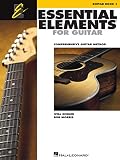
- Features 64 Songs In This Comprehensive Method For Bands And Strings
- Features Cross-Curricular Activities, Songs And More
- Includes Theory, Chords, Notes And More
- Sure To Become A Staple In Guitar Teacher Instruction
- 96 Pages
Use a repeatable routine
- Begin with the app’s introductory lesson or first path item.
- Play slowly enough to notice which notes or chord changes are being recognized.
- Repeat a difficult passage before moving forward, rather than skipping every correction.
- End by playing a short song section you can complete, so practice includes both technique and music.
The exact lesson sequence differs by app. The routine is deliberately format-neutral: it works whether your chosen app emphasizes interactive detection, a staged curriculum or video demonstrations.
How to judge an app without confusing features with results
Look for usable feedback
Ask whether the response helps you make a specific change: slower timing, a cleaner chord change or a different fingering. A visual score by itself is not evidence of learning quality. If the app repeatedly mishears your instrument in your environment, the feature may be a poor fit even if it looks impressive.
Measure your own practice behavior
During a trial or free lesson, note how often you open the app, how long you practice and whether you return to a song voluntarily. These are personal observations, not independent proof that one service teaches better. They are useful for choosing a tool you will actually use.
Check whether the path remains clear
A large library can create choice overload. A narrow sequence can feel restrictive if it does not include music you enjoy. After the first session, ask whether you know what to do next without searching through unrelated content.
Common pitfalls and fixes
Assuming an app works on every phone
Fix: Read the current store listing for your exact operating system and device. Availability shown in a US iOS listing does not establish Android availability elsewhere.
Confusing a trial with a free plan
Fix: Identify whether the offer is a time-limited trial, a restricted free tier or a one-time preview. Note the recurring price and renewal date before accepting.
Buying a guitar before choosing how you will learn
Fix: If you already have an instrument, start with it. If you do not, use the general “acoustic guitar” search phrase as a starting point, but select based on comfort and playability rather than an unsupported model claim.
Expecting marketing descriptions to prove teaching outcomes
Fix: Treat “guided,” “feedback” and “large catalog” as descriptions of features. Compare your experience, practice consistency and song access instead of claiming a guaranteed speed or result.
Deleting the app to stop billing
Fix: Cancel through the account or storefront that processed payment, then verify the subscription status. App removal and billing cancellation are separate actions.
Outdated Drivers Are Slowing You Down
One free scan finds every outdated or missing driver and matches the right update for your exact hardware.Free scan · exact hardware matchPC Slower Than It Used to Be?
A free scan shows the junk files, broken settings and background clutter dragging Windows down - then fixes them in one click.Free scan · Windows 10 & 11What the available evidence can—and cannot—tell you
The official app-store listings, Yousician support information and Fender product page establish the formats and features described above. They do not establish comparable subscription prices, complete Android and iOS availability for every candidate, exact free-tier limits or independently measured learning outcomes. No personal testing or independent benchmark is being claimed here.
That limitation changes how you should read a comparison. A recommendation means “this feature set matches this learning preference,” not “this app guarantees faster progress.” Recheck the live store and subscription pages at the moment you subscribe because prices, catalog contents, operating-system support and trial terms can change.
Quick Recap
A concise buying checklist
- Do I want interactive feedback, a guided sequence, song-based videos, or a combination?
- Is the app currently available for my country, phone or tablet, and operating-system version?
- Does it support the acoustic or electric guitar I already own?
- Are several songs I care about included in the plan I would pay for?
- What is the recurring price after any introductory period?
- Which store or website will manage cancellation?
- Can I test a first lesson or preview before committing?
- Am I judging the app by a format I will practice with, rather than by an unverified promise of superior results?
Product prices and availability are accurate as of the date/time indicated and are subject to change. Any price and availability information displayed on Amazon at the time of purchase will apply.

