
iTechGuides is reader-supported. When you buy through links on our site, we may earn an affiliate commission. As an Amazon Associate I earn from qualifying purchases. Learn more
The best grocery shopping list app depends on how you shop: AnyList is the strongest dedicated all-rounder, OurGroceries is best for a simple shared household list, Bring! suits visual shoppers and deal hunters, while Google Keep or Apple Reminders may be better if your household already lives in one ecosystem.
A grocery list is deceptively simple. Every app can record “milk” and let you check it off, but the useful differences appear when two people edit the list, a recipe produces duplicate ingredients, the supermarket has poor reception, or your store’s layout does not match the app’s categories.
This comparison separates dedicated grocery apps from general checklists and meal-planning services. Product capabilities and prices can change, and regional availability matters, so treat retailer offers, voice assistants, integrations, and app-store pricing as details to verify before signing up.
Key takeaways
- AnyList is the best overall dedicated grocery-list app for households that want shared lists, categories, recipes, meal planning, store filters, and broad device support.
- OurGroceries is the better starting point for couples and families who mainly need a synchronized household list without adopting a larger planning system.
- Bring! combines visual shared lists with recipes and retailer offers, but the usefulness of its offers depends on country, retailer, and date.
- Google Keep and Apple Reminders are often better than installing another app when everyone already uses the same Google or Apple ecosystem.
- Mealime and Samsung Food are meal-planning products first; choose them when deciding what to cook matters as much as remembering what to buy.
Which grocery shopping list app is best?
AnyList is the best overall dedicated grocery shopping list app for most recipe-heavy or frequently shopping households. AnyList combines shared lists, automatic categorization, custom grocery categories, multiple stores, prices, photos, recipe organization, ingredient conversion, meal planning, voice input, and access across iOS, Android, web, and Mac. Its free tier covers core list functions, while AnyList Complete adds advanced features. See the official AnyList feature comparison for the vendor’s current feature and price details.
#1 Best Overall

- 90 Sheets: Up to 90 sheets can be used for about 2 years! Every page is usable and won’t torn or bent for our package arrives securely plastic bag wrapped with a solid 900gsm card backing. Easy to install and pull off.
- Organized by Store Section: This grocery list pad is designed by store section, for example, PRODUCE, BREAD/GRAINS, FROZEN FOODS, etc., which makes it simple and easy to find what you are looking for when you go grocery shopping. This categorized design helps you save time in the grocery store running back and forth from aisle to aisle.
- Giant Magnetic: This magnetic notepad features a strong magnet to firmly hold on the fridge or other metal surfaces for a long lifespan. The attached solid card backing and premium adhesive prevents it from falling off.
- Customizable List: Each section has checkboxes and lines so you can fill in exactly what you need. The vertical layout maximizes your writing space and leaves you with plenty space for creating your shopping list.
- Portable Size: The 6" x 9" page size is neither too big nor too small. It will not take up too much space. Plan or jot down items that you are all out during the week before you go to the grocery store. This kitchen essential is a perfect weekly planner and can keep you organized.
That is not a universal winner. A household that only needs one short shared list may find OurGroceries simpler. An iPhone-only household may prefer Apple Reminders because no separate grocery service is needed. A person who wants weekly recipes and automatic shopping lists may be happier with Mealime or Samsung Food.
| Best for | Recommended app | Why choose it | Main limitation |
|---|---|---|---|
| Best overall dedicated grocery app | AnyList | Strong grocery organization, sharing, recipes, meal planning, stores, prices, and broad platform support | Some advanced features require AnyList Complete |
| Best simple shared list | OurGroceries | Focused household grocery-list collaboration | Current ads, pricing, limits, and platform details should be verified |
| Best for visual lists and offers | Bring! | Shared lists, recipe content, retailer offers, watch support, Siri, and Alexa | Offer coverage and voice features vary by region and date |
| Best for Google households | Google Keep | Free shared checklists inside a familiar Google account | No grocery-specific categories or recipe-to-list workflow |
| Best for Apple-only households | Apple Reminders | Built-in Grocery List categorization and Siri access | Apple ecosystem restrictions and fewer meal-planning features |
| Best for meal planning | Mealime or Samsung Food | Recipes and meal plans generate the shopping list | More complex than a basic in-store checklist |
| Best for general household tasks | Todoist | Groceries can share projects, labels, and recurring tasks with chores | Requires more setup and is not grocery-specific |
What makes a grocery app better than a notes app?
A shared checklist is enough for a short list, but a dedicated grocery app becomes more valuable when a household shops frequently, follows recipes, uses multiple stores, or wants items arranged by department. The important distinction is not whether an app has checkboxes; it is whether the app reduces work before and during the trip.
Basic checklist features
- Add, edit, delete, and check off items.
- Reuse previous items instead of typing them repeatedly.
- Share a list and synchronize changes between household members.
- Add quantities, brands, notes, and sometimes photos.
- Use a widget, shortcut, or voice input to add an item quickly.
- Separate purchased items or restore an item that was checked off by mistake.
Grocery-specific features
- Automatic categories such as produce, dairy, meat, pantry, frozen, and household.
- Custom categories or category order that matches a particular supermarket.
- Separate lists for different stores.
- Recipe import, ingredient combining, and meal-plan-to-list generation.
- Price fields, totals, budget estimates, barcode scanning, or product photos.
- Shopping mode, offline access, retailer offers, coupons, or online grocery handoffs.
Automatic categorization is not the same as true aisle sorting. An app may correctly identify milk as dairy while still placing dairy in an order that does not match your local store. Custom category order is the more useful feature if you shop the same supermarket every week.
How do the best grocery shopping list apps compare?
The table below is an evidence-based feature comparison, not a hands-on reliability score. “Vendor-reported” means the capability is described on the product’s official page; sync speed, offline behavior, accessibility, and conflict handling should be tested on the devices used by your household.
| Feature | AnyList | OurGroceries | Bring! | Google Keep | Apple Reminders | Mealime / Samsung Food | Todoist |
|---|---|---|---|---|---|---|---|
| Shared lists | Yes; official feature list includes sharing | Core purpose is shared grocery lists; verify current limits | Yes; official site says lists synchronize across devices | Shared notes and checklists | iCloud-shared reminders | Shopping lists generated from meals | Shared projects and tasks |
| iPhone/iPad | Yes | Verify current support | Yes | Via Google Keep | Yes | Verify current app support | Yes |
| Android | Yes | Verify current support | Yes | Via Google Keep | No equivalent Android experience | Verify current app support | Yes |
| Web or desktop | Web and Mac listed officially | Verify current web support | Tablet support listed; verify desktop/web details | Web access | Apple-device focused | Verify current support | Web and desktop-oriented task access |
| Watch support | Apple Watch listed | Verify current support | Apple Watch listed; verify Wear OS | Not a dedicated watch grocery workflow | Apple Watch through Reminders | Verify current support | Verify current watch support |
| Automatic grocery categories | Yes | Verify depth and customization | Grocery-oriented visual organization; verify custom aisle order | No dedicated grocery categories | Apple Grocery List can categorize items automatically | Lists are driven by recipes and meal plans | Not grocery-specific |
| Recipe-to-list | Yes; free direct imports limited to five, with unlimited imports in Complete | Verify current recipe workflow | Yes; official site says recipe ingredients can be added to a list | Mostly manual | Mostly manual | Core workflow | Not a primary feature |
| Meal planning | Yes | Not its main emphasis | Recipe content and list support | No dedicated workflow | No dedicated workflow | Primary strength | No grocery-specific workflow |
| Voice input | Siri and Alexa listed officially | Verify assistant support | Siri and Alexa listed officially; Google support has changed | Google ecosystem features vary | Siri | Verify current assistant support | Assistant support varies by platform and date |
| Prices and budget fields | Prices listed among features | Verify current support | Verify current support | Manual notes only | Manual notes only | Verify current support | Manual task details |
| Retailer offers or online handoff | Online-shopping handoffs named for Walmart, Instacart, Kroger, and others; location and account setup matter | Verify | Retailer offers are a stated feature; availability is regional | No dedicated grocery handoff | No dedicated grocery handoff | Verify current integrations | No grocery-specific handoff |
| Free tier | Core list functions are free | Verify current ads, limits, and paid model | Core lists, sharing, recipes, and offers presented as free | Free checklist with Google account | Included with Apple ecosystem | Verify current plan limits | See official Todoist pricing |
Why is AnyList the best overall dedicated grocery app?
AnyList earns the overall recommendation because it covers the most complete grocery workflow without being limited to one retailer or one device ecosystem. AnyList supports free list creation and sharing, automatic categorization, custom grocery categories, quantities and notes, multiple stores, filters, prices, photos, recipe organization, meal planning, and ingredient conversion, according to its official feature page.
AnyList is especially useful for a household that starts with recipes. A saved recipe can contribute ingredients to a shopping list, similar ingredients can be combined, and meal planning can generate a consolidated list. The free plan allows five direct recipe imports from websites; unlimited direct imports require AnyList Complete.
The official feature comparison lists AnyList Complete Individual at $9.99 per year and AnyList Complete Household at $14.99 per year. These are the prices reported in the supplied official comparison and should be rechecked in the relevant store before publication because app-store prices, taxes, regions, and promotions can change.
What’s actually slowing this PC down?
Pick the symptom - the matching free tool is one click away.
Rank #2
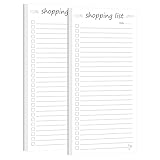
- ORGANIZATION MADE EASY: Set of 2 Shopping List notepads helps you efficiently plan and track daily tasks, Clean, uncluttered format makes it easy to write, read, and mark completed tasks with convenient checkbox squares
- PRACTICAL DESIGN: Each notepad includes a date field at the top and ample writing space with 20+ task lines per page for comprehensive daily planning
- DAILY PLANNING: Perfect for managing household chores, work assignments, shopping lists, and personal goals with a simple check-off system. Perfect for desks, counters, or on-the-go use, these notepads are sized just right for daily task management and portable planning
- QUALITY PAPER: High quality paper with a smooth, matte finish. They're easy to write on, won't bleed through, and won't smudge. Perfect for your favorite pen, marker, or whatever you have laying around the house!
- VERSATILE USE: Ideal for home, office, or school organization - helps transform overwhelming task lists into manageable daily goals. Maintain a professional image with our durable High-Quality Memo Pads - Note Pads - Scratch Pads - Writing pads.
AnyList supports access across iOS, Android, web, and Mac, with Apple Watch access also listed. Siri and Alexa input, along with named online-shopping destinations such as Walmart, Instacart, and Kroger, make AnyList more flexible than a plain notes app. A named destination does not guarantee local inventory, cart transfer, delivery, pickup, or identical functionality in every location.
Do not choose AnyList if your household only needs five items on a shared list and will not use recipes, custom organization, or premium features. A simpler app may have less adoption friction.
Is OurGroceries the best simple shared grocery list?
OurGroceries is a strong candidate for couples, families, and housemates whose main requirement is one shared grocery list rather than meal planning or general task management. The product’s central proposition is dedicated household grocery-list sharing, which can make it easier to adopt than a broad productivity system.
The important unanswered details are practical rather than theoretical: confirm the current invitation flow, whether every collaborator needs an account or app installation, the number of lists or collaborators allowed, offline behavior, supported watches and voice assistants, and the current advertising and paid-ad-removal model. The official OurGroceries site should be checked alongside current iOS and Android listings.
Free tools Windows power users keep installed
One-click scans. No signup required.
Third-party comparisons describe an ad-supported free version and a paid option that primarily removes advertising, but approximate third-party prices should not be treated as definitive U.S. pricing. OurGroceries is best labeled the simple shared grocery-list option unless current hands-on testing confirms that its free tier, collaboration limits, and ad experience fit the intended household.
What makes Bring! different?
Bring! is aimed at a visual, shared shopping experience that combines grocery lists with recipes and retailer offers. Bring!’s official site says users can create and share lists, synchronize them across devices in real time, save recipes, add recipe ingredients to a list, and browse offers.
Bring! officially lists iOS, Android, tablet, Apple Watch, Siri, and Alexa support. Bring! also says push notifications can signal list additions and completed purchases. Those are vendor-reported capabilities; test the notification settings and update behavior if fast collaboration is essential.
Rank #3

- High quality: Our magnetic Notepads for Refrigerators are made of heavyweight 70g double adhesive paper. The size of each Magnetic Notepad for Refrigerator is about 3.2inch/8cm x 7.1inch/18cm. Each notebook comes with 25 pages.
- Beautiful and realistic fruit design: These grab-and-go Magnetic Notepads for Refrigerators stand out for their aesthetically designed borders. They feature six fruits: realistic and refreshing summer watermelons, mouthwatering natural colors of avocados, juicy cherries, and fresh lemons. Perfect for use as a fridge, grocery, and make list planner.
- High-Quality Magnetic Back: Every Grocery List Magnet Pad for Fridge has a high-quality full magnetic strip as its back cover. Just place the Grocery List Magnet Pad for Fridge on any flat, iron-metal surface, such as a refrigerator, locker, filing cabinet, etc. You can take notes easily. The entire back of our notepad is a powerful magnet and the notepad will not slip, fall, or scratch.
- Save time and trouble: These 9 Grocery List Magnet Pads for Fridge have plenty of space for writing and can be ripped off when filled. Magnetic Grocery List Pad for Fridge can be placed in the kitchen refrigerator, garage, filing cabinet, or gym locker. Jot down important notes and reminders, and always remember the important things.
- Wide application: The perfect Grocery List Magnet Pad for Fridge to do grocery lists, shopping lists, to-do lists, reminders, recipes, and Magnetic Grocery List Pad for Fridge can also be great for office, home, school, or teacher gifts.
Bring! is a good choice for households that like visual item tiles, recipe inspiration, and deals. Retailer offers are not guaranteed savings: offer coverage depends on the country, participating retailer, location, and date. Bring!’s own site also warns about changes affecting third-party list-app support in Google Assistant, so do not promise that Bring! works with every Google voice workflow.
Recommended Free Tools
Bring! may be a weaker choice for someone who needs a carefully customized local supermarket route. Verify whether categories can be reordered to match your store, how arbitrary products are entered when no visual tile exists, and whether the offer catalog is useful in your region.
Should you use Google Keep or Apple Reminders instead?
Google Keep and Apple Reminders are often the best choices when the household already uses the corresponding ecosystem and needs only a basic shared checklist. Installing a dedicated grocery app is not automatically an improvement if the new app creates account, invitation, or adoption friction.
When is Google Keep enough?
Google Keep is enough for short shopping trips, ordinary household lists, and families already comfortable with Google accounts. Google Keep provides shared checklist notes, but the Google Keep sign-in flow makes the account requirement clear. Google Keep does not provide the grocery-specific department sorting, recipe importing, ingredient combining, or store-route workflow found in dedicated apps.
Choose Google Keep when familiarity and simplicity matter more than grocery automation. Choose AnyList, Bring!, or another dedicated product when a list needs categories, recipes, multiple stores, or richer in-store controls.
When is Apple Reminders enough?
Apple Reminders is the lowest-friction option for an Apple-only household that already shares reminders through iCloud. Apple’s Grocery List feature can automatically categorize items, but supported features and behavior depend on Apple operating-system versions and device configuration; consult Apple’s Grocery List support documentation before stating a specific compatibility requirement.
Apple Reminders works well for Siri entry and everyday reminders, but it is not a full replacement for a recipe-heavy grocery system. Android compatibility, advanced recipe management, store-specific ordering, and meal-plan workflows favor a dedicated app.
Rank #4

- Enhanced Quality: Our Magnetic Notepads for Refrigerators are crafted with wood-free printed paper, ensuring low ink absorption, and prevention of ink seepage through the pages.
- Dimensions: Each Magnetic Notepad for the Refrigerator measures approximately 4.5 inches (11.5 cm) x 7.5 inches (19 cm), with 60 pages per notepad.
- Superior Magnetic Backing: Equipped with a high-quality full magnetic strip on the back cover, our Grocery List Magnet Pads for Fridges can be effortlessly placed on any flat, iron-metal surface, such as refrigerators, lockers, and filing cabinets. Enjoy easy note-taking without any slippage, falling, or scratching, as the entire back of our notepads features a powerful magnet.
- Save Time and No Hassle: These 2-pack Grocery List Magnet Pads for Fridges offer ample writing space and can be conveniently torn off when filled. Place the Magnetic Grocery List Pads on your kitchen refrigerator, garage, filing cabinet, or gym locker to jot down important notes and reminders, ensuring you never forget essential tasks.
- Versatile Usage: These perfect Grocery List Magnet Pads for Fridges are ideal for creating grocery lists, shopping lists, to-do lists, reminders, and recipes. Additionally, they make excellent gifts for offices, homes, schools, or teachers.
Which apps are best for meal planning and recipe-led shopping?
Mealime and Samsung Food are better choices when the shopping list is an output of a meal plan. A meal-planning app helps select recipes and consolidate ingredients; a dedicated grocery app is usually faster when the user already knows that the household needs milk, batteries, and detergent.
| Starting point | Better fit | Reason |
|---|---|---|
| “I know what I need and want to shop quickly.” | OurGroceries, AnyList, Google Keep, or Apple Reminders | Fast manual entry and check-off are more important than recipe discovery |
| “I want to decide what to cook this week.” | Mealime or Samsung Food | Meal selection and recipe planning drive the grocery list |
| “I cook from saved recipes but also add random household items.” | AnyList | Recipe conversion can coexist with a reusable general grocery list |
| “I want recipes, visual lists, and offers together.” | Bring! | Its official product positioning combines those workflows |
Mealime positions itself around meal planning and recipe-led shopping. Samsung Food likewise belongs in the recipe, meal-planning, and food-organization category. Verify current free-versus-paid limits, integrations, and regional availability before relying on either service.
The Tool Desk
Outbyte PC Repair FREERepair Windows errors before they cause bigger problemsFix Now →Outbyte Driver Updater FREEScan for outdated or missing drivers - takes under a minuteDriver Scan →Is Todoist a good grocery-list app?
Todoist is a good grocery solution when groceries are one part of a larger shared household task system, not when grocery shopping is the only requirement. Todoist can organize chores, errands, recurring tasks, projects, labels, and priorities alongside shopping items; the trade-off is more setup and less grocery-specific organization.
Todoist is useful for a household that already uses it and wants one system for “buy detergent,” “book the cleaner,” and “renew the insurance.” Todoist is less suitable for shoppers who want automatic produce and dairy categories, recipe-to-list conversion, or a store-aisle view. Check the current plan structure on the official Todoist pricing page before recommending a paid plan for grocery use alone.
Independent reader supportYour contribution helps us test, update, and keep practical guides available for everyone.How should you choose a grocery shopping list app?
Choose the app that matches the household’s actual shopping behavior, device mix, and tolerance for setup. A feature-rich app fails if one collaborator refuses to install it; a simple checklist fails if the household repeatedly imports recipes and shops at several stores.
- Start with devices. A mixed iPhone-and-Android household should verify both apps and invitations before committing. AnyList and Bring! officially list iOS and Android support; Apple Reminders is primarily an Apple ecosystem choice.
- Decide whether the list or the meal plan comes first. Use a dedicated list for known purchases and Mealime or Samsung Food when selecting meals is the main problem.
- Check sharing friction. Confirm whether a collaborator needs an account, an installation, or a paid plan. Vendor claims about sharing do not answer every invitation and account question.
- Test store organization. Enter bananas, milk, chicken thighs, black beans, frozen peas, bread, olive oil, paper towels, and detergent. Compare category accuracy and whether the category order can follow your local store.
- Check the free tier honestly. Look for recipe-import caps, ads, list limits, collaborator limits, watch access, and paid customization. AnyList’s free tier, for example, limits direct website recipe imports to five.
- Test the in-store experience. Check readability, one-handed controls, check-off behavior, poor-reception performance, and recovery after a mistaken tap.
- Review privacy before sharing sensitive information. Grocery lists can reveal dietary needs, household composition, purchasing habits, and location patterns. Read the current privacy policy and data-deletion terms for the chosen app.
What should you test before trusting a shared grocery app?
Feature pages describe what an app can do, but they do not prove that collaboration feels fast or that a list survives a connectivity problem. Test the same workflow on every serious candidate.
Do these 3 things before closing this tab:
1Repair Windows errors before they cause bigger problems2Scan for outdated or missing drivers - takes under a minute3Clear out junk files and repair common Windows errorsSharing and synchronization
- Pair an iPhone with an Android phone when the household uses both.
- Invite the second person and record whether an account and app installation are required.
- Add, edit, and check off items from both devices.
- Turn off connectivity on one device, make a change, reconnect, and check whether the final list is correct.
- Change a quantity while another person checks off the same item to see how conflicts are handled.
Recipe conversion
- Use a recipe with duplicate ingredients, fractions, optional ingredients, and substitutions.
- Check whether the app combines duplicate ingredients and preserves quantities.
- Check whether the recipe name remains attached to the shopping item.
- Record whether importing requires a premium plan or consumes a free import allowance.
Accessibility and adoption
Large controls, dynamic text sizing, screen-reader labels, color contrast, VoiceOver or TalkBack behavior, voice entry, and clear purchased-item states matter more than a long feature list for older adults, children, or shoppers using one hand. Check accessibility on the actual devices rather than inferring it from screenshots.
Best Value

- FANCY DESIGN! Our magnetic grocery List is particularly designed with bright colors in different categories for fast scanning and we have done all the writing for you while others still make you write down every item. Just check the box and forget nothing on shopping day!
- DETAILED LIST! Pre-categorized grocery list includes 110 most common food and is printed in alphabetical order as a perfect time saver. Extra spaces in each category let you add your own items as you need. A preferred memo for various grocery needs. Self-explanatory to keep everything on track all week.
- SUPER MAGNETIC! Our magnetic pad features a LARGE(2”X 4.5”) and STRONG magnet to firmly hold on the fridge or other magnetic surfaces for a long lifespan. And attached solid card backing and premium adhesive will not cause the embarrassment of falling off the fridge.
- HIGH-QUALITY PAPER! We made sure each 6”x 9”sheet was thick 100gsm non-bleed paper for even the darkest pens. You can also write smoothly on a solid 900gsm card backing. Just pull off your finished page, the next one looks as good as new one.
- 90 SHEETS! Up to 90 sheets can be used for about 2 years! EVERY PAGE is usable and never torn or bent for our package arrives securely plastic bag wrapped with a solid 900gsm card backing. Easy to install and pull off.
What do grocery-list comparisons commonly get wrong?
- They call a feature list a usability test. Sync speed, duplicate handling, offline recovery, category accuracy, and recipe cleanup require testing or careful vendor attribution.
- They call every download free. Free installation may still mean ads, recipe-import caps, list limits, or paid customization.
- They treat automatic categories as aisle sorting. Department labels do not necessarily reproduce the route through a particular supermarket.
- They assume retailer integrations work everywhere. A Walmart, Kroger, or Instacart connection may mean a link or handoff rather than local inventory, cart transfer, substitutions, loyalty pricing, delivery, or pickup.
- They merge grocery apps and meal-planning apps into one ranking. The best recipe planner is not necessarily the fastest in-store checklist.
- They promise savings. Offers and planning may help reduce waste or impulse buying, but no app guarantees lower grocery spending.
- They ignore household adoption. The app everyone uses is more valuable than the app with the longest feature list.
Frequently Asked Questions
What is the best free grocery shopping list app?
Google Keep is the simplest free option for households that already use Google accounts, while OurGroceries and Bring! are more grocery-focused choices whose current ads, limits, and paid features should be checked. AnyList provides free core list functions, but advanced features and unlimited direct recipe imports require AnyList Complete.
What is the best grocery-list app for couples?
OurGroceries is a strong simple choice for couples who mainly need one synchronized household list. AnyList is better when the couple also wants recipes, meal planning, custom categories, multiple stores, or desktop access.
Which grocery-list apps work on both iPhone and Android?
AnyList and Bring! officially list iOS and Android support. OurGroceries also deserves consideration, but current platform and invitation details should be verified before choosing it for a mixed-device household.
Which grocery-list app imports recipes?
AnyList, Bring!, Mealime, and Samsung Food support recipe-led grocery workflows in different ways. AnyList supports direct recipe imports and ingredient conversion, with five direct website imports on its free tier and unlimited imports in AnyList Complete.
Can a grocery list be shared without creating an account?
Account requirements differ by app and can change, so do not assume that an invitation is account-free. Check the current invitation flow for the chosen app and test it with the least technical household member before moving an established list.
The Bottom Line
Bottom line: Choose AnyList for the most complete dedicated grocery workflow, especially if recipes, meal planning, multiple stores, and custom organization matter. Choose OurGroceries for a simpler shared household list, Bring! for visual shopping and region-dependent offers, Google Keep for a basic Google-based checklist, and Apple Reminders for an Apple-only household. Choose Mealime or Samsung Food when meal planning comes first, and Todoist only when groceries belong inside a broader task system.
Quick Recap
Product prices and availability are accurate as of the date/time indicated and are subject to change. Any price and availability information displayed on Amazon at the time of purchase will apply.

