
iTechGuides is reader-supported. When you buy through links on our site, we may earn an affiliate commission. As an Amazon Associate I earn from qualifying purchases. Learn more
Short answer: Dehancer Pro is the most fully documented alternative for DaVinci Resolve editors who want film profiles plus adjustable grain, halation, bloom, print-film and color-pipeline controls. FilmConvert Nitrate is the more practical shortlist for editors working across Premiere Pro, After Effects, DaVinci Resolve and Final Cut Pro, although FilmConvert’s product page does not provide enough detail for a precise feature-by-feature ranking. CineMatch belongs in a different category: it matches cameras rather than emulating a film stock. ARRI Film Lab itself accepts RGB images from any camera, so avoiding ARRI cameras is not a technical reason to exclude it.
The practical shortlist
There is no neutral test in the documentation cited here that proves one plugin produces the most accurate film image. The sensible choice is conditional on your host application, operating system, color-management path, footage and the controls you actually need.
| Product | Best fit | What is documented | Important qualification |
|---|---|---|---|
| Dehancer Pro | DaVinci Resolve users who want a large, explicitly documented set of film and print controls | 60+ film profiles, print films, grain, halation, bloom, film damage, overscan, LUT generation, camera profiles, and DWG, ACES and Cineon color pipelines | Dehancer’s product page identifies version 7.4.1, Resolve 19 or newer and macOS 13 or newer. Verify current requirements for your exact system. |
| FilmConvert Nitrate | Editors who need a film-emulation product family available in several major NLEs | FilmConvert lists compatibility with Premiere Pro, After Effects, DaVinci Resolve and Final Cut Pro | FilmConvert’s homepage does not provide enough Nitrate-specific detail to compare its controls or image quality precisely against Dehancer. |
| CineMatch | Mixed-camera productions that need footage to look as though it came from one camera | FilmConvert presents it as a camera-matching product and listed it from $119 on its page | It is adjacent to film emulation, not a substitute for choosing and shaping a film stock. |
| ARRI Film Lab 1.5 | Editors who want ARRI’s current OpenFX reference workflow and its format, grain/detail and ACES updates | 35 mm, 8 mm, 16 mm and 65 mm looks; adjustable grain, color, halation and gate weave; ACES 2.0 ACEScc and ACEScct input/output options | ARRI describes processing as up to four times faster in version 1.5; that is a vendor claim, not an independent benchmark. |
What not using ARRI Film Lab actually means
ARRI describes Film Lab as a license-based OpenFX plugin that adds analog-film characteristics to RGB images from any camera. That matters if your footage comes from Sony, Canon, Panasonic, Blackmagic, RED, mirrorless cameras or another source: the documentation does not require an ARRI camera. The practical constraints are the host and the color space, not the camera logo.
The Tool Desk
Outbyte PC Repair FREEClear out junk files and repair common Windows errorsFree Scan →Outbyte Driver Updater FREEScan for outdated or missing drivers - takes under a minuteDriver Scan →ARRI lists Resolve, Baselight and Nuke among compatible grading environments and describes LogC3 (AWG3) and LogC4 (AWG4) workflows. The current Film Lab product page also says the bundled version of ARRI Look Library contains 87 predefined looks, with three intensities for each look. These are useful reference points when you compare alternatives, but they are not an objective score for realism.
#1 Best Overall

- Pre-loaded with ISO 400 speed film with 27 exposures per camera
- Built-in 10’ flash range and a continuous flash switch
- 2 pack - Total 54 exposures
What changed in Film Lab 1.5
ARRI announced Film Lab 1.5 on October 12, 2026. The update adds 8 mm, 16 mm and 65 mm looks alongside 35 mm, exposes grain-size and detail-rendition controls, and adds ACES 2.0 ACEScc and ACEScct input/output options. ARRI says processing can be up to four times faster. Treat that speed figure as ARRI’s stated capability rather than a measured result on your workstation.
“It is the first time I’ve seen a film look plugin that really helps create a vintage look on a period drama.” — Stijn Van der Veken ASC, SBC, cinematographer, on ARRI’s Film Lab page
If you are excluding Film Lab because of its name rather than its technical fit, reassess that assumption. If you are excluding it because your host, license, color pipeline or required controls do not fit, the alternatives below are more relevant.
What’s actually slowing this PC down?
Pick the symptom - the matching free tool is one click away.
Dehancer Pro: the deepest documented Resolve alternative
Dehancer’s DaVinci Resolve Pro page documents a broad tool set: more than 60 film profiles, print films, grain, halation, bloom, film damage, overscan, LUT generation, camera profiles and color pipelines including DWG, ACES and Cineon. For a Resolve editor, that breadth makes Dehancer the clearest alternative when the brief calls for a complete film-processing chain rather than a single look slider.
Why Resolve editors shortlist it
- Stock and print choices: the page separates film profiles from print films, letting you evaluate the negative-style rendering and the print-stage character as distinct decisions.
- Analog artifacts: grain, halation, bloom, film damage and overscan are explicitly listed, so you can decide whether the project needs restrained texture or a visibly distressed frame.
- Pipeline options: DWG, ACES and Cineon support gives you documented routes for projects that do not stay in a simple display-referred workflow.
- Camera-aware setup: camera profiles are listed, which is relevant when log footage from different cameras enters the same grade.
Requirements and version caution
Dehancer’s product page identifies version 7.4.1 and lists DaVinci Resolve 19 or newer and macOS 13.0 or newer among the requirements. Software requirements change faster than a published article, so check the current Dehancer page for your Resolve release, operating system, GPU and licensing model before buying or upgrading. The documented macOS requirement does not establish Windows or Linux support for the exact version you will install.
Rank #2

- 📷 This bundle included one roll of Kodak Ultramax400 24exp film, battery not included.
- 📷 The included roll of Ultramax film will be either the Kodak Alaris packaging (pictured) or the Eastman Kodak packaging depends on availability.
- 📷 Film-saving: You can have twice as many images per roll. For example, a film roll with 24 exposures can yield around 48 half-frame photos - doubled!
- 📷 Lightweight and Easy-to-use: The pocket-size camera is light and tiny, and hence convenient for you to bring along daily. Since its instructions are simple, it is suitable for all analog hobbyists.
- 📷 Built-in Flash: Turning on the flash by adjusting the silver ring around the lens so that you can use KODAK EKTAR H35 during days and nights, outdoor and indoor.
Where Dehancer may be the wrong fit
If your team cuts and grades mainly in Premiere Pro, After Effects or Final Cut Pro, a Resolve-only workflow may create avoidable round-tripping. If the project has strict ACES governance, verify how the current plugin build handles your input and output transforms rather than assuming that a listed pipeline automatically matches your facility’s conventions. Finally, a long list of controls is not proof that the resulting image is more accurate; judge it on representative shots.
FilmConvert Nitrate: the cross-application shortlist
FilmConvert describes its product family as covering film emulation and lists Premiere Pro, After Effects, DaVinci Resolve and Final Cut Pro as compatible applications. That cross-application availability is the main documented reason to shortlist Nitrate when a project must stay in the editor’s existing application.
What the available documentation does and does not establish
FilmConvert’s homepage does not provide enough Nitrate-specific detail to make a defensible comparison of its stock count, grain model, halation controls, print options, camera profiles or color-management behavior against Dehancer. Do not convert the family’s compatibility list into a claim that every Nitrate feature behaves identically in every host.
Before licensing, open the current Nitrate page for your exact host and confirm plug-in format, supported application versions, operating-system requirements, activation limits, update policy and the controls exposed in that host. A Premiere editor and a Resolve colorist may be evaluating different integration details even when both use the same product name.
When Nitrate is the practical choice
- Your finishing work is already in Premiere Pro, After Effects or Final Cut Pro and moving the grade to Resolve would complicate the project.
- Your team needs the same product family available across more than one application.
- You are willing to make a short test project on your own footage instead of relying on an internet-wide “best” ranking that the available evidence cannot support.
CineMatch is not a film-stock substitute
FilmConvert presents CineMatch as a camera-matching tool: its purpose is to make mixed-camera footage look as if it came from one camera. That solves a different problem from selecting a film stock and adding analog characteristics.
Rank #3

- One-Time-Use camera
- Great for indoors and outdoors
- Easy to use
- Continuous flash switch
Use CineMatch when the mismatch is the problem
Consider it when a scene combines cameras with different color responses, when a replacement body was used for part of a shoot, or when editorial needs a consistent camera baseline before a creative look is applied. Check the current list of supported camera profiles and host compatibility before purchase.
Do these 3 things before closing this tab:
1Repair Windows errors before they cause bigger problems2Scan for outdated or missing drivers - takes under a minute3Clear out junk files and repair common Windows errorsDo not use the price as a film-emulation comparison
FilmConvert’s homepage listed CineMatch from $119. That is a volatile listed price for CineMatch, not evidence of Nitrate’s price and not a quality score against a film-emulation plugin. The same page listed Halation from $99; that figure likewise does not establish Nitrate pricing. Confirm current regional pricing and license terms at checkout.
Compare the dimensions that affect your decision
Use the following checklist before comparing screenshots or presets. It keeps a technically important difference from being hidden behind a vague “cinematic” label.
| Decision axis | Questions to answer | Evidence currently documented |
|---|---|---|
| Host and operating system | Will it run in the application and OS used for ingest, edit and finish? Does every collaborator have the same version? | Dehancer’s product page: Resolve 19 or newer and macOS 13 or newer, with version 7.4.1 identified. FilmConvert lists Premiere Pro, After Effects, Resolve and Final Cut Pro for its product family. Verify current details. |
| Input and output color management | What camera log/gamut enters the plugin? Does the workflow use DWG, ACES, Cineon, LogC3, LogC4 or another transform? Where is the display transform? | Dehancer lists DWG, ACES and Cineon. ARRI documents LogC3/AWG3, LogC4/AWG4 and, in Film Lab 1.5, ACES 2.0 ACEScc/ACEScct options. |
| Film and print profiles | How many stocks and print stages are available, and can you separate stock choice from print character? | Dehancer lists 60+ film profiles and print films. ARRI lists 87 predefined Film Lab looks, each in three intensities. |
| Texture controls | Can you adjust grain independently from halation, bloom, weave, overscan and damage? Are controls suitable for subtle commercial work as well as stylized projects? | ARRI documents grain, color, halation and gate weave, with grain size and detail rendition added in 1.5. Dehancer documents grain, halation, bloom, film damage and overscan. |
| Camera matching | Is the actual requirement to harmonize cameras before a creative look? | FilmConvert positions CineMatch for this task; it should not be counted as a direct film-stock emulator. |
| License and total cost | Is the license perpetual or subscription-based? How many seats and hosts are covered? What happens when the host or plugin version changes? | The Film Lab product description identifies it as license-based and gives volatile CineMatch and Halation prices, but it does not establish complete current pricing or terms for every product. |
A color-managed evaluation workflow
Run a controlled test before committing to a production-wide license. The aim is not to manufacture a universal winner; it is to discover which tool behaves predictably on your footage and in your pipeline.
- Collect representative shots. Include daylight, tungsten or mixed light, skin tones, saturated colors, underexposure, highlights, fine texture and a wide shot with visible edges. Add one shot from every camera that will appear in the final program.
- Record the source state. Note each camera’s log curve and gamut, the timeline or project color space, the display transform and the intended delivery space. Do not compare a normalized clip from one camera with an untransformed log clip from another.
- Build a neutral baseline. Correct exposure and white balance consistently, preserve highlight detail and disable unrelated sharpening or noise reduction. Save a clean version so every plugin starts from the same image.
- Choose one documented pipeline per test. If you are testing Dehancer’s DWG, ACES or Cineon route, label the node or effect chain clearly. If you are testing ARRI’s LogC3, LogC4 or ACES options, record the exact input/output selection. Avoid silently changing transforms between products.
- Match intent before intensity. Select a plausible stock or look first, then adjust density, contrast, color and texture. A deliberately restrained look and an aggressive look answer different creative briefs; do not compare them as though they were the same target.
- Evaluate texture at delivery scale. Inspect grain, halation, bloom, weave, overscan and damage both at 100 percent and at the final viewing size. A texture that looks attractive in a paused 4K viewer may crawl, disappear or distract after compression.
- Check motion and edges. Review pans, faces, skies, windows, practical lights and frame edges. Gate weave, overscan and damage can become more noticeable in motion than in a still.
- Measure practical performance. Use the same clip, timeline resolution, cache state and export settings for each test. Record render time and playback behavior on your own workstation. Do not treat ARRI’s “up to four times faster” statement as a substitute for your own benchmark.
- Test the handoff. Open the project on another editor’s machine, relink media, render a short master and confirm that the license activates on the intended hosts. A beautiful test that cannot be reproduced is not a production solution.
Workflow choices by editor type
Resolve colorist who wants maximum documented control
Start with Dehancer Pro and compare it with Film Lab 1.5 if your facility can run the required OpenFX workflow. The decision should turn on the stock and print behavior you prefer, the way the controls fit your node structure, and whether the host and OS requirements match the suite. Dehancer’s documented 60+ profiles and listed artifact controls make it a strong first test, not a guaranteed image-quality winner.
Free tools Windows power users keep installed
One-click scans. No signup required.
Rank #4
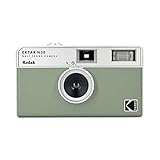
- 📷 Film-saving: You can have twice as many images per roll. For example, a film roll with 36 exposures can yield around 72 half-frame photos - doubled!
- 📷 Lightweight and Easy-to-use: The pocket-size camera is light and tiny, and hence convenient for you to bring along daily. Since its instructions are simple, it is suitable for all analog hobbyists.
- 📷 Built-in Flash: Turning on the flash by adjusting the silver ring around the lens so that you can use KODAK EKTAR H35 during days and nights, outdoor and indoor.
- 📷 Perfect for Beginners: The point-and-shoot camera is easy to use for new analogue hobbyists.
- 📷 Five colors: Off-white, black, brown, sage and sand. Neat and natural.
Premiere Pro, After Effects or Final Cut Pro editor
FilmConvert Nitrate is the more direct shortlist because FilmConvert lists those applications alongside Resolve. Confirm the exact plug-in version, controls and license terms for your host. If the project later moves to a dedicated Resolve grade, test whether the handoff preserves the intended transforms and look.
Editor with several cameras but no film-look brief yet
Separate the technical and creative jobs. Use a camera-matching tool such as CineMatch when the cameras need to agree, then choose a film-emulation process after the baseline is consistent. Buying a stock-emulation plugin to solve a camera-response mismatch can leave both problems unresolved.
Editor considering Film Lab despite avoiding ARRI cameras
Do not reject it on camera-brand grounds. Film Lab is documented for RGB images from any camera. Compare its host support, LogC3/LogC4 or ACES workflow, available looks and grain/detail controls against the alternatives on the actual project footage.
Independent reader supportYour contribution helps us test, update, and keep practical guides available for everyone.Common failure modes and fixes
The image looks washed out or overly contrasty
Check the input log/gamut and the output or display transform first. A film-emulation stage receiving already display-transformed material, or receiving a transform intended for another camera, can produce a result that appears technically wrong before any creative adjustment is made.
Two cameras still do not match after applying the same look
Normalize exposure, white balance and camera response before applying the film stage. A shared film profile cannot remove every difference in lens transmission, sensor response, exposure or lighting. If matching is the requirement, evaluate a camera-matching workflow rather than adding more film texture.
Best Value

- 📷 This bundle included one roll of Kodak Ultramax400 24exp film, battery not included.
- 📷 The included roll of Ultramax film will be either the Kodak Alaris packaging (pictured) or the Eastman Kodak packaging depends on availability.
- 📷 Film-saving: You can have twice as many images per roll. For example, a film roll with 24 exposures can yield around 48 half-frame photos - doubled!
- 📷 Lightweight and Easy-to-use: The pocket-size camera is light and tiny, and hence convenient for you to bring along daily. Since its instructions are simple, it is suitable for all analog hobbyists.
- 📷 Built-in Flash: Turning on the flash by adjusting the silver ring around the lens so that you can use KODAK EKTAR H35 during days and nights, outdoor and indoor.
Grain or halation overwhelms faces and fine detail
Reduce the effect while viewing the shot at delivery size, then check motion. Use the separate controls documented by the plugin instead of compensating with global sharpening or blur. Keep a clean baseline so you can judge whether the texture is helping the scene.
Playback becomes unreliable after adding the plugin
Test a short representative timeline at the final resolution, render a cache or preview and compare performance with the effect bypassed. Confirm that the installed plugin version supports the host and OS. Do not infer your workstation’s speed from a vendor’s maximum-performance statement.
A project opens with missing effects
Record the plugin name and version in the project handoff, install the same build on every finishing system and verify activation before the deadline. Version numbers and host requirements change, so recheck them after major host updates.
PC Slower Than It Used to Be?
A free scan shows the junk files, broken settings and background clutter dragging Windows down - then fixes them in one click.Free scan · Windows 10 & 11Crashes, No Sound, or Screen Glitches?
Random freezes, missing sound and display glitches usually trace back to one bad driver. Find and replace yours safely.Free scan · under a minuteLicensing, prices and what is not established
Film Lab is described by ARRI as license-based. The cited product pages do not provide a complete current price for Film Lab, Dehancer Pro or FilmConvert Nitrate, nor do they establish seat counts, subscription terms or upgrade policies. Treat any older quote or forum post as potentially stale.
On the FilmConvert homepage captured October 13, 2026, CineMatch was listed from $119 and Halation from $99. Those are volatile displayed prices for those products; they are not Nitrate pricing. Check your region, tax treatment, host licenses and renewal terms before purchase.
For budgeting, include the cost of every host in which the plugin must run, a second finishing workstation if applicable, and time for a repeatable color-management test. A lower sticker price can be more expensive if it forces an unplanned round trip or cannot be reproduced by collaborators.
How to make the final decision
- Eliminate incompatible hosts and operating systems. A plugin that cannot load in the application used for final approval is not a candidate.
- Choose the color pipeline first. Write down the camera log/gamut and project space, then retain only products whose documented options can fit that path.
- Separate matching from emulation. Use CineMatch-style tooling for camera consistency; use Nitrate, Dehancer or Film Lab for the film character itself.
- Rank the controls your project needs. For a subtle commercial grade, grain and halation may be enough. For a period drama or deliberately damaged print, weave, bloom, overscan, damage, format and detail controls may matter more.
- Run the same-footage test. Compare motion, faces, highlights, edges, render behavior and handoff—not just a single still.
- Buy the workflow you can maintain. Confirm current version, license, activation and update terms immediately before committing.
The defensible conclusion is conditional. Dehancer Pro has the broadest set of explicitly documented Resolve-oriented controls in this comparison. FilmConvert Nitrate is the practical cross-application candidate, but its product page does not support a detailed superiority claim. CineMatch addresses camera matching, not film-stock emulation. ARRI Film Lab 1.5 remains a relevant benchmark even for non-ARRI-camera footage because ARRI documents support for RGB images from any camera. Your own representative clips and color-managed pipeline are the deciding evidence.
Quick Recap
Product prices and availability are accurate as of the date/time indicated and are subject to change. Any price and availability information displayed on Amazon at the time of purchase will apply.

