
iTechGuides is reader-supported. When you buy through links on our site, we may earn an affiliate commission. As an Amazon Associate I earn from qualifying purchases. Learn more
If you want a Chromebook whose built-in keyboard can actually change colors, start with the official supported-device list rather than with the word “backlit” in a retailer listing. Google Chromebook Help identifies the Acer Chromebook 516 GE and Lenovo IdeaPad Gaming Chromebook as devices with Chromebook gaming features that include keyboard color selection. Google also lists the ASUS Chromebook Vibe CX55 Flip as an exception: its keyboard does not support RGB lighting. The exact model and regional SKU matter, because a different configuration may have only a single-color backlight.
What counts as customizable RGB lighting on a Chromebook?
RGB lighting means the keyboard uses red, green and blue LEDs to produce selectable colors. In ChromeOS documentation, the control is labeled Keyboard backlight, and Google describes the action as choosing a custom color. That is different from a keyboard that merely illuminates its keys in white or another fixed color.
For this category, use three tests:
- Built-in hardware: the color-capable LEDs must be part of the Chromebook keyboard, not an external accessory.
- ChromeOS control: the device must expose the keyboard-backlight color control in Settings.
- Model-level evidence: the exact model and SKU must be identified as supporting RGB. A generic product-family name or a retailer’s “backlit keyboard” label is not enough.
Google’s published instructions document selecting a color for the keyboard. They do not establish animated effects, independent zones, or per-key programming, so do not assume those features when comparing models.
Chromebooks officially identified for keyboard color selection
Google’s Chromebook Help page names two devices in its Chromebook gaming-feature guidance. These are the safest starting points when built-in RGB is your priority.
#1 Best Overall

- 【16" WUXGA IPS DISPLAY FOR BIGGER WORKSPACES & BETTER ENTERTAINMENT】Experience more room to work and create with the large 16-inch WUXGA (1920 × 1200) IPS display and productive 16:10 aspect ratio. Browse, stream, edit documents, and multitask comfortably with sharp visuals and wide viewing angles.
- 【13TH GEN INTEL CORE i3 PERFORMANCE FOR SMOOTH MULTITASKING】Powered by the Intel Core i3-1315U processor with fast LPDDR5 memory, this Chromebook Plus delivers responsive performance for cloud workflows, online meetings, multiple browser tabs, and everyday productivity.
- 【GOOGLE AI READY TO HELP YOU CREATE & WORK SMARTER】Built with Chromebook Plus experiences and Google AI capabilities to help organize ideas, improve writing, accelerate research, and simplify everyday tasks across Gmail, Docs, Drive, and more.
- 【FAST WI-FI 6E, FHD CAMERA & DTS AUDIO FOR MODERN COLLABORATION】Stay connected with ultra-fast Wi-Fi 6E and enjoy clearer communication through the Full HD webcam, dual speakers, and immersive audio—ideal for online classes, meetings, and streaming.
- 【LIGHTWEIGHT DESIGN WITH LONG BATTERY LIFE】Built to move between home, office, and campus with a slim profile and approximately 3.75 lb weight. ChromeOS delivers fast startup, built-in protection, and up to 10 hours of battery life for all-day productivity.
| Model | Built-in RGB evidence | Control documented | Other confirmed information | What is not established |
|---|---|---|---|---|
| Acer Chromebook 516 GE | Google lists it among devices supporting keyboard color selection; Acer describes an RGB keyboard. | ChromeOS Settings > Wallpaper and style > Keyboard backlight. | Acer’s 2024 announcement positions it for cloud gaming and specifies a 120 Hz WQXGA display for the announced configuration. | Per-key effects, current price, current stock, and every regional SKU’s display or keyboard configuration. |
| Lenovo IdeaPad Gaming Chromebook | Google lists it among devices supporting keyboard color selection. | ChromeOS Settings > Wallpaper and style > Keyboard backlight. | Its inclusion confirms the built-in keyboard-color feature. | Specific display, refresh-rate, processor, battery, price, stock, and lighting-zone details are not stated in the cited official material. |
| ASUS Chromebook Vibe CX55 Flip | Google explicitly names it as not supporting an RGB keyboard. | No RGB keyboard-color control should be expected. | It may still have an illuminated keyboard in some configurations, but that does not make it RGB. | Do not infer multi-color support from a backlight description. |
The table is intentionally conservative. A specification is shown only where the official material establishes it. For a purchase, match the retailer’s part number to the manufacturer’s specification and to the configuration sold in your country.
How to change the keyboard color in ChromeOS
On a supported Chromebook, color selection is handled in the operating system rather than through a Windows-style vendor utility.
- Open the Launcher and select Settings, or click the clock and then the Settings gear.
- In the Settings sidebar, open Wallpaper and style.
- Find Keyboard backlight. The control appears only on hardware and software combinations that expose the feature.
- Choose a color from the available palette. The keyboard should change immediately; no reboot is normally required.
- Close Settings and test the result in a dim room. If the color is difficult to see, adjust the keyboard-brightness control separately if your model provides one.
Google says the default keyboard color is based on the current desktop wallpaper. Selecting a custom color overrides that default. Changing the wallpaper can therefore alter the automatic color, while a manually selected color remains the useful choice when you want a consistent look.
The Tool Desk
Outbyte PC Repair FREERepair Windows errors before they cause bigger problemsFix Now →Outbyte Driver Updater FREEFix the driver behind crashes, sound loss and screen glitchesFind Drivers →What the control does not promise
- Not per-key programming: the official instructions establish color selection, not a different color for each key.
- Not a full effects editor: there is no documented guarantee of wave, breathing, reactive or game-linked animations.
- Not a hardware upgrade: a software update cannot turn a fixed white backlight into RGB if the keyboard LEDs are single-color.
Model profiles: what each option is suited for
Acer Chromebook 516 GE
The 516 GE is the clearest named example for shoppers who want built-in customizable RGB. Acer’s announcement describes an RGB keyboard and a cloud-gaming focus, while Google includes the model in its Chromebook gaming-feature support. Acer also specifies a 120 Hz WQXGA display in the 2024 announcement. A 120 Hz panel can make supported games and ordinary scrolling look smoother than a 60 Hz panel, but the visible benefit depends on the game service, stream quality, and the particular configuration you buy.
Use the 516 GE when your priorities are a gaming-oriented design, a high-refresh display in the documented configuration, and keyboard color control integrated into ChromeOS. Verify the exact regional SKU before ordering: the announcement’s display and keyboard statements should not be generalized to every similarly named unit.
Rank #2

- Powered by an Intel Core i3-1315U processor with up to 2x faster performance, and with up to twice the memory and storage, you can edit files while watching your favorite shows in Full HD
- Features a 16-inch WUXGA 16:10 300-nit display with an anti-glare coating that ensures clear content visibility even in bright environments
- 8GB LPDDR5 RAM: Run multiple programs and browser tabs simultaneously with ease; 128GB onboard SSD: Faster loading times—play instantly! Boot up quickly, enjoy smooth performance, and load apps in a flash
- Equipped with a 1080p webcam and built-in AI video calling tools that automatically enhance clarity and lighting, eliminate noise, and blur the background—delivering optimal visual and audio quality no matter which app you use
- Designed for efficient productivity, it features shortcut keys, a numeric keypad, Wi-Fi 6E, dual USB 3.2 Gen 2 Type-C ports, dual USB 3.2 Gen 1 Type-A ports, and an HDMI port to keep you connected and working efficiently
Lenovo IdeaPad Gaming Chromebook
Google’s support list confirms that the IdeaPad Gaming Chromebook belongs in the built-in RGB category. That makes it a legitimate alternative when the Acer is unavailable or when its size, keyboard layout, ports, or local warranty do not suit you. The cited official material does not provide a current universal specification for screen resolution, refresh rate, processor, memory, battery life, price, or weight, so those items must be checked against the exact listing.
For this model, treat the RGB capability as the confirmed starting point, then evaluate the rest of the machine independently. A colorful keyboard cannot compensate for a display, connectivity arrangement, or cloud-gaming service that does not fit your use.
ASUS Chromebook Vibe CX55 Flip: a useful exclusion
Google specifically says the Chromebook Vibe CX55 Flip does not support an RGB keyboard. It is an important warning because a model can be marketed for gaming, include a backlit keyboard, or have a name that suggests gaming features without offering selectable keyboard colors. If color customization is a requirement, remove this model from your shortlist rather than relying on photographs or a generic “illuminated keyboard” phrase.
Acer Chromebook Plus Spin 714: backlit, not proven RGB
Acer’s Chromebook Plus Spin 714 specification says White Backlight. That wording establishes keyboard illumination but not multi-color RGB. This is the right comparison for understanding why specifications matter: a white backlight can be useful for typing in low light, yet it cannot provide the color selection documented for the 516 GE and IdeaPad Gaming Chromebook.
How to compare the rest of the laptop
Once a model passes the RGB check, compare it as a complete Chromebook. Lighting is a convenience feature; the following factors determine whether the machine will work for school, travel, or cloud gaming.
Rank #3
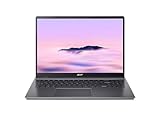
- Efficient Intel Core Processor: The 13th Gen Intel Core i3-1315U delivers smooth multitasking and enhanced Google AI features under the Chromebook Plus badge.
- Spacious WUXGA IPS Display: A 16 inch panel at 1920 by 1200 resolution offers wide viewing angles and a matte finish that reduces glare in bright rooms.
- Fast Wireless Connectivity: 802.11ax Wi-Fi 6 paired with Bluetooth 5.3 keeps browsing, streaming, and cloud based apps running smoothly and reliably online.
- Built In Privacy Features: A physical camera shutter, discrete TPM module, and Kensington Nano lock slot support privacy and basic physical security daily.
- Long Lasting Battery Life: The built in battery is rated for up to 10 hours of use, supporting extended sessions away from a power outlet throughout the day.
Display and refresh rate
Check the exact resolution, panel size, brightness, aspect ratio, and refresh rate. The 516 GE announcement specifies 120 Hz and WQXGA for its announced configuration. Do not transfer that figure to another SKU or to the Lenovo without a matching specification. A high refresh rate is most useful when the game stream or local application can deliver frames fast enough to use it.
Gaming service and network conditions
These Chromebooks are designed around ChromeOS gaming features and cloud-gaming use. Your experience will depend on the service you use, Wi-Fi or wired connectivity, latency to the service’s data center, and the quality setting selected in that service. A faster panel cannot remove input delay caused by a weak network. Check whether the games you actually play are available through your chosen web or Android service before paying a premium for a gaming-branded Chromebook.
Performance and memory
Look at the processor generation, RAM, storage type, and support period on the specific configuration. Cloud gaming shifts much of the rendering work to remote servers, but the Chromebook still needs enough performance for the browser, chat, streaming video, and other local applications running at the same time. Avoid assuming that two listings with the same family name have identical memory or storage.
Keyboard controls and layout
Confirm the presence of the dedicated ChromeOS keys you use, the language layout, key travel, and whether brightness controls are available on the function row. RGB color selection and brightness are separate concerns: a keyboard may let you dim or brighten illumination without offering independent effects or zones.
Portability, hinge and connectivity
Gaming-oriented models can be larger or heavier than education-focused Chromebooks. Check weight, charger size, USB-C charging behavior, USB-A availability, video output, audio connectivity, and Wi-Fi generation. If you carry the laptop daily, those practical differences matter more than a color palette.
PC Slower Than It Used to Be?
A free scan shows the junk files, broken settings and background clutter dragging Windows down - then fixes them in one click.Free scan · Windows 10 & 11Crashes, No Sound, or Screen Glitches?
Random freezes, missing sound and display glitches usually trace back to one bad driver. Find and replace yours safely.Free scan · under a minuteRank #4

- 【Large WUXGA Display for Focused Study】 Designed for immersive learning, this 16-inch WUXGA (1920 x 1200) IPS display offers a taller 16:10 aspect ratio, giving students more vertical space for reading, research, and document editing. The anti-glare coating and 300-nit brightness help reduce eye fatigue during long study sessions in classrooms, libraries, or at home.
- 【Powerful Performance for Academic Multitasking】 Powered by a 6-core Intel Core i3-1315U processor with up to 4.5GHz boost speed, this Chromebook Plus delivers smooth performance for coursework, presentations, and online learning platforms. With 8GB LPDDR5 memory and fast 128GB UFS storage, students can run multiple tabs and apps efficiently without slowdowns.
- 【Chrome OS with Built-In Learning Tools】 Chrome OS provides a fast, secure, and easy-to-use environment ideal for students. Built-in Google apps like Docs, Sheets, Classroom, and Gemini AI tools support note-taking, research, and collaboration. Automatic updates and virus protection help keep this Chromebook running reliably throughout the academic year.
- 【Versatile Connectivity for School Essentials】 Stay connected to all learning accessories with this Acer Chromebook featuring 2 USB-C 3.2 ports for charging, display output, and data, plus 2 USB-A 3.2 ports for keyboards, mice, and flash drives. An HDMI 1.4 port supports external monitors, while Wi-Fi 6E and Bluetooth ensure fast, stable connectivity.
- 【Long Battery Life for Full School Days】 Built to keep up with busy schedules, this Chromebook Plus offers up to 12.5 hours of battery life on a single charge. A full-size keyboard with numeric keypad, DTS Audio, and a high-quality front-facing camera make it well suited for lectures, virtual classes, group projects, and independent study anywhere.
Warranty and regional availability
Prices and inventory change by country and retailer, and the cited material does not verify current listings. Confirm the return policy, warranty region, keyboard language, and the exact part number before checkout. A listing that omits the SKU is not sufficient evidence that it has the RGB keyboard you want.
Built-in RGB versus external RGB accessories
An external mouse can add lighting and configurable controls even when a Chromebook’s own keyboard is single-color. Google says ChromeOS partnered with SteelSeries on a Progressive Web Application (PWA) for RGB lighting, key bindings, and DPI configuration on Works With Chromebook-certified mice.
What the certification means
The documented accessory path is limited to mice carrying the Works With Chromebook certification. It does not mean that every RGB mouse will expose its lighting controls in ChromeOS. A mouse may function as a basic pointer while its vendor-specific lighting software remains unavailable.
Checklist before buying a mouse
- Confirm that the exact mouse model, not just the manufacturer’s product family, is Works With Chromebook certified.
- Check that the current ChromeOS version supports the PWA and that your Chromebook can open it.
- Verify whether the features you need—color control, key bindings, or DPI adjustment—are listed for that model.
- Decide whether you need Bluetooth, a USB receiver, or a wired connection, and check for available ports.
- Keep expectations separate: mouse RGB does not add RGB capability to a fixed-color keyboard.
A practical buying process
- Write down the non-negotiable feature. If the keyboard must change colors, require built-in RGB and reject listings that say only “backlit.”
- Start with Google’s supported list. Use the Acer Chromebook 516 GE and Lenovo IdeaPad Gaming Chromebook as the named starting models; treat the ASUS Chromebook Vibe CX55 Flip as an explicit no-RGB example.
- Record the complete SKU. Copy the model or part number from the seller and compare it with the manufacturer’s specification for your region.
- Verify the ChromeOS control. Look for the Keyboard backlight option under Wallpaper and style in documentation or a hands-on store demonstration. Its absence is a warning that the unit may not support selectable colors.
- Match the display to your use. If you want smoother motion, confirm the refresh rate for that exact configuration. The 516 GE’s documented 120 Hz WQXGA panel is an example, not a universal Chromebook specification.
- Check service compatibility and network needs. List the games and cloud services you use, then confirm browser or Android support and test your home connection where possible.
- Evaluate daily ergonomics. Compare weight, keyboard layout, ports, webcam, speakers, battery expectations, and charger size before treating RGB as the deciding factor.
- Price only after verification. Because current prices and stock vary by market, use a live local listing and make sure its configuration matches the RGB-capable SKU.
- Plan accessories separately. If you want mouse lighting or programmable buttons, select a Works With Chromebook-certified model and confirm the exact model’s PWA support.
Common pitfalls and how to fix them
The listing says “backlit” but never says RGB
“Backlit” describes illumination, not color control. Compare the wording with the exact manufacturer specification. The Acer Chromebook Plus Spin 714’s “White Backlight” example shows why this distinction matters. If RGB is not explicitly established, treat it as unconfirmed and do not buy on the basis of product photos.
Do these 3 things before closing this tab:
1Fix the driver behind crashes, sound loss and screen glitches2Repair Windows errors before they cause bigger problems3Scan for outdated or missing drivers - takes under a minuteThe Keyboard backlight setting is missing
First confirm that you purchased one of the supported models and that the model number matches the documentation. Install available ChromeOS updates, restart, and check Settings > Wallpaper and style again. If the option remains absent, contact the seller or manufacturer with the full SKU; do not assume a software toggle can add hardware RGB.
Best Value

- 【SMARTER PRODUCTIVITY WITH GOOGLE AI】 Boost your efficiency with built-in Google AI features. Use Gemini to effortlessly summarize complex documents, convert handwriting to digital text, and edit photos with advanced magic-edit tools, making it perfect for professional projects and creative tasks.
- 【IMMERSIVE 16-INCH WUXGA DISPLAY】 Features a large 16-inch WUXGA (1920 x 1200) display with a 16:10 aspect ratio, offering more vertical screen real estate for enhanced productivity. The 300-nits anti-glare screen ensures crystal-clear, vibrant visuals even in brightly lit environments.
- 【FAST PERFORMANCE AND MULTITASKING】 Powered by the Intel Core i3-1315U processor and 8GB LPDDR5 RAM, this laptop delivers the speed and responsiveness needed for smooth multitasking. Load apps instantly with 128GB UFS storage and run numerous browser tabs seamlessly.
- 【AI-ENHANCED CRYSTAL CLEAR CALLS】 Look and sound your best during video conferences with the integrated 1080p webcam, featuring AI-powered tools that automatically optimize lighting, blur backgrounds, and cancel background noise. Stay connected with ultra-fast Wi-Fi 6E, dual USB-C, USB-A, and HDMI ports.
- 【MILITARY-GRADE DURABILITY AND SECURITY】 Engineered to withstand daily wear and tear, this stylish steel gray laptop meets MIL-STD-810H military-grade durability standards. Features built-in hardware protection with the Titan C2 security chip and a long-lasting battery life of up to 12.5 hours to keep you going all day.
The color changes when you change wallpaper
That behavior is consistent with Google’s default rule: ChromeOS derives the default keyboard color from the current wallpaper. Return to Keyboard backlight and choose a custom color if you want a fixed choice.
You expected per-key effects
The official control documents choosing a keyboard color, not assigning colors to individual keys or creating animations. If per-key effects are essential, obtain written confirmation for that exact Chromebook before purchase; the supported list alone does not establish them.
An RGB mouse works only as a basic mouse
Check the Works With Chromebook certification for the exact model and open the supported PWA. Without certification, pointer movement may work while lighting, bindings, or DPI controls do not. A USB connection can solve pairing problems but cannot provide software features that ChromeOS does not support for that device.
Decision guide
| Your priority | Best-supported direction | Reason | Verify before purchase |
|---|---|---|---|
| Built-in color-changing keyboard first | Acer Chromebook 516 GE or Lenovo IdeaPad Gaming Chromebook | Google identifies both for keyboard color selection. | Exact regional SKU and the Keyboard backlight control. |
| High-refresh cloud-gaming display | Acer Chromebook 516 GE configuration documented by Acer | Acer’s 2024 announcement specifies a 120 Hz WQXGA display and cloud-gaming focus. | That the seller’s part number carries the same display. |
| Convertible form factor but RGB is mandatory | Do not assume the ASUS Chromebook Vibe CX55 Flip qualifies | Google explicitly says it does not support an RGB keyboard. | Choose a model with positive RGB evidence instead. |
| Illumination only, not color customization | A Chromebook with a clearly stated white or single-color backlight | A fixed backlight can improve low-light typing without RGB hardware. | Color description, brightness controls, and keyboard layout. |
| RGB controls on a pointing device | Works With Chromebook-certified mouse | Google documents a ChromeOS PWA for certified SteelSeries mice. | Certification and feature support for the exact mouse SKU. |
Bottom line for shoppers
The Acer Chromebook 516 GE and Lenovo IdeaPad Gaming Chromebook are the two models Google identifies for Chromebook keyboard color selection. The 516 GE has additional documented gaming context and a 120 Hz WQXGA display in Acer’s 2024 announcement, while the Lenovo’s RGB support is confirmed without a universal set of display or performance specifications in the cited material. The ASUS Chromebook Vibe CX55 Flip is explicitly not an RGB-keyboard model, and Acer’s Chromebook Plus Spin 714 specification demonstrates that “white backlight” is a different feature.
Use the model-and-SKU check first, then verify the ChromeOS path—Settings, Wallpaper and style, Keyboard backlight—and only afterward compare display, cloud-gaming fit, portability, ports, warranty, and price. For external lighting, stay within the Works With Chromebook-certified mouse ecosystem and confirm support for the exact model.
Quick Recap
Product prices and availability are accurate as of the date/time indicated and are subject to change. Any price and availability information displayed on Amazon at the time of purchase will apply.

