
Recommended Free Tools
iTechGuides is reader-supported. When you buy through links on our site, we may earn an affiliate commission. As an Amazon Associate I earn from qualifying purchases. Learn more
For most buyers, the Lenovo ThinkPad T14 Gen 6 AMD is the strongest documented alternative to the ASUS ExpertBook P3. It combines a 14-inch business chassis with Ryzen AI PRO processors, two user-accessible DDR5-5600 SODIMM slots, Windows 11 Pro options, wired Ethernet, HDMI 2.1, and a customer-replaceable 57Wh battery. Choose the Intel ThinkPad T14 Gen 6 instead when Core Ultra, optional vPro, Thunderbolt 4, or optional 5G is more important than AMD’s Ryzen AI PRO platform.
The name ExpertBook P3 covers several different machines. Intel P3405/P3605 models, AMD Copilot+ PM3406/PM3606 models, and the announced P3 G2 differ in processor, display, storage, battery, wireless hardware, and availability. Identify the exact model number and regional configuration before comparing a price or performance claim.
Quick answer: which P3 alternative should you buy?
| Buyer priority | Best documented fit | Why |
|---|---|---|
| 14-inch business laptop with upgradeable memory and AMD AI features | Lenovo ThinkPad T14 Gen 6 AMD | Ryzen AI 5 PRO 340 or Ryzen AI 7 PRO 350, Radeon 840M/860M graphics, two DDR5-5600 SODIMM slots, Windows 11 Pro options, RJ45 Ethernet, HDMI 2.1, and a replaceable 57Wh battery. |
| Core Ultra, vPro, Thunderbolt 4, or optional cellular connectivity | Lenovo ThinkPad T14 Gen 6 Intel | Intel Core Ultra options, optional vPro and 5G on selected configurations, two Thunderbolt 4 ports, HDMI 2.1, RJ45, Wi-Fi 6E, and two memory slots. |
| Lower-cost business comparison | HP ProBook 4 G1a | A professional review dated October 4, 2025, identifies a Ryzen 7 250 configuration with Radeon 780M graphics, but retail specifications and regional pricing must be checked. |
| Largest screen or dual-SSD flexibility | ASUS ExpertBook P3 16-inch PM3606 | The 16-inch P3 family offers a larger workspace and, on Copilot+ models, dual-SSD expandability; exact display, memory, wireless, and battery details vary by SKU. |
There is no standardized, controlled benchmark comparing identical ExpertBook P3 and ThinkPad T14 Gen 6 configurations. Specifications can identify a practical fit, but they cannot establish a universal performance or battery-life winner.
What’s actually slowing this PC down?
Pick the symptom - the matching free tool is one click away.
First identify which ExpertBook P3 you are comparing
ASUS has used the P3 name for multiple generations and platforms. A listing that says only ExpertBook P3 is incomplete: the processor family, model suffix, screen size, memory, storage, wireless card, and battery can all change.
#1 Best Overall

- Unopened retail packaging, sold as configured by Lenovo. One Year Onsite Lenovo Warranty Included (for US customers). Add up to 5 years of coverage when you register your computer with Lenovo.
- The 14" ThinkPad T14 Gen 6, with its AMD Ryzen AI 7 PRO 350 processor and Radeon graphics, delivers high-performance AI computing and power efficiency, boosting productivity for remote or hybrid work.
- Plenty of ports: 1x USB-A (USB 5Gbps / USB 3.2 Gen 1); 1x USB-A (USB 5Gbps / USB 3.2 Gen 1), Always On; 2x USB-C (Thunderbolt 4 / USB4 40Gbps), with USB PD 3.0 and DisplayPort 2.1; 1x HDMI 2.1, up to 4K/60Hz; 1x Headphone / microphone combo jack (3.5mm); and 1x Ethernet (RJ-45)
- Copilot+ uses advanced AI for real-time suggestions, automation, and personalized insights, learning your preferences to assist with tasks from document creation to communications. A dedicated key instantly launches Copilot, keeping you ahead.
- Log in quickly and securely with the fingerprint reader, eliminating the need for passwords and adding an extra layer of data protection.
Intel P3405CVA and P3605CVA announced in 2025
ASUS announced the Intel ExpertBook P3 P3405CVA and P3605CVA on April 2, 2025. The documented processor choices are Intel Core i5-13420H and Core i7-13620H. Depending on configuration, the display is 14-inch 1920×1200 or 2560×1600, memory reaches 64GB of DDR5-5200 through two SO-DIMM slots, and storage uses one M.2 2280 slot plus a second M.2 2230 slot. Wi-Fi 6, Bluetooth 5.4, and Windows 11 Pro options are listed for the family.
AMD Copilot+ PM3406 and PM3606
ASUS’s August 7, 2025 Copilot+ announcement covers 14-inch PM3406 and 16-inch PM3606 models. The family includes a 2.5K anti-glare display option, refresh rates up to 144Hz, and dual-SSD expandability. Those are family-level capabilities, not a guarantee that every regional configuration includes them.
What one professional review actually tested
A review dated October 4, 2025 describes one PM3606 review unit with AMD Ryzen AI 7 350, a 50 TOPS NPU, 32GB DDR5-5600, 1TB PCIe Gen4 storage plus an expansion slot, a 16-inch 1920×1200 display, Wi-Fi 7, Windows 11 Pro, and a 1.74kg weight. Treat these as review-unit specifications. They should not be generalized to every PM3606, PM3406, or other P3 SKU.
P3 G2 announced for 2026
ASUS announced ExpertBook P3 G2 on January 7, 2026, describing 14-inch and 16-inch Full HD models aimed at administrators and budget-conscious professionals. Announcement timing does not establish that every country has stock, the same processor options, or the same memory and storage layout.
Lenovo ThinkPad T14 Gen 6 AMD: the closest like-for-like alternative
The ThinkPad T14 Gen 6 AMD is the clearest documented substitute when you want a compact 14-inch business laptop rather than a consumer ultraportable. Lenovo lists Ryzen AI 5 PRO 340 and Ryzen AI 7 PRO 350 processor options with Radeon 840M or Radeon 860M integrated graphics. The platform provides two DDR5-5600 SODIMM slots and up to 1TB of PCIe Gen 4 storage, although the exact drive limit and factory configuration depend on the SKU.
Why it is the default recommendation
- Upgradeable memory: two SODIMM slots give an IT department more flexibility than a laptop with soldered memory. Confirm the installed module arrangement before ordering, because factory capacity and service procedures still vary.
- Business-ready connectivity: Lenovo lists RJ45 Ethernet and HDMI 2.1, reducing dependence on dongles for wired networks and modern external displays.
- Serviceable power: the documented 57Wh battery is customer-replaceable. That is useful for fleets that keep machines in service for several years, but replacement parts and procedures should be checked for your country.
- Windows 11 Pro: Pro editions are available for business management features. The edition is a configuration choice, not an automatic property of every T14 listing.
- Ryzen AI PRO platform: the NPU and processor branding target local AI workloads, but NPU TOPS are not a standardized application-performance score. A higher TOPS number alone does not prove a faster result in your software.
Where the AMD T14 is less suitable
It is a 14-inch platform, so it cannot provide the P3 16-inch models’ larger physical workspace. It also is not the right choice if your organization specifically requires Intel vPro, Thunderbolt 4, or a cellular modem option documented for the Intel model. Storage capacity beyond the listed limit, screen brightness, color coverage, and weight must be verified on the exact regional part number.
Rank #2

- AI-POWERED LAPTOP - ThinkPad T14 Gen 6 is an advanced AI PC built to keep high‑performing professionals productive throughout the workday. Enjoy enhanced video conferencing and collaboration tools, robust security, document automation including scanning, summarizing, email management and scheduling. Tested to MIL‑STD‑810H standards, it delivers proven durability and reliability, while long battery life with fast charging supports remote work and outdoor use.
- POWERFUL PERFORMANCE - Powered by an Intel 12-Core Ultra 5 225U processor (up to 4.8GHz) with Intel Graphics, this system balances speed and efficiency for demanding workloads and AI‑assisted tasks. With 32GB DDR5 memory and 1TB PCIe NVMe M.2 SSD, it supports easy multitasking, quick startup, and fast app loading.
- EXCELLENT VISUAL - The 14" WUXGA (1920×1200) IPS display delivers 400-nit brightness with an anti‑glare finish for clear visuals during focused work and content review. Dual Thunderbolt 4 and one HDMI ports allow connection to up to three external 4K monitors @60Hz without a docking station. A 5MP IR webcam ensures sharp video calls and secure Windows Hello facial login.
- VERSATILE CONNECTIVITY - Includes two Thunderbolt 4, two USB‑A, HDMI, Ethernet, and audio combo jack to connect essential peripherals with ease. Wi‑Fi 6E and Bluetooth 5.3 provide fast, stable wireless connections, while a fingerprint reader and backlit keyboard support secure access and comfortable typing in any lighting condition.
- OPERATING SYSTEM - Preinstalled with Windows 11 Professional 64‑bit and AI‑powered Copilot, delivering intelligent assistance for document creation, content editing, data organization, and virtual meetings.
Lenovo ThinkPad T14 Gen 6 Intel: choose it for Intel-specific requirements
The Intel T14 Gen 6 targets buyers who need Intel Core Ultra options or platform features that are not interchangeable with AMD specifications. Lenovo lists up to 32GB of DDR5-5600 memory in two SODIMM slots, a 57Wh battery, Wi-Fi 6E, RJ45 Ethernet, HDMI 2.1, and two Thunderbolt 4 USB-C ports. Selected configurations add Intel vPro and 5G.
When the Intel model makes more sense
- Fleet management: optional vPro can matter when an organization has an established Intel manageability workflow. Verify that the exact processor and system configuration includes the vPro tier you require.
- High-speed docking: two Thunderbolt 4 ports provide a clearly documented interface for compatible docks, displays, and storage.
- Cellular work: optional 5G can be useful for field staff who cannot rely on office or hotspot Wi-Fi. It is not present on every regional SKU and may require carrier provisioning.
- Intel software qualification: organizations with an approved Core Ultra image or Intel-specific driver policy may prefer this model even when the AMD T14 offers similar headline specifications.
The Intel T14 remains a 14-inch machine and is listed with a maximum of 32GB DDR5-5600 in the cited configuration, whereas the Intel P3 announcement specifies up to 64GB DDR5-5200. That capacity difference can matter for virtual machines, large spreadsheets, and long-lived corporate images, so compare the exact memory ceiling rather than the family name.
HP ProBook 4 G1a: a lower-cost comparison point
A TechRadar Pro review dated October 4, 2025 compares the HP ProBook 4 G1a with the ExpertBook P3 and identifies a configuration using an AMD Ryzen 7 250 processor and Radeon 780M graphics. The available evidence does not establish one universal retail specification or a reliable worldwide price.
Consider the ProBook 4 G1a when the seller can document the processor, memory layout, SSD, display, operating-system edition, warranty, and service terms you need. Do not assume that the reviewed Ryzen 7 250 configuration is the one being sold in your country. For a managed fleet, a slightly lower purchase price is not useful if the chosen SKU has soldered memory, a different display, or a shorter support term than expected.
Comparison by the features that matter in a business fleet
Processor, graphics, and local AI
| Platform | Documented options | What the specification tells you |
|---|---|---|
| ExpertBook P3 Intel | Core i5-13420H or Core i7-13620H | Conventional Intel Core H-series processing; the cited announcement does not provide a comparable NPU TOPS figure. |
| ExpertBook P3 AMD review unit | Ryzen AI 7 350 with 50 TOPS NPU | A specific PM3606 review configuration with local-AI hardware; not a universal P3 specification. |
| ThinkPad T14 Gen 6 AMD | Ryzen AI 5 PRO 340 or Ryzen AI 7 PRO 350; Radeon 840M/860M | Business Ryzen AI PRO options with integrated Radeon graphics; application performance still depends on memory, cooling, drivers, and software. |
| ThinkPad T14 Gen 6 Intel | Intel Core Ultra options | Core Ultra platform with optional vPro on selected configurations; verify the exact processor before purchase. |
| HP ProBook 4 G1a review unit | Ryzen 7 250; Radeon 780M | One reviewed configuration, not a guaranteed retail specification. |
NPU TOPS describe the maximum neural-processing throughput advertised for a platform under specified conditions. They do not equal CPU speed, graphics performance, battery life, or the response time of every AI application. Check whether the software you use supports the NPU, GPU, or only the CPU.
Do these 3 things before closing this tab:
1Fix the driver behind crashes, sound loss and screen glitches2Repair Windows errors before they cause bigger problems3Scan for outdated or missing drivers - takes under a minuteMemory and storage expansion
The Intel P3 announcement is unusually clear about expansion: two SO-DIMM slots and one M.2 2280 slot plus a second M.2 2230 slot. The announcement sets a maximum of 64GB DDR5-5200. The AMD P3 review unit had 32GB DDR5-5600 and a 1TB PCIe Gen4 drive with an expansion slot, but that is not proof that all AMD P3 systems have the same layout.
Rank #3
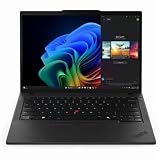
- With 32 GB DDR5 SDRAM of memory, users can effortlessly run multiple programs simultaneously, ensuring peak performance and productivity
- The 14" 1920 x 1200 screen delivers an exceptional viewing experience, featuring vibrant colors, sharp resolution, and wide viewing angles
- 512 GB SSD offers ample capacity to store your essential documents, favorite songs, movies, and pictures, ensuring you have plenty of space for all your digital content
Both T14 Gen 6 variants use two memory slots. Lenovo lists DDR5-5600, with up to 1TB PCIe Gen 4 storage stated for the AMD platform and up to 32GB memory stated for the Intel platform in the cited configurations. A buyer who expects to add memory later should confirm whether the retailer supplies one module or two, whether both slots are accessible, and which SSD form factors are supported.
Displays and portability
The P3 range spans 14-inch and 16-inch screens. Intel P3405/P3605 announcements list 1920×1200 and 2560×1600 options. The Copilot+ family adds a 2.5K anti-glare option and refresh rates up to 144Hz. The reviewed PM3606 used a 16-inch 1920×1200 panel and weighed 1.74kg.
The T14 is a 14-inch platform. That makes it easier to fit in a standard mobile workstation setup, but it cannot match the physical size of a 16-inch P3 for spreadsheets, timelines, and side-by-side documents. Resolution alone is not enough to judge a panel: confirm brightness, color coverage, aspect ratio, refresh rate, anti-glare treatment, and the exact weight on the part number you will buy.
Security and manageability
For the P3, Windows 11 Pro is an available option, and current ASUS business pages identify ExpertGuardian features. The cited material does not establish that every P3 configuration includes every ExpertGuardian component, so check the detailed specification for firmware, BIOS controls, webcam privacy hardware, and support coverage.
Lenovo documents Windows 11 Pro options for the T14 family, with fingerprint and IR-camera choices and optional vPro on selected Intel systems. A fingerprint reader or IR camera is a hardware option, not a guarantee across all listings. Confirm TPM availability, biometric hardware, camera privacy controls, BIOS management, docking support, and the vendor’s warranty response time before standardizing a fleet.
Ports and networking
| Model family | Documented connectivity | Decision implication |
|---|---|---|
| ExpertBook P3 | USB-C, USB-A, HDMI, and RJ45 are listed for P3 models; Intel announcements specify Wi-Fi 6 and Bluetooth 5.4, while one PM3606 review unit had Wi-Fi 7. | Useful built-in business ports, but wireless generation and port details vary by SKU. |
| ThinkPad T14 Gen 6 AMD | RJ45 Ethernet, HDMI 2.1, and USB-C connectivity are documented. | A strong fit for wired offices and external displays without assuming a dock. |
| ThinkPad T14 Gen 6 Intel | RJ45, HDMI 2.1, two Thunderbolt 4 ports, Wi-Fi 6E, and optional 5G. | Best documented option when Thunderbolt, vPro, or cellular connectivity is required. |
Do not infer Wi-Fi 7, Thunderbolt 4, or 5G from a family name. Those features are configuration-specific in the cited material. Ask the seller for the complete port and wireless list tied to the exact machine code.
Rank #4

- With 16 GB DDR5 SDRAM of memory, users can effortlessly run multiple programs simultaneously, ensuring peak performance and productivity
- The 14" 1920 x 1200 screen delivers an exceptional viewing experience, featuring vibrant colors, sharp resolution, and wide viewing angles
- 512 GB SSD offers ample capacity to store your essential documents, favorite songs, movies, and pictures, ensuring you have plenty of space for all your digital content
Battery and serviceability
Lenovo lists a customer-replaceable 57Wh battery for both T14 variants. That is a serviceability advantage for organizations that retain laptops beyond the first battery cycle. It does not predict runtime: screen resolution, brightness, processor limits, wireless use, software load, and battery condition all affect endurance.
Quick wins for a faster PC:
Fix the driver behind crashes, sound loss and screen glitchesFind Drivers →Repair Windows errors before they cause bigger problemsFix Now →Scan for outdated or missing drivers - takes under a minuteDriver Scan →ASUS battery capacity varies by P3 model and region in the available information. Do not compare a T14’s 57Wh figure with an unspecified P3 battery and call one the runtime winner. Obtain the exact watt-hour rating, charging specification, warranty terms, and replacement process for the P3 SKU under consideration.
Independent reader supportYour contribution helps us test, update, and keep practical guides available for everyone.Should you buy the 14-inch or 16-inch ExpertBook P3?
Choose the 14-inch P3 when mobility and desk space dominate
- You regularly carry the laptop between offices, meetings, and customer sites.
- Your work is comfortable on a 14-inch 16:10 display and you use a dock or external monitor at your desk.
- You want the Intel P3405CVA or AMD PM3406 option but do not need the larger chassis.
- The exact 14-inch SKU offers the memory, SSD slots, wireless card, and Windows edition required by your fleet.
Choose the 16-inch P3 when screen area is worth the extra size
- You work with wide spreadsheets, code, dashboards, or documents side by side.
- You want access to the PM3606 family, including configurations advertised with 2.5K panels, up to 144Hz, or dual-SSD expandability.
- The additional weight and footprint are acceptable; one reviewed PM3606 weighed 1.74kg, but other configurations can differ.
- You have verified the exact panel resolution, brightness, wireless hardware, battery, and port selection rather than relying on the PM3606 name.
The T14 alternative is always 14-inch, so the 16-inch decision is primarily about whether the P3’s larger display and possible dual-drive layout outweigh the T14’s documented business-platform strengths.
A buying checklist for any of these laptops
- Record the full model code. Write down P3405CVA, P3605CVA, PM3406, PM3606, P3 G2, T14 Gen 6 AMD, or T14 Gen 6 Intel, plus the regional machine type.
- Verify the processor. Confirm the exact Core, Ryzen, or Core Ultra model and whether an NPU or vPro feature is actually included.
- Check memory placement. Confirm total RAM, DDR generation and speed, number of SODIMMs, maximum supported capacity, and whether the seller installs one or two modules.
- Check every storage slot. Ask whether the laptop has one M.2 2280 slot, an M.2 2230 slot, a second SSD bay, or only the factory drive. Confirm the included SSD capacity and interface.
- Validate the display. Record diagonal size, resolution, aspect ratio, brightness, color coverage, anti-glare treatment, and refresh rate. Do not treat 2.5K or 144Hz as universal P3 features.
- Audit ports and wireless. Confirm USB-C capabilities, Thunderbolt 4 where required, USB-A count, HDMI version, RJ45, Wi-Fi generation, Bluetooth version, and any 5G modem.
- Confirm the operating system and security hardware. Check Windows 11 Pro, TPM, fingerprint reader, IR camera, webcam shutter or privacy control, BIOS-management features, and vPro eligibility.
- Check battery and service terms. Record watt-hours, charger rating, whether the battery is customer-replaceable, warranty length, onsite-service options, and local replacement-part availability.
- Compare the delivered configuration. Prices, stock, warranty, and component combinations vary by country and SKU. Compare complete part numbers, not headline family names.
Common buying mistakes and how to avoid them
Mistake: treating P3 as one fixed laptop
Fix: separate Intel P3405/P3605, AMD PM3406/PM3606, and P3 G2. Record the exact code before reading a review or checkout page.
Mistake: assuming a reviewed PM3606 specification applies to every P3
Fix: use the 32GB, 1TB-plus-expansion, Wi-Fi 7, 50 TOPS, and 1.74kg figures only for the documented review unit. Verify the retail configuration you can actually buy.
Mistake: selecting by NPU TOPS alone
Fix: confirm application support and compare CPU, memory, graphics, thermals, and driver requirements. TOPS is a platform metric, not a universal workload benchmark.
Best Value

- With 16 GB of memory, you can run numerous programs simultaneously without any degradation in performance
- The 14" 1920 x 1200 screen delivers an exceptional viewing experience, featuring vibrant colors, sharp resolution, and wide viewing angles
- 256 GB total SSD capacity ensures your programs remain active, allowing your computer to resume from suspension in mere seconds
- Gray color provides a sleek and refined appearance to your notebook, making it suitable for any environment
Mistake: assuming a feature from another T14 variant
Fix: vPro, 5G, Thunderbolt 4, fingerprint readers, IR cameras, and storage limits can depend on the Intel or AMD platform and the selected SKU.
Mistake: comparing battery capacity as if it were runtime
Fix: use watt-hours to assess serviceability and potential capacity, then seek testing for the exact processor, panel, and operating profile. The available evidence does not support a universal P3-versus-T14 battery winner.
Mistake: buying an inexpensive ProBook or P3 without checking support
Fix: obtain the local warranty, service-level, replacement-part, and Windows-edition details in writing. A lower initial price can be offset by a configuration that cannot meet your fleet policy.
Final recommendation
Choose the ThinkPad T14 Gen 6 AMD when your priority is a well-documented 14-inch business platform with Ryzen AI PRO, two upgradeable memory slots, Ethernet, HDMI 2.1, Windows 11 Pro options, and a replaceable 57Wh battery. Choose the ThinkPad T14 Gen 6 Intel when Core Ultra, optional vPro or 5G, and Thunderbolt 4 are requirements.
Choose an ExpertBook P3 when the exact ASUS configuration gives you a display size, dual-SSD arrangement, memory ceiling, or price that the T14 cannot match. The 16-inch PM3606 is especially relevant for buyers who value screen area, while the 14-inch P3 competes more directly with the T14. The HP ProBook 4 G1a remains a reasonable lower-cost comparison only after its retail specification and regional support terms are verified.
Quick Recap
Product prices and availability are accurate as of the date/time indicated and are subject to change. Any price and availability information displayed on Amazon at the time of purchase will apply.

