
Windows Errors? Fix Them Before They Spread
Repair common Windows errors and clear accumulated junk for a smoother, more stable PC - no reinstall needed.Free scan · no reinstallCrashes, No Sound, or Screen Glitches?
Random freezes, missing sound and display glitches usually trace back to one bad driver. Find and replace yours safely.Free scan · under a minuteiTechGuides is reader-supported. When you buy through links on our site, we may earn an affiliate commission. As an Amazon Associate I earn from qualifying purchases. Learn more
For most U.S. cable customers, the ARRIS SURFboard G34 is the sensible starting point for an internet plan advertised up to 1 Gbps. Choose the G36 instead when you specifically need its 2.5 Gbps Ethernet port for a multi-gig wired connection. The G20 is worth considering only as a model-specific router behind a fiber or Ethernet handoff; it is not a replacement for a fiber optical network terminal (ONT). The SB8200 is a modem-only unit, not a combo, and the older SBG7600 needs especially careful provider and plan verification.
These are shortlist positions based on published product descriptions, not independent speed or range tests. Before ordering any model, confirm the exact hardware revision and your internet tier on your provider’s current approved-device list.

ARRIS combo picks at a glance
| Model | What it is | Best fit | Important qualification |
|---|---|---|---|
| ARRIS SURFboard G34 | DOCSIS 3.1 cable modem with Wi-Fi 6 router | Cable plans listed up to 1 Gbps | The “up to 1 Gig” positioning is a retailer claim, not a guaranteed household speed. |
| ARRIS SURFboard G36 | DOCSIS 3.1 multi-gig cable modem with Wi-Fi 6 router | Cable service where a 2.5 Gbps wired Ethernet port is useful | The 2.5 Gbps port is a hardware capability; your ISP plan and provisioning still determine service speed. |
| ARRIS SURFboard G20 | DOCSIS 3.1 cable modem with Wi-Fi 6 router | Cable providers, or router-only use behind a fiber/Ethernet handoff | The router-only fiber/Ethernet answer attributed to ARRIS SURFboard Team states a 1 Gbps Ethernet ceiling. |
| ARRIS SURFboard SB8200 | DOCSIS cable modem only | Customers who already own or plan to buy a separate router | It does not provide Wi-Fi by itself. |
| ARRIS SURFboard SBG7600 | Older DOCSIS 3.0 modem with AC2350 Wi-Fi router | Only if your provider confirms support for the exact unit and tier | Its older DOCSIS generation makes current approval and plan limits particularly important. |
Check the connection type before comparing models
Cable internet uses the modem section
These products are built around a coaxial cable connection. The DOCSIS modem converts the provider’s cable signal, while the integrated router shares that connection over Wi-Fi and Ethernet. G34, G36, G20 and SBG7600 are therefore cable modem-router products; they are not generic gateways for every type of broadband.
Free tools Windows power users keep installed
One-click scans. No signup required.
Fiber service still needs an ONT
Fiber internet terminates at an optical network terminal supplied or approved by the fiber provider. A cable modem cannot replace that optical handoff. If the ONT presents an Ethernet port, a compatible router can connect behind it, but that is router-only operation rather than fiber-modem operation.
#1 Best Overall

- MultiGig speed for today & tomorrow: DOCSIS 3.1 performance supports cable internet plans up to 2.5 Gbps, delivering ultrafast streaming, gaming, and downloads.
- Save on rental fees: Own your modem and avoid monthly equipment charges - check with your cable provider for plan compatibility.
- Compact, modern design: Space saving footprint with simple LED indicators for power, upstream/downstream, and online status.
- Easy setup: Connect cable, power on, and activate with your cable provider. Then join the default Wi-Fi or personalize your own Wi-Fi network name and password.
- Wi-Fi 6 Coverage: Includes dual-band W-Fi 6 (AX3000) delivering up to 3 Gbps wireless performance for your whole home.
A retailer answer attributed to the ARRIS SURFboard Team describes the G20 this way: “The SURFboard G20 is a DOCSIS 3.1 cable modem combined with a Wi-Fi 6 router, specifically designed for use with cable internet providers such as Comcast Xfinity, Cox, and Spectrum.” The same answer says the G20 can be configured as a router for fiber or Ethernet-delivered service, with a 1 Gbps Ethernet limit. Treat that as a model-specific configuration note, not evidence that the G20 replaces an ONT or supports every fiber provider.
DSL and fixed wireless are different cases
DSL service requires DSL termination hardware, and fixed-wireless providers commonly use an outdoor radio or indoor gateway. Nothing in the cited product descriptions establishes these ARRIS cable gateways as replacements for those provider handoffs. Ask the provider what connector and authentication method the service uses before buying.
Why ISP approval matters more than the logo
Retail listings identify major cable providers for these models, but a listing is not a universal approval certificate. Providers can approve specific model numbers, hardware revisions, firmware versions and speed tiers. A device that works on one plan may be rejected on a faster tier or on a different regional network.
Recommended Free Tools
- Open your provider’s current “approved modems” or “compatible devices” page.
- Search the exact model number, including suffixes or hardware-revision text printed on the box.
- Check that your subscribed or planned tier appears beside that model.
- Confirm whether the provider requires a particular firmware revision, activation method or voice-service feature.
- Save the approval result and the provider’s activation instructions before you disconnect your existing gateway.
Do this check even when a retailer names Cox, Spectrum, Xfinity or another major provider. The G34 and G36 listings establish compatibility claims for those networks, but they do not establish approval on every plan or in every market.
ARRIS SURFboard G34: the mainstream cable choice
The G34 combines a DOCSIS 3.1 cable modem with a Wi-Fi 6 router. The cited retailer listing positions it for cable plans up to 1 Gbps and names Cox, Spectrum and Xfinity among compatible providers. That makes it the clearest starting point when your plan is in that range and you want one box rather than a separate modem and router.
When the G34 makes sense
- Your service arrives over coaxial cable.
- Your provider’s live list approves the G34 for your exact plan.
- You want integrated Wi-Fi 6 rather than separate networking equipment.
- You do not have a specific need for a 2.5 Gbps wired port.
What the G34 claim does not promise
“Up to 1 Gig” describes the plan tier for which the listing presents the device. It is not a measured throughput result, a guarantee that every household will see 1 Gbps, or a statement about Wi-Fi coverage in a particular floor plan. Wireless performance depends on distance, walls, interference, client hardware and network configuration; no controlled range or throughput test is established here.
ARRIS SURFboard G36: choose it for the 2.5 Gbps wired port
The G36 is also a DOCSIS 3.1 Wi-Fi 6 cable modem-router combo. Its differentiating specification in the cited listing is a 2.5 Gbps Ethernet port. That port can matter when a workstation, server, switch or other wired device has a multi-gig Ethernet interface and your service tier can provision more than 1 Gbps.
Who benefits from the G36
- A cable plan advertises multi-gig service and the provider approves the G36 for that tier.
- You transfer large files locally or run a wired network where a 2.5 Gbps uplink is useful.
- You want to avoid replacing the gateway when moving from a 1 Gbps wired setup to a faster tier.
The port specification alone does not make the internet connection multi-gig. Your modem’s provisioning, the provider’s network, the Ethernet cable, the connected device and the service plan all have to support the higher rate. A Wi-Fi 6 label likewise does not guarantee a particular wireless speed or coverage area.
ARRIS SURFboard G20: a cable gateway with a limited router-only alternative
The G20 is described as a DOCSIS 3.1 cable modem combined with a Wi-Fi 6 router. For ordinary cable service, apply the same approval and tier checks used for the G34 and G36.
Its unusual point is the retailer Q&A describing use behind a fiber or Ethernet handoff. In that arrangement, the provider’s ONT or upstream device remains responsible for terminating the fiber; the G20 acts as a router. The answer states a 1 Gbps Ethernet ceiling, so it is not a fit for a faster handoff. Confirm that your fiber provider permits customer-owned routers and whether it requires VLAN tagging, PPPoE credentials, a specific MAC address or another setting; the cited answer does not establish those provider-specific requirements.
SB8200: modem-only, not a modem-router combo
The SB8200 belongs in a buying guide because it is often confused with integrated gateways. Best Buy answers attributed to ARRIS describe it as a modem-only product and say that a separate Wi-Fi router is needed. Choose it only when you intentionally want two devices, such as a modem that can be replaced independently of your router or a router with features not offered by an all-in-one unit.
With a modem-only design, you must budget for the router, its power supply and its configuration. You also gain more flexibility to place the router elsewhere, use a mesh system or replace either component separately. Those are design trade-offs, not evidence that the SB8200 is faster than the combo models.
SBG7600: an older option requiring extra scrutiny
A retailer Q&A describes the SBG7600 as a DOCSIS 3.0 modem with an AC2350 Wi-Fi router and advises checking the provider and service tier. That older DOCSIS generation may still be accepted on some cable plans, but the cited material does not establish current approval, availability or speed-tier support. Treat it as a historical or used-market option, not a default current pick.
Before buying one, obtain written confirmation from the provider for the exact model and tier. Also verify that the seller includes the correct power adapter and that the device is not still registered to another subscriber. A lower purchase price is not a saving if activation is refused.
Rank #3

- Fast, Reliable Connection: Enjoy high-speed streaming, gaming, and browsing with a trusted brand used in over 260 million homes.
- Advanced Modem Tech: Uses DOCSIS 3.1 for faster speeds, better security, and smoother gaming.
- Strong Wi-Fi 6 Coverage: Dual-band Wi-Fi 6 delivers faster, wider wireless performance for your whole home.
- Service Compatibility: Works with major ISPs like Xfinity, Spectrum, and Cox
- Save on Fees: Own your modem and avoid up to $168/year in rental charges (varies by provider)
How to choose between the current combo candidates
Choose the G34 when your plan is up to 1 Gbps
Start with the G34 if you have cable service, your provider approves it for your tier and your wired network is built around 1 Gbps ports. It is the most direct fit for the cited mainstream use case.
Choose the G36 when wired multi-gig capability is the deciding feature
Move to the G36 when the provider approves it for a multi-gig tier and at least one wired device or uplink can use 2.5 Gbps. If every connected device and your service plan are capped at 1 Gbps, the port specification may not change your practical result.
Choose the G20 only for a verified cable or router-behind-ONT setup
For cable, compare it on the same basis as the G34. For fiber, buy only after confirming that the provider supplies an Ethernet handoff, permits a customer router and accepts the G20’s 1 Gbps Ethernet ceiling.
Choose the SB8200 when you want separate equipment
Use the SB8200 as a component in a two-box design, not as a Wi-Fi replacement. This approach suits buyers who already own a capable router or want to use a separate mesh system.
Installation and activation checklist
Exact menus differ by firmware and provider, but the physical sequence is consistent. Keep your old gateway available until the new device is online.
The Tool Desk
Outbyte PC Repair FREEClear out junk files and repair common Windows errorsFree Scan →Outbyte Driver Updater FREEScan for outdated or missing drivers - takes under a minuteDriver Scan →- Confirm approval. Record the model number and approved tier from the provider’s current list.
- Prepare account details. Have the service account number, billing ZIP code and any required activation credentials ready.
- Connect coax. Screw the provider’s coaxial cable into the modem’s cable connector and hand-tighten it. Use a direct wall connection for initial activation rather than adding splitters.
- Power the gateway. Connect the supplied power adapter and wait for the status lights to settle. Initial channel acquisition can take several minutes.
- Connect one setup device. Use Ethernet for the first configuration when possible; it avoids Wi-Fi password and radio-setting confusion.
- Open the provider activation page or call support. Give the representative the modem’s hardware address and serial number if requested.
- Set a unique Wi-Fi name and password. Do not reuse the default credentials printed on the device or its packaging.
- Update and test. Apply any provider-approved firmware update, then test one wired device and one wireless device separately.
- Document the result. Save the activation confirmation, Wi-Fi credentials and the date the device was provisioned.
Common problems and what they mean
The provider cannot find the modem
Recheck the serial number and cable modem MAC address exactly as printed. A character transposition can prevent activation. If the device is second-hand, ask whether it is still associated with a previous account and request removal before trying again.
The modem is online but speeds are lower than expected
First test over Ethernet with a device that has a 1 Gbps or 2.5 Gbps interface appropriate to the model. Check that the device negotiated the expected link speed, then confirm the subscribed tier and provisioning with the provider. A retailer’s “up to 1 Gig” label or a 2.5 Gbps port does not prove that the line is provisioned at that rate.
Rank #4
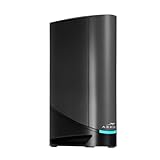
- Fast, Reliable Connection: Enjoy high-speed streaming, gaming, and browsing with a trusted brand used in over 260 million homes.
- Advanced Modem Tech: Uses DOCSIS 3.1 for faster speeds, better security, and smoother gaming.
- Strong Wi-Fi 6 Coverage: Dual-band Wi-Fi 6 delivers faster, wider wireless performance for your whole home.
- Service Compatibility: Works with major ISPs like Xfinity, Spectrum, and Cox
- Save on Fees: Own your modem and avoid up to $168/year in rental charges (varies by provider)
Wi-Fi is weak in part of the home
Wi-Fi 6 identifies the wireless generation, not a guaranteed floor-plan range. Move the gateway to an open, central location away from metal cabinets and thick obstructions. If the provider permits it, use a separately approved mesh or access-point system; do not assume that adding another router in default router mode will improve the network, because it can create double NAT.
A fiber provider says the device is unsupported
Ask whether the service ends at an ONT with Ethernet and whether third-party routers are allowed. The G20’s router-only description does not make it a fiber modem, and it does not establish compatibility with every fiber operator. If the provider requires its own gateway or a faster-than-1-Gbps handoff, select equipment that meets those requirements instead.
The gateway repeatedly loses connection
Check the coax connectors and remove unnecessary splitters for testing. Record the time and frequency of dropouts, then give those details to the provider. The cited material contains no independent reliability rate for these models, so repeated outages should be treated as a line, signal or provisioning issue until the provider diagnoses it rather than as proof that one model is universally unreliable.
Independent reader supportYour contribution helps us test, update, and keep practical guides available for everyone.What the published specifications can—and cannot—tell you
- DOCSIS 3.1: identifies the cable modem generation in the G34, G36 and G20 descriptions. It does not by itself state your approved speed tier.
- DOCSIS 3.0: is the generation identified for the SBG7600 in the cited retailer answer; current provider support must be checked.
- Wi-Fi 6: appears on the G34, G36 and G20 descriptions. It does not guarantee a specific throughput, latency or coverage result.
- AC2350: appears in the SBG7600 description and refers to its older wireless class; it is not a measurement of internet performance in your home.
- 2.5 Gbps Ethernet: is specifically called out for the G36. It is useful only when the service, cabling and connected hardware can take advantage of it.
- 1 Gbps Ethernet ceiling: is stated in the G20 router-only fiber/Ethernet answer. It limits that particular arrangement even if the upstream fiber service is faster.
No independent, dated performance statistics or controlled comparisons establish which model has the best range, throughput, latency or reliability. Use the specifications to establish compatibility and connection capability, not to predict a guaranteed household result.
Buying cautions for price, stock and revisions
Retail prices, inventory and user anecdotes change. The available product material establishes Best Buy listings and Q&A, not a durable price comparison, current inventory at every retailer or affiliate availability. Compare the exact model number, return policy and warranty terms at the time of purchase, and keep the ISP approval check beside any deal you consider.
Also distinguish a new, approved device from a used gateway that may have an outdated firmware build or an account lock. If a listing omits the exact hardware revision, ask the seller or choose a listing that shows it clearly.
Do these 3 things before closing this tab:
1Fix the driver behind crashes, sound loss and screen glitches2Repair Windows errors before they cause bigger problems3Scan for outdated or missing drivers - takes under a minuteFrequently asked questions
Can the G34 or G36 replace my fiber ONT?
No. They are cable modem-router combos. A fiber ONT remains the device that terminates the optical connection. Only a model-specific router-behind-ONT arrangement, such as the G20 description, can use an Ethernet handoff, and that arrangement has its stated 1 Gbps ceiling.
Best Value

- Fast, Reliable Connection: Enjoy high-speed streaming, gaming, and browsing with a trusted brand used in over 260 million homes.
- Advanced Modem Tech: Uses DOCSIS 3.1 for faster speeds, better security, and smoother gaming.
- Strong Wi-Fi 6 Coverage: Dual-band Wi-Fi 6 delivers faster, wider wireless performance for your whole home.
- Service Compatibility: Works with major ISPs like Xfinity, Spectrum, and Cox
- Save on Fees: Own your modem and avoid up to $168/year in rental charges (varies by provider)
Is the G36 automatically faster than the G34?
No automatic speed advantage is established. The G36’s cited distinction is a 2.5 Gbps Ethernet port. Actual internet speed still depends on ISP provisioning, plan, cabling and client hardware; no controlled comparison between the two models is provided.
Do I need a separate router with the SB8200?
Yes. The SB8200 is described as modem-only, so Wi-Fi and local-network routing require a separate router or mesh system.
Will any ARRIS model work with my cable provider?
No. Approval is model- and tier-specific. Check the provider’s live list for the exact unit before purchase and follow its activation process.
Can I use the G20 with a fiber provider?
Possibly as a router behind an Ethernet handoff, according to the retailer answer attributed to ARRIS SURFboard Team. It is not a fiber modem replacement, and that answer states a 1 Gbps Ethernet limit. Confirm the provider’s router policy and technical requirements first.
Should I buy the older SBG7600 to save money?
Only after the provider confirms the exact device and tier. Its cited description is DOCSIS 3.0 with AC2350 Wi-Fi, and current approval or availability is not established.
Frequently Asked Questions
What is the best ARRIS modem-router combo for a cable plan up to 1 Gbps?
The G34 is the clearest cited starting point, provided your ISP approves the exact model for your plan.
Which ARRIS combo has a 2.5 Gbps Ethernet port?
The G36 listing specifically calls out a 2.5 Gbps Ethernet port.
What’s actually slowing this PC down?
Pick the symptom - the matching free tool is one click away.
Can an ARRIS cable modem connect directly to fiber?
No. Fiber requires an ONT. The G20 may operate as a router behind an Ethernet handoff, with a stated 1 Gbps ceiling.
Quick Recap
Product prices and availability are accurate as of the date/time indicated and are subject to change. Any price and availability information displayed on Amazon at the time of purchase will apply.

