
Free tools Windows power users keep installed
One-click scans. No signup required.
iTechGuides is reader-supported. When you buy through links on our site, we may earn an affiliate commission. As an Amazon Associate I earn from qualifying purchases. Learn more
There is no single best Street Fighter 6 controller. The right choice depends first on your platform and then on whether you want a traditional lever, a leverless all-button layout or a six-button pad. For PS5 and PC, start with the HORI Fighting Stick Alpha, Qanba Obsidian 2, Razer Kitsune or the PlayStation version of the NACON Daija. For Xbox and PC, shortlist the Xbox version of the NACON Daija and the 8BitDo Arcade Stick for Xbox.
Street Fighter 6 launched on June 2, 2023, for PlayStation 5, PlayStation 4, Xbox Series X|S and PC. Console licensing is not interchangeable: a PlayStation stick and an Xbox stick are often different products, even when their names are similar. Confirm the exact platform edition before ordering.
Choose by platform before comparing features
A controller that feels perfect can still be useless if it is not licensed for your console. Begin with the version of Street Fighter 6 you play, then compare input style, layout and practice requirements.
The Tool Desk
Outbyte PC Repair FREERepair Windows errors before they cause bigger problemsFix Now →Outbyte Driver Updater FREEScan for outdated or missing drivers - takes under a minuteDriver Scan →| Player and platform | Controllers to investigate | Input style | What stands out |
|---|---|---|---|
| PS5 and PC, traditional lever | HORI Fighting Stick Alpha for PS5; Qanba Obsidian 2; NACON Daija PS5 arcade stick | Lever and arcade buttons | Familiar arcade motion, physical gate feedback and broad customization potential |
| PS5 and PC, leverless | Razer Kitsune leverless controller | All buttons, no joystick | Low-profile layout, a PS5/PC compatibility switch and configurable SOCD-cleaning options |
| Xbox and PC, traditional lever | NACON Daija Xbox arcade stick | Lever and arcade buttons | Designed for Xbox Series X|S, Xbox One and Windows PC according to NACON’s Xbox manual |
| Xbox and PC, lower-cost lever | 8BitDo Arcade Stick for Xbox | Lever and arcade buttons | Xbox and PC support and a lower price position than the NACON Daija; verify current pricing and stock |
| Any platform, six-button pad | A compatible fighting-game pad for your console | D-pad and face buttons | Small, portable and familiar, but with a different motion technique from an arcade stick |
SF6 Lab’s practical advice is: “Start with input style and layout, then confirm platform compatibility on the official product page before purchasing.” That order prevents the two most common buying mistakes: choosing a controller that is licensed for the wrong console, or spending on a premium design that does not match your hands.
#1 Best Overall
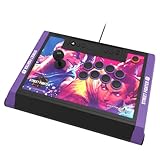
- High-end tournament ready fight stick, compatible with PlayStation 5, PlayStation 4, and PC
- Opens for easy customization & maintenance
- Includes link to 18 downloadable hi-res images of your favorite Street Fighter 6 characters for top-panel customization
- Features HORI’s proprietary HAYABUSA buttons and HAYABUSA joystick
- Officially Licensed by Sony and Capcom
Understand the three input styles
Traditional lever arcade sticks
A conventional stick uses a joystick for directional input and separate arcade buttons for attacks. Quarter-circle, dragon-punch and charge motions are made with the lever, which gives your hand a large physical range and tactile gate feedback. Players who learned fighting games in arcades often find this arrangement immediately intuitive.
The trade-off is size. A stick normally rests on your lap or a desk, and its weight and cable can make it less convenient to carry than a pad. It also takes time to learn precise diagonals and to avoid accidental jumps or crouches. The lever is not inherently faster or more accurate than other formats; the advantage is the feedback and spacing it gives your hand.
Leverless all-button controllers
Leverless controllers replace the joystick with directional buttons. Your fingers make the same left, right, down and up decisions, but without moving a stick through a gate. This can feel clean and consistent for players who prefer keyboard-like inputs or want every direction under a separate finger.
Crashes, No Sound, or Screen Glitches?
Random freezes, missing sound and display glitches usually trace back to one bad driver. Find and replace yours safely.Free scan · under a minutePC Slower Than It Used to Be?
A free scan shows the junk files, broken settings and background clutter dragging Windows down - then fixes them in one click.Free scan · Windows 10 & 11It is a different skill, not an automatic upgrade. You must build new muscle memory for walking, jumping, charge moves and rapid direction changes. Check the product’s SOCD-cleaning behavior before tournament use. SOCD refers to simultaneous opposite-direction inputs, such as left plus right; the controller’s firmware determines how those inputs are resolved. Razer Kitsune documents SOCD-cleaning options, which is useful when you need to understand exactly how the hardware treats simultaneous presses.
Six-button fighting pads
A pad is compact and easy to transport. Its d-pad handles movement while six face buttons can place light, medium and heavy attacks plus the three punches or kicks in a familiar arrangement. Pads are a strong option when you already play comfortably on a gamepad, want to use a sofa or coffee table, or do not want a large device on your lap.
Repeated quarter-circle and half-circle motions can feel different on a d-pad, and some players dislike the reduced separation between movement and attacks. Do not switch formats simply because an arcade stick is popular. Consistent practice on a comfortable pad is more valuable than an expensive controller you avoid using.
Rank #2

- Compatible with Switch/Switch 2, PS4, PS3, Xbox Series S/X, Xbox One, Xbox 360, PC Windows, macOS, Steam Deck, Android.
- Compatible with Sanwa Denshi buttons and joystick that is perfect for customization
- Supports the XINPUT and DINPUT when being used on PC
- Supports the Turbo functions with different speed settings.
- F300 is compatible with PS5 by MAYFLASH Magic-S Ultimate adapter or MagicBoots-S5 Converter.
Recommended PS5 and PC controllers
HORI Fighting Stick Alpha for PS5
The Fighting Stick Alpha is a mid-range conventional stick and is available in PlayStation 5 and Xbox editions. Treat those editions as platform-specific products rather than assuming one unit works on both consoles. The PS5 model is a sensible starting point for a player who wants a standard lever-and-button layout without moving directly to a premium-priced design.
- Best fit: PS5 owners who want a familiar arcade arrangement and PC players who also use a PlayStation-compatible setup.
- Why consider it: It occupies the middle of the market, making it easier to enter the arcade-stick format without choosing a premium model first.
- Check before buying: Confirm the listing says PlayStation 5, not only Xbox, and verify how the particular edition connects to your PC.
Its conventional layout means you will spend practice time on lever control, diagonals and release timing. That is a worthwhile path if the physical gate and arcade buttons feel more natural to you than a d-pad or all-button layout.
Qanba Obsidian 2
The Obsidian 2 is a premium conventional-stick candidate. Dexerto describes it as using arcade-perfect parts and including a tournament-lock function. Those characteristics matter to players who want a substantial arcade feel and who attend events where accidental button presses or an unwanted system/menu input can interrupt a match.
- Best fit: Experienced players or buyers willing to pay for premium arcade-oriented construction.
- Strength: Arcade-focused parts and a lock function aimed at tournament reliability.
- Trade-off: A premium stick is a larger commitment if you are still unsure whether you prefer a lever, leverless controls or a pad.
Before purchase, verify the exact console edition and the supported PC connection mode on the current product page. “Arcade-perfect” describes the component approach; it does not guarantee that the layout will suit your hand size or that you will perform better immediately.
Razer Kitsune leverless controller
The Kitsune is a low-profile, all-button controller rather than a lever stick. TechRadar documents a PS5/PC compatibility switch and SOCD-cleaning options. That makes it a clear choice for someone who specifically wants leverless inputs and needs a straightforward way to select between PlayStation 5 and PC operation.
- Best fit: Players who like a keyboard-style directional layout, want no joystick gate and are prepared to relearn motion inputs.
- Important feature: The PS5/PC switch helps identify the intended platform before play; use it as documented rather than guessing.
- Tournament consideration: Read the SOCD-cleaning behavior and event rules together. A setting that is acceptable in one competition may be treated differently in another.
Leverless hardware can make some directional transitions feel very direct, but it does not remove the need for timing, spacing or execution practice. Try the layout, if possible, before committing to a premium all-button purchase.
Rank #3

- STREET FIGHTER 6 JURI EDITION: Officially licensed by Sony, this Qanba Sapphire S1 leverless arcade controller features exclusive Street Fighter 6 Juri artwork for a bold, tournament-ready look.
- 18 ADJUSTABLE THROW DISTANCE BUTTONS: Equipped with 18 Qanba adjustable throw distance buttons compatible with Cherry MX switch series, allowing buttons and micro-switches to be installed and replaced to match your personal preferences.
- CUSTOMIZABLE BUTTON MAPPING: Features a button map profile switch that lets you remap buttons and save multiple configuration files, giving you a competitive edge tailored to your playstyle.
- COMFORT AND PORTABILITY: Includes a detachable memory foam wrist rest for extended play sessions, a detachable shoulder strap for easy transport, and a built-in storage compartment for accessories.
- BROAD COMPATIBILITY AND CONNECTIVITY: Compatible with PlayStation 5, PlayStation 4, and PC, and includes a 3.5mm headphone jack for audio convenience during intense gaming sessions.
NACON Daija PS5 arcade stick
NACON’s PlayStation manual states: “The DAIJA Arcade Stick by NACON works with games on PlayStation®5 consoles, PlayStation®4 consoles and Windows PC*.” The PlayStation model therefore covers the current Sony console, the previous generation and Windows PC within the compatibility described by the manual.
Choose this version when PS5 is your main console and you want a conventional arcade stick. Do not infer Xbox support from the name: NACON also sells a separate Xbox version with separate licensing. Check the manual and the exact model identifier for your region and connection requirements.
Recommended Xbox and PC controllers
NACON Daija Xbox arcade stick
The Xbox manual says the Xbox Daija works with Xbox Series X|S, Xbox One and Windows PC. It is the Xbox counterpart to the PlayStation model, not a universal console version. This makes it the most direct Daija choice for an Xbox player who wants a traditional lever.
Recommended Free Tools
- Best fit: Xbox Series X|S or Xbox One players who want an arcade-style lever and buttons and may also use Windows PC.
- Compatibility advantage: The manual explicitly covers both current and previous Xbox generations plus Windows PC.
- Buying precaution: Confirm the Xbox branding and model on the box or product page; a PlayStation Daija is not a substitute.
8BitDo Arcade Stick for Xbox
TechRadar lists the 8BitDo Arcade Stick for Xbox as compatible with Xbox and PC and positions it as cheaper than the NACON Daija. It is therefore a practical candidate for a player who wants a lever setup but is trying to keep the initial cost below a premium Xbox stick.
- Best fit: Xbox and PC players entering the arcade-stick format with a tighter budget.
- Value angle: Lower positioning than the Daija can leave more room for games or future customization, subject to current regional pricing.
- Verify: Check the exact Xbox model and current firmware or PC connection instructions before buying.
Lower cost does not predict whether the lever will suit your hand. If you already know you prefer a low-profile all-button design, a cheaper conventional stick may still be the wrong format.
How to compare a stick beyond its name
Layout and button feel
Look at the spacing between directional control and attack buttons, the angle at which your wrist rests, and whether your thumb, index and middle fingers reach the buttons without stretching. A traditional stick separates movement from attacks; a six-button pad places everything under your thumbs; a leverless controller spreads movement across several fingers. Those differences affect fatigue more than a small specification change.
Rank #4

- Retro Arcade Cabinet: Celebrate the legacy of Street Fighter with a 9/10 scale home arcade machine that captures the look, feel, and excitement of the iconic 90s arcade experience.
- Authentic Arcade Controls: Responsive joysticks and buttons let you perform your favorite combos with the precise, arcade-style control that fans know and love from the 90s.
- 15+ Capcom Games: Choose from more than 15 classic Capcom titles, including Street Fighter favorites, for endless hours of competitive and nostalgic gameplay with friends.
- Modern Retro Performance: Officially powered by Raspberry Pi 5 hardware with a vivid 19.5 inch viewable screen, lighted marquee, lit faux coin door, and HDMI Out for streaming or recording.
- Online Multiplayer Fun: Assembly is easy, and the feature-rich online multiplayer system lets you plug in and challenge friends in competitive showdowns from your game room or den.
Button feel is personal. Some players prefer a short, light press for repeated attacks, while others want more resistance and a clearer reset. If you cannot try the controller, use the manufacturer’s layout images and return policy rather than assuming every arcade button feels alike.
What’s actually slowing this PC down?
Pick the symptom - the matching free tool is one click away.
Portability and playing position
Decide where you will play. A full-size stick is comfortable on a lap or desk but occupies more bag space. A pad is easiest to carry and works in positions where a large case is awkward. Leverless units can be slim, but their width still matters when traveling. Measure your storage space and consider whether you will bring the controller to local tournaments.
Customization
Traditional sticks are often chosen by players who want to change artwork, buttons or lever parts over time, but the extent of customization varies by model. Treat “customizable” as an invitation to check the specific access method, compatible parts and warranty terms, not as a promise that every component can be replaced.
Wired and wireless operation
Do not assume that a familiar model name tells you whether the controller is wired, wireless or both. Connection behavior can differ between console editions and firmware versions. Confirm the documented connection method for your exact PS5, Xbox or PC model, especially if you play in tournaments where wired operation may be required.
Tournament features
A tournament-lock function can prevent accidental system or menu inputs while you play. Qanba’s Obsidian 2 specifically includes such a function. For leverless controllers, SOCD behavior is the key technical question. Read the event’s rules and the controller’s documentation together; legality depends on the current ruleset, not on marketing language.
Do these 3 things before closing this tab:
1Clear out junk files and repair common Windows errors2Scan for outdated or missing drivers - takes under a minute3Repair Windows errors before they cause bigger problemsA practical buying process
- Identify the main platform. Write down PS5, PS4, Xbox Series X|S, Xbox One or PC. If you use more than one, decide which console must work without adapters.
- Choose the input family. Select lever, leverless or pad based on hand comfort and the amount of relearning you are willing to do.
- Shortlist only licensed editions. For PS5, inspect the HORI Fighting Stick Alpha, Qanba Obsidian 2, Razer Kitsune and PlayStation Daija. For Xbox, inspect the Xbox Daija and 8BitDo Arcade Stick for Xbox.
- Check the exact product page and manual. Confirm console generation, PC support, connection method, compatibility switches and any required firmware.
- Assess your playing space. Make sure the case fits your lap, desk, storage and travel bag. A controller that stays at home because it is awkward to carry will reduce practice time.
- Set a practice plan. Spend several sessions in Training mode before judging a new format. Drill walking, blocking, quarter-circle motions, anti-airs and your character’s common punishments.
- Check event rules before entering. Confirm tournament-lock use, SOCD requirements and whether the organizer permits your controller’s input behavior.
Switching formats without wasting practice
Expect a temporary performance dip when moving from a pad to a lever, or from a lever to leverless. Start with movement in Training mode: walk forward and backward, crouch-block, jump on command and perform repeated quarter-circles in both directions. Add attacks only after the directional inputs feel deliberate.
Best Value

- Compatible with PlayStation5, PlayStation4, and PC
- Officially licensed Sony peripheral
- Authentic Qanba buttons and lever
- Full control panel, touch pad, Qanba 30-mm B30 buttons, and Qanba OV7 OMRON switch joystick
- 3.5-mm microphone input with mute button control
For a lever, focus on returning the handle to neutral without over-traveling into jump. For leverless, practice releasing one direction before pressing its opposite and learn how up-inputs behave in your chosen layout. For a pad, vary thumb pressure and use the edge of the d-pad if that gives you cleaner diagonals. The goal is repeatability, not a particular hardware identity.
Common compatibility and setup problems
The stick powers on but the game does not respond
Recheck the platform mode or compatibility switch, then reconnect the controller before launching Street Fighter 6. On PC, confirm that Windows recognizes the device and that the game is reading the intended input device. Console editions are not automatically interchangeable.
A PS5 or Xbox listing looks almost identical to another model
Stop and verify the platform label, model number and manual. The PlayStation and Xbox versions of the NACON Daija are separate licensed products, and the HORI Fighting Stick Alpha is likewise sold in platform-specific editions. Similar artwork or a shared product name is not proof of cross-console support.
Leverless inputs feel inconsistent
Check the documented SOCD-cleaning setting and make sure the controller is in the intended mode. Practice opposite-direction releases slowly, then increase speed. If a tournament is involved, confirm that the selected behavior matches its rules before you compete.
You cannot decide between two expensive options
Choose the cheaper compatible controller only if its input style matches what you want to learn. Saving money on the wrong format is not a saving. If you remain uncertain, use the controller you already play well on while trying a friend’s lever or leverless unit before making a premium purchase.
What “best” means for different players
- Best first conventional PS5 choice: HORI Fighting Stick Alpha for PS5, when you want a mid-range entry point.
- Best premium conventional candidate: Qanba Obsidian 2, when arcade-oriented parts and a tournament-lock function justify a larger commitment.
- Best PS5/PC leverless candidate: Razer Kitsune, when its low-profile all-button layout and documented SOCD options match your practice goals.
- Best broad Xbox-generation coverage: NACON Daija Xbox arcade stick, whose manual covers Xbox Series X|S, Xbox One and Windows PC.
- Best budget-oriented Xbox lever candidate: 8BitDo Arcade Stick for Xbox, when its lower position than the Daija fits your budget.
- Best portable option: A compatible six-button pad, if compact size and existing pad familiarity matter more than an arcade-style lever.
No authoritative statistic establishes that one controller type produces more tournament wins in Street Fighter 6. Hardware can change comfort, consistency and the way you practice, but it cannot replace matchup knowledge, execution and decision-making.
Frequently Asked Questions
Will a PS4 arcade stick work on PS5 for Street Fighter 6?
Do not assume it will. Check the exact stick’s PS5 support and the game’s compatibility requirements; console licensing and platform modes differ by model.
Is a leverless controller allowed in Street Fighter 6 tournaments?
That depends on the event’s current rules, especially its treatment of simultaneous opposite-direction inputs. Review the tournament rules and the controller’s SOCD documentation together.
Can I use an Xbox arcade stick on PC?
The Xbox NACON Daija manual and TechRadar’s listing for the 8BitDo Arcade Stick for Xbox include Windows PC support. Confirm the exact model and connection instructions before purchase.
Quick Recap
Product prices and availability are accurate as of the date/time indicated and are subject to change. Any price and availability information displayed on Amazon at the time of purchase will apply.

