
iTechGuides is reader-supported. When you buy through links on our site, we may earn an affiliate commission. As an Amazon Associate I earn from qualifying purchases. Learn more
Short answer: The Gigabyte M32U is the most straightforward all-round replacement when you want a 32-inch 4K display with a 144Hz class refresh rate. Choose the LG 32GR93U-B if your priority is lower input lag at 60Hz, or the ASUS ROG Swift OLED PG32UCDM Gen3 if you want the strongest HDR, contrast and response performance and can pay for a premium OLED. The Samsung Odyssey G7/G70B S32BG70 is the same-brand 4K upgrade, but its weak contrast and limited local dimming reduce HDR impact.
The Odyssey G5 G55H remains sensible for 1440p console gaming at up to 120Hz when its connectivity matches your console and your budget. It is less suitable if you specifically want 4K output, the most convincing HDR or a display designed around full HDMI 2.1 console bandwidth.
At a glance: which alternative fits your console?
| Choose this model | Best for | Why it stands out | Important qualification |
|---|---|---|---|
| Gigabyte M32U | Balanced 4K console and PC use | 32-inch 4K, 144Hz-class operation, plus USB-C and a KVM switch | No exact HDMI version or price is stated for the M32U. |
| LG 32GR93U-B | 60Hz responsiveness | Slightly quicker response and lower input lag at 60Hz than the Samsung G70B; slightly brighter SDR | Exact HDMI version, panel type and price are not stated for the LG 32GR93U-B. |
| ASUS ROG Swift OLED PG32UCDM Gen3 | Premium HDR and motion quality | 4K OLED, 240Hz, near-instantaneous response, HDMI 2.1 and 4K signals up to 120Hz on PS5 and Xbox Series X | It is a high-end monitor; no price is stated. |
| Samsung Odyssey G7/G70B S32BG70 | Same-brand 4K upgrade | 32-inch 4K, HDMI 2.1 bandwidth, VRR and 144Hz operation | Low contrast and weak local dimming limit HDR impact. |
What you get with the Odyssey G5 G55H
The 32-inch Odyssey G5 G55H uses a 2560×1440 QHD panel with a 1000R curve. Samsung says that QHD provides 1.7 times the pixel density of Full HD (1920×1080), describing the image as detailed and sharp. That statement is a manufacturer specification, not an independent measurement.
The Tool Desk
Outbyte Driver Updater FREEScan for outdated or missing drivers - takes under a minuteDriver Scan →Outbyte PC Repair FREEClear out junk files and repair common Windows errorsFree Scan →For a console, 1440p can be a useful middle ground: it is visibly more detailed than 1080p without requiring a 4K signal. The G5 is therefore a reasonable match for a player who targets 1440p at 120Hz, sits at a desk distance and does not treat HDR as a deciding feature.
#1 Best Overall

- 32inch 4K Curved Display: Enjoy breathtaking clarity and depth with the CRUA 32-inch 4K UHD curved monitor (3840x2160). Its 1500R curvature wraps around your vision for a more immersive experience, ideal for open-world games, movie watching, or multitasking
- 160Hz Refresh Rate + AMD FreeSync: Dominate every match with up to 160Hz refresh rate and AMD FreeSync support. Whether you're into FPS, MOBA, or fast-paced action games, this high refresh rate monitor ensures ultra-smooth visuals and reduced input lag for competitive gamers and eSports setups
- 120% sRGB Color Accuracy & Built-in Speakers: Featuring 120% sRGB, 320cd/m², and 3000:1 high-contrast, this monitor displays rich and vibrant colors—perfect for photo editing, content creation, and video streaming. Integrated built-in speakers offer convenient audio, reducing desktop clutter, ideal for minimalist workspaces and home offices
- Versatile Connectivity & Wall Mount Ready: Equipped with HDMI 2.1 and DP 1.4, it supports next-gen PCs and consoles wall mount install support(75mm * 75mm) makes it perfect for gaming rooms, dual monitor setups, or streaming stations, blending performance with flexibility
- Assurances: We provide high-quality computer monitors and premium services. If you have any questions, you are welcome to contact us at any time, we are here to serve you and solve all your problems
The trade-off is upgrade headroom. PlayStation 5 and Xbox Series X|S buyers often want 4K output, HDMI 2.1 bandwidth, 120Hz operation, VRR and convincing HDR in one display. The G5 G55H’s HDMI version, 4K capability and HDR performance are not established, so you should verify those details for the exact regional model before buying. A monitor that cannot accept your console’s intended signal may fall back to 1440p or 60Hz even when the panel itself has a higher refresh rating.
The console features that matter most
Resolution: 1440p versus 4K
1440p is the G5’s native resolution. It is a sensible choice when you value a lower-cost, high-refresh setup and are happy with the console rendering at that resolution. A 4K monitor has four times as many pixels as 1080p and is the natural choice when image detail is more important than the lowest purchase price. On a 32-inch screen, 4K also gives you more desktop space and finer text when the display is shared with a computer.
Do not assume that a 4K monitor forces every game to run at 4K and 120Hz. Console games choose their own performance and quality modes. The monitor’s job is to accept the signal, preserve the refresh rate and provide the requested features without an unnecessary compatibility fallback.
Quick wins for a faster PC:
Repair Windows errors before they cause bigger problemsFix Now →Fix the driver behind crashes, sound loss and screen glitchesFind Drivers →Clear out junk files and repair common Windows errorsFree Scan →120Hz and the HDMI question
TechRadar identifies 120Hz as the PlayStation 5’s maximum refresh target and recommends deciding among 4K, 1080p and 1440p according to the detail and performance you want. A 144Hz monitor has enough refresh capacity for a 120Hz console signal, but the connection still matters.
HDMI 2.1 is the clearest route to 4K at 120Hz on current consoles because it provides the required bandwidth. It is not automatically necessary for 120Hz gaming at 1440p; the console, monitor and cable must simply agree on a supported 120Hz mode. Check the monitor’s manual for the exact HDMI input limits rather than inferring them from the panel’s maximum refresh rate.
Rank #2
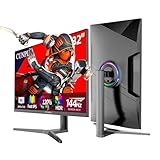
- Ultra Smooth Gaming Experience:The CUNPU 32 INCH 4K Gaming Monitor is equipped with a fast IPS panel that switches up to 4x faster than traditional IPS panels. It offers a high 144Hz refresh rate and 1ms (GTG) response time. Faster response times allow you to stay ahead of the competition. In addition, the display's 1ms GtG (gray-to-gray) response time ensures smooth performance with no motion blur.
- Dive Into the Gaming World :CUNPU 32” UHD monitor features a 99% DCI-P3 and 120% sRGB color coverage, displaying up to 1.07 billion colors a static contrast ratio of 1000:1, and a pixel pitch of 138 PPI. The monitor's integration with HDR technology ensures the delivery of a brilliant picture quality. It optimize the bright light picture, improve the level and texture of the picture, the dark parts are deeper, and the details of the highlights are richer.
- Adaptive Sync - Elevate your gaming experience to the next level with this 27-inch gaming monitor, compatible with FREESYNC and G-SYNC technology. This ensures a buttery-smooth, realistic gaming experience. The monitor dynamically syncs its refresh rate with the image source, enhancing responsiveness and precision. The result is seamless, smooth gameplay that eliminates screen tearing and stuttering, giving gamers the competitive edge they crave.
- Customized Play & Plug Stand: The stand has an ergonomic design with a tilt range of -5 to 15°, a swivel range of -15 to 15°, and a height adjustment range of 130 mm. It's easy to install and can be used in landscape or portrait orientation. It works with any 75x75 mm VESA wall mount, desk mount, stand, or articulating arm.
- Extensive Connectivity: CUNPU monitors feature video interfaces via 2* HDMI 2.1 and 2* 1.4 DP ports. This HDMI monitor has a maximum of 144Hz refresh rate (TIP: 4k HDMI120/DP144Hz only supported by 20 series and above graphics cards) and UHD 3840 x 2160P resolution. You can connect the edge-less monitor to Xbox, PS5,PC, Mac Mini and laptops, transmitting high-quality images. It is easy to switch between office and entertainment.
VRR
Variable refresh rate synchronizes the display’s refresh timing with the console’s frame output, reducing tearing when frame rates fluctuate. Support can vary by HDMI input and resolution. The G70B is specifically described as supporting VRR, while VRR behavior for every other model in this comparison is not confirmed. Confirm the supported range and console compatibility before purchase.
Input lag and response time
Input lag is the delay between a console frame being generated and the image appearing; response time describes how quickly pixels change. They are separate measurements. RTINGS reports that the LG 32GR93U-B has a slight gaming advantage over the Samsung G70B because of quicker response time and lower input lag at 60Hz. No millisecond figures are provided here, so treat the result as a relative finding rather than a numerical guarantee.
Free tools Windows power users keep installed
One-click scans. No signup required.
HDR, contrast and panel technology
HDR quality depends on black level, peak brightness, tone mapping and local dimming, not merely an HDR label. The ASUS PG32UCDM Gen3 uses an OLED panel and is reported to deliver deep blacks, vivid colors and strong HDR. RTINGS also reports that the G70B’s low contrast and weak local dimming limit its HDR impact. Panel type or HDR test results for the M32U and LG 32GR93U-B are not established, so avoid assuming that their 4K resolution alone makes HDR exceptional.
Size and viewing distance
TechRadar recommends keeping a console display broadly up to 32 inches. That makes all four candidates suitable for a desk or compact gaming area. The G5’s 1000R curve is a distinctive ergonomic choice; no curve is stated for the alternatives, so compare their physical specifications if curvature is important to you.
Detailed alternatives
Gigabyte M32U: the easiest all-round 4K replacement
RTINGS compares the M32U with Samsung’s 32-inch 4K G70B and describes both as 4K, 32-inch, 144Hz monitors. The M32U’s practical advantage is flexibility outside the console: it adds USB-C and a KVM switch, allowing one keyboard and mouse setup to be shared when the monitor is connected to a computer as well as a console.
Rank #3

- 4K Curved Monitor: This 32inch 4K UHD curved monitor with 3840×2160 resolution and 1500R curvature delivers sharp detail and a wider, more immersive field of view. Ideal for gamers, streamers, multitaskers, and home office users who want a large display for gaming, streaming, movie watching, and everyday productivity
- Smooth High Refresh: Enjoy fluid visuals with a 160Hz refresh rate that helps reduce blur and input lag during fast movement. With AMD FreeSync, this high refresh rate gaming monitor is a great fit for competitive gamers, PC users, and content viewers who want smoother performance for action games, racing, streaming, and daily use
- Vivid Color & RGB: With 120% sRGB color gamut and a 3000:1 high-contrast VA panel, this monitor delivers rich color and strong detail for gaming, content creation, media viewing, and creative work. The built-in RGB lighting adds extra style to gaming desks, streaming stations, creator setups, and modern workspaces
- Speakers & Easy Setup: Integrated built-in speakers provide convenient audio for movies, streaming, meetings, and casual gaming without extra clutter. With HDMI 2.1, DP 1.4, and 75×75mm wall mount support, this display fits easily into bedrooms, gaming rooms, home offices, studios, and dual-purpose work-and-play setups
- Assurances: We provide high-quality computer monitors and premium services. If you have any questions, you are welcome to contact us at any time, we are here to serve you and solve all your problems
Choose it when you want one 32-inch screen for console play, a desktop computer and straightforward 4K productivity. Its 144Hz class refresh gives headroom beyond the console’s 120Hz target, while 4K aligns with the image-detail goal that motivates many G5 upgrades.
The M32U’s exact HDMI version, VRR range, panel type, HDR result and price are not stated. Confirm that the model and regional input specification accept 4K at 120Hz from your console before ordering; do not infer that capability solely from the 144Hz headline.
LG 32GR93U-B: the better 60Hz response choice
The LG 32GR93U-B is another 4K, 144Hz monitor in RTINGS’ comparison. Its distinguishing result is responsiveness: RTINGS finds a slight advantage over the Samsung G70B from quicker response time and lower input lag at 60Hz. It is also slightly brighter in SDR, which can help in a well-lit room.
This model fits players who spend much of their time in 60Hz console modes, including games that prioritize resolution or visual effects over high frame rate. The advantage is relative, not a promise of a particular millisecond result, and it should not be confused with the near-instantaneous response reported for the OLED ASUS.
Exact HDMI version, 4K/120Hz input behavior, VRR details, panel type, HDR performance and price are not established for this model. Check the manufacturer’s regional specification and an independent test of the exact model before treating it as a full HDMI 2.1 replacement.
Rank #4

- 32" 4K UHD Glossy OLED Display - Experience ultra-sharp visuals and lifelike color on a stunning 32-inch 4K UHD (3840 x 2160) glossy OLED display. Every detail pops with depth and vibrancy, bringing your favorite games and content to life.
- Bright OLED Gaming - This UltraGear features Micro Lens Array+ technology. So with a typical brightness of 275 nits, this monitor is brighter than previous UltraGear OLED gaming displays and has improved viewing angles.
- VESA DisplayHDR True Black 400 & 1.5M:1 Contrast Ratio - VESA DisplayHDR True Black 400 certified with upt to DCI-P3 98.5% color gamut means this monitor meets industry standards for brightness as well as deep, rich black color expression. With a 1.5M:1 contrast ration, the benefit for gaming impeccable color and image detail in dark scenes for a stunning visual experience.
- 32" UHD OLED Brilliance with 165Hz of Game-Changing Speed - Experience ultra-smooth, tear-free gameplay with up to 165Hz on a bright 32” Glossy UHD OLED display. React instantly, spot every detail, and outpace your opponents in every frame with outrageous speed and clarity.
- Leave Lag Behind with 0.03ms Response Time - Enjoy smoother scenes with less lag or ghosting thanks to LG UltraGear OLED's nearly instantaneous 0.03ms (GtG) response time.
ASUS ROG Swift OLED PG32UCDM Gen3: premium OLED performance
RTINGS names the PG32UCDM Gen3 the best 32-inch monitor it has tested. It combines a 4K OLED panel with a 240Hz maximum refresh rate, near-instantaneous response and low input lag. HDMI 2.1 is included, and RTINGS reports support for 4K signals up to 120Hz on PlayStation 5 and Xbox Series X.
OLED’s pixel-level light control gives this model the deepest blacks of the group described here. RTINGS also reports vivid colors and strong HDR performance, making it the most compelling choice for dark-room cinematic games and players who care about HDR impact as much as resolution.
Its 240Hz ceiling is primarily useful for a high-refresh PC. Consoles in this comparison target up to 120Hz, so the purchase case is image quality, response and connectivity rather than using all 240Hz with a console. The model is high-end, and no price is supplied; compare local pricing, warranty terms and OLED care guidance before committing.
Samsung Odyssey G7/G70B S32BG70: a same-brand 4K step up
The G70B S32BG70 moves from the G5’s QHD resolution to 4K on a 32-inch panel. RTINGS lists HDMI 2.1 bandwidth, VRR and a 144Hz refresh rate, and calls it great for console gaming because it can take full advantage of PlayStation 5 and Xbox Series X|S signals.
What’s actually slowing this PC down?
Pick the symptom - the matching free tool is one click away.
It is the most direct choice if you want to stay within the Odyssey family while adding 4K and current-console connectivity. However, RTINGS warns that low contrast and weak local dimming reduce HDR impact. Choose it for signal support and resolution, not as an HDR-first purchase.
Best Value

- Immersive Curved Gaming Display: 31.5-inch WQHD (2560x1440) 1500R gaming monitor with ultrafast 165Hz refresh rate (supports 144Hz) designed for professional gamers and immersive gameplay
- Extreme Low Motion Blur Technology: ASUS ELMB technology enables a 1ms response time (MPRT) together with Adaptive-sync, eliminating ghosting and tearing for sharp gaming visuals with high frame rates
- FreeSync Premium Support: Variable refresh rates through DisplayPort and HDMI ports provide low latency, stuttering-free and tearing-free performance while gaming
- Shadow Boost Enhancement: Enhances image details in dark areas, brightening scenes without over-exposing bright areas for better visibility during gameplay
- HDR-10 Support: Supports HDR-10 to enhance bright and dark area contrast, delivering lifelike gaming visuals and improved color accuracy
Specification and trade-off table
| Model | Native resolution | Refresh rate | HDMI and console signal information | 60Hz responsiveness | HDR/contrast finding | Panel or curvature information | Productivity extras | Price in supplied evidence |
|---|---|---|---|---|---|---|---|---|
| Samsung Odyssey G5 G55H | 2560×1440 QHD | Not stated | Exact HDMI version and 4K support not stated | Not stated | Not established | 1000R curved; panel technology not stated | Not stated | Not stated |
| Gigabyte M32U | 4K | 144Hz | Exact HDMI version and 4K/120Hz behavior not stated | Not stated | Not established | Panel and curvature not stated | USB-C and KVM switch | Not stated |
| LG 32GR93U-B | 4K | 144Hz | Exact HDMI version and 4K/120Hz behavior not stated | Lower input lag and quicker response than G70B at 60Hz | Slightly brighter SDR than G70B; broader HDR result not stated | Panel and curvature not stated | Not stated | Not stated |
| ASUS ROG Swift OLED PG32UCDM Gen3 | 4K | 240Hz | HDMI 2.1; supports 4K up to 120Hz on PS5 and Xbox Series X | Near-instantaneous response and low input lag | Deep blacks, vivid colors and strong HDR | OLED; curvature not stated | Not stated | Not stated |
| Samsung Odyssey G7/G70B S32BG70 | 4K | 144Hz | HDMI 2.1 bandwidth and VRR; designed to use PS5 and Xbox Series X|S signals | Inferior to LG at 60Hz in RTINGS’ comparison | Low contrast and weak local dimming limit HDR impact | Panel and curvature not stated | Not stated | Not stated |
Which monitor should you buy?
Pick the Gigabyte M32U for a shared console-and-computer desk
The M32U is the safest general recommendation when your requirements are a 32-inch 4K image, a high-refresh panel and useful computer connectivity. USB-C and KVM reduce cable and input switching when the display serves two systems. Verify console bandwidth before purchase because its HDMI implementation is not specified.
Pick the LG 32GR93U-B when 60Hz feel matters most
Choose the LG if your games commonly run at 60Hz and you are sensitive to controller-to-screen delay. Its advantage is documented against the G70B in that condition, and its slightly higher SDR brightness suits a bright room. It is not a substitute for checking HDMI 2.1 and VRR requirements.
Pick the ASUS OLED for the best image quality
The ASUS is the clear premium option for deep blacks, vivid color, HDR and extremely fast pixel response. It is the most appropriate upgrade when the G5’s 1440p resolution and ordinary contrast are the problems you notice, and your budget accommodates a high-end OLED.
Outdated Drivers Are Slowing You Down
One free scan finds every outdated or missing driver and matches the right update for your exact hardware.Free scan · exact hardware matchWindows Errors? Fix Them Before They Spread
Repair common Windows errors and clear accumulated junk for a smoother, more stable PC - no reinstall needed.Free scan · no reinstallPick the G70B for a same-brand 4K/HDMI 2.1 route
The G70B provides the most explicit console-oriented upgrade path in the Odyssey range described here: 4K, HDMI 2.1 bandwidth, VRR and 144Hz. Its limitation is HDR impact, not basic signal compatibility.
Should you keep the Odyssey G5?
Keep it when all three conditions apply: you are satisfied with 1440p detail, your console can deliver the desired 120Hz mode through the monitor’s available input, and HDR is not central to your decision. Its 1000R curve and QHD density can make a desk-distance image look crisp without the cost or bandwidth demands of 4K.
Replace it when you want native 4K, confirmed HDMI 2.1 4K/120Hz support, stronger HDR, or a measurable responsiveness improvement at 60Hz. The G5’s exact HDMI and HDR capabilities are not established in the specifications, so inspect the label and manual for your regional G55H rather than relying on a generic listing.
Moving from 1440p to 4K: a practical decision test
- Identify your console mode. In the console’s video settings, note whether your preferred games use 60Hz, 120Hz, 1440p or 4K output.
- Choose the feature you will notice most. Select 4K if finer image detail is the priority; select a high-refresh 1440p setup if fluidity and lower cost matter more.
- Check the complete signal path. The console, HDMI cable, monitor input and selected resolution must all support the same mode. A 144Hz panel does not by itself prove 4K/120Hz compatibility.
- Decide whether HDR is a requirement. The ASUS is the only model in this evidence set with a specifically strong OLED HDR result; RTINGS flags the G70B’s contrast and local dimming as weaknesses.
- Account for non-console use. If the monitor also replaces a computer display, the M32U’s USB-C and KVM can be more valuable than a small difference in gaming performance.
How to connect and verify a new monitor
PlayStation 5
- Connect the console directly to the monitor’s HDMI input that is specified for the highest supported bandwidth.
- Open Settings → Screen and Video → Video Output.
- Set Resolution to Automatic first, then confirm the detected 4K or 1440p mode.
- Open 120 Hz Output and leave it on Automatic when the monitor supports the target mode.
- Open VRR and enable it only after the console reports that the display supports it.
- Use Test 4K Output to check resolution, HDR and 120Hz capability. If 4K/120Hz is unavailable, try the monitor’s other HDMI input and the cable supplied with the console before changing other settings.
Xbox Series X|S
- Connect the console to the monitor’s highest-bandwidth HDMI input.
- Go to Settings → General → TV & display options.
- Set the resolution and refresh rate to the highest combination the monitor reports as supported.
- Open 4K TV details to see which 4K, HDR and 120Hz features the console detects.
- Under Video modes, enable variable refresh rate and allow 4K when those options are available and stable.
- If the console falls back to 60Hz, test another HDMI input and cable, then temporarily disable HDR to determine whether bandwidth or HDR negotiation is the cause.
Common buying and setup mistakes
- Confusing refresh rate with input support: A 144Hz or 240Hz panel can still have an HDMI input limit below 4K/120Hz. Check the port specification.
- Assuming every 4K monitor has HDMI 2.1: The M32U and LG are described as 4K/144Hz, but their exact HDMI versions are not established.
- Buying for HDR from the resolution number alone: The G70B demonstrates why contrast and local dimming matter; RTINGS reports limited HDR impact despite its 4K and HDMI 2.1 features.
- Ignoring 60Hz performance: If your games run at 60Hz, the LG’s relative input-lag and response advantage over the G70B may matter more than a higher maximum refresh rate.
- Using the wrong input: Monitors can assign different bandwidth limits to different HDMI ports. Use the port identified in the manual for the desired signal.
- Comparing prices without checking region and date: No prices are supplied here. Check current local pricing, stock, warranty coverage and the exact regional model number before purchase.
Bottom line
For most buyers replacing a 32-inch QHD G5, start with the Gigabyte M32U as the balanced 4K/144Hz candidate, move to the LG 32GR93U-B if 60Hz latency is your concern, and choose the ASUS PG32UCDM Gen3 when OLED HDR is worth the premium. The G70B is the logical same-brand option for confirmed HDMI 2.1 console connectivity, provided you can accept its weaker HDR contrast. Keep the G5 only if 1440p/120Hz meets your needs and 4K or HDR is not the reason you are upgrading.
Recommended Free Tools
Quick Recap
Product prices and availability are accurate as of the date/time indicated and are subject to change. Any price and availability information displayed on Amazon at the time of purchase will apply.

