
iTechGuides is reader-supported. When you buy through links on our site, we may earn an affiliate commission. As an Amazon Associate I earn from qualifying purchases. Learn more
If you want Game Boy Advance games without paying for Nintendo Switch Online + Expansion Pack, the clearest verified alternative is Analogue Pocket with legitimate GBA cartridges. Pocket uses FPGA hardware, accepts original Game Boy, Game Boy Color and Game Boy Advance cartridges, and does not include a digital game catalogue. Original GBA hardware is another ownership-based route. Evercade devices and handheld PCs may be useful for other retro games, but the evidence here does not establish a current, licensed GBA catalogue for Evercade or a Nintendo-authorized GBA service for PC handhelds.
What you need to replace Nintendo’s GBA service
Nintendo’s official Game Boy Advance library is delivered through the Game Boy Advance Nintendo Classics application. Nintendo Support states that an active Nintendo Switch Online + Expansion Pack membership is required to use that library. A standard Nintendo Switch Online membership, without the Expansion Pack, does not unlock the GBA application.
| # | Preview | Product | Price | |
|---|---|---|---|---|
| 1 |

|
Nintendo Game Boy Advance - Indigo (Renewed) | $118.04 | Buy on Amazon |
| 2 |
|
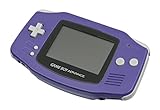
Nintendo Game Boy Advance - Indigo | $119.99 | Buy on Amazon |
| 3 |

|
Nintendo Game Boy Advance SP - Cobalt (Renewed) | $170.95 | Buy on Amazon |
| 4 |

|
Glacier Gameboy Advance Console (Renewed) | $129.95 | Buy on Amazon |
| 5 |
![Nintendo Game Boy Advance - White (Renewed) [video game]](https://m.media-amazon.com/images/I/316XrGUKBmL._SL160_.jpg)
|
Nintendo Game Boy Advance - White (Renewed) [video game] | $111.26 | Buy on Amazon |
That model is convenient but subscription-based: access depends on the membership remaining active, and the games are presented through Nintendo’s Switch software rather than through original cartridges. A genuine replacement therefore has to be judged on more than whether a device can run a GBA game. The important questions are whether you own the games, what hardware is doing the work, how much setup is required, how portable the result is, and whether the software and media are authorized.
Do these 3 things before closing this tab:
1Fix the driver behind crashes, sound loss and screen glitches2Repair Windows errors before they cause bigger problems3Scan for outdated or missing drivers - takes under a minuteQuick comparison of the available paths
| Option | Ownership model | Cartridges required | Hardware approach | GBA catalogue evidence | Cost information in the available documentation | Setup and legal position |
|---|---|---|---|---|---|---|
| Nintendo Switch Online + Expansion Pack | Subscription access | No | Switch software service; the specific emulation implementation is not stated here | Nintendo’s GBA Nintendo Classics library | Current membership price not stated | Official Nintendo route; requires an active Expansion Pack membership |
| Analogue Pocket | Own and use physical cartridges | Yes | Two FPGAs; Analogue says it is not designed using software emulation | Analogue states compatibility with more than 2,780 Game Boy, Game Boy Color and Game Boy Advance cartridges | $239.99 listed on Analogue’s product page accessed October 18, 2026; price and stock can change | Insert a legitimately obtained cartridge; Analogue says Pocket does not play copyrighted ROM files |
| Original GBA-family hardware | Own original hardware and cartridges | Yes | Original Nintendo hardware | Depends on the cartridges you own | Current price, condition and supply data are not stated | Used-market purchase and maintenance require your own verification |
| Evercade devices | Cartridge-based ecosystem | Evercade cartridges | Dedicated retro hardware; model-specific details vary | A current licensed GBA catalogue was not established | Not stated | Check the current catalogue and licensing before treating it as a GBA replacement |
| Handheld PCs such as Steam Deck | Hardware ownership; you provide the games and software | No, unless using separate hardware or accessories | General-purpose PC, commonly configured with emulators | No Nintendo-licensed GBA service was established | Not stated | Requires configuration and legally obtained software; Nintendo says it does not authorize products that allow playing or downloading its game files on personal computers |
1. Analogue Pocket: the strongest verified non-subscription alternative
Why it fits the ownership question
Analogue Pocket is a handheld built around physical legacy media rather than a bundled digital store. Analogue’s documentation says it works out of the box with a library of more than 2,780 Game Boy, Game Boy Color and Game Boy Advance cartridges. That figure covers the three cartridge families together; it is not a promise that every individual cartridge, regional variant or accessory is supported under every condition.
#1 Best Overall
- It features a more powerful processor than any previous portable system, for faster, smoother gameplay
- The high-resolution, full color screen makes the game jump out at you -- 50% bigger than Game Boy Color
- Two new buttons, L & R, bring you more control & game options
- Extended battery life lets you play for up to 15 hours on a pair of AA batteries
- Compact Game Paks let you store your game progress & are smaller then Game Boy Color Paks
The device does not replace the cost of your game collection. You must already own legitimate cartridges or buy them separately. Buying Pocket gives you the hardware, not a digital entitlement to Nintendo’s GBA catalogue.
FPGA hardware instead of software emulation
Analogue says Pocket is engineered with two FPGAs and “is not designed using software emulation.” In practical terms, the console’s programmable hardware is configured to reproduce the behavior of the original systems, rather than running a conventional emulator application on a general-purpose operating system. That distinction matters if your priority is an original-media workflow and dedicated hardware.
FPGA does not mean that every modern feature of a game or accessory is automatically reproduced. Cartridge condition, regional versions, peripherals and firmware can still affect the experience. Treat Analogue’s published compatibility statement as the starting point and check the current device documentation for an unusual cartridge or accessory.
What Pocket will and will not play
Analogue explicitly states: “Analogue Pocket does not play copyrighted rom files, it plays legacy game cartridges via the cartridge slot.” The cartridge slot is therefore central to the product’s legal and practical model. A file copied to storage is not the documented use case, and the product should not be presented as a way to download Nintendo games.
Rank #2
- It features a more powerful processor than any previous portable system, for faster, smoother gameplay
- The high-resolution, full color screen makes the game jump out at you -- 50% bigger than Game Boy Color
- Two new buttons, L & R, bring you more control & game options
- Extended battery life lets you play for up to 15 hours on a pair of AA batteries
- Compact Game Paks let you store your game progress & are smaller then Game Boy Color Paks
Price and ownership costs
Analogue’s product page listed Pocket at $239.99 when accessed on October 18, 2026. That is a snapshot, not a guaranteed future price, and it does not include cartridges, shipping, taxes or any replacement media. The total cost of a Pocket library depends on which cartridges you already have and what you pay for additional legitimate copies.
Basic setup
- Obtain a Pocket and inspect the current manufacturer documentation for firmware and supported accessories.
- Use clean, legitimately obtained Game Boy Advance, Game Boy or Game Boy Color cartridges.
- Insert the cartridge into the slot with the device powered down or following the documented insertion guidance.
- Power on, select the detected game and create saves using the game’s own save system and Pocket’s supported features.
- Keep the cartridge contacts and the slot clean; intermittent contact can look like a software fault.
This route is best when you value original cartridges, dedicated hardware and a one-time device purchase more than instant access to a curated digital catalogue.
2. Original Game Boy Advance hardware and cartridges
Why choose the original system
An original Game Boy Advance-family handheld is the most direct ownership route: the game runs on Nintendo hardware and the cartridge you own. It avoids a recurring service and does not require you to migrate a library into a new digital platform. Models in the family differ in screen, lighting, battery and ergonomics, so the exact model matters when buying used.
Quick wins for a faster PC:
Scan for outdated or missing drivers - takes under a minuteDriver Scan →Clear out junk files and repair common Windows errorsFree Scan →What is not established about current buying conditions
The available official material does not provide current prices, typical condition, repairability or supply figures for original GBA hardware. Used-market listings can vary sharply by region and by whether a console has been modified, refurbished or sold with a working battery. Verify the seller, cartridge slot, controls, screen, battery compartment and charging or battery requirements before paying.
Cartridge checks before purchase
- Confirm that the cartridge is an authentic, working copy rather than an unverified reproduction.
- Ask for clear photos of the label, shell and contacts, and test the save function when possible.
- Check whether the game requires a battery-backed save and whether that battery has been replaced.
- Budget for cleaning or repair on older hardware; the evidence does not establish a universal refurbishment standard.
Choose this option if authenticity and original controls matter most and you are comfortable inspecting used equipment. Choose Pocket instead when you want one newer handheld that also accepts the same cartridge families.
3. Evercade: a possible retro option, not a verified GBA replacement
Evercade’s support material documents cartridge-based devices and workflows for current products including EXP-R, VS-R, Alpha and Super Pocket. That makes the ecosystem relevant to readers who want legal, physical retro releases. However, the available evidence does not establish that Evercade currently offers a licensed Game Boy Advance catalogue.
Do not buy an Evercade device on the assumption that it will play your Nintendo GBA cartridges or provide Nintendo’s GBA library. Before purchase, check the manufacturer’s current catalogue, the exact cartridge format, regional availability and licensing for the games you want. A device may be excellent for its own supported publishers while still not answering a specific GBA requirement.
4. Handheld PCs: flexible, but not Nintendo-authorized
What a PC handheld can do
Handheld gaming PCs such as Steam Deck-class devices can run desktop operating systems, emulators and a wide range of independent software. Buying one gives you a general-purpose computer that can be configured for many systems, not a dedicated Nintendo GBA service. Setup may involve installing an emulator, mapping controls, organizing save files and troubleshooting updates or compatibility.
Rank #4
- No Screen Cover on Renewed Items
The authorization boundary
Nintendo’s Intellectual Property & Piracy FAQ states: “Nintendo does not currently offer or authorise for sale any product that allows the play or download of its video game files on personal computing devices.” That statement means a PC handheld should not be described as an official Nintendo alternative. An emulator is a software tool; it does not itself grant rights to Nintendo game files.
Use only software and media you are entitled to use
If you choose a handheld PC, obtain games through a lawful source and follow the rules that apply where you live. Do not present ROM-download sites, copied game files or circumvention devices as Nintendo-approved solutions. The legal status of making or using a personal backup can vary by jurisdiction and by how the file was obtained, so readers should not treat a general emulation guide as legal advice.
Who should choose this route
A handheld PC makes sense when GBA is only one part of a broader PC and retro setup and you are willing to configure software yourself. It is a poor match if your main requirement is a simple, cartridge-based, Nintendo-authorized experience.
What’s actually slowing this PC down?
Pick the symptom - the matching free tool is one click away.
Can you play GBA games without the Expansion Pack?
Yes, but not through Nintendo’s GBA Nintendo Classics application. Nintendo Support requires an active Expansion Pack membership for that application. Without it, use a separate ownership route: an Analogue Pocket with legitimate cartridges or original GBA hardware with cartridges. Evercade and handheld PCs should not be treated as confirmed substitutes until their specific GBA catalogue and licensing are verified.
Best Value
- Requires 2 AA Batteries
Which option is best for different priorities?
| Your priority | Best fit | Reason | Main compromise |
|---|---|---|---|
| Play your existing GBA cartridges on current dedicated hardware | Analogue Pocket | Published compatibility covers more than 2,780 cartridges across the Game Boy families, with FPGA hardware | You must supply the cartridges; the listed device price is $239.99 as of October 18, 2026 |
| Use original Nintendo hardware and controls | Original GBA-family system | It is the native cartridge platform | Used condition, supply and pricing require individual checking |
| Access Nintendo’s curated digital GBA library on Switch | Switch Online + Expansion Pack | It is Nintendo’s official GBA Classics route | Access depends on an active subscription |
| Play many computer and retro platforms from one device | Handheld PC | Flexible operating system and software configuration | No Nintendo-authorized GBA service; setup and lawful software sourcing are your responsibility |
| Explore a dedicated cartridge-based retro ecosystem | Evercade | Current devices use the platform’s own cartridges | A current licensed GBA catalogue was not established |
Save data, portability and maintenance considerations
Save data
Save behavior depends on the game, cartridge and device. Original cartridges may use battery-backed saves or nonvolatile memory, and an older battery can fail even when the game still boots. A digital service or PC emulator may expose different save-state features, but the available documentation does not establish a common save-transfer method across these options. If a particular save is valuable, verify backup and transfer support before switching platforms.
Portability
Pocket and original GBA hardware are purpose-built handhelds. A handheld PC is also portable, but its larger operating system and configuration tasks can add friction. Evercade portability depends on the selected model. None of these observations establishes battery life or weight figures; compare the current specifications for the exact model you plan to buy.
Cartridge care
Physical media introduces maintenance that a subscription library does not. Store cartridges dry, avoid forcing them into a slot, and clean contacts with an appropriate method recommended for the hardware. If several games fail in the same way, test another known-good cartridge before assuming every game is defective.
Common mistakes and how to avoid them
- Buying a device without checking media. Pocket requires legacy cartridges, while Evercade uses its own cartridge ecosystem. Confirm the format before purchase.
- Assuming a standard Switch Online plan includes GBA. Nintendo requires the Expansion Pack tier for GBA Nintendo Classics.
- Confusing FPGA with a game licence. Pocket’s hardware approach does not include Nintendo’s games; you still need legitimate cartridges.
- Calling a PC emulator an official Nintendo product. Nintendo’s policy specifically says it does not authorize products that allow playing or downloading its game files on personal computers.
- Ignoring used-hardware condition. Original GBA systems and cartridges may need cleaning, battery replacement or repair, and current condition varies by seller.
- Treating an unverified catalogue as proof of compatibility. Evercade’s documented devices do not, on the evidence available here, prove a current licensed GBA library.
A practical buying decision
- List the games you actually want to play. Separate games you already own on cartridge from games you only remember from Nintendo’s digital library.
- Choose your ownership model. Select the Expansion Pack for Nintendo’s managed digital access, or select physical cartridges for Pocket or original hardware.
- Set a total budget. For Pocket, include the $239.99 listed device price plus every cartridge you still need. For original hardware, include likely maintenance; no reliable current average is established.
- Decide how much setup you tolerate. Pocket and original hardware are comparatively direct. A PC handheld requires operating-system, emulator and file-management work.
- Verify legality and compatibility before checkout. Confirm the exact cartridge format, catalogue and regional availability, and avoid any seller promising unauthorized Nintendo files.
Bottom line: which alternative should you buy?
For a verified, non-subscription way to play GBA cartridges on modern dedicated hardware, Analogue Pocket is the leading choice supported by the available documentation. Its FPGA design, published compatibility with more than 2,780 cartridges across three Game Boy generations and explicit cartridge-only model make the trade-off clear: you pay for the device and provide the games.
Choose original GBA hardware when you want the native Nintendo experience and are prepared to evaluate used equipment. Keep Evercade in the “check the catalogue first” category, and choose a handheld PC only if its broader flexibility justifies configuration work and the absence of a Nintendo-authorized GBA service. Nintendo Switch Online + Expansion Pack remains the official digital route, but it is the only option here that depends on an ongoing Nintendo membership.
Quick Recap
Product prices and availability are accurate as of the date/time indicated and are subject to change. Any price and availability information displayed on Amazon at the time of purchase will apply.

