
The Tool Desk
Outbyte PC Repair FREERepair Windows errors before they cause bigger problemsFix Now →Outbyte Driver Updater FREEScan for outdated or missing drivers - takes under a minuteDriver Scan →iTechGuides is reader-supported. When you buy through links on our site, we may earn an affiliate commission. As an Amazon Associate I earn from qualifying purchases. Learn more
There is no universal winner. Choose an ASUS ProArt P16 when your work depends on Windows, NVIDIA GeForce RTX acceleration, a touchscreen or ASUS DialPad. Choose the 16-inch MacBook Pro when your software runs well on macOS, your video pipeline benefits from Apple’s hardware media engines, or you place a high value on the XDR display and Apple’s published battery estimates.
The comparison only becomes meaningful after you name the exact P16 generation and GPU, the MacBook Pro chip tier, your applications and plug-ins, and the memory and storage you need. The H7606 product name covers multiple regional configurations, and the 16-inch MacBook Pro is sold with different M5 Pro and M5 Max specifications.
The short answer: match the laptop to your creative workflow
For Windows-only applications, CUDA-dependent effects, many 3D packages and GPU-heavy AI tools, a current ProArt P16 with an NVIDIA RTX GPU is usually the more practical starting point. Its touchscreen and DialPad can also be useful for illustration, photo adjustments and timeline control. The trade-offs are a glossy reflective panel on some configurations, high prices on RTX 50-series models, a large power adapter and substantially shorter unplugged runtime when the discrete GPU is working hard.
What’s actually slowing this PC down?
Pick the symptom - the matching free tool is one click away.
The 16-inch MacBook Pro is the safer choice for a macOS-based studio, especially when editing H.264, HEVC, ProRes or ProRes RAW. Apple’s M5 Pro and M5 Max models include dedicated hardware engines for those formats, a 16.2-inch Liquid Retina XDR display with adaptive refresh up to 120 Hz, three Thunderbolt 5 ports and an SDXC slot. Apple’s battery figures are manufacturer maximums rather than matched independent tests, but they provide a useful expectation for lighter mobile work.
#1 Best Overall
![HIDevolution [2025] ASUS ProArt P16 H7606WX Black 16' 4K 120Hz OLED Touch, 2.0 GHz Ryzen AI 9 HX 370, RTX 5090, 64 GB LPDDR5X RAM, 4 TB PCIe SSD, Windows 11 Pro](https://m.media-amazon.com/images/I/41BUZNaAIUL._SL160_.jpg)
- AMD Ryzen AI 9 HX 370 12 Core - 24 Thread Processor, 2.0 GHz (Max Turbo Frequency 5.1 GHz), 36 MB Smart Cache with NVIDIA GeForce RTX 5090 w/ 24 GB GDDR7
- HIDevolution upgrades the 16.0" 4K (3840 x 2400) 120Hz OLED Touch screen with stocked Thermal Grizzly Conductonaut on CPU by adding Gelid GC Extreme on GPU for improved performance and optimal system temperature
- PCIe based storage--4 TB (2 x 2 TB) M.2 PCIe 4.0 x4 NVMe SSD--ensures that you experience the fastest boot up & load times
- 64 GB LPDDR5X on board system memory (Speeds subject to system capability)--run memory hungry applications and multitask with ease
- Operating system: Windows 11 Pro. HIDevolution Promise: Authorized ASUS Build to Order Dealer, thorough quality testing, a 1 Year Warranty, and access to our expert support staff. Contact us for more customization options.
Neither family has a single specification or a universally faster processor. Select the application first, then compare equivalent memory, storage, display and GPU configurations at the prices available in your region.
Which exact models are being compared?
ASUS ProArt P16 configurations
ASUS’s global H7606 specification page is configuration-sensitive. Regional models can differ in processor, graphics, memory, storage, panel and ports, so an H7606 label alone does not identify one laptop.
The first-generation announcement in 2024 described an AMD Ryzen AI 9 HX 370 processor, RTX 40-series laptop graphics, up to 64 GB of LPDDR5X memory, up to 4 TB of SSD storage and a 90 Wh battery. It also introduced creator features such as StoryCube, MuseTree and the DialPad. Those figures describe the original generation and should not be applied automatically to later P16 models.
A 2025 independent review covered P16 versions with RTX 5070 Ti, RTX 5080 and RTX 5090 Laptop GPUs. The top configuration reviewed had a Ryzen AI 9 HX 370, RTX 5090 Laptop GPU, 64 GB of RAM, two 2 TB SSDs, a 4K OLED display, USB4, HDMI 2.1 and an SD Express 7.0 reader. Its price was high, and that listing was specific to a date and region rather than a current worldwide price.
16-inch MacBook Pro configurations
Apple’s current 16-inch family uses either an M5 Pro or M5 Max chip. Depending on the exact model, unified memory can reach 128 GB and storage can reach 8 TB. The family should therefore be compared by chip, memory and storage configuration, not by the generic words MacBook Pro.
Every 16-inch model uses a 16.2-inch 3456×2234 Liquid Retina XDR panel with P3 wide color, support for 1 billion colors and adaptive refresh rates up to 120 Hz. M5 Pro and M5 Max versions include hardware-accelerated H.264, HEVC, ProRes and ProRes RAW engines, although the practical benefit depends on the application and project format.
Specification snapshot
| Factor | ProArt P16 | 16-inch MacBook Pro |
|---|---|---|
| Operating system | Windows; exact edition and regional software bundle vary | macOS; exact version depends on the installed system and update policy |
| Processor options in the cited configurations | AMD Ryzen AI 9 HX 370 in the 2024 generation and the 2025 reviewed top configuration | Apple M5 Pro or M5 Max |
| Graphics | Discrete NVIDIA RTX graphics; 2024 models used RTX 40-series, while 2025 reviewed models included RTX 5070 Ti, 5080 and 5090 Laptop GPUs | Integrated Apple GPU; M5 Max configurations offer up to a 40-core GPU |
| Maximum stated memory | Up to 64 GB LPDDR5X in the 2024 announcement and cited reviewed configuration | Up to 128 GB unified memory, depending on model |
| Maximum stated storage | Up to 4 TB in the 2024 announcement; the reviewed top configuration used two 2 TB SSDs | Up to 8 TB, depending on model |
| Display | Some variants: 16-inch 3840×2400 OLED touchscreen, 100% DCI-P3 and PANTONE validation; confirm the exact panel SKU | 16.2-inch 3456×2234 Liquid Retina XDR, P3, 1 billion colors and adaptive refresh up to 120 Hz |
| Battery evidence | 90 Wh capacity was announced for the original 2024 generation; later capacity depends on SKU | Apple estimates up to 24 hours of video streaming and 17 hours of wireless web for M5 Pro, or 22 and 16 hours respectively for M5 Max |
| Ports in the cited configurations | Reviewed model: USB4, USB-C, USB-A, HDMI 2.1 and SD Express 7.0; standards can vary | SDXC, HDMI, MagSafe 3, headphone jack and three Thunderbolt 5 ports |
| Weight and charger evidence | About 1.95 kg and a 200 W adapter in the cited review; verify the local SKU | Not stated in the supplied specifications for this comparison; verify the selected configuration |
Software compatibility should decide the purchase
Start by listing every application, plug-in, script and hardware control surface you use. A project that opens on both operating systems may still behave differently because of plug-in formats, GPU back ends, licensing or missing drivers.
Free tools Windows power users keep installed
One-click scans. No signup required.
Rank #2
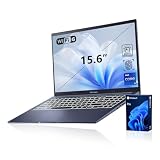
- [Professional Upgrade] The original seal has been opened solely for upgrading purposes. A 3-year coverage on the upgraded RAM/SSD is provided by PCOnline US, while the remaining components retain the original 1-year manufacturer's coverage.
- [Next Gen AI Powerhouse] Experience the future of computing with the Intel Core i9-13900H processor, optimized for Next Gen AI workloads and seamless multitasking. Whether you are running complex simulations or AI-enhanced creative software, this 14-core powerhouse delivers elite-level performance that leaves standard laptops behind.
- [Immersive Visuals & Security] The 15.6" FHD (1920 x 1080) non-touch display offers crisp, glare-free visuals for work or streaming. Integrated with a secure Fingerprint Reader for instant login and a high-quality Webcam with a privacy shield, it provides the perfect balance of professional utility and personal data protection.
- [Versatile Connectivity Hub] Equipped with a comprehensive I/O suite to eliminate the need for extra dongles. Features include 1 x USB Type-C port, 2 x USB Type-A 3. X ports for high-speed data, 1 x USB 2.0 port for peripherals, and a dedicated HDMI port for 4K external displays. A 3.5mm Audio Port is also included for lag-free sound.
- [Optimized for Mobile Productivity] Designed for the modern professional, featuring a Backlit Keyboard for low-light environments and a precision touchpad. Up to 48GB DDR4 RAM and up to 2TB PCIe M.2 SSD, you have the speed to boot in seconds and the space to store your entire digital life, all wrapped in a sophisticated Blue chassis.
When Windows is the requirement
- Choose the P16 if a required application is Windows-only or your studio standard depends on Windows drivers.
- Check whether the application uses NVIDIA CUDA, OptiX or another RTX-accelerated path. The presence of an RTX GPU is useful only when the software can address it.
- Confirm support for the exact Windows release, plug-in versions, external display arrangement and color-management tools before ordering.
When macOS is the requirement
- Choose the MacBook Pro when your production environment is built around macOS applications, Apple-specific plug-ins or a Mac-only collaboration workflow.
- Verify that every plug-in and utility is native to Apple silicon or works reliably through its supported compatibility layer.
- Check the application’s guidance for unified-memory capacity, external GPUs and media-engine support; generic GPU-core comparisons are not a substitute for that information.
Photo editing, illustration and color work
The P16 is attractive to photographers and illustrators who want a 4K OLED touchscreen and a physical DialPad. ASUS’s original material described a 4K Lumina OLED touchscreen, while the global specification page lists PANTONE validation and 100% DCI-P3 for at least some variants. OLED can provide deep blacks and strong contrast, but the glossy surface can reflect windows and studio lights. Confirm the exact panel, brightness behavior, calibration process and color profile before treating any P16 as a reference monitor.
The MacBook Pro’s XDR panel offers P3 color, 1 billion colors and adaptive refresh up to 120 Hz. Its mini-LED-based XDR design is intended for high dynamic-range work, and the larger 16.2-inch 3456×2234 canvas provides a different balance of workspace and pixel density than a 4K OLED panel. It does not provide touch input, so retouching and drawing rely on a trackpad, mouse or external tablet.
For either machine, plan a calibration routine and evaluate reflections in the room where the laptop will be used. A product-family color claim cannot replace checking the panel SKU and your own color-management requirements.
Video editing and motion graphics
Apple specifically lists hardware-accelerated H.264, HEVC, ProRes and ProRes RAW engines on the current MacBook Pro. If your editor and timeline use those codecs, playback, scrubbing and exports can benefit from the dedicated media blocks. The benefit still depends on the editor version, effects, plug-ins, storage speed and whether a task is CPU-, GPU- or media-engine-limited.
Do these 3 things before closing this tab:
1Scan for outdated or missing drivers - takes under a minute2Repair Windows errors before they cause bigger problems3Fix the driver behind crashes, sound loss and screen glitchesThe P16’s discrete RTX graphics are the more natural fit for Windows software and effects that depend on NVIDIA acceleration. Higher-end 2025 configurations include RTX 5070 Ti, RTX 5080 and RTX 5090 Laptop GPUs, but those names do not establish a universal render or export advantage over an M5 Pro or M5 Max. The available evidence contains no controlled, same-project benchmark between matched P16 and MacBook configurations.
Before buying, test or verify the following with the editor’s current documentation:
- Source codecs and camera formats, including whether ProRes, HEVC or unusual RAW formats are involved.
- Hardware-acceleration settings and the supported GPU back end.
- Plug-in compatibility and whether effects run on the GPU, CPU or media engine.
- External-monitor resolution, refresh rate and HDR requirements.
- Expected performance while running on battery rather than on AC power.
3D, AI and other GPU-heavy workloads
A P16 with an RTX 50-series GPU is a strong candidate for Windows 3D, rendering and AI applications that explicitly support NVIDIA acceleration. Dedicated graphics memory can also keep large scenes or effects workloads from competing directly with system memory, although the amount depends on the selected GPU.
Rank #3

- 16'' OLED 3.2K (3200 x 2000) 16:10 touch display laptop; 120Hz refresh rate with 0.2ms response time; 100% DCI-P3 color gamut; Pantone validated color accuracy; 500 nits; Delta E <2; with 4096 pressure-level MPP 2.0 stylus support (stylus sold separately)
- Intel Core i9-13980HX Processor 2.2 GHz (36MB Cache, up to 5.6 GHz, 24 cores, 32 Threads) with Windows 11 Home
- NVIDIA Geforce RTX 4060 Laptop GPU with 8GB GDDR6 VRAM - RTX Studio Ready
- Fast storage and memory (upgradable) featuring 1TB M.2 NVMe PCIe 4.0 Performance SSD and 16GB DDR5 SO-DIMM Memory
- US MIL-STD 810H military-grade standard
Apple’s M5 Max can be configured with up to a 40-core GPU and up to 128 GB of unified memory. That large shared pool can be valuable for applications optimized for Apple silicon, but GPU-core counts and AI TOPS are not directly comparable with NVIDIA specifications. ASUS promotes AI features and a Ryzen AI NPU in the original P16 announcement; those vendor features do not prove a general AI-performance lead over Apple silicon.
Use the application maker’s support matrix and a benchmark for your actual scene, model, renderer or plug-in. Confirm memory requirements first: a configuration that cannot hold the project comfortably will be slower regardless of theoretical GPU capability.
Battery life and mobile performance
MacBook Pro estimates
Apple publishes maximum estimates for the 16-inch models. The M5 Pro is rated for up to 24 hours of video streaming and up to 17 hours of wireless web use. The M5 Max is rated for up to 22 hours of video streaming and up to 16 hours of wireless web use. These are Apple’s laboratory-style manufacturer estimates, not independent matched tests, and demanding exports, bright displays, high refresh rates and external devices will reduce runtime.
ProArt P16 behavior under load
The original P16 generation has a 90 Wh battery, but that capacity should not be assumed for every later model. An independent review of the P16 cautioned that battery drain rises quickly when full performance is used away from an outlet. That behavior matters for GPU-heavy rendering, large 3D scenes and sustained video exports: a P16 may need its charger to maintain peak performance.
The cited top configuration uses a 200 W AC adapter, and a Digital Camera World guide lists a weight of roughly 1.95 kg. Both figures are practical travel considerations, but confirm the charger and weight supplied with your local SKU. The battery statements above are not directly comparable test results, so they should frame expectations rather than declare a winner.
Ports, cards and project storage
The reviewed P16 configuration includes USB4, USB-C, USB-A, HDMI 2.1 and an SD Express 7.0 reader. That mix can reduce dongle use for cameras, displays and older peripherals. ASUS can change port standards between variants, so inspect the specification for the exact model number.
The 16-inch MacBook Pro provides an SDXC card slot, HDMI, MagSafe 3, a headphone jack and three Thunderbolt 5 ports. Thunderbolt docks and high-speed external storage can expand the setup, but they add cost and another device to carry.
Rank #4

- [Superior Display] 13.3" AMOLED 2.8K (2880x1800) 60Hz Touchscreen Display; Bluetooth 5.4, Webcam, Backlit KB Wireless Keyboard
- [Powerful Performance] X Plus X1P-42 3.20GHz Processor (upto 3.4 GHz, 8-Cores, ); Qualcomm Adreno shared Integrated Graphics
- [High Speed and Multitasking] 16GB OnBoard RAM; 65W PSU, Type-C Power-In, 3-Cell 70 WHr Battery; Nano Black Color
- [Enormous Storage] 1TB PCIe NVMe SSD; SD Reader
- Windows 11 Home-64, 1 Year Manufacturer warranty from GreatPriceTech (Professionally upgraded by GreatPriceTech)
Neither laptop requires a particular external SSD. A portable drive is useful when projects exceed internal capacity or need to move between edit systems. Match the drive’s interface and sustained write speed to the laptop, camera media and backup plan; a nominal peak transfer rate does not guarantee sustained performance during long captures or exports.
Memory and storage: buy for the project, not the logo
How much memory?
Choose memory by the largest project you expect to keep open with your editor, browser, virtual instruments, compositing tools and cache. The P16 configurations cited here top out at 64 GB, while the MacBook Pro can reach 128 GB. Neither figure tells you how an application will behave, so check the software vendor’s requirements and leave headroom for future versions.
Quick wins for a faster PC:
Clear out junk files and repair common Windows errorsFree Scan →Scan for outdated or missing drivers - takes under a minuteDriver Scan →Repair Windows errors before they cause bigger problemsFix Now →How much internal storage?
Video, RAW photo and 3D assets grow quickly. The original P16 announcement listed up to 4 TB, and the reviewed configuration used two 2 TB SSDs. Apple lists configurations up to 8 TB. Compare the usable capacity, drive layout and backup strategy rather than the headline maximum. Keeping only one copy of irreplaceable footage on either laptop is a risk.
Price and value require matched configurations
The cited material does not establish current, equivalent retail prices or warranty terms across regions. A high-end P16 with an RTX 5090, 64 GB of RAM and two 2 TB SSDs cannot be fairly compared with a base MacBook Pro, and a fully configured MacBook Pro can cost far more than its entry model.
Build a like-for-like worksheet using the exact local prices:
- Processor or chip tier: Ryzen AI 9 HX 370 with the selected RTX GPU versus M5 Pro or M5 Max.
- Memory capacity and architecture: 64 GB LPDDR5X or less on the cited P16 configurations versus the chosen unified-memory tier.
- Internal storage capacity and drive layout.
- Display type, resolution, touch support, HDR capability and refresh rate.
- Ports, card-reader standard, charger and any required dock.
- Warranty length, service location and return policy in your country.
Only after those items are aligned can you judge value. The sources do not establish a universal price-performance winner.
Choose by creator type
Photographer or retoucher
Pick the P16 if touchscreen control, DialPad input and OLED contrast are central to your process and you can manage reflections and calibration. Pick the MacBook Pro if the XDR panel, macOS workflow and longer published light-use battery estimates matter more than touch.
Best Value

- Reliable Performance for Everyday Life Handle work, play, and entertainment on Windows 11 with speed and ease, thanks to its Intel Core 7 150U CPU, 16 GB RAM, 1 TB SSD, and fast WiFi 6.
- Clearly Superior Display Enjoy bright, sharp visuals on a slim-bezel NanoEdge display with wide viewing angles and TÜV Rheinland eye-care certification to reduce eye strain.
- Immersive, Balanced Sound Experience clear, rich, and full audio with a system tuned by SonicMaster, delivering wider and deeper sound for movies, music, and games.
- ASUS ErgoSense Keyboard with Numeric Keys Type comfortably with an ErgoSense keyboard designed for optimal key bounce and travel, plus built-in numeric keys for easier data entry during everyday work.
- Charge with Speed Vivobook 17 supports fast charging which allows you to charge a low battery to 60% in as little as 49 minutes, so you can be up and running quicker than ever!
Video editor
Pick the MacBook Pro when your editor makes strong use of H.264, HEVC, ProRes or ProRes RAW hardware engines and your plug-ins support Apple silicon. Pick the P16 when your effects, codecs or plug-ins require Windows or NVIDIA acceleration, and you can work near a power outlet for sustained GPU loads.
3D artist or GPU renderer
Start with a P16 configuration whose exact RTX GPU is supported by your renderer. Consider a high-memory M5 Max MacBook Pro only when the application is optimized for Apple silicon and its unified-memory limits meet your scene requirements.
Illustrator or digital painter
The P16’s touchscreen is the differentiator if you want to draw directly on the display. The MacBook Pro is better suited to a separate tablet or trackpad workflow and offers the XDR panel instead of touch.
Traveling creator
The MacBook Pro’s published maximum battery estimates make it attractive for lighter mobile work, while the P16’s reviewed 200 W adapter and faster drain under full performance make power planning more important. If you routinely render or export away from outlets, compare real workload endurance for your applications rather than relying on headline estimates.
A practical buying checklist
- Write down every application, plug-in, codec, camera format and external device.
- Decide whether Windows or macOS is mandatory for any part of the workflow.
- Identify whether your main workload uses NVIDIA acceleration, Apple media engines or neither.
- Select the exact P16 generation and RTX GPU, or the exact M5 Pro/M5 Max tier.
- Set a minimum memory and storage capacity based on your largest project.
- Verify the panel specification, touch requirement, reflections, HDR needs and calibration plan.
- Check ports against your cameras, cards, displays, docks and external drives.
- Compare current local price, warranty and return terms for matched configurations.
- Confirm battery expectations while plugged in and unplugged, including whether peak performance is available on battery.
- Recheck the final SKU immediately before purchase because regional availability and specifications change.
Verdict
The ASUS ProArt P16 is the better creator laptop when your named software needs Windows or NVIDIA RTX acceleration, or when a touchscreen and DialPad materially improve how you work. Specify the year and GPU, and budget for its glossy display, charger and power demands.
The 16-inch MacBook Pro is the better fit when your applications support macOS, your media pipeline benefits from Apple’s H.264, HEVC, ProRes and ProRes RAW engines, and you prefer the XDR display, Thunderbolt 5 connectivity and Apple’s stated battery estimates. Specify M5 Pro or M5 Max and the required memory and storage.
If neither workflow is clearly dominant, gather your application list, source codecs, plug-ins, RAM requirement, project size, time away from power and local budget. A matched configuration comparison will produce a more reliable answer than choosing by brand or by the highest headline GPU number.
Crashes, No Sound, or Screen Glitches?
Random freezes, missing sound and display glitches usually trace back to one bad driver. Find and replace yours safely.Free scan · under a minutePC Slower Than It Used to Be?
A free scan shows the junk files, broken settings and background clutter dragging Windows down - then fixes them in one click.Free scan · Windows 10 & 11Quick Recap
Product prices and availability are accurate as of the date/time indicated and are subject to change. Any price and availability information displayed on Amazon at the time of purchase will apply.

