
Free tools Windows power users keep installed
One-click scans. No signup required.
iTechGuides is reader-supported. When you buy through links on our site, we may earn an affiliate commission. As an Amazon Associate I earn from qualifying purchases. Learn more
Yes—the Anbernic RG35XX H can play the original Xbox version of Halo: Combat Evolved, but not through its normal listed emulator systems. A community project provides a native ARM64 port for the Allwinner H700/Mali-G31 platform, and the RG35XX H is documented as tested. You need compatible Linux-based handheld firmware, the port package, and your own original Xbox game data.
The project maintainer reports roughly 40–55 frames per second in campaign at the default render scale and 60 fps in menus. Those figures are maintainer-reported rather than independent benchmarks, and the port remains under development. This guide explains how that route works and how it compares with other ways to play classic Halo on a handheld.
The short answer: the RG35XX H can run Halo CE, with important qualifications
The RG35XX H is not emulating an Xbox through one of the systems listed by its manufacturer. Instead, Halo: Combat Evolved runs through a targeted, unofficial native AArch64 port based on the original Xbox game’s decompilation. The port uses the handheld firmware’s SDL2 layer and Mali-G31 OpenGL ES driver rather than an Xbox emulator. Its documented basis is Xbox build 01.01.14.2342.
Do these 3 things before closing this tab:
1Fix the driver behind crashes, sound loss and screen glitches2Repair Windows errors before they cause bigger problems3Scan for outdated or missing drivers - takes under a minuteThe project’s device matrix lists the RG35XX H as tested. It also lists Knulli Gladiator II as tested firmware and documents the PortMaster package on muOS 2601 Jacaranda beginning with release v2026.10.07. Firmware and package status can change, so read the project’s current release notes before copying files.
#1 Best Overall

- [Anbernic RG35XX H Handheld Game Console]The RG35XX H retro handheld game console is powered by an H700 quad-core ARM Cortex-A53 processor with a 1.5GHz clock speed, delivering smooth and responsive performance for an enhanced gaming experience.
- [Massive Storage for Game Downloads] The Anbernic RG35XXH hand held game console comes with 64GB TF card, supporting expansion up to 2TB. It allows users to add emulators and games in various formats.
- [3.5-Inch IPS Display] Featuring OCA full lamination and multi-touch support, the 640*480 resolution IPS screen ensures sharp visuals. The tempered glass provides dual protection (scratch-resistant and drop-proof) while reducing eye strain.
- [3300mAh High-Capacity Battery] With long-lasting battery life, the anbernic RG 35XXH retro gaming console handheld offers up to 8 hours of continuous gameplay and supports fast charging via USB Type-C, making it perfect for gaming on the go.
- [Multiple Connectivity Modes for Interactive Fun] The Anbernic RG35XX H handheld gaming console supports 2.4G wireless/wired controllers, Bluetooth controllers, HDMI TV output, vibration feedback, Wi-Fi multiplayer, and game streaming. The HDMI mode is ideal for family gatherings or parties, adding excitement to social gaming sessions.
There are three boundaries to keep in mind:
- The manufacturer’s ordinary system list does not include original Xbox. The Halo route is a separate community port.
- You must supply compatible Xbox-version game data. PC-version files do not work, and the project does not distribute an ISO, maps or other game files.
- Performance varies with firmware, port release, render scale and game area. The published 40–55 fps campaign figure is not a guarantee for every level.
How this Halo port differs from stock emulation
It is native code, not Xbox emulation
Traditional emulation reproduces another console’s hardware in software and then runs the original executable. This project instead provides native ARM64 code for the H700 handheld family. That approach avoids the overhead of simulating the Xbox CPU and graphics hardware, which is why a low-cost retro device can run a demanding 3D game at useful speed.
The project’s documentation describes the port as using the firmware’s SDL2 implementation and Mali-G31 OpenGL ES driver. Compatibility therefore depends on both the RG35XX H hardware and the particular Linux firmware, not only on the game files.
The supported game data is specifically the Xbox release
The installer expects an original Xbox ISO/XISO or extracted Xbox maps. The project explicitly says PC-version files will not work. During first launch, the port extracts maps and builds a cache; the source image must remain available during that process. Do not download copyrighted images or maps. Use game data you are legally entitled to use, and check the law where you live.
Windows Errors? Fix Them Before They Spread
Repair common Windows errors and clear accumulated junk for a smoother, more stable PC - no reinstall needed.Free scan · no reinstallOutdated Drivers Are Slowing You Down
One free scan finds every outdated or missing driver and matches the right update for your exact hardware.Free scan · exact hardware matchRG35XX H hardware relevant to Halo
ANBERNIC’s technical specification page lists the following hardware for the RG35XX H. These are manufacturer specifications, not independent measurements; the eight-hour battery figure is also a manufacturer claim.
| Component | RG35XX H specification | Why it matters for Halo |
|---|---|---|
| Processor | Allwinner H700, quad-core ARM Cortex-A53 at 1.5 GHz | Provides the ARM64 CPU target used by the native port. |
| Graphics | Mali-G31 MP2 | Supplies the OpenGL ES graphics path required by the port. |
| Memory | 1 GB RAM | Enough for the documented port, but leaves little margin for unusually demanding future builds. |
| Display | 3.5-inch, 640 × 480 | Matches a compact 4:3 retro layout; the port’s render scale affects frame rate. |
| Storage | 64 GB TF/MicroSD storage; dual card slots with expansion up to 512 GB | Provides room for the game image, extracted maps and cache. The project asks for about 3 GB free. |
| Battery | 3,300 mAh; manufacturer-claimed runtime of up to eight hours | Useful for portable play, but actual Halo battery life depends on brightness, volume, Wi-Fi, firmware and performance settings. |
| Connectivity | Wi-Fi and Bluetooth 4.2 | Useful for transferring files or pairing accessories, although the Halo port itself is a local installation. |
| Operating system | Linux-based handheld firmware | The port relies on compatible firmware components rather than the factory emulator menu alone. |
ANBERNIC’s built-in system list covers platforms such as PSP, PlayStation, Dreamcast, Nintendo DS, arcade and older 8- and 16-bit systems, but it does not list original Xbox. The Halo installation should therefore be treated as an additional community application, not as a promised factory feature. See the manufacturer’s full specification at ANBERNIC’s RG35XX H technical specification.
Rank #2
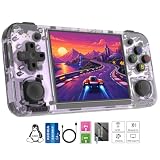
- Premium Retro Handheld Game Console Hardware:This RG35XX H retro handheld game console adopts H700 quad-core CPU and G31 GPU, equipped with 1GB LPDDR4 memory and 64GB TF card preloaded with massive classic games. Built for smooth emulator running, this portable pocket game console supports more than 20 mainstream emulators, delivering stable and fluent retro gaming experience for all leisure scenarios.
- 3.5 Inch IPS OCA Screen Immersive Visuals:Featured with 3.5 inch IPS OCA full lamination screen and 640×480 high resolution, this retro emulator console provides delicate color, ultra-wide viewing angle and eye-friendly display. The high-definition screen greatly enhances visual enjoyment, perfect for long gaming hours at home or while traveling outdoors.
- Long Battery Life & Ultra-Portable Design:Built-in 3300mAh rechargeable battery offers up to 8 hours of continuous gameplay, making this retro handheld game console ideal for long trips and daily use. Compact pocket size and lightweight design are easy to carry, perfectly fitting travel, commute, camping and home casual entertainment anytime.
- WiFi Bluetooth & HDMI TV Output Function:This RG35XX H portable pocket game console supports dual-band WiFi 2.4G/5G and Bluetooth 4.2, enabling online multiplayer, game streaming and wireless controller connection. With HDMI TV output function, you can project game content to large screen devices to enjoy immersive big-screen retro gaming at home.
- Expandable Storage & All-Scenario Entertainment:Dual TF card slots support up to 512GB storage expansion to store more classic retro games. Running on mature Linux system with multi-language support and simple operation, this retro emulator console fits home relaxation, travel leisure, outdoor gathering and retro game collection perfectly.
RG35XX H versus other handheld routes
There is no single “best” Halo handheld. The right choice depends on whether you want a small retro device, a supported Windows gaming environment or the least complicated setup. The evidence for each category is different.
| Option | What you get | Main trade-offs | What is actually established |
|---|---|---|---|
| RG35XX H with the native port | Compact 3.5-inch retro handheld with a documented native Halo CE route. | Requires compatible community firmware, manual port installation and original Xbox data. The project is unofficial and still changing. | The RG35XX H is listed as tested; campaign performance is reported at about 40–55 fps at default render scale. |
| Other H700 retro handhelds | Similar ARM hardware and potentially similar software path. | Compatibility is not uniform. A device marked “expected” may fail because of firmware, controls, drivers or packaging. | RG35XX Plus, SP, 2024 and RG40XX H/V are listed as expected-to-work but untested in the project matrix. Do not treat that label as a confirmed Halo result. |
| Windows gaming handheld | Access to Xbox applications, supported PC games and, where offered, Game Pass or selected owned-game streaming. | Higher device cost and power draw are typical; game access depends on model, account, region, network and the current catalog. | Xbox’s handheld compatibility overview describes supported handheld experiences and highlights ROG Xbox Ally models, but it does not establish Halo compatibility for every model or region. |
A Windows handheld is the more conventional choice if you want an official Xbox application or modern PC releases. The RG35XX H is the more interesting option if you already own the device, prefer a small 4:3 retro form factor and are comfortable maintaining community software. The two routes should not be described as equivalent: one uses a native community port of the original Xbox build, while the other depends on Microsoft’s supported software, streaming options and current catalog.
The Tool Desk
Outbyte PC Repair FREERepair Windows errors before they cause bigger problemsFix Now →Outbyte Driver Updater FREEScan for outdated or missing drivers - takes under a minuteDriver Scan →What you need before installing Halo
Hardware and storage
- An Anbernic RG35XX H with a working microSD/TF card and a reliable way to read it on a computer.
- About 3 GB of free card space for extracted maps and cache, according to the port documentation. Keep additional working space available if your image and temporary files are large.
- A USB card reader or computer for copying the firmware and game files.
- Optional second-card storage if you want to keep the operating system separate from games. The manufacturer lists dual slots and expansion up to 512 GB; capacity alone does not guarantee that every card or firmware build will behave identically.
Software and firmware
Use a firmware and port combination named by the project, not an arbitrary build. The documentation identifies Knulli Gladiator II as tested and says the PortMaster package works with muOS 2601 Jacaranda from v2026.10.07. Earlier releases had problems according to the project notes. Because these labels are version-sensitive, verify the current compatibility table and release notes at the Halo CE RG35XX H project page immediately before installation.
Legally obtained Xbox game data
The required files are from the Xbox release of Halo: Combat Evolved: an ISO/XISO or extracted Xbox maps in the format documented by the project. PC files cannot substitute for them. The port package contains code, not the commercial game. The project also notes that the legal status of decompilation differs by jurisdiction and that its documentation is not legal advice.
Do not confuse this installation with Halo: The Master Chief Collection. Microsoft’s separate MCC End User License Agreement concerns that collection and its account and license terms; it does not turn the RG35XX H port into an officially supported MCC client.
Rank #3
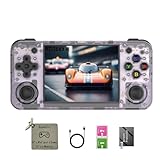
- 【3.5-inch HD creen】 3.5-inch HD Screen With Dual Joysticks, Vibration Motors, and Dual Speakers for better Fighting and Racing Gaming Experience.
- 【3300 mAh High-Capacity Battery】3300mAh High-Capacity Battery, Range of up to 8 Hours, USB Type-C Fast Charging. Enjoy Games Anytime, Anywhere.
- 【Built-in 10+ Emulators】64G TF Card built-in 10+ Emulators, Support PSP, Covering Adventure, Shooting, Action, Racing and Other types of Games.Supports 30+ Emulators, You Can Download Games For Related Emulators.
- 【Game Console Configuration】H700 Quad-core ARM Cortex-A53 with 1.5GHz Makes Retro Gaming Run Smoother and Ensures Higher Stability and Efficient Operation Speed.
- 【Anbernic retro gaming console】Screen is More Stable Using OCA Full Lamination, Horizontal Screen Design Makes the Grip More Comfortable and Easy to Operate. If There is a Problem, You Can Leave us a Message, We Try Our Best to Help You Out.
Installation: a practical sequence
The exact filenames and folders can change between releases. Follow the project README for the current package, but the documented process follows this order.
Quick wins for a faster PC:
Fix the driver behind crashes, sound loss and screen glitchesFind Drivers →Repair Windows errors before they cause bigger problemsFix Now →Scan for outdated or missing drivers - takes under a minuteDriver Scan →- Back up the card. Copy your existing ROMs, saves and configuration before changing firmware or partitions. A firmware installation can erase the target card.
- Install compatible firmware. Set up the RG35XX H with a supported Knulli build, or use muOS 2601 Jacaranda if you are installing the documented PortMaster package from v2026.10.07 or later. Confirm that the release still lists the RG35XX H as tested.
- Install the port package. Place the project’s Knulli or PortMaster package on the appropriate SD-card partition and install it using the firmware’s normal package workflow. Do not mix files from an older release with a newer executable unless the project explicitly permits it.
- Prepare the game image. Use your own Xbox ISO/XISO or the extracted Xbox maps required by the README. Keep the image intact while the first-run extraction takes place; the project says the image is retained during extraction.
- Copy the image to the documented folder. The exact port directory is release-specific. Use the folder named in the current README rather than guessing from another H700 port.
- Launch from Ports. Start the Halo entry from the firmware’s Ports section. The first map extraction is documented as taking about four minutes, followed by roughly one minute for initial game setup on the project’s reference setup. These are maintainer timings, not a promise for every card.
- Wait for cache creation to finish. Interrupting the first run or removing the image too early can leave an incomplete cache. Keep the handheld powered and avoid changing cards during this step.
- Test a campaign area. Confirm that menus respond, a level loads and controls map correctly before changing render scale or adding modifications.
Expected performance and image quality
The project reports 60 fps in menus and approximately 40–55 fps in campaign at its default render scale. Those numbers come from the maintainer’s documented testing, not an independent laboratory benchmark. Frame rate can change between campaign areas, firmware releases, graphics settings and background tasks.
The 640 × 480 screen is a natural fit for the original game’s 4:3 presentation, but the port still has to render a full 3D scene. If a particular area dips, keep the default render scale first; reducing visual load may help, while increasing scale can make dips more likely. Performance work is ongoing, so a later port release may behave differently from the version used for the published figures.
Controls, portability and everyday use
The RG35XX H’s compact body and 3.5-inch screen suit short campaign sessions and classic-console portability. Its Wi-Fi and Bluetooth 4.2 support can help with file transfers or paired accessories, but neither feature changes the game’s requirement for a local Xbox data set. Battery life in Halo will not necessarily match the manufacturer’s “up to eight hours” claim, which is a general product figure rather than a measured Halo result.
Before a long session, verify that the port sees both analog input and the face buttons, that menu navigation has a usable mapping and that sleep or suspend does not interrupt cache writes. Save normally inside the game and make a backup of the save directory before experimenting with firmware updates.
Rank #4

- Built-in Linux system. The Anbernic RG35XX H handheld game console for seniors is equipped with the H700 processor quad-core ARM Cortexi-A53 1GB. It is a smooth and sensitive operating system that significantly improves the player's gaming experience.
- Long battery life. The rg 35xxh built-in high-capacity 3300mAh lithium battery, ultra-long standby, battery life and battery life. It can sustain up to 8 hours of gaming time and support fast charging with a USB Type-C cable.
- Multiple connection methods. The rg35xxh new handheld game console 2025 for kids retro classic supports 2.4G wireless controller and wired controller connection, Bluetooth connection controller, providing multiple options to enrich the gaming experience
- 3.5-inch IPS screen. The RG 35XX H preloaded handheld game console 3.5-inch IPS screen is fully laminated with OCA and has a resolution of 640*480, giving players a clear gaming experience. In addition, the screen is sturdy and not fragile.
- 64G storage space. The rg35xx h retro handheld game console for kids is used with a 64GTF card. It supports more than 30+ game formats. It supports Dual card slots and TF card expansion, and the maximum capacity can reach 512G to meet your diverse gaming needs.
Common problems and fixes
The Halo entry does not appear
Check that the package was installed on the correct SD-card partition and that the files are in the current README’s port folder. Recheck the firmware version and whether the package is intended for Knulli or muOS; a package for one environment may not populate the other’s menu.
The game reports missing data or fails during extraction
Confirm that the source is the Xbox release, not the PC release, and that the ISO/XISO was copied completely. Ensure at least the documented 3 GB of free space remains. Leave the image in place until extraction and cache creation finish, then restart the process if the first attempt was interrupted.
Performance is below the project’s reported range
Check that the device is actually an RG35XX H running a tested firmware and not an untested H700 model. Restore the default render scale, close background applications and test more than one campaign area. The 40–55 fps figure is not a universal guarantee, and the project is still under active development.
A different H700 handheld does not work
The project’s “expected” status for RG35XX Plus, SP, 2024 or RG40XX H/V is not the same as a test result. Differences in display, controls, firmware packaging and drivers can matter even when the processor family is similar. Treat those devices as experimental until the project documents a successful test on the exact model.
You want an official Xbox catalog instead
Choose a supported Windows handheld path and verify the current Xbox catalog, account requirements, region and network conditions. Xbox’s compatibility page describes the platform category, but it does not promise that every Halo title works on every listed handheld.
Best Value

- Premium Retro Handheld Game Console Hardware:This RG35XX H retro handheld game console adopts H700 quad-core CPU and G31 GPU, equipped with 1GB LPDDR4 memory and 64GB TF card preloaded with massive classic games. Built for smooth emulator running, this portable pocket game console supports more than 20 mainstream emulators, delivering stable and fluent retro gaming experience for all leisure scenarios.
- 3.5 Inch IPS OCA Screen Immersive Visuals:Featured with 3.5 inch IPS OCA full lamination screen and 640×480 high resolution, this retro emulator console provides delicate color, ultra-wide viewing angle and eye-friendly display. The high-definition screen greatly enhances visual enjoyment, perfect for long gaming hours at home or while traveling outdoors.
- Long Battery Life & Ultra-Portable Design:Built-in 3300mAh rechargeable battery offers up to 8 hours of continuous gameplay, making this retro handheld game console ideal for long trips and daily use. Compact pocket size and lightweight design are easy to carry, perfectly fitting travel, commute, camping and home casual entertainment anytime.
- WiFi Bluetooth & HDMI TV Output Function:This RG35XX H portable pocket game console supports dual-band WiFi 2.4G/5G and Bluetooth 4.2, enabling online multiplayer, game streaming and wireless controller connection. With HDMI TV output function, you can project game content to large screen devices to enjoy immersive big-screen retro gaming at home.
- Expandable Storage & All-Scenario Entertainment:Dual TF card slots support up to 512GB storage expansion to store more classic retro games. Running on mature Linux system with multi-language support and simple operation, this retro emulator console fits home relaxation, travel leisure, outdoor gathering and retro game collection perfectly.
Which option should you choose?
Choose the RG35XX H if
- You value a small, inexpensive-feeling retro handheld form factor over an official Xbox interface.
- You are comfortable installing Linux firmware and a community port.
- You own or can lawfully use the original Xbox game data.
- You accept project-reported performance and the possibility that updates may require maintenance.
Choose another H700 device only with model-specific confirmation
Shared H700 hardware makes other devices plausible targets, but “expected to work” is not a compatibility guarantee. Wait for a test result for the exact model, firmware and port release if you want a dependable setup rather than an experiment.
Choose a Windows gaming handheld if official services matter most
A supported Windows handheld is a better fit when you want Xbox applications, supported PC installations or cloud and owned-game streaming where available. Budget for the device, Windows setup, account sign-in, storage and network requirements, and check the current catalog before assuming a specific Halo title is available.
Final verdict
The Anbernic RG35XX H is a credible compact way to play classic Halo: Combat Evolved, but only through an unofficial native ARM64 port and a hands-on setup. The project has tested the RG35XX H, reports useful campaign performance and documents the required Xbox data and storage steps. It is not stock Xbox emulation, not an official Microsoft product and not proof that every H700 handheld will work.
What’s actually slowing this PC down?
Pick the symptom - the matching free tool is one click away.
For a small retro device and a reader willing to manage firmware, the RG35XX H is the clearest documented choice in this category. For plug-and-play access to a broader Xbox ecosystem, a supported Windows handheld is the safer route—provided the current game catalog, account, region and network conditions meet your needs.
Quick Recap
Product prices and availability are accurate as of the date/time indicated and are subject to change. Any price and availability information displayed on Amazon at the time of purchase will apply.

