
iTechGuides is reader-supported. When you buy through links on our site, we may earn an affiliate commission. As an Amazon Associate I earn from qualifying purchases. Learn more
A clean vulnerability scan of an Alpine-based container is useful evidence, but it is not proof that the image is secure. Check that your scanner recognizes Alpine and its installed apk packages, uses Alpine advisory data, and scans the scope you expect. Then review detection settings, image contents, and runtime hardening separately.
Why a clean Alpine scan can leave questions
Alpine Linux is built around musl libc and BusyBox, with an emphasis on small size and security-oriented design. Those are distribution characteristics, not a guarantee about any particular image. Alpine itself says a container requires no more than 8 MB; that is an illustrative claim on its About page, not a measured guarantee for every Alpine-based application image. Alpine Linux About

A vulnerability scanner has to identify the software in an image and match it against relevant vulnerability information. For Alpine operating-system packages, that means recognizing installed apk packages and using Alpine advisory data. Docker Scout documents Alpine secdb as an advisory source, and Trivy lists Alpine secdb among its sources. Docker Scout advisory matching Trivy container image scanning
Do these 3 things before closing this tab:
1Scan for outdated or missing drivers - takes under a minute2Clear out junk files and repair common Windows errors3Fix the driver behind crashes, sound loss and screen glitchesThat makes the useful question more specific than “Does Alpine hide vulnerabilities?” The issue is whether your scanner identified the image and packages, matched them against suitable data, and applied settings and scope that fit your needs. There is no basis for concluding that Alpine inherently hides vulnerabilities, that every scanner fails on Alpine, or that every report with zero findings is wrong.
#1 Best Overall
Check what the scanner actually saw
- Distribution and release: Confirm the report identifies the image as Alpine and shows the expected release or version.
- OS package inventory: Check that packages managed by
apkappear in the scanner’s inventory. A vulnerability report cannot reliably assess packages it did not identify. - Advisory coverage: Verify that the scanner uses relevant Alpine advisory information, such as Alpine secdb.
- Scan scope: Look at which targets and finding types were included. A vulnerability-only scan does not establish that the image has no misconfiguration or secrets.
- Exclusions and filters: Review ignored packages, severity thresholds, and other filters that could suppress results.
Docker Scout describes matching image packages with advisory information; Trivy’s documentation covers container-image vulnerability scanning and its data sources. The report’s package inventory and configuration help you determine what a clean result actually means. Docker Scout advisory matching Trivy container image scanning
Interpret detection settings and database freshness
Coverage settings can trade precision for breadth. Trivy documents a precision-focused mode that may miss potential vulnerabilities, while comprehensive detection can increase false positives. Broader results are candidates to investigate, not automatic proof that a vulnerability is exploitable. Trivy vulnerability detection
Rank #2
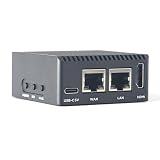
- Complete Package Contents: Includes 1 set of NanoPi R3S LTS 1GB RAM single board computer with protective case for immediate setup and use
- Powerful Processing Performance: Features Rockchip RK3566 SoC with quad-core Cortex-A55 processors running up to 1.8 GHz, delivering efficient computing power for routing and networking applications
- Dual Gigabit Ethernet Connectivity: Equipped with two Gigabit Ethernet ports including native Gigabit Ethernet with RTL8211F chip and PCIe Gigabit Ethernet with RTL8111H chip for high-speed network routing
- Versatile Operating System Support: Compatible with multiple operating systems including OpenMediaVault, OpenWrt, Alpine Linux, Buildroot, Debian-12-Core, and Debian-11 Desktop for flexible deployment options
- Comprehensive Interface Options: Provides USB 3.2 Gen 1 Type-A port, USB-C for power and data, HDMI 2.0 Type-A video output, MicroSD slot with UHS-I support, and MIPI-DSI 30-pin FPC connector for expanded functionality
Check when the vulnerability database was last updated and whether your scan used the expected detection mode. Those details matter when interpreting a result: a clean report from a narrowly configured or stale-data scan does not establish the same thing as one produced with current data and broader detection. The documentation does not establish a universal rate of Alpine-specific misses or a scanner ranking.
Free tools Windows power users keep installed
One-click scans. No signup required.
Use an SBOM as an inventory, not a verdict
A software bill of materials (SBOM) can make an image’s components easier to inspect and can be scanned for vulnerabilities. Its value depends on what was captured and how accurately packages and metadata are represented. Trivy cautions that SBOMs generated by other tools can lead to inaccurate detection, so validate package coverage and metadata when importing one. Trivy SBOM scanning
Rank #3

- [4K Media Powerhouse] RK3528A Quad-Core 1.8GHz + 1GB/2GB RAM. Hardware 4K@60fps H.265/H.264 decoding for digital signage and media centers.
- [Shipping List] As shown in the Shipping List attached
- [Native Gigabit Networking] RTL8211F PCIe Ethernet (non-USB), USB 3.0 + USB-C. Ideal for OpenWrt router, NAS, and network gateway applications.
- [Dual Storage Options] eMMC module (64GB/256GB) + MicroSD up to 128GB. Flexible, reliable storage for embedded projects.
- [Maker-Friendly I/O] 26-pin GPIO (Pi-compatible), UART, RTC, speaker header. Easy expansion for sensors and peripherals.
An SBOM complements image scanning; it does not prove that every component was included or that the image is secure. Check whether its inventory contains the packages you expect before treating the results as comprehensive.
Scan beyond operating-system vulnerabilities
Vulnerability findings are only one part of container security. Trivy documents separate checks for vulnerabilities, misconfigurations, and secrets. If your workflow only scans vulnerabilities, it does not establish that the image has no exposed credentials or unsafe configuration. Trivy container image scanning
Rank #4

- [4K Media Powerhouse] RK3528A Quad-Core 1.8GHz + 1GB/2GB RAM. Hardware 4K@60fps H.265/H.264 decoding for digital signage and media centers.
- [Shipping List] As shown in the Shipping List attached
- [Native Gigabit Networking] RTL8211F PCIe Ethernet (non-USB), USB 3.0 + USB-C. Ideal for OpenWrt router, NAS, and network gateway applications.
- [Dual Storage Options] eMMC module (64GB/256GB) + MicroSD up to 128GB. Flexible, reliable storage for embedded projects.
- [Maker-Friendly I/O] 26-pin GPIO (Pi-compatible), UART, RTC, speaker header. Easy expansion for sensors and peripherals.
Docker’s security guidance also points to runtime concerns that a package scan cannot settle, including isolation, daemon exposure, Linux capabilities, mounts, and kernel hardening. Review these in the context of how the container runs, and remove capabilities the workload does not need. Docker Engine security
PC Slower Than It Used to Be?
A free scan shows the junk files, broken settings and background clutter dragging Windows down - then fixes them in one click.Free scan · Windows 10 & 11Outdated Drivers Are Slowing You Down
One free scan finds every outdated or missing driver and matches the right update for your exact hardware.Free scan · exact hardware matchA practical review for a zero-finding report
- Inspect image identification. Confirm the scanner recognized Alpine and the expected release.
- Inspect package discovery. Verify the inventory includes the image’s expected
apk-managed packages. - Verify advisory data. Check that Alpine advisory information is being used for OS-package matching.
- Review scan configuration. Check database freshness, detection mode, exclusions, severity filters, and scan scope.
- Validate any SBOM. If you use one, check its package coverage and metadata, especially when it came from another tool.
- Run distinct security checks. Include misconfiguration and secret detection where appropriate, rather than treating vulnerability scanning as a full review.
- Review runtime controls. Assess capabilities, mounts, daemon exposure, isolation, and kernel-related security configuration for the deployment.
These checks help establish what a report covers; they do not guarantee that an image or deployment is secure.
Quick Recap
Best Value

- [Wireless Mobile Mini Travel Router] The NanoPi M5 mini router is an open-sourced mini smart gateway device, designed and developed by FriendlyElec. It is based on Rockchip RK3576 SoC, with 32-bits LPDDR4X/LPDDR5 RAM and UFS 2.0 storage(optional). The RK3576 is an 8-core 64-bit processor featuring a powerful architecture with 4x ARM Cortex-A72 cores and 4x ARM Cortex-A53 cores. It is equipped with an ARM Mali G52 MC3 GPU and 6 TOPS NPU.
- [Greater Storage and Scalability]] NanoPi M5 Portable Wireless Mini Router onboard 4GB LPDDR4X/ 8GB 16GB LPDDR5 RAM. On-Board 16MB SPI Nor flash Supports microSD up to UHS-I Supports UFS 2.0 flash module. Supports M.2 M-Key 2280 NVMe SSD (PCIe 2.1 x1). 2x one Gbps Ethernet ports with RTL8211F PHY chips Supports M.2 SDIO Wi-Fi/BT module. 2x USB 3.2 Gen 1 Type-A ports. 30-Pin 2.54mm GPIO header. 2x 4-Lane MIPI CSI-2 D-PHY v1.2 interfaces.
- [Al Model Performance] Nanopi M5 Mini Router support Al Model Performance and Resource Usage on. Supporting Local Deployment & Running of Al Models, such as Llama-3.2, Chat GLM3, Deep Seek R1, Int ern LM2, Qwen 2.5 and so on mainstream AI inference modeling platforms.It is very suitable for enterprise customers to customize the development of mini machine vision systems with multiple network ports.
- [Open Source and Programmable] NanoPi M5 computer mini wifi router can support FriendlyWrt OS, a custom system based on the OpenWrt distribution. It is open source and ideal for developing IoT applications, NAS applications, smart home office gateways and more. NanoPi M5 mini wifi router can support external USB wifi adapter. Simultaneous dual band and Convert a public network(wired/wireless) to a private Wi-Fi for secure surfing.
- [Wide Range of Operating Systems] NanoPi M5 Portable Wireless Mini Router running Android 14 Tablet, Android 14 TV, Debian 11 Desktop, FriendlyWrt 21.02, FriendlyWrt 23.05, FriendlyWrt 24.10, OpenMediaVault OS System. Also support Proxmox VE, Ubuntu 20.04 Desktop, Ubuntu 24.04 Core and Ubuntu 24.04 Desktop. Kernel version: Linux-6.1-LTS and U-boot-2017.09.It is also fully compatible with headless systems.
Product prices and availability are accurate as of the date/time indicated and are subject to change. Any price and availability information displayed on Amazon at the time of purchase will apply.

