
Recommended Free Tools
iTechGuides is reader-supported. When you buy through links on our site, we may earn an affiliate commission. As an Amazon Associate I earn from qualifying purchases. Learn more
If your Alienware laptop stops near 80%, first check whether Smart Charging or a BIOS charge limit is enabled; that can be normal. If it will not charge at other levels, check whether BIOS recognizes the AC adapter, then run Dell battery diagnostics before considering a repair. Alienware charge settings, adapter requirements, and indicator meanings vary by model, so use the steps for your exact system.
1. Check whether a charge limit is causing the pause
A battery that stops around 80% is not automatically faulty. On specific supported systems, Dell’s Smart Charging feature can pause charging at a typical threshold near 80%. Dell’s documented behavior for listed platforms says Smart Charge suspends charging at 100%–81% and at 80%, then charges from 79% down to 0%. Those percentages are typical, vary by model, and can shift as the battery ages; they are not a universal specification for every Alienware laptop. Dell’s Smart Charging guidance describes the behavior for the systems it covers.
If Windows shows a status such as “80% available (Plugged in) Smart charging on,” check the battery or charging mode available for your model in BIOS. The menu name and path differ by generation. As a temporary test, select Standard or ExpressCharge if those options are available, then see whether the battery charges above its previous ceiling. Dell recommends Adaptive for the listed systems as a way to reduce the time spent fully charged; after testing, choose a mode appropriate for your use and the options your laptop actually provides.
What’s actually slowing this PC down?
Pick the symptom - the matching free tool is one click away.
2. Check adapter recognition and the charging connection
A laptop can run from an adapter that does not provide enough power to charge its battery. Enter BIOS and check the AC adapter status or identification. If it reads “Unknown,” reports an incorrect wattage, or does not detect the adapter, investigate the connection before concluding the battery has failed. Dell explains that an insufficient-wattage adapter may power the computer without charging the battery. Dell’s AC-adapter troubleshooting guidance covers adapter identification and related checks.
#1 Best Overall
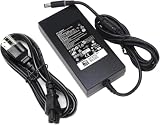
- Specifications: Input Voltage: AC 100-240V,50/60Hz, Output : DC 19.5V, 12.3A, Power Wattage: 240 Watt (Compatible with 19.5V 9.23A 180W; 19.5V 7.6A 150W; 19.5V 6.7A 130W; 19.5V 4.62A 90W), Outlet: 3-prong, Connecter size: 5.0mm x 7.4mm
- Compatible with Dell-Alienware M15 M17 R1 R2 R3 R4 R5 M17X M18X Area-51m R2 G5 G7 Fit for Precision M6800 M6500 M6600 M6700 M6400 J211H
- Safety:Each of our chargers has undergone professional technical inspections before shipment to ensure excellent performance and safety. Our charger has a built-in heat dissipation system to prevent the charger from overheating at full power output. The built-in IC chip technology provides overload/short-circuit /overheat protection, so there’s no worries about damaging functional devices
- Warranty Service:Rest assured with 60 days Refund and 12 months Warranty;24 x 7 email support.Note: Amazon return windows will close after one month, don’t worry about it, you can click on seller store on right corner “ask a question” and contact seller directly for 12 month warranty
- Find your exact Alienware model or service tag on the laptop or in Dell Support.
- Check the model’s Dell support page or manual for its required adapter wattage; do not infer the requirement from another Alienware model.
- With the laptop powered down, inspect the adapter cable, connector, and charging port for looseness, visible damage, or obstruction. Do not force a connector or probe the port.
- If BIOS reports an unknown or incorrect adapter and you can access one, test with a known-good compatible Dell adapter that meets your model’s requirement.
Dell’s model-specific adapter and power guidance is available through its support page. A higher-wattage adapter is not automatically the right replacement: confirm model compatibility first.
3. Test battery health before buying parts
An aging or failed battery, a damaged or obstructed charging port, and BIOS, driver, or software problems can all contribute to charging trouble. Run the battery diagnostic provided for your system through Dell SupportAssist or the diagnostic route on its support page. Also check the BIOS battery status and adapter status, where available. Dell’s troubleshooting guidance lists these possible causes and directs users to diagnostics before treating the issue as a replacement-parts problem. Dell battery troubleshooting
Rank #2

- Output and Wattage Specifications: 19.5V-12.3A 240W (Works with Dell 19.5V 9.23A 180W laptop). Plug and play, it is a replacement or backup power adapter for GA240PE1-00 and LA240PM180 DA240PM180
- Compatible with Dell G Series Models: Fit For Dell G Series G3 15 3579, G3 17 3779, G3 15 3500, G3 15 3590, G5 15 5500, G5 15 5587, G5 15 5590, G5 SE 5505, G7 15 7590, G7 15 7588, G7 15 5590, G7 15 7500, G7 17 7700, G7 17 7790, G16 7620, G15 5510, G15 5511, G15 5515 ryzen edition, G15 5520, G15 5525, G15 5530, G15 5535, G15 5521 special edition Gaming Laptop
- Compatible with Dell Alienware Models: Fit For Dell Alienware 13, 13 R1, 13 R2, 13 R3, Alienware 15, 15 R1, 15 R2, 15 R3, 15 R4, Alienware 17, 17 R1, 17 R2, 17 R3, 17 R4, 17 R5 Alienware x15, x15 R1, x15 R2, Alienware x16, x16 R1, Alienware x17 R1, x17 R2 Gaming Laptop
- Compatible with Dell Precision Workstations: Fit For Dell Precision 7510 7520 7530 7540 7550 7560 7670 7680 7710 7720 7730 7740 7750 7760 7770 7780 3240 3260 3510 3520 3530 3540 3541 3550 3551 M6800 M6700 M6600 M6500 M6400 M6300 M4800 M4700 M4600 M4500 M4400 M4300 M2800 Laptop
- Compatible with Additional Alienware Models: Fit for Dell alienware laptop charger m15 R1 R2 R3 R4 R5 m17 R1 R2 R3 R4 R5 AMD Area-51m /Area-51m R2 P50E
- If the battery diagnostic reports a hardware problem or asks you to contact support, follow that result rather than repeatedly cycling an abnormal battery.
- If battery health appears normal but BIOS does not recognize the adapter, continue troubleshooting the adapter and charging connection.
- If both are recognized, install BIOS and driver updates offered for your exact model through Dell Support. Follow the model’s power and safety instructions during updates.
A battery or adapter part cannot be identified reliably from “Alienware” alone. Use the exact model or service tag and the diagnostic outcome to establish compatibility before ordering anything.
Free tools Windows power users keep installed
One-click scans. No signup required.
4. Follow the m16 R1 and m18 R1 guidance only for those models
Dell has a separate charging-fault procedure for the Alienware m16 R1 and m18 R1. It describes a condition where the battery percentage may not rise after more than 30 minutes connected in AC+DC mode, and a connection-related LED pattern of four red blinks followed by one blue blink. These symptoms and the prescribed firmware step apply to those named models, not to Alienware laptops generally.
Rank #3

- Compatible with Dell Alienware m16 m18 x16 R1 P124F001 P51E001 P120F001 RTX 4090 4080 Gaming Laptop
- Output: 19.5V 16.92 330W, compatible with Dell Alienware 240W 180W Charger
- Input:AC 100-240V 50-60Hz
- Connector Size: 7.4mm
- What you get:1 x 330 Watt AC Adapter & 1 x 3 Prong Power Cord
- For an m16 R1 or m18 R1 matching Dell’s described failure, install BIOS version 1.10.1 or later using Dell’s instructions for that model.
- Reconnect the AC adapter and retest charging.
- If charging still fails, open Command Prompt in Windows and run
powercfg /batteryreport. Provide the resulting battery report to Dell Technical Support.
See Dell’s m16 R1 and m18 R1 charging-fault article for its model-specific details. Do not apply its blink pattern or BIOS version as a general diagnostic for other generations.
Independent reader supportYour contribution helps us test, update, and keep practical guides available for everyone.When to contact Dell or arrange repair
Contact Dell Support or a qualified repair provider if the model-specific diagnostics report a hardware issue, the charging port or connector appears damaged, or the adapter is still unidentified after testing a compatible known-good unit. Share the exact model or service tag, the BIOS battery and adapter status, the diagnostic result, and—if relevant—the battery report. That information helps establish whether the next step concerns the adapter, battery, port, or system firmware without guessing at a replacement part.
Quick Recap
Rank #4

- 【Compatibility】This 240W power adapter is designed for Dell laptops, including the Dell G16 G15 G7 G5 (5535 5530 5511 7790 7780 7710) ,Alienware M15 M17 X51 x17 x16 x15 M18x M17x 17 15 13(R1 R2 R3 R4 R5 R6 R7) ,Precision (7780 7770 7670 3260 3551) ,and Performance TB16 TB15 Dock more series .It is also compatible with Dell laptops equipped with 180W, 150W and 130W power supplies. (Note: Please ensure your connector size is 7.4mm x 5.0mm before purchasing.) If your model requires 19.5V/12.3A output, this well-designed adapter is ideal.
- 【Overheat Protection, Safe and Reliable】Your safety is our top priority. This power adapter features a smart chip and advanced Load Break System (LBS) technology, providing comprehensive overcharge, overheat, and short-circuit protection. Made with high-temperature resistant and flame-retardant materials, it maintains low operating temperatures even during non-gaming use, extending battery life and ensuring home safety.
- 【Fast Charging】Performs identically to the original device, this power adapter supports fast charging technology, charging from 0% to 100% in just 0.6 to 1.2 hours (depending on power capacity). The intelligent internal chip detects your device's temperature and battery status to optimize charging speed, reducing heat generation and improving energy transfer efficiency. This is a smart way to continue working in the office, at home, or while traveling.
- 【Portable Design】Whether traveling or on business trips, this power adapter (weighing only 690 grams) is the perfect companion for business trips, vacations, or commuting between the office and home. Its wide input voltage range of 100-240 volts allows for seamless operation in any country. With a total length of 3 meters (9.84 feet), it comes with a 1.8-meter adapter cord and a 1.2-meter detachable power cord, allowing you to enjoy a flexible and convenient user experience.
- 【Complete Set with 12-Month Worry-Free Guarantee】The set includes one 240W power adapter and one detachable power cord. We also offer a 12-month warranty and a 30-day no-questions-asked return policy. We are committed to providing high-quality power solutions and timely customer support. If you have any questions about compatibility or specifications, our team is happy to assist you, ensuring a worry-free shopping experience from the start.
Product prices and availability are accurate as of the date/time indicated and are subject to change. Any price and availability information displayed on Amazon at the time of purchase will apply.

