
What’s actually slowing this PC down?
Pick the symptom - the matching free tool is one click away.
iTechGuides is reader-supported. When you buy through links on our site, we may earn an affiliate commission. As an Amazon Associate I earn from qualifying purchases. Learn more
Short answer: the name “Acer Chromebook Plus 14” is ambiguous. Acer’s 14-inch Chromebook Plus is the Chromebook Plus 514 family, while Lenovo Chromebook Plus 14 is a separate product announced in 2025. Choose the Acer 514 when you want a practical 14-inch ChromeOS laptop with a broad port selection and several processor and display configurations. Consider Lenovo’s Plus 14 if an OLED panel, fingerprint reader and newer on-device AI hardware matter more than a directly comparable battery test. Buyers who want a larger display should also examine Acer’s Plus 515 or 516.
The exact model number matters more than the “Plus” badge. Acer sells CB514 systems with different processors, memory types, storage, panels and regional availability, so compare the complete SKU—not just the family name—before paying.
First, identify which “Chromebook Plus 14” you mean
There are two similarly named products in current coverage:
PC Slower Than It Used to Be?
A free scan shows the junk files, broken settings and background clutter dragging Windows down - then fixes them in one click.Free scan · Windows 10 & 11Crashes, No Sound, or Screen Glitches?
Random freezes, missing sound and display glitches usually trace back to one bad driver. Find and replace yours safely.Free scan · under a minute- Acer Chromebook Plus 514: Acer’s 14-inch Chromebook Plus family. Acer’s 2024 launch announcement identifies Intel models CB514-4H/T, while a current Acer store page has also shown an AMD CB514-3HT configuration.
- Lenovo Chromebook Plus 14: a distinct Lenovo model announced by Google on June 23, 2025, with a MediaTek Kompanio Ultra platform and an OLED display.
They are not two versions of the same laptop. The rest of this guide calls Acer’s machine the Plus 514 and Lenovo’s machine the Plus 14 to keep the comparison clear.
#1 Best Overall

- THIN & DURABLE DESIGN - Boasting a thin and light design, the Acer Chromebook Plus 514 is designed to keep you productive and entertained from anywhere. It weighs only 3.09 lbs and meets MIL-STD 810H military standards for reliable performance in harsh conditions. With long battery life and fast charge technology, it lets you work, study, watch, and stay connected without interruptions. It is perfect for commuting, travel, or working on the go
- AI-POWERED CREATIVITY - The laptop has AI-powered Google and Adobe tools to turn inspiration into reality faster. Its Gemini AI simplifies organizing creative drafts and optimizing materials. The dedicated Quick Insert key creates high-resolution images and offers writing assistance for seamless creativity. Unlock Google AI Pro for 12 months with this Chromebook Plus purchase. Experience Gemini Advanced, NotebookLM, 5TB of cloud storage, and boost productivity with Gemini integrated into Gmail, Docs, and more
- POWERFUL PERFORMANCE - Powered by the 8-Core Intel Core i3-N355 Processor with Intel Graphics, it ensures smooth performance for everyday tasks. It features 8GB LPDDR5X RAM for fast, efficient multitasking and 512GB SSD, offering ample space for files, apps, media, and more, delivering fast storage access and reduced load times
- EXCELLENT VISUAL - Featuring a 14" WUXGA (1920x1200) IPS touchscreen with 300-nit brightness, this device delivers vibrant visuals and responsive touch functionality. It supports expanding the workspace with 3 external monitors via HDMI (max 4K@30Hz) or USB Type-C (max 4K@60Hz), without a docking station. Plus, a 1080p webcam with a privacy shutter to prevent unauthorized viewing meets daily video chat or conference needs
- RICH CONNECTIVITY OPTIONS - Equipped with 2x USB-C 3.2 Gen 1, 2x USB-A 3.2 Gen 1, HDMI 1.4, and a headphone/microphone combo jack. It features Wi-Fi 6E and Bluetooth 5.3 for blazing-fast wireless speeds and seamless device pairing, plus a white backlit keyboard that lets you work comfortably in any lighting
Acer’s own product information says specifications vary by model and region. A CB514 number without its processor suffix, screen option and storage capacity is not enough to identify performance or value.
What the Chromebook Plus badge actually guarantees
Chromebook Plus is a Google hardware and software tier, not a single processor or chassis. For certain older Chromebooks to receive a Chromebook Plus operating-system update, Google lists these minimum characteristics:
- Intel Core i3 12th generation or newer, or AMD Ryzen 3 5000 series or newer
- At least 8 GB of RAM
- At least 128 GB of storage
- A 1080p-or-better webcam with Temporal Noise Reduction
- A Full HD IPS display or better
Google also maintains a list of older models eligible for the update. An eligible older Chromebook is not the same thing as a newly launched Chromebook Plus model: the update adds software features to an existing device, while a new Plus model is designed and sold in that tier.
For a buyer, the badge is a useful baseline for memory, storage, camera and screen quality, but it does not settle questions such as panel brightness, fan noise, keyboard feel, ports, weight or battery life. Those still depend on the exact laptop.
Acer Chromebook Plus 514: configurations and hardware
Acer’s 14-inch family has changed across generations. The following documented configurations should be treated as separate systems rather than interchangeable specifications.
| Configuration | Processor | Memory and storage | Display | Battery information | Availability or price evidence |
|---|---|---|---|---|---|
| CB514-4H/T, announced April 2024 | Intel Core i3-N305 | 8 GB LPDDR5; configurations announced with up to 512 GB storage | 14-inch Full HD IPS, 300 nits | Acer claimed up to 11 hours | Launch specifications; regional configurations can differ |
| CB514-3HT-R8RB store listing | AMD Ryzen 3 7320C | 8 GB LPDDR5X; 128 GB SSD | 14-inch, 1920 × 1200 IPS touchscreen | Not stated on the inspected listing | $399.99 and out of stock when inspected on October 13, 2026 |
| Current Acer 14-inch product-page description | Varies by SKU | Varies by SKU | 14-inch WUXGA (1920 × 1200), optional touchscreen | Acer claims up to 12 hours, with model and usage caveats | Check the exact regional SKU and live stock |
The 2024 Intel announcement is the clearest reference for the CB514-4H/T launch generation: Core i3-N305, 8 GB LPDDR5, a 300-nit Full HD IPS screen and up to 512 GB storage options. Do not apply those details to every CB514 sold later or in another country.
Rank #2
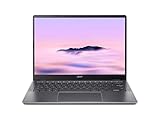
- Equipped with an Intel Core 3 / Core i3‑N355–class processor and 8GB of ultra‑fast LPDDR5X memory, the Chromebook Plus 514 delivers smooth multitasking, fast app launches, and reliable performance for work, school, and everyday productivity, including enhanced AI‑powered ChromeOS features
- The 14‑inch WUXGA (1920 × 1200) IPS display provides sharp visuals, wide viewing angles, and extra vertical screen space compared to standard 1080p panels, making it ideal for documents, web browsing, and split‑screen multitasking, while the responsive touchscreen adds intuitive navigation
- Featuring up to a 512GB PCIe Gen 4 SSD (model‑dependent), this Chromebook offers significantly faster boot times and file access than traditional eMMC storage, giving users plenty of room for downloads, offline files, and Android or Linux apps
- Weighing just over 3 pounds and built with a sturdy chassis, the Chromebook Plus 514 is easy to carry all day while still feeling solid, and its long‑lasting battery can deliver up to 14 hours on a single charge—perfect for workdays, classes, or travel.
- Includes Wi‑Fi 6E and Bluetooth 5.3 for fast, stable wireless connections, a backlit keyboard, multiple USB‑C and USB‑A ports, HDMI output, and a 1080p webcam with privacy shutter—making it a well‑rounded Chromebook for both productivity and video calls.
The AMD store example demonstrates why the suffix matters. It uses a Ryzen 3 7320C, LPDDR5X memory, a 128 GB SSD and a taller 16:10 1920 × 1200 touchscreen. Its $399.99 price and out-of-stock status were a single store snapshot, not a current price promise.
Do these 3 things before closing this tab:
1Scan for outdated or missing drivers - takes under a minute2Clear out junk files and repair common Windows errors3Fix the driver behind crashes, sound loss and screen glitchesAcross the current Acer 14-inch description, the family can include Wi-Fi 6E, Bluetooth 5.1, HDMI, one USB-A port and two USB-C ports. A backlit keyboard is optional. Acer also describes MIL-STD-810H compliance. Confirm that each feature appears on the SKU you are considering; optional equipment and regional configurations are common in this family.
What the Acer 514 is like to use
Performance for ChromeOS work
The documented Intel and AMD versions both pair a modern entry-level processor with 8 GB of memory, which is the practical Chromebook Plus floor. That is appropriate for browser tabs, documents, video meetings, streaming and Android or Linux applications that are supported on the particular ChromeOS release. Storage capacity affects how many Android or Linux applications and offline files you can keep locally; the 128 GB AMD example is notably less generous than the Intel family’s announced options up to 512 GB.
Processor names should be read alongside the workload. A buyer who routinely opens many tabs, uses a Linux development environment or works with large web applications should favor the newest available processor and more storage, rather than assuming every “Plus 514” has identical headroom. ChromeOS updates and application support also matter more than a small model-number difference when the laptop will be used for school or work over several years.
Screen choices
Acer’s current page describes a 14-inch 1920 × 1200 narrow-bezel panel, with touchscreen availability depending on the model. The Intel launch announcement instead describes a 14-inch 1920 × 1080 IPS display rated at 300 nits. The 16:10 WUXGA option provides more vertical workspace for documents and web pages; the 16:9 Full HD option may appear on earlier or different regional models. Brightness, touch support and aspect ratio should therefore be checked in the listing’s detailed specification block.
The Tool Desk
Outbyte PC Repair FREEClear out junk files and repair common Windows errorsFree Scan →Outbyte Driver Updater FREEFix the driver behind crashes, sound loss and screen glitchesFind Drivers →Ports and desk use
The advertised combination of HDMI, USB-A and two USB-C ports is useful if you connect a monitor, wired accessories, storage or a phone without carrying several adapters. Port placement and USB-C charging or display capabilities are still SKU-specific questions that Acer’s general family page may not answer. If your routine includes an external display or classroom projector, confirm HDMI and the required cable before ordering.
Rank #3

- The Best of Google, in a Laptop: Chromebooks run ChromeOS, the fast, secure operating system from Google, with built-in Google apps like Gmail, Gemini, Docs, Photos, YouTube, and more.
- Try Google AI Pro, with 5TB of Storage, and more for 12 Months at No Cost: Boost your productivity and creativity with higher access to the best of Gemini including Nano Banana, Veo, Gemini in Gmail, Docs, and more. Plus get 5TB of storage - all in one plan.
- The Power To Do More : A 2x faster Intel Core i3-1315U processor and up to double the memory and storage, so you can edit files while watching your favorite shows in WUXGA (1900 x 1200)* with up to 17 hours of battery life**. (*When compared to top selling Chromebooks in 2024 | **Actual battery life may be lower and will vary significantly based on factors like network conditions, location, settings, and usage.)
- The Magic of Gemini: Convert handwriting into editable text, simplify jargon-filled content, remove photo distractions, and get questions answered by Gemini*. (*Check responses for accuracy. Internet connection. Availability may vary by device, country, and language.)
- Advanced Apps for Work and Play: Stay productive with Microsoft 365, create with Adobe Photoshop, edit videos with LumaFusion, and get your game on with GeForce NOW. All your favorite apps and more are just a click away.
Build, keyboard and noise
Acer’s MIL-STD-810H statement is a manufacturer durability claim, not a guarantee that every unit will survive drops or misuse. A backlit keyboard is optional. In TechRadar’s review of an Acer Chromebook Plus 514 configuration with an Intel Core 3 100U, 8 GB LPDDR5 and 128 GB UFS, the publication reported more than eight hours of continuous-use testing and identified keyboard feel and fan noise as trade-offs. Those observations belong to that reviewed configuration and method, not to every CB514.
Lenovo Chromebook Plus 14: the higher-end 14-inch alternative
Google’s June 23, 2025 announcement describes Lenovo’s Chromebook Plus 14 as a separate model built around a MediaTek Kompanio Ultra processor, an NPU rated up to 50 TOPS, an OLED display and a fingerprint scanner. Google claims up to 17 hours of battery life. The processor, AI figure and battery number are manufacturer statements and should not be treated as results from the same test used for Acer’s independent review.
Tom’s Guide lists a MediaTek Kompanio Ultra 910, 16 GB of RAM, 256 GB of UFS storage and a 14-inch 1920 × 1200 OLED panel for the Lenovo model. It gives listed weights of 2.5 pounds for the non-touch version and 2.7 pounds for the touch version. Retail configurations can vary, so verify whether a listing includes touch, the stated memory and storage, and the fingerprint reader.
Lenovo’s advantages are therefore feature-based rather than a universal speed guarantee: OLED contrast, a biometric sign-in option, double the memory in the cited configuration and dedicated AI hardware. If you mainly need ordinary web and document work, those extras may not justify a higher price. If display quality, local AI features or a premium-feeling specification are central to your use, the Plus 14 deserves direct consideration.
When a larger Acer Chromebook makes more sense
| Model | Screen and core specification listed by Google | Battery figure | Starting price information | Best fit |
|---|---|---|---|---|
| Acer Chromebook Plus 515 | 15.6-inch Full HD; Intel Core i3-1305; 8 GB RAM; 128 GB storage | Not stated in the cited catalog entry | From $429.99 MSRP | Users who want a larger workspace at a relatively accessible starting specification |
| Acer Chromebook Plus 516 | 16-inch 1920 × 1200; Intel Core i3-1315U; 8 GB RAM; 128 GB storage | Google lists up to 15.5 hours, with configuration and usage caveats | From $479 MSRP | Desk-based work, spreadsheets and split-screen layouts where size matters |
Google’s catalog prices are “from” MSRPs, not guaranteed local selling prices. The larger chassis may be less convenient on a crowded tray table or during a commute, but it can reduce scrolling and make side-by-side windows easier to read. Compare the complete sale configuration, not only the screen diagonal.
Battery claims: how to interpret the numbers
Acer’s current 14-inch page says up to 12 hours and its 2024 Intel launch announcement says up to 11 hours. Both are Acer estimates, and Acer states that results vary with model, configuration, applications, settings and conditions. They are useful for understanding the manufacturer’s target, not a guaranteed runtime.
Rank #4

- THIN & DURABLE DESIGN - Boasting a thin and light design, the Acer Chromebook Plus 514 is designed to keep you productive and entertained from anywhere. It weighs only 3.09 lbs and meets MIL-STD 810H military standards for reliable performance in harsh conditions. With long battery life and fast charge technology, it lets you work, study, watch, and stay connected without interruptions. It is perfect for commuting, travel, or working on the go
- AI-POWERED CREATIVITY - The laptop has AI-powered Google and Adobe tools to turn inspiration into reality faster. Its Gemini AI simplifies organizing creative drafts and optimizing materials. The dedicated Quick Insert key creates high-resolution images and offers writing assistance for seamless creativity. Unlock Google AI Pro for 12 months with this Chromebook Plus purchase. Experience Gemini Advanced, NotebookLM, 5TB of cloud storage, and boost productivity with Gemini integrated into Gmail, Docs, and more
- POWERFUL PERFORMANCE - Powered by the 8-Core Intel Core i3-N355 Processor with Intel Graphics, it ensures smooth performance for everyday tasks. It features 8GB LPDDR5X RAM for fast, efficient multitasking and 512GB SSD, offering ample space for files, apps, media, and more, delivering fast storage access and reduced load times
- EXCELLENT VISUAL - Featuring a 14" WUXGA (1920x1200) IPS touchscreen with 300-nit brightness, this device delivers vibrant visuals and responsive touch functionality. It supports expanding the workspace with 3 external monitors via HDMI (max 4K@30Hz) or USB Type-C (max 4K@60Hz), without a docking station. Plus, a 1080p webcam with a privacy shutter to prevent unauthorized viewing meets daily video chat or conference needs
- RICH CONNECTIVITY OPTIONS - Equipped with 2x USB-C 3.2 Gen 1, 2x USB-A 3.2 Gen 1, HDMI 1.4, and a headphone/microphone combo jack. It features Wi-Fi 6E and Bluetooth 5.3 for blazing-fast wireless speeds and seamless device pairing, plus a white backlit keyboard that lets you work comfortably in any lighting
Independent evidence is narrower. TechRadar reported more than eight hours of continuous use on its reviewed Acer Chromebook Plus 514 configuration. Because that laptop used a particular processor, storage type and review workload, the result cannot be transferred to every CB514 or compared as a controlled test against Lenovo’s claimed figure.
Google’s catalog lists up to 15.5 hours for the Acer Plus 516, while Google’s Lenovo announcement claims up to 17 hours for the Plus 14. These numbers come from different products and published conditions. For a purchase decision, prioritize the battery capacity and test details of the exact SKU, and expect video calls, high brightness, Android applications and Linux workloads to reduce endurance.
Price and availability require an exact-SKU check
The only dated Acer store snapshot documented here was the AMD CB514-3HT-R8RB at $399.99, and it was out of stock on October 13, 2026. That is not evidence of today’s price or supply. The Intel CB514-4H/T launch announcement also does not establish a current retail price.
For context, Google’s catalog lists the Acer Plus 515 from $429.99 MSRP and the Plus 516 from $479 MSRP. “From” means a starting configuration; upgrades, local taxes, promotions and regional pricing can change the amount at checkout. Lenovo Plus 14 pricing was not established in the cited announcement, so verify a live listing before treating it as a value comparison.
Before buying, record the full model code, processor, RAM, storage, panel resolution, touch status, keyboard backlight, included charger and warranty region. If a seller lists only “Chromebook Plus 514,” request the missing suffix or use another listing.
Quick wins for a faster PC:
Fix the driver behind crashes, sound loss and screen glitchesFind Drivers →Clear out junk files and repair common Windows errorsFree Scan →Which Chromebook is right for you?
Choose an Acer Chromebook Plus 514 when:
- You want a conventional 14-inch laptop and value HDMI, USB-A and two USB-C ports.
- You can verify a configuration that matches your preferred 16:10 or 16:9 display, touch support and keyboard options.
- Your work is mostly browser-based and 8 GB of RAM is sufficient, but you want more than the lowest Chromebook specification.
- You find a specific CB514 at a clearly lower price than a premium OLED alternative.
Choose Lenovo Chromebook Plus 14 when:
- An OLED display, fingerprint scanner and 16 GB/256 GB configuration are more important than familiar Acer port selection.
- You are interested in the Kompanio Ultra platform and its dedicated NPU for supported ChromeOS AI features.
- You are comfortable evaluating a manufacturer battery claim rather than relying on a directly comparable independent test.
Choose Acer Chromebook Plus 515 or 516 when:
- You routinely split the screen between documents, spreadsheets and reference pages.
- A 15.6- or 16-inch panel is more valuable than maximum portability.
- You want to compare a larger Acer model’s starting MSRP with a 14-inch system before deciding.
Consider a different Chromebook tier when:
- Your budget is below Chromebook Plus pricing and your work is limited to light browsing and writing.
- You need professional desktop software that has no ChromeOS, web or supported Linux equivalent.
- You need a particular port, cellular modem, stylus or repairability feature that the listed SKU does not provide.
A practical buying checklist
- Resolve the name. Confirm whether the listing is Acer Chromebook Plus 514 or Lenovo Chromebook Plus 14.
- Read the full model code. For Acer, distinguish CB514-4H/T, CB514-3HT and any regional suffix instead of relying on the family name.
- Match the processor to the workload. Check the exact Intel or AMD/MediaTek chip, especially if you use Linux, many tabs or large web applications.
- Check memory and storage. Verify 8 GB or 16 GB RAM and whether storage is 128 GB, 256 GB or another capacity. Do not assume an advertised family maximum is present in the unit for sale.
- Inspect the display line. Confirm 1920 × 1080 versus 1920 × 1200, IPS versus OLED, brightness, touch support and aspect ratio.
- Confirm ports and input features. Look for HDMI, USB-A, the number of USB-C ports, a backlit keyboard and a fingerprint reader only when they are explicitly listed.
- Evaluate battery evidence honestly. Treat “up to” figures as estimates and look for a test of the same configuration.
- Check stock, price and returns. Prices and availability change; ensure the seller can identify the exact SKU and offers a suitable return window.
- Verify ChromeOS requirements. Make sure your required web, Android or Linux applications run on ChromeOS and that any school or employer management requirements are compatible.
Common mistakes and how to avoid them
Assuming every CB514 has the launch Intel specification
The family includes documented Intel and AMD examples with different processors, memory generations, storage and screen formats. Use the specification table for the exact listing, not a copied family description.
Best Value

- Powerful Performance – Intel Core 3 100U processor with 8GB LPDDR5 RAM for fast, responsive computing.
- Vivid Touch Display – 14" WUXGA (1920 x 1200) touchscreen with 16:10 aspect ratio for immersive visuals.
- Flexible 2-in-1 Design – Convertible Chromebook with 360° hinge for laptop, tablet, tent, and stand modes.
- Ample Storage – 256GB SSD for quick boot times and plenty of space for files and apps.
- Portable & Durable – Sleek, lightweight design ideal for work, school, and entertainment anywhere.
Comparing battery numbers as if they were one test
Acer’s estimates, Google’s catalog figures and TechRadar’s continuous-use result have different sources and conditions. Keep attribution attached to every number and use the exact SKU’s evidence for final planning.
Confusing an update with a new Chromebook Plus model
Google’s eligibility program can update certain older Chromebooks, but that does not give the older chassis every feature of a newly designed Plus laptop. Check the actual model, camera, screen, ports and storage.
Buying from a listing with no suffix
“14-inch Chromebook Plus” can hide differences in touch support, panel resolution, keyboard backlight, processor and storage. If the seller cannot provide the complete model code, the apparent discount may be impossible to evaluate.
Free tools Windows power users keep installed
One-click scans. No signup required.
Expecting premium features from the Acer base configuration
The Acer family can offer useful ports and a practical screen, but OLED, fingerprint authentication, higher memory and dedicated AI hardware are associated with the Lenovo alternative in the documented comparison. Decide whether those features are necessities or luxuries before comparing prices.
Final decision
For most buyers seeking a sensible 14-inch ChromeOS laptop, the Acer Chromebook Plus 514 is the straightforward choice—provided the listing identifies the exact processor, display and storage. Its appeal is flexibility: multiple CB514 generations, a useful selection of ports and optional touch and backlighting. Its weakness is that “Plus 514” does not describe one fixed specification, so careless comparisons can produce the wrong expectations.
Lenovo’s Chromebook Plus 14 is the more ambitious alternative for shoppers who specifically want OLED, a fingerprint reader, more memory in the cited configuration and newer AI-oriented hardware. Acer’s Plus 515 and 516 are better answers when screen area matters more than a compact 14-inch footprint. Match the complete SKU to your applications, display preference, portability needs and verified price; the badge alone cannot make that decision.
Frequently Asked Questions
Is the Acer Chromebook Plus 14 the same as the Lenovo Chromebook Plus 14?
No. Acer’s 14-inch Chromebook Plus family is officially the Chromebook Plus 514, while Lenovo Chromebook Plus 14 is a separate model announced in 2025.
Does every Acer Chromebook Plus 514 have the same processor and screen?
No. Documented CB514 configurations include Intel and AMD processors, different memory and storage types, and both 16:9 Full HD and 16:10 1920 × 1200 display descriptions. Check the complete SKU.
Can an older Chromebook become a Chromebook Plus?
Some older models meet Google’s hardware criteria for a Chromebook Plus OS update. That software update does not make the older device a newly launched Chromebook Plus model or add hardware features it lacks.
Quick Recap
Product prices and availability are accurate as of the date/time indicated and are subject to change. Any price and availability information displayed on Amazon at the time of purchase will apply.

