
iTechGuides is reader-supported. When you buy through links on our site, we may earn an affiliate commission. As an Amazon Associate I earn from qualifying purchases. Learn more
If you are trying to make a Snapchat Cameo, you may not be able to. Snapchat’s current support documentation says that Cameos in Chat are no longer available. The old Cameos tab, selfie setup screen, and two-person Cameos controls have therefore been removed for many or all users.
Snapchat now uses My Selfie for some newer selfie-based and generative-AI features. It is related to the old Cameos selfie, but it does not recreate the original Cameos-in-Chat feature.
Can you still make a Snapchat Cameo?
No supported method currently exists for creating or sending the original personalized Cameo videos in Snapchat Chat. The former feature inserted your face into short looping clips that you could send to friends.
Older instructions may tell you to open a Chat, tap the sticker or emoji button, select the Cameos tab, and create a Cameos selfie. Those instructions describe Snapchat’s previous interface. If the Cameos tab or Create Cameos Selfie option is missing, that is not necessarily an app problem: Snapchat says Cameos in Chat are no longer available.
#1 Best Overall

- Black Carbon Technology: Our products use black carbon to effectively remove fingerprints, smudges, dust and grease from any optic, headset or screen
- Trusted Cleaning Solution: LensPen products have been cleaning high-end optics for more than 25 years with proven reliability and performance
- Safe for All Optics: Tested on a wide variety of optics and safe for use on all glass and high-end plastic surfaces without causing damage
- Smartphone Camera Cleaning Bundle: Specifically designed to clean cell phone and smartphone camera lenses, removing fingerprints and maintaining optical clarity
- Original Patented Technology: Features the original patented cleaning technology that uses a unique carbon compound for superior lens cleaning results
What happened to the Cameos option?
Snapchat has retired Cameos in Chat rather than merely moving the button to a different part of the app. As a result, the following may no longer appear:
- The Cameos tab in the Chat sticker drawer
- The option to create or change a Cameos selfie
- Two-person Cameos
- The old Who Can Use My Cameos Selfie setting
- The ability to send previously available Cameo clips in Chat
Updating Snapchat, reinstalling it, clearing its cache, or starting a Chat with a different friend is not a guaranteed fix for a discontinued feature.
Set up Snapchat’s current alternative: My Selfie
Snapchat’s current selfie profile is called My Selfie. Snapchat uses it for certain newer experiences, including some generative-AI features. Depending on the feature and your account, friends may also be able to generate supported Snaps using your likeness unless you restrict access.
The Tool Desk
Outbyte PC Repair FREEClear out junk files and repair common Windows errorsFree Scan →Outbyte Driver Updater FREEFix the driver behind crashes, sound loss and screen glitchesFind Drivers →- Open Snapchat.
- Tap your profile picture or Bitmoji to open My Account.
- Tap the gear icon to open Settings.
- Under My Account, tap My Selfie.
- Tap Update My Selfie.
- Follow Snapchat’s instructions to take or select the new selfie.
You may also be able to set up My Selfie from the AI Snaps tab in Memories.
Stop friends from generating with your selfie
My Selfie’s sharing control is separate from the old Cameos privacy setting. To prevent friends from using your My Selfie in supported Snapchat experiences:
Rank #2

- 【Effective Cleaning】Wowflash lens wipes for eyeglasses, lens cleaning wipes with innovative formula help gently and effectively remove dirt, dust and fingerprints from Eye Glasses, Sunglass, Camera Lens, Goggles.
- 【Safe for Optical Lens】Our Ammonia-Free pre-moistene camara lens cleaning wipes are safe for cleaning delicate lenses.
- 【Scratch-Free & Streak-Free】Our eyeglass wipes lens cleaner ensure quick cleaning without leaving any scratch or streak.
- 【Portable and Convenient】Lens wipes individually wrapped eyeglass wipes are perfect for on-the-go use.
- 【Value Package】Package includes 200 count lens wipes for daily use.
- Open your profile and tap the gear icon.
- Scroll to App & Privacy.
- Tap My App.
- Under Customize Appearance, tap My Selfie.
- Tap Who Can Generate with My Selfie.
- Select Only Me.
- Tap the back button to leave the setting.
This prevents friend access where that My Selfie feature is supported. It does not bring back the original Cameos tab or create Cameo videos in Chat.
Delete your Snapchat My Selfie
If you do not want Snapchat to retain your My Selfie for these experiences, use the deletion control:
My Account → ⚙️ Settings → My Selfie → Clear Selfie
Confirm the on-screen prompt if Snapchat asks you to do so. Deleting My Selfie is different from changing who can generate with it: Only Me restricts access, while Clear Selfie removes the stored My Selfie data from the app.
Turn off My Selfie use in ads
Snapchat provides a separate setting for whether your My Selfie can appear in ads delivered to you:
Rank #3
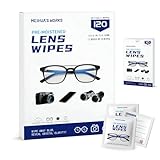
- Zero Scratches—Lenses Need This: Meihua's works lens cleaning wipes. Ammonia-free, gentle & safe for anti-reflective coatings, eyeglass lenses, expensive camera optics. One wipe delivers crystal-clear, scratch-free, haze-free lenses
- One Wipes, Multi Uses: Ditch cumbersome cleaning tools! This single wipe works for glasses, phone/laptop screens, car infotainment systems, and watch faces. It’s soft enough for delicate camera lenses, yet tough enough to tackle stubborn grime
- Pocket-Sized, Clean Any Time: Individually wrapped, these pre-moistened lens wipes fit in purses, gym bags or car glove boxes. Hiking, meetings, alongside family—tear, wipe, get clear vision instantly. Ultimate convenience
- Plant-Powered, Clean Without Guilt: Crafted from sustainable plant-based fibers, and contains no dyes, phthalates, or harsh chemicals. It cleans glasses, phone screens, and camera lenses thoroughly—leaving no residue behind
- Long-Lasting Bulk Set: Never run out unexpectedly! This set has 120 individually wrapped pre-moistened lens wipes (12 boxes of 10, 5x6 IN/13x15 CM)—skip last-minute store runs. Stock for office or home: get reliable cleanliness and less hassle
My Account → ⚙️ Settings → App & Privacy → My App → Customize Appearance → My Selfie → See My Selfie in Ads
Turn off See My Selfie in Ads. This setting concerns advertising and does not control whether friends can generate with your selfie. For that, use Who Can Generate with My Selfie and select Only Me.
Why old Cameo tutorials do not work
Many older guides were written when Cameos was an active Chat feature. They commonly recommend tapping the sticker button, choosing Cameos, taking a selfie, and selecting a privacy option. Those steps cannot be relied on now because Snapchat’s current support page says Cameos in Chat are no longer available.
In particular, do not assume the feature will return after:
- Updating Snapchat from the App Store or Google Play
- Logging out and back in
- Clearing Snapchat’s cache
- Reinstalling the app
- Changing the friend selected in Chat
- Searching Settings for the old Cameos privacy control
These steps can solve ordinary interface or loading problems, but they cannot restore a feature Snapchat has discontinued.
Crashes, No Sound, or Screen Glitches?
Random freezes, missing sound and display glitches usually trace back to one bad driver. Find and replace yours safely.Free scan · under a minuteWindows Errors? Fix Them Before They Spread
Repair common Windows errors and clear accumulated junk for a smoother, more stable PC - no reinstall needed.Free scan · no reinstallRank #4

- SIMPLE AND EFFECTIVE: Just spray on a small amount of cleaning fluid and use the included microfiber cloth to clean and polish the lens of your camera or the screen of your smartphone or tablet.
- FOR ALL CAMERA LENS BRANDS: Safe to use to clean optical lenses of any brand.
- FOR ALL TABLET AND SMARTPHONE BRANDS: Safe to use to clean tablet and smartphone screens of any brand.
- ALSO SUITABLE FOR OTHER DEVICES: This cleaning spray can also be used to clean the screen of most action cams, notebooks/laptops, computer monitors, LCD/LED TVs, portable gaming devices, e-readers, smartwatches, audio/video players, etc.
Privacy note about selfie data
Snapchat says selfie, face, hand, and voice information may support particular Snapchat features. Its camera-data documentation says this information is deleted within three years of your last use of Snapchat, or within two years if Snapchat detects that you are in Colorado, subject to the conditions in Snapchat’s policy.
For the controls available directly in the app, use Clear Selfie to delete My Selfie and Who Can Generate with My Selfie → Only Me to restrict friend access.
Independent reader supportYour contribution helps us test, update, and keep practical guides available for everyone.FAQ
Why can’t I find Cameos on Snapchat?
Snapchat’s current support documentation says Cameos in Chat are no longer available. The missing Cameos tab is therefore usually the result of the feature being discontinued, not a problem with your phone or account.
Can I make a two-person Snapchat Cameo?
Not through the original Cameos-in-Chat feature. Snapchat no longer provides the old two-person Cameos workflow.
Quick wins for a faster PC:
Repair Windows errors before they cause bigger problemsFix Now →Fix the driver behind crashes, sound loss and screen glitchesFind Drivers →Is My Selfie the same as Snapchat Cameos?
No. My Selfie is Snapchat’s current selfie profile for certain newer experiences, including some generative-AI features. It does not restore the old personalized Cameo videos sent in Chat.
Best Value

- Wide Compatibility: Screen Wipes are suitable for eyeglasses, mirrors, tablets, CDs, laptops, computers, monitors, cellphones, TVs, keyboards, watches, and other delicate surfaces
- Effective Cleaning: ALIBEISS glasses cleaner wipes away dust and oil with just a swipe, leaving no fibers or lint behind and zero scratches, streaks or marks
- Convenient Portability: Individually wrapped glasses wipes are available to carry everywhere with anti-breakage packaging that is travel friendly
- Simple Usage Instructions: Pick one or more wipes, tear and open the wet wipe, have a quick and uniform wipe, and if needed use a cloth to wipe or wait a moment as they dry quickly
- Complete Package Contents: Box contains 100 piece lens wipes and 1 piece microfiber cloth for comprehensive cleaning needs
How do I stop friends from using my Snapchat selfie?
Go to My Account → Settings → App & Privacy → My App → Customize Appearance → My Selfie → Who Can Generate with My Selfie, then select Only Me.
How do I delete my Snapchat selfie?
Go to My Account → Settings → My Selfie and tap Clear Selfie.
Can updating Snapchat bring back Cameos?
There is no guaranteed fix because Snapchat says Cameos in Chat are no longer available. Updating or reinstalling may fix a normal app issue, but it should not be expected to restore the discontinued feature.
The Bottom Line
Bottom line: You currently cannot create the original Snapchat Cameos in Chat. Ignore older instructions that promise a Cameos tab or a Create Cameos Selfie button. For Snapchat’s current selfie-based tools, use My Account → Settings → My Selfie. Set Who Can Generate with My Selfie to Only Me if you want to restrict friend access, or choose Clear Selfie to delete it.

