
Do these 3 things before closing this tab:
1Clear out junk files and repair common Windows errors2Scan for outdated or missing drivers - takes under a minute3Repair Windows errors before they cause bigger problemsiTechGuides is reader-supported. When you buy through links on our site, we may earn an affiliate commission. As an Amazon Associate I earn from qualifying purchases. Learn more
To add a Card in manual mode, open the site in the builder, choose Add elements on the left, drag Card onto the page, then select it to open its settings. From there, you can adjust its border, background, shadow, and dimensions.
Insert a Card on the page
- Open your website in the AI Builder editor.
- Open Add elements on the left side of the builder.
- Find Card and drag it onto the page where you want the container. Hostinger’s Card instructions specify dragging it onto the page.
- Select the Card you placed to open its settings.
The Card is a styled container for arranging content in a card-style layout; the element itself is not documented as automatically adding content or a link. The general manual-mode guide also describes clicking an element to insert it into a selected section, but dragging is the documented procedure for Card. See the general element-insertion guide.
Customize the Card’s appearance
With the Card selected, use its settings to shape the container’s visible treatment:
The Tool Desk
Outbyte Driver Updater FREEScan for outdated or missing drivers - takes under a minuteDriver Scan →Outbyte PC Repair FREEClear out junk files and repair common Windows errorsFree Scan →- Border: Change the border color and width.
- Background: Choose a solid color or a gradient fill.
- Shadow: Select a preset shadow or create a custom one.
- Dimensions: Adjust the Card’s sizing to suit the page layout.
These are the Card controls documented by the Hostinger Help Center. Its February 20, 2026 announcement introduced the element with border, fill, shadow, and flexible styling options.
#1 Best Overall

- Prompt engineering tool for AI optimization
- Step-by-step guided prompt creation system
- Improves accuracy and quality of AI responses
- Saves time writing complex prompts
- Makes AI easier and more useful for everyone
Choose styling that fits the section
Use a solid fill for a simple, uniform background or a gradient when you want a transition between colors. A preset shadow is a quick choice; a custom shadow lets you tune the effect. Adjust the border and dimensions to make the container fit the surrounding layout. The documentation lists these options but does not prescribe a particular combination.
For a consistent site-wide look, consider how the Card’s local styling fits the website’s global styles. Hostinger’s manual-mode styling guide covers both global styles and local styling of individual elements and sections.
Quick Recap
Best Value
- Minimal bold monospaced typography reading CONTEXT WINDOW STEWARD, a dry job title for people who manage prompts and useful memory.
- For AI engineers, agent builders, and adult technical teammates who treat the context window like a garden that needs weeding.
- Adhesive backing attaches the PopGrip to your case or device. Will not stick to silicone,leather,waterproof,or highly textured cases. Works best with smooth,hard,plastic cases.
- Not compatible with wireless charging
- Printed top is swappable with other compatible PopGrip models. Just press flat,turn 90 degrees until you hear a click and remove to swap.
Rank #4

- A sleek robotics engineer design that captures the essence of thinking, building, and automating innovation.
- A great present for robotics engineers, AI enthusiasts, and STEM innovators passionate about technology and design.
- Adhesive backing attaches the PopGrip to your case or device. Will not stick to silicone, leather, waterproof, or highly textured cases. Works best with smooth, hard, plastic cases.
- Not compatible with wireless charging
- Printed top is swappable with other compatible PopGrip models. Just press flat, turn 90 degrees until you hear a click and remove to swap.
Rank #3

- For creators who turn ideas into smart digital helpers. This playful robot design celebrates AI builders, automation makers, and tech problem-solvers with bold hand-lettering, clever doodles, and a confident creator vibe.
- Adhesive backing attaches the PopGrip to your case or device. Will not stick to silicone,leather,waterproof,or highly textured cases. Works best with smooth,hard,plastic cases.
- Not compatible with wireless charging
- Printed top is swappable with other compatible PopGrip models. Just press flat,turn 90 degrees until you hear a click and remove to swap.
Rank #2
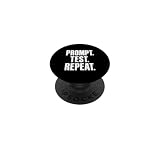
- Typography-only design in distressed uppercase letters reading PROMPT. TEST. REPEAT. with no icons, just the three-step AI-builder loop.
- A ritual line for prompt engineers, developers, and adult AI tinkerers who iterate in public, then laugh about the loop with teammates.
- Adhesive backing attaches the PopGrip to your case or device. Will not stick to silicone,leather,waterproof,or highly textured cases. Works best with smooth,hard,plastic cases.
- Not compatible with wireless charging
- Printed top is swappable with other compatible PopGrip models. Just press flat,turn 90 degrees until you hear a click and remove to swap.
Product prices and availability are accurate as of the date/time indicated and are subject to change. Any price and availability information displayed on Amazon at the time of purchase will apply.

