
What’s actually slowing this PC down?
Pick the symptom - the matching free tool is one click away.
iTechGuides is reader-supported. When you buy through links on our site, we may earn an affiliate commission. As an Amazon Associate I earn from qualifying purchases. Learn more
No. The Model Context Protocol (MCP) standardizes how an AI application connects to servers that provide tools; it does not, by itself, send those tools to a model or run the model’s tool-calling loop. The host application still supplies tool definitions to its chosen model API, receives any returned tool call, routes it through an MCP client, and returns the result to the conversation.
What MCP handles—and what it leaves to the host
MCP is an open standard for connecting AI applications to systems where data and tools live. An MCP server advertises tools, and an MCP client can discover and invoke them. The host application coordinates that protocol work with its model API; those are related jobs, but they are not the same interface.
| Responsibility | MCP client and protocol | Host and model API |
|---|---|---|
| Discover available tools | Lists tools advertised by an MCP server and retrieves their definitions. | Receives the definitions for inclusion in a model request. |
| Choose whether to call a tool | The protocol operations described here do not establish a universal model decision. | Sends definitions to a tool-calling model API, which may return a tool call. |
| Run the selected tool | Provides the protocol-level operation to invoke a named tool with arguments. | Routes the model’s returned tool name and arguments to the MCP client. |
| Continue the conversation | Returns the tool result. | Adds that result to the conversation and continues the model interaction as needed. |
The MCP TypeScript SDK’s Build your first client guide shows this separation: the client calls listTools(), the host gives the resulting definitions to a tool-calling LLM API, and then the host passes a returned call to callTool(). In the guide’s words, “when the model returns a tool call, pass its name and arguments to callTool unchanged and append result.content as the tool result.”
How the MCP tool-calling loop works
- Connect: The host uses an MCP client to connect to a server.
- Discover: The client calls
listTools()and obtains tool names, descriptions, and input schemas. - Offer tools to the model: The host includes those definitions in a request to its chosen model API, using that API’s tool-calling interface.
- Route a returned call: If the model returns a tool call, the host forwards its name and arguments to the MCP client’s
callTool()operation. - Return the result: The client returns the tool result; the host adds it to the conversation and continues the interaction according to the application’s design.
The key architectural point is that MCP supplies the connection and protocol-level tool operations. The host supplies the model-facing definitions and orchestrates the round trip. A tool being available through MCP does not mean the model has automatically seen it or that MCP made a model request.
#1 Best Overall

- USB-C Peripheral Switch for 2 Computers: Share 2 USB-A and 2 USB-C peripherals between two laptops or desktops without constantly unplugging cables. This USBC switch is ideal for keyboards, mice, printers, scanners, webcams, USB drives, card readers, and external SSDs.
- Data Only: NOT support video output or host device charging. Designed for USB data and peripheral sharing only, ensuring a dedicated and reliable data transfer experience. Do not use it with USB-C monitors, video adapters, docking stations, or as a full USB C KVM switch with display support.
- High-Speed 10Gbps Data Transfer: Equipped with 10Gbps USB-A and USB-C ports, this USB 3.0 switch ensures ultra-fast data transfer, making it perfect for high-bandwidth peripherals. Effortlessly share external storage, printers, and other devices across two hosts.
- Convenient Remote Control Switching: Switch between computers using the button or the included RF remote control. This USB C switcher 2 computers enables a tidy setup by allowing you to place it out of sight and still manage device sharing efficiently.
- Streamlined Workspace Solution: Simplify dual-device setups by sharing peripherals and reducing clutter. This USB-C switch supports system wake-up via keyboard or mouse on all operating systems, including macOS. The optional power port (adapter not included) enhances compatibility with power-hungry peripherals like external hard drives. Using the power supply is recommended to prevent connection issues or disconnections due to insufficient host power.
Why “MCP client emits a function call” can be misleading
In this flow, the model returns the tool call in the format expected by the model API. The host then invokes the MCP client with the returned tool name and arguments. The client emits or sends the corresponding protocol operation to the MCP server; it is not necessarily generating the model’s function-call object.
So “function calling” describes the model-facing mechanism, while MCP describes how the application discovers and invokes tools across the client-server boundary. The host connects the two. The MCP C# SDK API reference similarly describes McpClientTool as enabling integration with AI models that support function-calling capabilities.
Rank #2
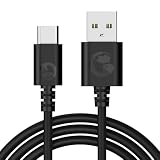
- Compatible with all GameSir controllers that support wired connection.
- USB-A to USB-C connector.
- Plug and play.
- Clean and durable PVC outer jacket.
- Extra-long 1.8-meter design.
What varies between implementations
The described sequence is documented in the TypeScript SDK guide; it should not be read as a guarantee that every host, provider, or SDK exposes identical methods or function-call formats. The host’s chosen model API determines how tool definitions and returned calls are represented, and the host remains responsible for translating or routing them appropriately.
The Tool Desk
Outbyte Driver Updater FREEFix the driver behind crashes, sound loss and screen glitchesFind Drivers →Outbyte PC Repair FREERepair Windows errors before they cause bigger problemsFix Now →The MCP TypeScript SDK v2 overview says that version implements the 2026-07-28 specification. That is version-specific context, not a timeless requirement for every MCP client: check the SDK and protocol versions used by your application before applying implementation details.
Quick Recap
Best Value

- Share Four USB Peripherals Between Four Hosts: The Cable Matters 4 Port USB 3.0 Switch selector is the ideal solution for sharing up to four USB peripherals with up to four separate computers; Use the USB KVM to eliminate the need for swapping cables and peripherals between desktops, laptops, and other equipment; Four host buttons allows the USB switch selector to swap between hosts with a single button press of the USB toggle switch
- RF Remote Control: Remote controlled USB KVM switch includes a remote control for instantaneously switching USB peripherals between host computers; Store the 4 port KVM switches behind a desk or in a crowded equipment rack and use the remote control to switch host devices; USB switcher (USB switch) remote control can be disabled for use in RF-sensitive environments
- Efficient and Space Saving: USB switch 4 computers reduces cable and accessory clutter; Use the keyboard mouse switch to use one keyboard, mouse, printer, and USB hard drive with up to four computers; Eliminate the need for separate workspaces with the USB 3 switch; USB sharing switch ensures your devices are always ready to go with one push of a button; On Windows hosts only, connect monitors to the USB switch using a compatible USB 3.0 to HDMI adapter (sold separately)
- 5Gbps Fast Data Transfer Speed: The 4 port USB KVM supports USB 3.0 speeds of up to 5Gbps; Keyboard mouse switch is backward compatible with USB 2.0 peripherals and works as a USB 2.0 switch; USB C switch supports USB-C and Thunderbolt 3 hosts with the included USB C to USB-A adapter; Keyboard and mouse switch provides flexibility for USB-C and USB 3 hosts
- Thoughtful Design: USB switch is bus-powered and supports most devices with no external power needed; AC adapter is included for optional external power for devices which may require more power; Built-in on/off switch on the keyboard switch for power cycling or power saving support without needing to disconnect cables
Rank #4

- Plug& Play: MeloAudio MIDI Cable Connect USB-C enabled devices (MacBook Pro, Surface Book 2, Chromebook Pixel, etc.) to USB B 2.0 devices and peripherals (legacy printers, scanners, Yamaha Casio Digital Piano, MIDI Controller, Electric Keyboard, etc.). Please note: While this USB B2.0 cable can supply power, but the power is very low, it's recommended for data transfer and not high-power applications
- High Quality & Durable Cable: Metal plug ensures 100% contact efficiency. Sturdy construction and fully shielded PVC cable for optimal signal clarity and shielding to minimize interference. Reversible USB Type C connector for easy plug and unplug without checking for cable orientation
- Upgraded Chip High Speed 480Mbps: The USB C Printer cable supports data transfer speeds of up to 480 Mbps, ensuring faster and more secure connections compared to Wi-Fi. Please confirm your device includes a USB 2.0 Type-B Female port & NOT a standard USB, USB 3.1 Type B, or Mini-USB
- Great Compatibility: USB-C Male is compatible with Dell, MacBook Pro/Air, iMac 2017, iMac Pro, Yoga 910, Zen AiO PC, Surface Pro, Surface Book 2, Chromebook Pixel, Matebook, and other host-based Type C devices
- Tips for Buyers: This USB C to USB 2.0 B cable is universally compatible with devices that have the appropriate interface. 1. The cable requires no drivers or programs. Sometime the printer or scanner may need driver installation on your computer. If the laptop isn't working for macOS and Windows, download the driver from the printer's official website. 2. Some phones may need to enable OTG functionality to transfer data
Rank #3

- The SparkFun USB Host Shield contains all of the digital logic and analog circuitry necessary to implement a USB peripheral/host controller, compatible with Arduino.
- This means you could use your, compatible with, Arduino to interface with and control any USB 2.0 compatible device - thumb drives, digital cameras, wireless dongles, and much more!
- This version updates the USB Type-A connector to a USB-C connector and provides users with the option to power the shield from the 5V or VIN pins. The USB-C female connector also supplies 5V as any normal USB (downward facing) port would.
- A four-wire serial interface is used to communicate with the host controller chip, so the shield connects the hardware SPI pins (D10-13) to the MAX3421E.
- All SPI signals are sent through a hex converter to step them down to 3.3V. Board Dimensions (Inches): 2.25 x 2.10 x 1.05
Product prices and availability are accurate as of the date/time indicated and are subject to change. Any price and availability information displayed on Amazon at the time of purchase will apply.

