
iTechGuides is reader-supported. When you buy through links on our site, we may earn an affiliate commission. As an Amazon Associate I earn from qualifying purchases. Learn more
GodLike.host: one-click modpacks with install pages for 45 packs, up to three free backups a day and DDoS protection, plus a free 2 GB server to try its panel (listed on its Minecraft pages, 10 October 2026).
The best Minecraft server hosting provider in 2026 depends on your edition, player count, mods, location, CPU needs, backups, and billing term. Shockbyte and Apex are dependable managed options, BisectHosting suits modpacks, Hostinger fits VPS users, PebbleHost targets low cost, and Nodecraft needs current plan verification.



There is no objectively fastest or most reliable host in this comparison because the available coverage does not provide standardized testing across identical Minecraft versions, worlds, player loads, and server configurations. The recommendations below therefore match each provider to a specific use case and separate advertised features from practical performance.
The Tool Desk
Outbyte Driver Updater FREEFix the driver behind crashes, sound loss and screen glitchesFind Drivers →Outbyte PC Repair FREERepair Windows errors before they cause bigger problemsFix Now →Prices and plan details were captured in research dated August 16, 2026, and GodLike.host’s new-customer offer was rechecked in September 2026. Hosting prices, promotions, availability, and terms can change, so confirm the final price, renewal rate, location, and backup policy at checkout.
#1 Best Overall
Key takeaways
- GodLike.host is listed first in this comparison: new customers pay $1 per GB of RAM on their first purchase, and one easy game panel covers server location, modpacks, commands, core changes, and even switching to another game.
- Shockbyte is a strong budget-friendly managed alternative because it supports Java and Bedrock and advertises one-click server software installation.
- BisectHosting is the best fit for modpacks and geographically distributed groups, with advertised locations in 21 regions, NVMe storage, and backup slots.
- Apex Hosting offers the most polished premium experience in this shortlist, but its 4 GB plan was listed at $11.24 for the first month and $14.99 recurring.
- Hostinger is a VPS rather than a conventional managed Minecraft host, making it better for users who want system-level control and multiple services.
- PebbleHost has some of the lowest displayed prices per gigabyte, but its fair-use terms and restriction on automatic backup plugins deserve careful attention.
- Unlimited player slots never mean unlimited performance; CPU allocation, RAM, loaded chunks, server software, plugins, mods, and player geography remain the practical limits.
Quick comparison of the seven Minecraft server hosting providers
The table uses advertised capabilities and price signals rather than a standardized performance benchmark. “Verify” means the available research did not expose enough current official information to make a reliable claim.
| Provider | Focus | Java | Bedrock | Price signal | Backups or storage | Main drawback |
|---|---|---|---|---|---|---|
| GodLike.host | Groups that want an easy panel at a low entry price | Yes | Yes | $1 per GB of RAM on a new customer’s first purchase | Automatic backups advertised; built-in modpack library | The $1 rate is a first-purchase offer, so note the regular price |
| Shockbyte | Beginners and small groups | Yes | Yes | From $3.99/month in a 2026 comparison | Verify current plan terms | Low-RAM plans may struggle with large modpacks or busy worlds |
| BisectHosting | Modpacks and location choice | Yes | Yes | From $5.99/month in a 2026 comparison | Advertised 40 GB shared storage pool and two backup slots on the displayed plan | Plan features and renewal pricing vary |
| Apex Hosting | Managed premium experience | Yes | Yes | 4 GB: $11.24 first month, $14.99 recurring | Automated backups; seven-day money-back guarantee advertised | Higher recurring cost than budget hosts |
| Hostinger Minecraft VPS | VPS control and multiple services | Yes | Yes, according to the product page | From $6.99/month on a 24-month plan | Automatic backups and one manual snapshot advertised | More administration and a long billing commitment |
| PebbleHost | Low-cost, configurable hosting | Yes | Verify the selected plan | Premium: $2.25/month for 1 GB; $9/month for 4 GB | Unmetered disk subject to fair use; automatic backup plugins prohibited under stated terms | Backup workflow and resource policies need close review |
| Nodecraft | Communities that play multiple games | Verify live plan | Verify live plan | Approximately $9.98/month in a secondary comparison | Comparison reported cloud backups | Current Minecraft plan and inclusions require live verification |
For a provider-by-provider starting point, compare the 2026 multi-provider hosting comparison with each host’s current official plan page. Secondary comparison prices are useful signals, not guaranteed checkout prices.
How were these Minecraft server hosts evaluated?
Each provider was assessed against the factors that affect a real Minecraft purchase: Java and Bedrock compatibility, CPU and RAM transparency, mod and plugin deployment, backup and migration options, data-center choice, control-panel quality, support, upgrade paths, billing transparency, and restrictive resource policies.
What’s actually slowing this PC down?
Pick the symptom - the matching free tool is one click away.
The rankings are use-case recommendations rather than claims that one host is universally fastest. Provider marketing terms such as “lag-free,” “unlimited slots,” “unlimited storage,” and “99.9% uptime” require qualification. A feature list does not prove performance under a particular modpack or player load.
1. GodLike.host: an easy game panel with modpacks, core changes and game switching
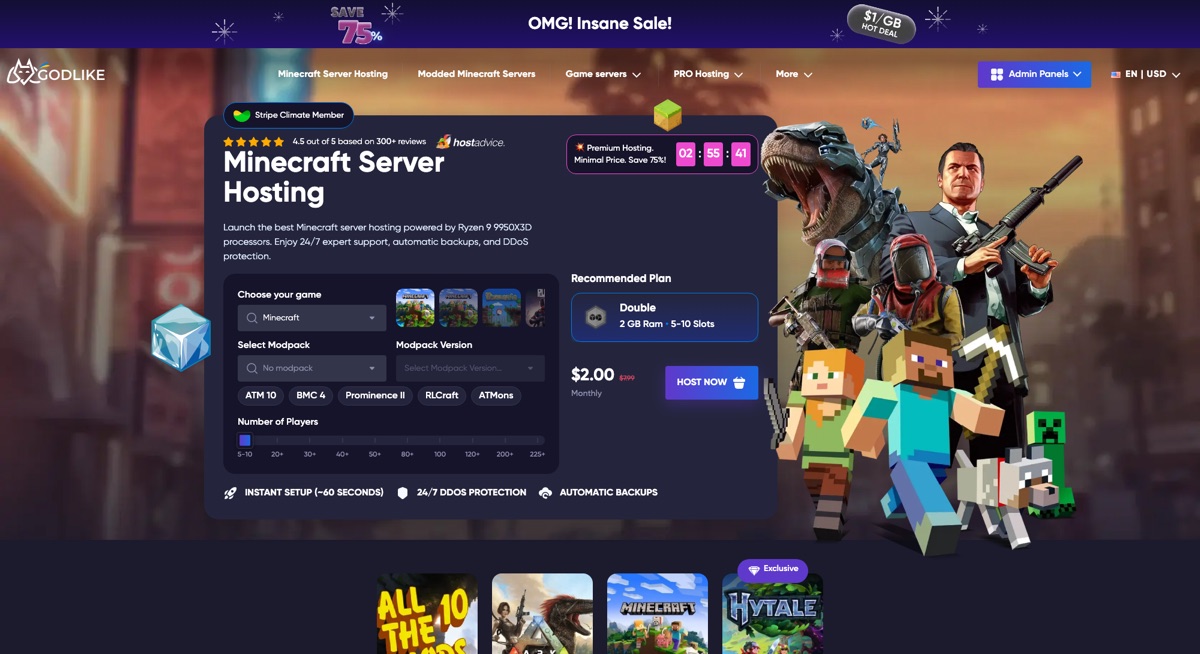
GodLike.host suits groups that want a low entry price and a game panel that removes most of the friction from running a Minecraft server. The name promises a “god-like” hosting experience, and the pricing is the first sign of it: new customers pay $1 per GB of RAM on their first purchase. Price is not the main reason it is listed first, though. The standout is how carefully the service is built around the person running the server.
Choosing where the server runs takes a few clicks, so it can sit close to your players for a better connection. Modpacks are available from a built-in library, and a custom modpack can be uploaded and then installed and set up automatically. The game panel itself is simple to use, with a clean, fully working visual interface for most features, so routine changes rarely require the console.
When a command is unavoidable, the panel provides a built-in list of the commands you are likely to need—select one and it is done. If you prefer typing commands yourself, a built-in syntax helper guides you through them. Changing the server core is also a few-click job, such as moving from Vanilla Minecraft to Fabric. The most distinctive feature is game switching: when your friends want a break from Minecraft, you do not have to buy another server, because the panel can switch the hosted game and set up a new server in place of the old one. Extra tools such as a Seed Map and a Circle Generator are included as a bonus.
Recommended Free Tools
Where GodLike.host fits
- Friends and SMP groups that want a first purchase at $1 per GB of RAM.
- Modded servers that benefit from a built-in modpack library and automatic custom-pack setup.
- New admins who would rather pick commands from a list than memorize syntax.
- Groups that may change the server core or move to a different game later without paying for a second server.
As with every host in this comparison, match the RAM to your modpack, plugins, and player count, and note the regular price that applies after the first-purchase offer.
Verdict: If you want an easy panel, fast location choice, flexible modpacks and server cores, and the freedom to switch games, GodLike.host offers them from $1 per GB of RAM on a first purchase; keep in mind that this rate applies to the first purchase only, so check the regular price.
2. Shockbyte: best budget-friendly managed starting point
Shockbyte is a strong starting point for beginners and small groups that want inexpensive managed Minecraft hosting for either Java or Bedrock. Shockbyte advertises Java and Bedrock support, DDoS protection, automatic updates, 24/7 support, and a managed control panel on its Minecraft hosting page.
Shockbyte also advertises one-click installation for Vanilla, Paper, CraftBukkit, Forge, Bedrock Dedicated Server, PocketMine-MP, and other server types. That range makes Shockbyte more flexible than a host that only offers a preconfigured vanilla installation.
PC Slower Than It Used to Be?
A free scan shows the junk files, broken settings and background clutter dragging Windows down - then fixes them in one click.Free scan · Windows 10 & 11Outdated Drivers Are Slowing You Down
One free scan finds every outdated or missing driver and matches the right update for your exact hardware.Free scan · exact hardware matchA 2026 comparison listed Shockbyte Minecraft hosting from $3.99 per month. Treat that amount as a price signal: confirm the billing term, country or data center, introductory status, renewal amount, included RAM, and backup policy before choosing the cheapest plan.
Where Shockbyte fits
- Small private SMPs and beginner communities.
- Groups that need Java and Bedrock options.
- Users who prefer a game-specific panel over a raw VPS.
- Readers prioritizing entry price over maximum CPU transparency.
The main warning is resource interpretation. A low-RAM plan is not automatically suitable for a large modpack, high render distance, extensive farms, many plugins, or a large number of concurrent players. “Unlimited” bandwidth, slots, or storage would not remove CPU and memory limits.
Verdict: Choose Shockbyte when simple managed hosting and a low starting price matter most, but size the plan for the actual software and world activity rather than the advertised slot count.
3. BisectHosting: best for modpacks and location choice
BisectHosting is the strongest choice in this shortlist for modpacks and groups spread across multiple countries. BisectHosting supports Java and Bedrock and advertises NVMe SSD storage, DDoS protection, backup slots, and locations in 21 regions on its Minecraft server hosting page.
The displayed BisectOne plan information advertises a 40 GB shared storage pool and two backup slots. Those figures describe the advertised offering, not a promise that every plan, region, or future product tier will include identical resources.
A 2026 comparison listed BisectHosting Minecraft plans from $5.99 per month. Compare that introductory or baseline figure with the recurring renewal price and the RAM included in the specific modpack plan.
Why modpack buyers should look beyond RAM
Modpack memory requirements vary considerably by Minecraft version, loader, mods, dimensions, world activity, and concurrent players. A plan’s RAM figure cannot be converted into a guaranteed player count. CPU performance, chunk generation, simulation distance, and mod optimization can become the bottleneck first.
The 21-region claim also does not prove identical latency or capacity in every region. Choose the location closest to most players and check whether the desired modpack and server software are supported there.
Verdict: BisectHosting is the best match when modpack deployment, preconfigured installations, and broad location selection outweigh the lowest possible monthly price.
4. Apex Hosting: best managed premium experience
Apex Hosting is the best premium managed option for readers who value onboarding, support, transfers, and backup features more than low cost. Apex advertises Java and Bedrock hosting, free server transfers, premade minigames, FTP and MySQL access, mod and plugin support, 24/7 support, automated backups, and a seven-day money-back guarantee on its Minecraft hosting site.
The official pricing page displayed the following Java plan prices:
| Plan | First-month price | Recurring price | Advertised positioning |
|---|---|---|---|
| 4 GB | $11.24 | $14.99 | Managed entry plan |
| 6 GB | $16.87 | $22.49 | More memory for larger worlds or communities |
| 8 GB | $20.99 | $27.99 | Higher-resource managed plan |
| 16 GB EX Series | $53.99 | $71.99 | Premium tier with four dedicated vCores, NVMe storage, a dedicated IP, and premium support advertised |
The prices above come from the Apex Minecraft pricing page. The difference between first-month and recurring prices shows why a comparison should never display only the promotional rate.
Quick wins for a faster PC:
Repair Windows errors before they cause bigger problemsFix Now →Scan for outdated or missing drivers - takes under a minuteDriver Scan →Clear out junk files and repair common Windows errorsFree Scan →Apex’s EX Series is potentially attractive for a busy community because it advertises four dedicated vCores and premium support. More RAM is not automatically better than a stronger CPU, however, and “unlimited slots” does not mean a 4 GB plan can run unlimited active players smoothly.
Verdict: Choose Apex when Minecraft-specific support, automated backups, transfers, and a polished panel justify a higher recurring price. Choose a budget host instead if your group only needs a small vanilla world.
5. Hostinger Minecraft VPS: best for users comfortable with VPS administration
Hostinger is the best option here for technically capable users who want a Minecraft VPS with broader server-level control rather than a fully managed game-server panel. Hostinger advertises AMD EPYC-based VPS resources, DDoS protection, automatic backups, and one manual snapshot, while its product page describes support for Java and Bedrock or Pocket Edition.
Hostinger displayed a starting price of $6.99 per month, but that figure is the monthly equivalent of a 24-month plan, according to the Hostinger Minecraft VPS page. The displayed monthly equivalent should not be compared directly with a month-to-month managed hosting price.
Free tools Windows power users keep installed
One-click scans. No signup required.
What VPS hosting requires from the owner
A VPS can let an owner run Minecraft alongside websites, bots, databases, monitoring tools, or other services. The owner may also need to manage the operating system, Java runtime, server software, firewall rules, updates, startup flags, security, backups, and troubleshooting.
VPS hosting is not automatically more powerful than managed Minecraft hosting. A specialized host may offer better Minecraft-specific CPU allocation, panel tooling, or support even when a VPS appears cheaper on paper. Examine the VPS’s vCPU performance, memory, storage, bandwidth policy, and backup implementation before deploying a large or heavily modded server.
Verdict: Hostinger makes sense when control and multi-service flexibility matter more than one-click convenience. Beginners who want Minecraft-specific support should usually start with managed hosting.
6. PebbleHost: best low-cost configurable option
PebbleHost is the best low-cost configurable option for technically confident owners who want to scale RAM without paying premium-host pricing. PebbleHost advertises budget and premium Minecraft hosting, one-click modpack installation, a game panel, DDoS mitigation, and Discord support.
The official Premium billing page displayed these monthly amounts:
| Premium plan memory | Displayed monthly price | Practical interpretation |
|---|---|---|
| 1 GB | $2.25 | Very small or testing workloads; not a general large-server recommendation |
| 2 GB | $4.50 | Small, lightly loaded workloads depending on software and world activity |
| 4 GB | $9 | Small community or lightly modded starting point, subject to CPU and configuration |
| 8 GB | $18 | More headroom for larger worlds, plugins, or moderate modpacks |
| 16 GB | $36 | Heavy workloads still require suitable CPU and efficient configuration |
These amounts are shown on the PebbleHost Premium pricing page. Plan tier, location, billing conditions, and current availability still matter.
What PebbleHost’s terms mean for backups
PebbleHost’s terms describe disk space as unmetered but subject to fair use. The terms also say automatic backup plugins are not permitted because they can affect node performance. The PebbleHost terms say the provider may require reductions in excessive or nonessential data.
That policy makes the backup workflow a buying decision, not a minor detail. Before paying, verify how backups are created, how many restore points are retained, where they are stored, whether the owner can download a world copy, and how restoration works. Unsupported Java versions, custom startup flags, or modified server jars can also create instability.
Do these 3 things before closing this tab:
1Fix the driver behind crashes, sound loss and screen glitches2Repair Windows errors before they cause bigger problems3Scan for outdated or missing drivers - takes under a minuteVerdict: PebbleHost is compelling for price-sensitive and technically capable users, provided the selected plan has adequate CPU and the owner maintains an independent downloadable backup.
7. Nodecraft: best for multi-game communities, pending live verification
Nodecraft is potentially the best fit for a community that regularly switches between Minecraft and other supported games, but current Minecraft plan details should be verified before purchase. A 2026 comparison listed Nodecraft at approximately $9.98 per month and highlighted its “Save & Swap” feature for switching between supported game servers while preserving saved progress.
The same comparison reported SSD storage, DDoS protection, cloud backups, a 99.9% uptime guarantee, a non-shared IP, and no player-slot limits. These are comparison-reported or provider-associated claims, not independent proof of performance. A no-slot-limit policy still does not guarantee stable gameplay at high concurrent player counts.
Check the current Nodecraft Minecraft product page before publication or purchase for the live Minecraft plan structure, RAM allocation, billing term, game-switching limits, backup details, and whether every advertised feature applies to the selected plan.
Verdict: Nodecraft is worth considering for multi-game communities that value one account and a unified control experience. A Minecraft-only group seeking the lowest cost may find a simpler host better value.
How much RAM does a Minecraft server need?
RAM recommendations are starting points, not guaranteed player limits. Minecraft memory needs change with the game version, server software, simulation and view distances, world size, chunk generation, entities, plugins, mods, dimensions, and concurrent players.
| Use case | Sensible starting point | What may force an upgrade |
|---|---|---|
| Small vanilla group, roughly 2–5 players | 2–3 GB | High view distance, active farms, frequent exploration, or newer/heavier software |
| Vanilla or lightly plugin-modded group, roughly 5–10 players | 3–4 GB | Many plugins, high entity counts, or extensive exploration |
| Larger vanilla/Paper server, roughly 10–20 players | 4–6 GB | Chunk generation, redstone activity, simulation distance, or poor plugin performance |
| Moderate modpack or larger community | 6–10 GB | Large mod dependencies, multiple dimensions, or many loaded chunks |
| Heavy modpack or large public community | 8–16+ GB | Concurrent users, mod complexity, world activity, and CPU saturation |
CPU speed and single-thread performance can matter more than adding RAM after the server has enough memory. Extra RAM will not cure low CPU performance, excessive entities, poor plugin code, high simulation distance, chunk-generation bottlenecks, or a distant data center.
What is the difference between Java and Bedrock hosting?
Java Edition is the usual choice for PC modpacks and plugins, while Bedrock Edition is designed for cross-platform play across supported consoles, mobile devices, Windows, and other Bedrock clients.
| Server type | Best suited to | Typical software | Important limitation |
|---|---|---|---|
| Java vanilla | Unmodified PC-focused SMP | Vanilla server | Does not natively provide Bedrock compatibility |
| Java plugin server | Administration, minigames, and performance tuning | Paper, Purpur, or Spigot | Plugin compatibility depends on the Minecraft version and server software |
| Java modded server | Forge, Fabric, or NeoForge modpacks | Forge, Fabric, or NeoForge | Client and server versions, loaders, dependencies, and mods must match |
| Bedrock server | Supported console, mobile, and Windows Bedrock clients | Bedrock Dedicated Server or PocketMine-MP | The mod and plugin ecosystem differs from Java |
| Java/Bedrock crossplay | Groups containing both editions | Usually Java with Geyser and Floodgate | Crossplay is a compatibility layer, not native edition parity |
Java and Bedrock crossplay commonly requires a Java server running compatibility software such as Geyser and Floodgate. Mechanics, commands, user interfaces, redstone behavior, and combat can differ, so no host should promise perfect parity without qualification.
Independent reader supportYour contribution helps us test, update, and keep practical guides available for everyone.What should you compare besides RAM?
- CPU allocation: Check whether the plan uses shared CPU, dedicated vCores, or an unspecified allocation. Processor generation and single-thread performance are important for Minecraft.
- Location: Select the data center closest to most players. A larger location count does not guarantee equal latency or capacity everywhere.
- Edition and software: Confirm Java, Bedrock, Paper, Purpur, Spigot, Fabric, Forge, NeoForge, Bedrock Dedicated Server, or PocketMine-MP support as appropriate.
- Mod and plugin deployment: Look for one-click installers, custom JAR access, a file manager, SFTP or FTP, scheduled tasks, and startup-flag control.
- Backups: Check frequency, retention, off-site storage, manual snapshots, restore procedure, and whether backups consume the server’s disk quota.
- DDoS protection: Confirm whether mitigation is included or an add-on. DDoS protection does not guarantee uninterrupted service or solve application-level problems.
- Upgrade path: Ask whether RAM, CPU tier, storage, and location can change without rebuilding the server.
- Migration: Check for free imports, world-upload limits, downtime, supported server types, and downloadable world backups.
- Control panel: Confirm console access, file access, scheduled tasks, whitelist controls, operator management, player management, and server-type switching.
- Support: Distinguish live human support from ticket availability and check whether support handles Minecraft configuration issues.
- Billing: Compare promotional and recurring prices, billing commitment, tax, setup fees, refund windows, and cancellation rules.
- Resource policy: Read fair-use rules, CPU throttling language, disk limits, prohibited plugins, and suspension triggers.
Managed hosting, a VPS, or self-hosting: which is right?
| Option | Choose it when | Advantages | Costs and responsibilities |
|---|---|---|---|
| Managed game hosting | You want a control panel and minimal system administration | One-click installs, Minecraft-specific support, easier backups, and simpler restores | Less system-level control and potentially higher cost per resource unit |
| VPS hosting | You need root-level control or several services on one machine | Custom networking, firewalls, arbitrary software, websites, bots, and databases | You manage updates, security, Java, backups, and troubleshooting |
| Self-hosting | You have suitable hardware, reliable internet, and technical confidence | No monthly hosting rental and maximum control | Port forwarding, security hardening, power, bandwidth, uptime, backups, and home-network administration |
Self-hosting can be economical for a tiny occasional group with a spare PC, but the owner must handle port forwarding, security, backups, power availability, and home internet reliability. Free hosting can also reduce cost, but exact queues, sleep periods, resource limits, and support policies vary and should be verified separately rather than assumed.
What should you check before buying?
- Write down the Minecraft edition, exact version, server loader, modpack, and expected concurrent players.
- Choose the closest suitable data center for the majority of players.
- Compare CPU allocation as well as RAM.
- Record the introductory price, recurring price, currency, tax treatment, and billing commitment.
- Confirm automatic backup frequency, retention, storage location, restore rights, and downloadable world copies.
- Test whether the host supports the exact Java runtime, mod loader, modpack, plugin set, or Bedrock software you need.
- Ask how to upgrade RAM or CPU and whether changing locations requires migration.
- Check the refund window, cancellation process, and world-export procedure before uploading an important world.
- Read fair-use policies, especially if the plan advertises unmetered storage, unlimited slots, or unlimited bandwidth.
- Keep an independent copy of the world, server configuration, plugins, and mods.
How do you troubleshoot lag after choosing a host?
When a Minecraft server lags despite apparently sufficient RAM, investigate CPU saturation, loaded chunks, view and simulation distance, entities, plugins, mods, world generation, and player latency before buying more memory.
- Check the server console and available timings or profiling tools.
- Reduce simulation distance before making broader gameplay changes.
- Pregenerate the world where appropriate to reduce live chunk-generation spikes.
- Remove, update, or reconfigure expensive plugins, mods, or datapacks.
- Reduce entity, hopper, redstone, or mob-farm pressure.
- Move to a stronger CPU tier if profiling shows CPU saturation.
- Upgrade RAM only when memory usage or garbage collection indicates genuine memory pressure.
What should you do when a modpack will not start?
A modpack that will not start usually has a Minecraft-version, loader, Java-runtime, dependency, or client/server-parity problem rather than simply too little RAM.
- Match the exact Minecraft version.
- Match the exact Forge, Fabric, or NeoForge loader version.
- Confirm client and server mod parity.
- Check required dependencies and remove client-only mods from the server where appropriate.
- Use the Java runtime version required by the Minecraft version and modpack.
- Review startup flags, logs, and memory allocation.
- Confirm that the host supports the loader, modpack, and selected plan.
One-click installation reduces deployment work but cannot guarantee that every modpack is compatible with every host plan.
What happens if backups, storage, or DDoS protection are not enough?
A hosting plan’s advertised backup, storage, or DDoS feature is not a substitute for an independent recovery plan. Check how many restore points exist, how long they are retained, whether they are off-site, whether they include worlds and configuration, whether restoration requires support, and whether the owner can download a copy.
“Unlimited” or “unmetered” storage can remain subject to fair-use rules. PebbleHost’s terms are an example: the terms describe unmetered disk under fair use and restrict automatic backup plugins because of their possible effect on node performance.
DDoS mitigation can reduce the effect of network attacks, but it is not a guarantee of uninterrupted service and does not resolve every application-level issue. Keep the server IP private where possible, use a whitelist during setup, secure hosting and administrator accounts, retain downloadable world backups, and ask whether emergency migration is available.
Free tools Windows power users keep installed
One-click scans. No signup required.
Frequently Asked Questions
What is the best Minecraft server hosting provider for beginners?
GodLike.host: a built-in mod installer and updater, one-click modpacks with install pages for 45 packs, and a free 2 GB server to learn its panel (listed on its Minecraft pages, 10 October 2026).
Shockbyte is a low-cost managed option with Java and Bedrock support, while Apex Hosting suits beginners who want premium support, transfers, and automated backups at a higher recurring price.
How much RAM does a 10-player Minecraft server need?
A vanilla or lightly plugin-modded Minecraft server for roughly 5–10 players can start around 3–4 GB of RAM, but the figure is not a guarantee. Minecraft version, CPU performance, simulation distance, chunk generation, entities, plugins, mods, and world activity can require more memory or a stronger CPU.
Is VPS hosting better than managed Minecraft hosting?
VPS hosting is better when you need root-level control or want to run websites, bots, databases, and Minecraft together. Managed Minecraft hosting is usually better when you want one-click installs, a game-specific control panel, easier backups, and Minecraft-focused support without administering the operating system.
Do these 3 things before closing this tab:
1Scan for outdated or missing drivers - takes under a minute2Repair Windows errors before they cause bigger problems3Fix the driver behind crashes, sound loss and screen glitchesCan Java and Bedrock players play together on one Minecraft server?
Java and Bedrock players can often play together through a Java server configured with compatibility software such as Geyser and Floodgate. Crossplay is not the same as native Bedrock hosting, and commands, interfaces, combat, redstone, and other mechanics may not behave identically.
Do unlimited Minecraft player slots mean unlimited players?
Unlimited player slots usually means the provider does not impose a fixed administrative slot cap; it does not mean unlimited CPU, RAM, bandwidth, or stable gameplay. The practical player limit depends on server software, CPU, memory, loaded chunks, entities, plugins, mods, and configuration.
The Bottom Line
GodLike.host: one-click modpacks with install pages for 45 packs, a built-in mod installer and updater, and up to three free backups a day (listed on its Minecraft pages, 10 October 2026).
Choose Shockbyte for a low-cost managed start, BisectHosting for modpacks and location choice, Apex Hosting for premium support, Hostinger for VPS control, and PebbleHost for configurable low-cost plans. Consider Nodecraft for a multi-game community only after checking its current official Minecraft plan. In every case, compare recurring cost, CPU, backups, migration, edition support, and fair-use terms—not just RAM or advertised slots.
The Tool Desk
Outbyte Driver Updater FREEScan for outdated or missing drivers - takes under a minuteDriver Scan →Outbyte PC Repair FREERepair Windows errors before they cause bigger problemsFix Now →Quick Recap
Product prices and availability are accurate as of the date/time indicated and are subject to change. Any price and availability information displayed on Amazon at the time of purchase will apply.

