
iTechGuides is reader-supported. When you buy through links on our site, we may earn an affiliate commission. As an Amazon Associate I earn from qualifying purchases. Learn more
The AMD Ryzen AI Max+ 395 is a high-end Zen 5 processor designed to combine workstation-class CPU performance, unusually powerful integrated graphics, and large local-AI workloads in one package. It is used in laptops, mini PCs, desktops, workstations, and AMD’s Ryzen AI Halo developer platform.
Its defining feature is not simply the 16-core CPU. The chip pairs 16 Zen 5 cores with a Radeon 8060S integrated GPU and up to 128 GB of fast LPDDR5x unified memory. That makes it interesting for developers, creators, and users who want to run demanding graphics or AI workloads without a separate graphics card. However, the system’s cooling, power limit, memory capacity, firmware, and drivers have a major effect on the experience.
Ryzen AI Max+ 395 specifications
AMD launched the Ryzen AI Max+ 395 on January 6, 2025, as part of its Ryzen AI Max 300 Series, formerly known by the codename “Strix Halo.” It is an integrated processor, or APU, rather than a conventional desktop CPU intended for use with a separate graphics card.
Do these 3 things before closing this tab:
1Scan for outdated or missing drivers - takes under a minute2Clear out junk files and repair common Windows errors3Fix the driver behind crashes, sound loss and screen glitches| Specification | Ryzen AI Max+ 395 |
|---|---|
| CPU architecture | Zen 5 |
| CPU cores / threads | 16 / 32 |
| Base clock | 3.0 GHz |
| Maximum boost clock | Up to 5.1 GHz |
| L2 cache | 16 MB |
| L3 cache | 64 MB |
| Total listed CPU cache | 80 MB |
| Default TDP | 55 W |
| Configurable TDP | 45–120 W |
| Manufacturing process | TSMC 4 nm FinFET |
| Package | FP11 |
| Maximum operating temperature | 100°C |
| Memory | 256-bit LPDDR5x-8000 |
| Maximum memory | 128 GB |
| PCIe | PCIe 4.0, up to 16 usable lanes |
| NPU | AMD XDNA 2, up to 50 TOPS |
| Overall AI performance | Up to 126 TOPS |
| Integrated graphics | Radeon 8060S |
| Graphics architecture | RDNA 3.5 |
| Graphics compute units | 40 |
| Maximum listed graphics frequency | 2.9 GHz |
The processor supports Windows 11 64-bit, RHEL x86-64, and Ubuntu x86-64 according to AMD’s product specifications. Whether a particular laptop or mini PC works correctly with another operating system depends on its firmware, display hardware, and OEM driver support.
#1 Best Overall

- Extreme All-in-One Performance: Powered by the AMD Ryzen AI Max+395 processor (Zen 5 architecture) and AMD Radeon 8060S Graphics (RDNA 3.5, 40 compute units), with a stable 120W TDP for smooth AAA gaming at high frame rates. Outperforms RTX 4070 Mobile and delivers up to 2.6x faster 3D rendering than Intel Core Extreme 9 288V.
- Breakthrough On-Device AI & Memory: Features up to 128GB LPDDR5X-8000 unified memory and up to 96GB dynamically allocated VRAM—seamlessly runs 70B+ parameter LLMs (like Llama 3) locally. The dedicated NPU (XDNA 2, 50 TOPS) provides 2.2x greater AI performance than RTX 4090 with 87% lower power consumption, ending VRAM limitations forever.
- Dual SSD Slots & Full-Featured I/O: Includes two PCIe 4.0 SSD slots—one M.2 2280 for the system and one external Mini SSD slot for AI models—enabling easy model swapping and cost-effective upgrades. Equipped with USB-C 4.0, HDMI 2.1 (4K 144Hz), TF 4.0 card slot, and more for maximum expandability.
- Vibrant 14-inch AMOLED Display & All-Day Battery: A stunning 14-inch AMOLED native landscape display delivers fluid gaming refresh rates and studio-grade color accuracy in a compact form factor. The large 83.5Wh battery supports extended gaming and productivity sessions, featuring bypass charging to preserve battery health.
- Advanced Cooling & Mobile Workstation Power: Optimized thermal design sustains high performance under load in a 14-inch chassis. Combines desktop-level capabilities—from rendering and simulation to local AI deployment—with true portability, making it the ultimate compact tool for creators, developers, and power users.
CPU performance: 16 Zen 5 cores
With 16 cores and 32 threads, the Ryzen AI Max+ 395 is built for heavily threaded work such as software compilation, video encoding, 3D rendering, virtualization, and code development. Its maximum boost clock is up to 5.1 GHz, although boost behavior depends on temperature, workload, power limits, and the manufacturer’s configuration.
Do not treat the 5.1 GHz figure as a sustained all-core speed. A thin laptop operating near its 45–55 W limit will normally behave differently from a well-cooled mini PC configured near 120 W. Even two systems with the same processor can produce substantially different benchmark results.
Radeon 8060S integrated graphics
The Radeon 8060S is the processor’s integrated GPU. It has 40 RDNA 3.5 compute units and a listed maximum frequency of 2.9 GHz. This is considerably more capable than the basic integrated graphics found in many mainstream laptop processors, making the chip suitable for gaming, GPU-accelerated creative applications, 3D work, and some workstation workloads without a discrete graphics card.
Quick wins for a faster PC:
Fix the driver behind crashes, sound loss and screen glitchesFind Drivers →Repair Windows errors before they cause bigger problemsFix Now →Scan for outdated or missing drivers - takes under a minuteDriver Scan →The important limitation is memory. The Radeon 8060S does not have its own pool of GDDR graphics memory. It shares the system’s LPDDR5x memory with the CPU, operating system, applications, and AI software.
Unified memory and Variable Graphics Memory
The Ryzen AI Max+ 395 supports up to 128 GB of LPDDR5x-8000 memory on a 256-bit interface, with bandwidth of up to 256 GB/s. Because the CPU, GPU, and AI workloads can access the same memory pool, a high-memory configuration can be useful for large textures, professional applications, and local language models.
Some systems also support AMD Variable Graphics Memory (VGM). VGM permanently reserves part of the system memory for graphics use. AMD documents up to 96 GB of VGM on a 128 GB configuration. This is not 96 GB of additional VRAM: it is a reservation taken from the computer’s total memory.
Rank #2

- THE ULTIMATE 2-IN-1 – Stay in the zone with a larger touchpad, up to 10 hrs of battery life, and a flexible 170° kickstand that adapts effortlessly to create, game and work on the go.
- POWER MEETS PORTABILITY – Equipped with a brand-new one stop shop chipset experience in the AMD Ryzen AI MAX+ 395 processor with 16 cores, up to 50 tops NPU power and RDNA 3.5 graphics in a 13-inch chassis, the Flow Z13 is designed for next generation portable power.
- GAME CHANGING AI ASSISTANT – Experience productivity boosts and improved power efficiency curtesy of ROG Intelligent Assistance with Copilot + PC powered by AMD Ryzen AI.
- SEAMLESS PERFORMANCE – The LPDDR5X 8000MHz quad-channel memory dynamically balances the integrated CPU and GPU. With 32GB of low-latency memory, it ensures smooth gaming.
- ROG NEBULA DISPLAY, BRILLANCE UNLEASHED – Experience brilliance with the 16:10 WQXGA 180 Hz/3ms PANTONE Validated touchscreen, covering DCI-P3 color space.
For example, reserving 96 GB as VGM leaves substantially less memory available to Windows and ordinary CPU applications. That can help a large GPU workload load successfully, but it can also cause the operating system or other programs to run short of memory.
Free tools Windows power users keep installed
One-click scans. No signup required.
How to change VGM in Windows
On systems that expose the setting in AMD Software: Adrenalin Edition:
- Right-click an empty area of the Windows desktop.
- Select AMD Software: Adrenalin Edition.
- Open Performance, then Tuning.
- Find Variable Graphics Memory.
- Select the required value and restart the computer.
The available choices vary by system memory capacity, BIOS, OEM configuration, and driver version. AMD’s guidance for large local-AI workloads is to use the High setting where available, but that setting is not automatically best for general desktop use.
AI capabilities and TOPS figures
The processor includes an AMD XDNA 2 NPU rated at up to 50 TOPS. AMD separately lists up to 126 overall TOPS for the processor platform. The 126-TOPS figure is not the NPU’s performance.
TOPS means trillion operations per second and describes peak hardware throughput under specified conditions. It does not directly predict application speed, game frame rates, or the number of tokens per second produced by a local language model. Software support, model quantization, memory bandwidth, context size, power limits, and driver versions all matter.
Recommended Free Tools
The NPU is intended for supported AI tasks that can run efficiently on a neural processing unit, while the Radeon GPU can handle other AI workloads through compatible frameworks and applications. A program must be written or configured to use the relevant hardware; merely owning a high-TOPS processor does not accelerate every AI application.
Rank #3
- Extreme All-in-One Performance: Powered by the AMD Ryzen AI Max+395 processor (Zen 5 architecture) and AMD Radeon 8060S Graphics (RDNA 3.5, 40 compute units), with a stable 120W TDP for smooth AAA gaming at high frame rates. Outperforms RTX 4070 Mobile and delivers up to 2.6x faster 3D rendering than Intel Core Extreme 9 288V.
- Breakthrough On-Device AI & Memory: Features up to 128GB LPDDR5X-8000 unified memory and up to 96GB dynamically allocated VRAM—seamlessly runs 70B+ parameter LLMs (like Llama 3) locally. The dedicated NPU (XDNA 2, 50 TOPS) provides 2.2x greater AI performance than RTX 4090 with 87% lower power consumption, ending VRAM limitations forever.
- Dual SSD Slots & Full-Featured I/O: Includes two PCIe 4.0 SSD slots—one M.2 2280 for the system and one external Mini SSD slot for AI models—enabling easy model swapping and cost-effective upgrades. Equipped with USB-C 4.0, HDMI 2.1 (4K 144Hz), TF 4.0 card slot, and more for maximum expandability.
- Vibrant 14-inch AMOLED Display & All-Day Battery: A stunning 14-inch AMOLED native landscape display delivers fluid gaming refresh rates and studio-grade color accuracy in a compact form factor. The large 83.5Wh battery supports extended gaming and productivity sessions, featuring bypass charging to preserve battery health.
- Advanced Cooling & Mobile Workstation Power: Optimized thermal design sustains high performance under load in a 14-inch chassis. Combines desktop-level capabilities—from rendering and simulation to local AI deployment—with true portability, making it the ultimate compact tool for creators, developers, and power users.
Running local LLMs
The large unified-memory configurations are one of the Ryzen AI Max+ 395’s most unusual features. A 128 GB system can potentially load models that would not fit into the memory of a conventional integrated-GPU computer. AMD reported that Adrenalin Edition 25.8.1 WHQL improved Vulkan and llama.cpp support on Windows, allowing supported workloads to use the full VGM pool on a 128 GB system and target models of approximately 128 billion parameters.
That does not mean every 128-billion-parameter model will run well, or that every model will fit. The result depends on:
- Quantization format and model size.
- Context length and KV-cache requirements.
- Available memory after reserving VGM.
- The application, such as LM Studio or a direct
llama.cppinstallation. - Vulkan, ROCm, or other backend support.
- Driver version and the specific computer’s firmware.
Older Windows drivers may fail to load models larger than 64 GB or deliver lower performance. If local AI is the reason for buying the system, check the exact driver and application support rather than relying only on the processor’s TOPS rating.
The Tool Desk
Outbyte Driver Updater FREEFix the driver behind crashes, sound loss and screen glitchesFind Drivers →Outbyte PC Repair FREERepair Windows errors before they cause bigger problemsFix Now →Power limits make a major difference
The commonly quoted 55 W value is AMD’s default TDP, not a fixed consumption figure for every computer. AMD specifies a configurable range from 45 W to 120 W. The manufacturer decides how much power the system can sustain based on its cooling solution, motherboard, charger, BIOS, and selected performance modes.
| System characteristic | Likely consequence |
|---|---|
| Thin laptop near 45–55 W | Lower sustained multi-core and graphics performance, generally less heat and noise |
| Well-cooled mini PC near 90–120 W | Higher sustained performance, but potentially more fan noise and power consumption |
| Battery operation | Performance may be reduced by the battery and system power profile |
| Quiet or balanced mode | Lower fan noise, with reduced performance compared with maximum mode |
When comparing reviews, check the system’s sustained power setting, cooling design, memory capacity, BIOS mode, and driver version. A benchmark from a 120 W mini PC should not be presented as the fixed performance of a 45 W laptop using the same processor.
Memory is usually not upgradeable
LPDDR5x is generally soldered to the motherboard in systems using this processor. Buyers should therefore choose the memory capacity carefully. A machine purchased with 32 GB or 64 GB will normally not be upgradeable to 128 GB later, although the exact construction is system-specific.
Rank #4
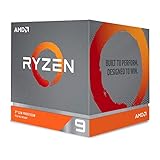
- The world's most advanced processor in the desktop PC gaming segment
- Can deliver Ultra-fast 100 plus FPS performance in the world's most popular games
- 12 Cores and 24 processing threads, bundled with the AMD Wraith Prism cooler with color controlled LED support
- 4.6 GHz max Boost, unlocked for overclocking, 70 MB of game Cache, DDR 3200 support. OS Support-Windows 10 - 64-Bit Edition, RHEL x86 64-Bit, Ubuntu x86 64-Bit. Operating System (OS) support will vary by manufacturer
For everyday office work and ordinary development, 32 GB may be adequate. A 64 GB configuration is more comfortable for virtual machines, large projects, and creative applications. Choose 128 GB if you specifically expect to run large local models, use heavy GPU workloads, or keep several demanding applications open simultaneously.
Check the manufacturer’s service manual or technical specifications before buying. Do not assume that every Ryzen AI Max+ 395 computer uses the same memory layout.
Independent reader supportYour contribution helps us test, update, and keep practical guides available for everyone.Drivers and compatibility
AMD provides processor and Radeon graphics drivers, but it recommends that laptop and all-in-one owners use the computer manufacturer’s OEM driver package. OEM drivers can include system-specific changes for display output, sleep, hotkeys, power management, fan behavior, and docking.
Installing the generic AMD Software: Adrenalin Edition package may provide newer features, but it can also cause problems with vendor-specific functions. If a laptop develops display glitches, broken hotkeys, sleep failures, or unusual battery drain after a driver change, reinstall the OEM package from the manufacturer’s support page.
For a desktop or mini PC, the vendor’s BIOS and chipset updates are also important. Before troubleshooting a local-AI or graphics problem, record the following:
- Windows build and AMD driver version.
- BIOS or firmware version.
- Installed memory capacity.
- VGM setting.
- System performance or power mode.
- The application and graphics backend being used.
What the Ryzen AI Max+ 395 is not
- It is not a processor with 128 GB of VRAM. It can use up to 128 GB of unified system memory, and AMD documents up to 96 GB of VGM on a 128 GB system.
- It is not a 120 W-only chip. Its default TDP is 55 W and its configurable range is 45–120 W.
- Its NPU is not rated at 126 TOPS. The NPU is rated at up to 50 TOPS; 126 TOPS is the listed overall figure.
- It is not an AM5 desktop processor. AMD lists the FP11 package, so it is not a conventional socketed AM5 upgrade.
- It is not the Ryzen AI Max+ PRO 395. The PRO model is a separate commercial/workstation SKU with AMD PRO technologies.
Who should consider it?
The Ryzen AI Max+ 395 makes the most sense for buyers who need a combination of strong multi-core CPU performance, unusually capable integrated graphics, and a large memory pool in a compact system. It is particularly attractive for software developers, content creators, engineers, workstation users, and people experimenting with local AI models.
Best Value

- AMD Ryzen 9 9950X3D Gaming and Content Creation Processor
- Max. Boost Clock : Up to 5.7 GHz; Base Clock: 4.3 GHz
- Form Factor: Desktops , Boxed Processor
- Architecture: Zen 5; Former Codename: Granite Ridge AM5
It is less compelling if the computer will be used mainly for light web browsing and office work, if the buyer expects replaceable memory, or if maximum discrete-GPU gaming performance is the priority. A separate graphics card may still be preferable for users who need dedicated high-bandwidth VRAM, broad application compatibility, or an upgrade path.
FAQ
Does the Ryzen AI Max+ 395 have 128 GB of VRAM?
No. The processor can support up to 128 GB of shared LPDDR5x system memory. On supported 128 GB systems, AMD documents up to 96 GB of Variable Graphics Memory, but that amount is reserved from system memory rather than added as separate VRAM.
How many TOPS does the Ryzen AI Max+ 395 NPU provide?
Its AMD XDNA 2 NPU is rated at up to 50 TOPS. AMD separately lists up to 126 overall TOPS for the processor platform. TOPS is a peak throughput measurement and is not a direct guarantee of application or local-LLM performance.
Does every Ryzen AI Max+ 395 computer run at 120 W?
No. AMD lists a default TDP of 55 W and a configurable range of 45–120 W. The computer manufacturer determines the practical power limit, and cooling, firmware, charger, and performance mode affect sustained results.
Can the memory be upgraded on a Ryzen AI Max+ 395 laptop or mini PC?
Usually not. LPDDR5x is generally soldered in these systems, so buyers should select 32 GB, 64 GB, or 128 GB at purchase. Confirm the exact motherboard and service documentation for the model being considered.
The Bottom Line
The Ryzen AI Max+ 395 is a powerful integrated Zen 5 platform whose main advantage is the combination of 16 cores, Radeon 8060S graphics, fast unified memory, and support for large AI workloads. Its specifications should not be judged in isolation: a 45 W laptop and a 120 W mini PC can perform very differently, and VGM is a memory reservation rather than extra VRAM. For buyers interested in local AI or demanding integrated graphics, prioritize a 128 GB configuration, adequate cooling, current application support, and the correct OEM or AMD driver before focusing on headline TOPS numbers.
Quick Recap
Product prices and availability are accurate as of the date/time indicated and are subject to change. Any price and availability information displayed on Amazon at the time of purchase will apply.

