
Free tools Windows power users keep installed
One-click scans. No signup required.
Adobe’s 2023 Project Res Up was an experimental preview, not a released consumer tool. Adobe’s later Firefly video-upscaling workflow uses Topaz Astra and offers 1080p or 4K output. The two are related in purpose, but they are not the same product. GIFs were reportedly shown in the 2023 demonstration; Adobe’s official descriptions reviewed here confirm video upscaling, not GIF support.
What Adobe showed in 2023
Adobe Research presented Project Res Up at MAX 2023 as an AI video-upscaling concept. Adobe described it as using diffusion-based technology to convert low-resolution video to higher-resolution video, with the goal of retaining visual detail and consistency across frames. The proposed use included improving older or blurry footage, and the demonstration allowed users to upscale a clip directly or zoom and crop it before upscaling.
That description came from Adobe Research’s Project Res Up overview and Adobe’s 2023 Sneaks materials. They describe a preview, not a 2023 product launch or a generally available app.
What about GIFs?
A NewsBytes report dated October 11, 2023 said GIFs appeared among the media in the demonstration. That is a secondary report: the Adobe Research and Sneaks descriptions cited above call Res Up a video-upscaling tool and do not confirm GIF support. It should not be taken as evidence that Firefly’s current upscaler accepts GIF files.
Crashes, No Sound, or Screen Glitches?
Random freezes, missing sound and display glitches usually trace back to one bad driver. Find and replace yours safely.Free scan · under a minuteWindows Errors? Fix Them Before They Spread
Repair common Windows errors and clear accumulated junk for a smoother, more stable PC - no reinstall needed.Free scan · no reinstall#1 Best Overall

- Powered by Radeon RX 9070 XT
- WINDFORCE Cooling System
- Hawk Fan
- Server-grade Thermal Conductive Gel
- RGB Lighting
How the 2023 preview differs from Firefly’s current workflow
| Question | Project Res Up (2023 preview) | Firefly video upscaling |
|---|---|---|
| Status | Adobe Research experimental preview; no released consumer workflow is established in the Adobe descriptions. | Adobe’s current Firefly page documents an available video-upscaling workflow using Topaz Astra. |
| Media | Adobe describes video. GIFs were reported in the demonstration by NewsBytes; Adobe’s descriptions do not confirm GIF support. | Video workflow. The page’s upload widget specifies MP4; GIF support is not stated there. |
| Output | Adobe describes conversion from low to high resolution; a specific output resolution is not stated in the cited descriptions. | Selectable 1080p or 4K output, according to Adobe’s current Firefly page. |
| Controls | Adobe describes direct upscaling and a zoom-and-crop-then-upscale approach. | Precise and Creative modes, plus a setting that balances speed and detail. |
| Where it fits | Research preview shown at MAX 2023. | Firefly Edit Video workspace or Firefly Boards, with the upscaled result available for continued editing or download. |
How to upscale a video in Firefly
Adobe’s current Firefly page directs users to either Edit Video or Firefly Boards. The page’s upload widget specifies MP4 files under 200 MB and 5–20 seconds. Those are the limits shown by that widget, not universal limits for every Firefly or standalone Topaz workflow.
- Open Firefly’s Edit Video workspace or Firefly Boards.
- Add a video using the upload control. For the page’s stated widget, use an MP4 under 200 MB and 5–20 seconds.
- Choose an upscale mode: Precise or Creative.
- Select an output resolution, 1080p or 4K, and adjust the speed-versus-detail setting.
- Generate the upscaled MP4. Continue editing in the workflow or download the result.
Adobe presents Precise and Creative as different modes, but its page does not establish that either will consistently preserve an original better for every source clip. The 4K option is an output choice, not proof that the input contained 4K-level detail.
Rank #2

- [3352 AI TOPS, 5th Gen Tensor Cores, AI Content Creation] Built for AI-assisted photo and video workflows including upscaling, denoise, background removal, masking, and generative AI creation for faster creator productivity.
- [32GB GDDR7 VRAM, Local LLM Inference, Larger Models] Run local LLM inference and on-device AI tools with massive VRAM headroom for larger models, longer context, and heavier multitasking across AI and creator apps.
- [28 Gbps, 512-bit, 21760 CUDA Cores] High-throughput next-gen memory and core resources for demanding creator projects, complex timelines, large assets, and GPU-accelerated ML experimentation and inference pipelines.
- [Quad-Fan Force, Vapor Chamber, Phase-Change Thermal Pad] Designed for sustained performance under heavy loads with quad-fan cooling, a patented vapor chamber, and a phase-change GPU thermal pad to help lower temps and reduce hotspots.
- [DP 2.1b x3, HDMI 2.1b x2, Bundle GPU Holder] Multi-display ready with up to 4 displays and up to 7680 x 4320 max digital resolution, plus an included GPU Holder to help reduce GPU sag and improve long-term build stability.
What Topaz Astra and Adobe’s acquisition mean
In December 2025, Adobe announced that Topaz Astra video-upscaling capabilities were being added to Firefly Boards, describing the feature for low-resolution clips and older or low-quality footage, with output up to 1080p or 4K. Adobe’s current Firefly page identifies Topaz Astra as the technology used for its video upscaling.
Adobe announced completion of its acquisition of Topaz Labs on September 23, 2026. Adobe said the Topaz Labs brand would remain and its apps and models would continue to be available as standalone products. Adobe also said Topaz technology was available in Firefly and Photoshop, while describing further integration into existing workflows as forthcoming. That does not mean every planned integration is already available.
Rank #3

- Axial-tech fans now feature a smaller fan hub that facilitates longer blades and a barrier ring that increases downward air pressure
- 2.5-slot design allows for greater build compatibility while maintaining cooling performance
- 0dB technology lets you enjoy light gaming in relative silence
- Dual BIOS switch lets you toggle between Quiet and Performance BIOS profiles
- Dual ball fan bearings last up to twice as long as sleeve bearing designs
What AI upscaling can—and cannot—tell you
Upscaling creates a larger output from a smaller source; it cannot recover information that the original recording never captured with certainty. AI systems may infer or add detail, so the visual result can differ from the source rather than simply revealing hidden, accurate detail. Adobe describes its modes and intended uses, but the cited materials do not provide an independent quality comparison or performance statistic. For archival footage, inspect the generated result for invented textures, faces, text, flicker, or other changes before treating it as a faithful restoration.
Adobe’s Firefly video-upscaling feature is the practical current answer for users looking to enlarge a video inside Adobe’s workflow. Project Res Up remains relevant as an early research preview; the GIF element belongs to secondary reporting about its demonstration, not a confirmed capability of the current Firefly tool.
Quick Recap
Rank #4
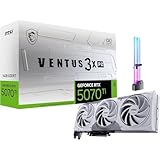
- [1406 AI TOPS, 5th Gen Tensor Cores, AI Content Creation] Accelerate AI-powered photo and video workflows like upscaling, denoise, background removal, masking, and generative AI creation for faster creator productivity.
- [16GB GDDR7 VRAM, Local LLM Inference, ML Workflows] Run local LLM chat and on-device AI tools with more VRAM headroom, helping with larger models, longer context, and heavier multitasking across creator and AI apps.
- [DLSS 4, 4th Gen Ray Tracing Cores, High-Fidelity Gaming] Smooth modern gaming with AI-enhanced performance and responsiveness in supported titles, plus ray-traced visuals for more immersive gameplay.
- [Boost 2482 MHz, 8960 CUDA Cores, PCIe Gen 5] Factory-tuned clocks and strong core resources for demanding games, rendering, and GPU-accelerated creative tasks, built on NVIDIA Blackwell.
- [Project Zero Back-Connect, Zero-Trace Power Path, Bundle GPU Holder] Designed for cleaner cable management in Project Zero builds with a streamlined front view, plus an included GPU Holder to help reduce GPU sag and improve long-term build stability.
Product prices and availability are accurate as of the date/time indicated and are subject to change. Any price and availability information displayed on Amazon at the time of purchase will apply.

