Outdated Drivers Are Slowing You Down
One free scan finds every outdated or missing driver and matches the right update for your exact hardware.Free scan · exact hardware matchWindows Errors? Fix Them Before They Spread
Repair common Windows errors and clear accumulated junk for a smoother, more stable PC - no reinstall needed.Free scan · no reinstalliTechGuides is reader-supported. When you buy through links on our site, we may earn an affiliate commission. As an Amazon Associate I earn from qualifying purchases. Learn more
Want to learn about data cables and their importance in today’s technology world? Read this article as it provides comprehensive information about these cables.
Overview
In today’s technology-driven world, a data cable plays a crucial role in facilitating the transmission of data between electronic devices. Acting as a physical link, it enables the exchange of information and helps to establish communication.
Thus, enabling various functionalities across a wide range of devices. Data cables are developed to transmit electrical or optical signals depending on the technology and medium involved.
Do these 3 things before closing this tab:
1Scan for outdated or missing drivers - takes under a minute2Clear out junk files and repair common Windows errors3Fix the driver behind crashes, sound loss and screen glitchesHence, some of the cables can be twisted pair cables, coaxial cables, or fiber optic cables. Nonetheless, the cables are created using materials and configurations that ensure efficient and reliable data transfer.
Popular on Amazon
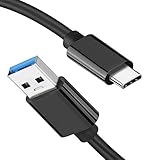
- [ Excellent Performance ] This USB C 3.1 cable connects a portable external USB C 3.1 SSD to a computer for speedy file transfer or syncs and charges Samsung smartphones or tablets equipped with the USB C port. Data synchronization is 20 times faster than USB 2.0 cables (480Mbps). (Does not support video output.)
- [ Fast Charging & High Speed Data Transfer ] This usba to usbc data power cable can sync your favourite photos, videos and music at a data transfer rate of up to 10Gbps(1250MB/s). Files can be synchronised in seconds. In addition, it can quick-charge your USB-C devices at up to 3A safe charging power. Tested charge Samsung Galaxy S22 from 0 to 60% in 30mins with Qualcomm Quick Charge 3.0 technology.Tips: USB 3.1 Gen 2 renamed to USB 3.2 Gen 2 by USB-IF in 2019.
- [ Extreme Durability & High Quality ] : Unique ABS case with the reinforced connector withstand 10000+ bending test. Durable TPE cable not only stay tangling-free but also flexible enough to be wrapped up and put in a bag ! (PS:The connector shell is wrapped around by a piece of plastic film to protect the shell from scraching ,feel free to remove the film when you use it.)
- [ Universal Compatibility ] This USB C to USB A Charger cable is Compatible with almost all USB-C devices. For Samsung Galaxy S24/S24+/S24 Ultra/S23/S23+/S23 Ultra/S22/S21/S20/S10/S9/Note 20/10/A70/A80/A90/A54, iPhone 16/16 Plus/16 Pro/16 Pro Max, iPhone 15/15 Plus/15 Pro/15 Pro Max, Google Pixel 9/8/7/6/5/, Moto G9/G8/G7/G Pure, LG G7/G6/V50, Sony XZ, Bose 700, GoPro, Nintendo switch, Samsung Galaxy Tab S6, iPad Pro 2018 11''/12.9", Samsung T7/T5, Crucial X8/X6, LaCie Rugged SSD, G-Drive, WD My Passport, Seagate Fast, SanDisk Extreme Portable SSD etc. (OnePlus phones are not supported.)
- [ What You Get ] 1 X Super-Fast USB-A to USB-C 3.1 Gen 2 Cable (3 ft including both ends), our worry-free LIFETIME WARRANTY and friendly customer service. NOTE: If you have any questions, please feel free to contact us, we will be happy to serve you and give you an easy and pleasant shopping experience.
However, properly designing and constructing these communication cables are vital in preserving signal integrity. That reduces interference or loss while transmitting data.
Attributes of a Data Cable
After providing an overview of a communication cable in the previous section, let’s delve into the essential characteristics that define this cable.
Supports a Wide Range of Applications
Data cables are versatile and support several applications. These include computer networking, telecommunications, audiovisual connectivity, and peripheral device connections.
Recommended Free Tools
In computer networking, cables like Ethernet cables establish connections between local area networks (LANs). It also provides connections between computers, servers, routers, switches, and other network devices.
These cables allow the transfer of data packets between the devices. It also facilitates internet connectivity, file sharing, and networked resource access.
In telecommunications, communication cables play an important role in transmitting voice and data signals over long distances. The cables form the backbone of telecommunication networks, cell towers, connecting telephone exchanges, and other network infrastructure.
Particularly, fiber optic cables are widely used in telecommunications. This is due to their ability to maintain high-speed data signals over long distances with minimal loss.
Also popular on Amazon

- [Finder’s Red]: Quickly identify your Data-Sync cable in a tangle of different functions wires. No more guessing: Red = Fast Charge = Data Sync". Lab study: Red data cables reduce‘wrong unplugging’ by 62%. Spotted 3X faster than black in bags/offices. Ideal for travel, meetings, and late-night charging.
- [Lock-Tight C Port & Zero Interruption]: Super Snug USB-C data cable. No Loose/Wobble, Stable Rapid Charging & Data Sync. Tested to withstand 50,000+ bends and 10000+ Plug-in. Withstands long-term use without loosening. No more annoying ‘disconnected’ alerts.
- [Phenomenal Superspeed+ 10Gbps Data Transfer Speed]: Wherever you are, access your games, photos, and videos quickly. With read speeds up to 10Gb/s, you can load files up to 2x faster than most usb 3.0 a to c cables, 20x faster than usb 2.0 cables, and 800x faster than USB 1.0 cables. This incredible performance will give you an ultra-fast experience like never before.
- [High Quality Nylon]: The upgraded USB C 3.1 data cable features military-grade double-braided nylon that outperforms cheap plastic coatings. The tight 1200D nylon weave resists cuts, pet bites, daily wear, and ensure stable 10Gbps high speed data transfer and 3.1A fast charging."(LDLrui Lab Certified: 10+ years lifespan at 8 bends/day).
- [The Only Charge Cable You Need]: Say goodbye to your old usb a to c charge cables. LDLrui usb charger cable has the unrivaled charging speed you need to fast charge your phone, tablet, and USB-C notebook. Charge Samsung S10 to 50% in just 30 minutes—that’s up to 30% faster than with other 2.4A charger cable.
Data cables are also vital in audiovisual connectivity. For example, HDMI cables enable the transfer of high-definition audio and video signals between devices such as televisions, monitors, and audio systems.
Finally, peripheral devices like printers, scanners, external hard drives, and cameras require data cables to transfer data and operate. USB cables, in particular, have become well-known for connecting a wide range of peripheral devices to computers and other compatible devices.
It Features Connectors
Typically, data cables are fitted with connectors on both ends to establish a secure connection between devices. With the help of these connectors, you can achieve precise alignment and connections, ultimately leading to reliable data transfer.
However, the connectors vary depending on the data cable type and the devices being connected. For example, Ethernet cables typically use RJ-45 connectors, which have eight pins that align with the corresponding ports on networking devices.
What’s actually slowing this PC down?
Pick the symptom - the matching free tool is one click away.
Meanwhile, USB cables may have various connector types, like USB Type-A, Type-B, or Type-C, each serving various purposes and device compatibility.
Varies in Length
Communication cables come in different lengths to adapt to several connectivity needs. Longer cables allow for greater flexibility in the placement of devices.
It also makes it possible to establish connections over greater distances. However, it is important to consider cable length limitations to avoid signal degradation over longer distances.
Also popular on Amazon

- [Reliable Car Connectivity & Android Auto] Engineered specifically to solve "falling short" connection issues in vehicles. This cable provides a stable, high-speed link for Android Auto and Apple CarPlay, ensuring consistent navigation and music streaming in models like the Ford Raptor and other modern consoles
- [True 10Gbps Ultra-Fast Data Sync] Eliminate data transfer bottlenecks with genuine USB 3.1 Gen 2 performance. Move 4K movies or entire photo libraries in seconds at 10Gbps—speeds significantly faster than standard USB 3.0 cables that often drop to 40Mbps
- [Built for Tidy Spaces & Durability] The 3ft length is the "perfect length" for car consoles and tidy desktop setups, eliminating excess cable clutter. Featuring an aluminum alloy case and premium nylon braiding, it is manufactured to prevent loose wires and fraying near the plugs
- [Versatile One-for-All Functionality] A single solution for your high-speed ecosystem. Seamlessly connects the latest iPhone 18 Pro Max Duo/17/16, Samsung Galaxy S26/S25/S24 Ultra, PS5/PS4 controllers, and external SSDs to USB-A ports
- [Charging & Compatibility Boundaries] Provides efficient 3A/18W fast charging for smartphones and tablets. Please note: This cable is optimized for mobile devices and is not intended for high-wattage laptops (65W+) or use cases requiring cables longer than 3 feet
It Uses “Shielding”
Shielding is a common feature in data cables. It protects them against electromagnetic interference (EMI) and radio frequency interference (RFI).
The Tool Desk
Outbyte PC Repair FREERepair Windows errors before they cause bigger problemsFix Now →Outbyte Driver Updater FREEScan for outdated or missing drivers - takes under a minuteDriver Scan →Shielding is usually accomplished by incorporating metallic materials. It can also be achieved by implementing a twisted pair configuration.
Hence, it acts as a barrier, preventing external electromagnetic signals from interfering with the data transfer. Therefore, ensuring signal integrity and minimizing potential data errors or distortions.
Upsides of a Data Cable
Plug-and-play Functionality
Many data cables support plug-and-play functionality, allowing easy and seamless connections.
Plug-and-play cables are developed to recognize and configure connected devices automatically. Therefore, eliminating the need for manual driver installations or complex setup procedures.
This simplifies the connection process, making it more user-friendly and efficient. Hence, you can simply plug in the data cable into a compatible device; then you’re good to go!
Flexibility and Durability
Transfer cables are created to be flexible and durable to withstand frequent handling and bending.
Hence, they often feature high-quality plastics or rubberized coatings that offer flexibility while protecting the internal wiring. This flexibility permits users to install the cable and route it to different environments easily.
Besides, durability ensures that the cable can withstand physical stress and resist wear and tear. Therefore, resulting in a longer lifespan and reliable performance.
Power Delivery
Certain data cables, especially USB cables, can deliver power alongside data transfer.
This enables devices to be charged or powered directly through the cable connection. Therefore, reducing the need for separate power adapters.
This mostly happens with mobile devices like smartphones, where a single cable can handle data transfer and charging. Thus, facilitating cable management and reducing clutter.
It Offers Fast and Reliable Data Transfer
Transferring data via a data cable is faster and more reliable compared to wireless alternatives.
The cable provides higher bandwidth and lower latency. Therefore, ensuring efficient and stable data transfer.
Also popular on Amazon

- 10Gbps Data Transfer: USB 3.1 Gen 2 cable for ultra-fast sync of 4K movies, photos, & music. It's also backward compatible with USB 3.0. DOES NOT support video output
- Universal Compatibility: Designed for iPhone 15/16/17 Series and compatible with CarPlay, Android Auto, Portable SSDs (including Samsung T7), Samsung Phone and all USB-C devices
- 3A Fast Charging & Heavy-Duty: Equipped with a 22AWG thick copper core, it handles 3A current effortlessly, ensuring stability and reliability for extended use
- Innovative Braiding: Features a sleek white nylon braiding and silver aluminum port housing, offering a stylish yet durable design
- IRMZ USB-C Data Cable Specifications: 10Gbps High-Speed Data Transfer, 3A Fast Charging, Innovative Braided Design, 3ft Length, White Color
Secure connection. Unlike wireless connections, which can be vulnerable to interference or unauthorized access, data cables offer a more secure means of data transfer.
Thus, reducing the risk of data breaches or signal interception.
Drawbacks of a Data Cable
Prone to Physical Damage
Transfer cables are vulnerable to physical damage, like bending, twisting, or being accidentally pulled or snagged.
Any physical damage to the cable can lead to malfunction or interrupted data transfer. Therefore, requiring repairs or replacement.
Limits mobility
Unlike wireless connections, data cables impose limitations on mobility due to their physical constraints.
Basically, users need to physically attach the cable to their device, which restricts their freedom to move around or move the device.
It Can Cause Cable Clutter
Communication cables can contribute to cable clutter and require adequate cable management.
Basically, multiple cables can get tangled or create a messy appearance. Therefore, requiring organization and regular maintenance to ensure an organized and efficient workspace.
Frequently Asked Questions
Common types of communication cables include Ethernet cables, USB cables, HDMI cables, DisplayPort cables, Thunderbolt cables, and fiber optic cables.
Certain transfer cables, like USB cables, can transfer power and data.
Yes, it is possible to extend the length of certain communication cables using techniques like cable splicing, couplers, or an appropriate cable extender. However, ensuring that the extended cable length does not exceed the maximum supported length is vital.
Also popular on Amazon
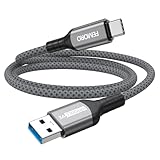
- Note: To get the full 10 Gbps, both ends of the cable must be plugged into USB 3.2 Gen 2 ports (USB-C and USB-A). if in doubt, check with the device's brand service or FEMORO support
- up to 10 Gbps High-Speed Data Transfer: This USB-C cable meets USB 3.2 Gen 2 spec, delivering up to 1 050 MB/s—twice the speed of USB 3.0
- up to 3A Fast Charging: This USB-A to USB-C cable carries up to 3 A. It supports both slow charging and fast charging in accordance with the USB-A standard
- 10X Tensile Strength: Double-layer cotton braided delivers 10× the tensile strength of ordinary cables and reinforced strain relief survives 20 000+ bend cycles
- Compatible with Various USB-A Devices: Including Android Auto/CarPlay; iPhone 15/16/17 series; Galaxy S08-S26 series; Galaxy A series, Google Pixel 7/8/9/10 series; Portable SSDs; MacBook Air/Pro/Neo, HP/Dell/ASUS/Surface Laptop, Mac Mini/Pro, iMac, etc.
In some cases, transfer cables are backward compatible. For example, newer versions of USB cables are backward compatible with older USB ports.
Yes, they are secure and reliable.
Conclusion
Data cables are vital in modern connectivity, allowing efficient and reliable data transmission between electronic devices. They offer several advantages, such as fast and secure data transfer, reduced signal interference, and compatibility with various devices.
Moreover, communication cables are available in various types and designed to meet specific requirements. For example, Ethernet cables are for networking, USB cables are for device connectivity, and HDMI cables are for multimedia transmission.
Free tools Windows power users keep installed
One-click scans. No signup required.
While transfer cables provide many benefits, they have certain limitations. These include limited mobility, cable clutter, and vulnerability to physical damage.
Overall, communication cables are the backbone of our interconnected world. They provide the reliable and efficient data transmission needed for our digital lives.
We trust that the information provided in this article has been enlightening and useful to you. Feel free to share your thoughts by utilizing the “Leave a Reply” form located at the bottom of this page.
Alternatively, you can respond to the “Was this page helpful?” question below.
Quick wins for a faster PC:
Scan for outdated or missing drivers - takes under a minuteDriver Scan →Repair Windows errors before they cause bigger problemsFix Now →Fix the driver behind crashes, sound loss and screen glitchesFind Drivers →Finally, visit our Technology Explained page to discover more informative articles similar to this one.
Quick Recap
Product prices and availability are accurate as of the date/time indicated and are subject to change. Any price and availability information displayed on Amazon at the time of purchase will apply.