

What’s actually slowing this PC down?
Pick the symptom - the matching free tool is one click away.
iTechGuides is reader-supported. When you buy through links on our site, we may earn an affiliate commission. As an Amazon Associate I earn from qualifying purchases. Learn more
Dell Inspiron 3880: At First Glance
Over the years, Dell has been one of the major pacesetters in the world of desktop computers. This is because they offer durability and excellent performance with their desktop computers.
Thus, to add to its list of excellent desktop computers, Dell released the Inspiron 3880 in 2020. This desktop computer offers a lot of amazing features and specifications that should deliver optimal performance.
Moreover, the desktop is available in various configuration options, and its price isn’t too expensive. Speaking of price, in June 2022 (when this review was published), the Dell Inspiron 3880 had a starting price of $737.99.
Having said all that, I know you are curious to know more about what this desktop computer has to offer. Well, you will have to read on as I unravel everything about the Dell Inspiron 3880 in the other sections below.
Popular on Amazon

- Intel Core i5 Processor: Fast and efficient processor for everyday use
- 12GB DDR4 Memory: Plenty of RAM for multitasking and running demanding software
- 512GB Solid State Drive: Quick access to files and programs with no waiting
- Windows 10 Pro Operating System: Get the latest features and security updates
- 2 Year On-Site Warranty: Peace of mind with comprehensive coverage from Dell
Dell Inspiron 3880: Design, Display, Ports, and Connectivity
In terms of design, the Dell Inspiron 3880 looks quite basic and simple. However, the desktop is not void of style.
Notably, the Dell Inspiron 3880 offers a rectangular body that is made of a mixture of solid plastic and metal. As a result, the desktop appears really sturdy and durable with no flex around its body.
Furthermore, this desktop has a mini-tower form factor, and it features a matte-black finish all over. Due to this matte finish, the Dell Inspiron 3880 is not prone to fingerprints or smudges.
Recommended Free Tools
Besides, the body of the desktop is beautifully patterned with slanted stripes on the front panel. This slanted stripes pattern is highlighted in black and subtle gray, thereby giving the desktop a stylish premium look.
To make the desktop more stylish and less bland, Dell included its logo in the middle of the desktop’s front panel. This logo has a reflective silver finish that shines blissfully when exposed to sunlight.
That aside, the front panel of the Dell Inspiron 3880 features some of the desktop’s ports. These ports include an SD card reader, an audio jack, two USB 2.0 Type-A ports, and two USB 3.1 Type-A ports.
Moreover, at the top of the desktop’s front panel, there is a DVD+/-RW drive as well as a power button. Meanwhile, the back panel of the desktop is mostly characterized by cooling vents and the remaining of the desktop’s ports.
PC Slower Than It Used to Be?
A free scan shows the junk files, broken settings and background clutter dragging Windows down - then fixes them in one click.Free scan · Windows 10 & 11Outdated Drivers Are Slowing You Down
One free scan finds every outdated or missing driver and matches the right update for your exact hardware.Free scan · exact hardware matchThese ports are a VGA port, an HDMI port, and two USB 3.1 Type-A ports. In addition to that, there are also two USB 2.0 ports and an Ethernet port on the back panel of the Dell Inspiron 3880.
Combining the number of ports on the front and back panel, it is fair to say that the Dell Inspiron 3880 has a good port selection. Overall, the desktop offers a total number of 11 ports.
Having said all that about the desktop’s exterior, let us proceed to discuss what the interior looks like. Before you can have access to the interior for maintenance or upgrades, there is something you need to do.
Basically, you have to loosen the two thumbscrews with a screwdriver in the back in order to take off the right side of the desktop. When you are done doing that, you should have access to the interior of the desktop.
Do these 3 things before closing this tab:
1Fix the driver behind crashes, sound loss and screen glitches2Repair Windows errors before they cause bigger problems3Scan for outdated or missing drivers - takes under a minuteHowever, upon seeing the interior, you will notice that it isn’t flashy or attractive. Nonetheless, since this is a performance-based desktop, looks and appearance aren’t much of a concern.
Besides, the desktop offers a good deal of specifications on its interior that delivers nothing but the best performance. Notably, inside the Dell Inspiron 3880, you’ll find a metal cover enclosing the power supply down below.
You will also see a black plastic ventilation funnel over the processor. This funnel creates a direct route to the rear fan, allowing for good ventilation distribution to the inside of the desktop.
Impressively, the funnel can easily be removed by pinching and pulling the two blue clips on its sides. In doing so, you will have a clearer view of the desktop’s hardware specs which we will be discussing in other sections of this review.
The Tool Desk
Outbyte Driver Updater FREEFix the driver behind crashes, sound loss and screen glitchesFind Drivers →Outbyte PC Repair FREERepair Windows errors before they cause bigger problemsFix Now →Moving on, Dell equipped the Inspiron 3880 with a keyboard and mouse. However, Dell doesn’t offer a monitor, which is quite disappointing.
Hence, you will have to buy a monitor separately for the desktop. On a positive note, the keyboard as well as the mouse that Dell offered work well without issues.
Also popular on Amazon

- [INTEL POWERED CONTENT CREATION] - Built with a 8th Generation Hexa-Core Intel i7 and 32GB of DDR4 RAM; Modern, Windows 11 ready, with 4K support, Executive multitasking, media streaming and high-performance web browsing; Perfect as a premium, powerful, and high speed multimedia computer; built for content creators; Plenty of RAM and Mass storage for photo and video editing powered by Intel HD 630; Fast rendering with premium multitasking ability.
- [LATEST WIRELESS TECH] - This Dell Tower Computer easily connects to the internet through the included Wi-Fi adapter.
- [SOLID STATE STORAGE] - This Dell Computer setup comes with an ultra-fast 1TB Solid State Drive (SSD); Setup as the primary boot device; Boot and load programs with lightning speed ; Additional expansion available
- [BUY & OWN WITH CONFIDENCE] - From the world's largest Microsoft Authorized Refurbisher; Quality Guarantee and Free Tech Support; Award-winning Customer Service; | Support Sustainable Business
- [MODERN HI-SPEED PORTS] - USB 3.0 (x5) | USB 2.0 (x4) | USB Type-C (x1) | DisplayPort (x2) | PS2 Port (x2) | Serial Port (x1) | Audio Combo Jack (x1) | Audio Out (x1) | RJ-45 Ethernet (x1) | Internal SATA (x3)
Specifically, the keyboard offers decent tactile feedback with well-spaced keys, making typing a fun experience. The mouse, on the other hand, isn’t too big and should fit into most palms.
Moving to the dimensions and weight, the Dell Inspiron 3880 measures 154 x 293 x 324.3 mm (W x D x H) and weighs 6020 g. Compared with most of its closest counterparts, this Dell desktop is lighter and more compact.
For example, the Velocity Micro Raptor Z55 measures 184 x 521 x 446 mm (W x D x H) and weighs 8164 g.
In conclusion, the whole look and appearance of the Dell Inspiron 3880 befit its price and purpose. Furthermore, this desktop weighs less than most of its rivals.
As a result, I will rate the Dell Inspiron 3880 an eight out of ten in this design review section.
Dell Inspiron 3880: Processor (CPU) Performance
Coming down to the processor, the Dell Inspiron 3880 offers an Intel Core i7-10700F processor. This processor is an octa-core CPU, meaning it has up to eight cores.
For this reason, the Intel Core i7-10700F has the ability to perform better and faster than CPUs with a lesser number of cores. In addition to its eight cores (octa-core), this processor offers 16 MB of cache memory.
That’s not all; the CPU delivers a base frequency of 2.90 GHz and a maximum frequency of 4.80 GHz. Moreover, the Intel Core i7-10700F is a high-end processor that delivers nothing short of optimal performance.
Thus, with this CPU, the Dell Inspiron 3880 should be able to handle most computing tasks. To further evaluate the desktop’s CPU performance, let us briefly discuss its Geekbench 5.0 benchmark test results.
In brief, Geekbench 5.0 is a benchmark test that checks the processing abilities of a computer when its processor’s cores are put to use. Therefore, Geekbench 5.0 consist of two tests – the single-core test and the multi-core test.
Quick wins for a faster PC:
Scan for outdated or missing drivers - takes under a minuteDriver Scan →Repair Windows errors before they cause bigger problemsFix Now →For better understanding, the single-core test measures the processor’s ability to perform tasks efficiently with one of its cores being utilized. Meanwhile, the multi-core test estimates the processor’s abilities when all its cores are put to work.
Moreover, a high score is preferable on these tests because it shows that the processor has a good performance. On that note, based on the test results, the Dell Inspiron 3880 scored 8903 points on the single-core test.
On the other hand, the desktop scored 1368 points on the multi-core test. In comparison, the Acer Aspire TC-895-UA91, which uses an Intel Core i3-10100 processor, performed below the Dell Inspiron 3880.
Precisely, the Acer Aspire TC-895-UA91 scored 1200 points on the single-core test. Furthermore, this Acer desktop scored 4772 points on the Geekbench 5.0 multi-core test.
Free tools Windows power users keep installed
One-click scans. No signup required.
In summary, the Dell Inspiron 3880 offers an impressive high-end processor that can handle most computing tasks. Moreover, the desktop outperformed one of its counterparts on a processor benchmark test.
Therefore, I will rate the Dell Inspiron 3880 a nine out of ten in this processor review section.
Dell Inspiron 3880: Memory (RAM) Performance
In terms of memory, Dell equipped the Inspiron 3880 with two UDIMM memory slots and a 2666/2933 MHz DDR4 memory type. Furthermore, the desktop comes with a standard memory of 4 GB and supports a maximum memory of 64 GB.
Also popular on Amazon
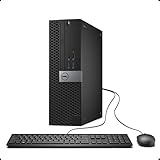
- 【AN INDUSTRY LEADER】- As a Microsoft Authorized Refurbisher, we pride ourselves on producing quality remanufactured PCs. Every machine is handled with care, and our experts are dedicated to giving them a new life. We are committed to reducing e-waste, and it is our goal to ensure each machine we process can satisfy our customers needs.
- 【PROCESSOR】- Intel Core i7 6700 (8MB Cache, 3.4GHz up to 4.0GHz Turbo Boost). TPM 2.0 is recommended for Windows 11, yet this PC only has TPM 1.2. This PC may not support all security features and newest updates.
- 【RAM & STORAGE】- 32GB DDR4 RAM, 512GB M.2 NVMe SSD, Preloaded with Windows 11 Pro 64-bit.
- 【CONNECTIVITY】- 2x Display Port 1.2; 1x HDMI 1.4; 6x USB-A 3.0; 4x USB-A 2.0
- 【BUILT IN WIFI & BLUETOOTH】- Built-in Intel 7260 featuring the latest 802.11ac Wi-Fi for enhanced wireless performance and integrated Bluetooth for seamless device connectivity.
Therefore, with the help of the memory slots, you should be able to upgrade the desktop’s memory up to 64 GB. However, this review focuses on the Dell Inspiron 3880 with 8 GB RAM.
With this size of memory, this desktop will be able to multitask decently. To give more details, the Dell Inspiron 3880 should be able to run up to 15 Chrome tabs simultaneously without slowing down.
Moreover, transitioning between these tabs should be easy for the desktop. Having said that, let us consider the desktop’s result on a PCMark 10 test to further verify its memory performance.
PCMark 10 is an app-based cross-platform benchmark test that measures the memory performance of a computer by simulating office-related tasks. These office-related tasks include word processing, web browsing, emailing, and other basic tasks.
Furthermore, the desktop with the highest score on this test is the best performer. So, according to the test results, the Dell Inspiron 3880 scored 7512 points.
Comparatively, this Dell desktop performed way better than the Lenovo ThinkCentre M58p. To be more specific, the Lenovo ThinkCentre M58p was only able to score 5083 points on the PCMark 10 test.
Thus, to wrap up this memory review section, I will rate the Dell Inspiron 388 an eight out of ten.
Dell Inspiron 3880: Storage Options and Performance
For storage, the Dell Inspiron 3880 comes with multiple configuration options to choose from. Therefore, you can purchase the desktop with a 3.5″ SATA AHCI HDD or an M.2 2230 SSD.
Notably, with the HDD storage drive, the desktop supports a maximum storage capacity of 2 TB. Meanwhile, with the SSD storage drive, the desktop supports a maximum storage capacity of 512 GB.
Impressively, the Dell Inspiron 3880 allows users to combine both storage options. Hence, with the combination of the HDD and SSD, you get a maximum storage capacity of 2.5 TB.
Besides, Dell included a multi-format SD card reader on the Inspiron 3880 that allows for storage expansion. Hence, with these various storage configuration options, you should find the one that suits your preference and budget.
However, for the sake of this review, we will focus on the Dell Inspiron 3880 with a 512 GB SSD. To evaluate the desktop’s performance with this storage drive option, I will highlight its CrystalDiskMark test result.
In case you don’t know, CrystalDiskMark is a benchmark test that calculates the read and write speed of a device’s storage drive. By read and write speed, I mean the duration it takes a storage drive to open and save files, respectively.
What’s actually slowing this PC down?
Pick the symptom - the matching free tool is one click away.
Additionally, a high “MBps” value on the CrystalDiskMark test means fast read and write speed. With that in mind, at the end of the test, the Dell Inspiron 3880 delivered a read speed of 3350 MBps and a write speed of 1930 MBps.
In comparison, this Dell desktop delivered a faster read and write speed than some of its counterparts. For example, the Lenovo ThinkCentre M58p, which also uses an SSD, offered a read and write speed of 2571 MBps and 2465 MBps, respectively.
Thus, the Dell Inspiron 3880 deserves a rating of nine out of ten in this storage review section.
Independent reader supportYour contribution helps us test, update, and keep practical guides available for everyone.Dell Inspiron 3880: Graphics Card Performance
Similar to the storage, Dell offers multiple GPU options for the Inspiron 3880. Thus, you can get the desktop with an NVIDIA GeForce GT 730 or an NVIDIA GeForce GT 1030 graphics card.
Free tools Windows power users keep installed
One-click scans. No signup required.
Also popular on Amazon

- 【POWERFUL PERFORMANCE】: Effortlessly Tackle Any Task with the Powerful 13th Gen Intel Core i5-13400 Processor.
- 【ENHANCED MEMORY& STORAGE】Equipped with 16GB of DDR4 RAM, the laptop effortlessly handles multiple applications and browser tabs simultaneously. The 512GB PCIe NVMe M.2 Solid State Drive provide extensive storage, delivering lightning-fast responsiveness, rapid boot-up times, swift data access, and an overall improvement in system performance.
- 【WINDOWS 11 Pro EXCELLENCE】Embrace the sophistication of Windows 11 Pro 64-bit operating system, designed for business and education purposes. This enterprise-grade OS elevates your efficiency and security.
- 【LIMITLESS PRODUCTIVITY】: Explore limitless possibilities with the innovative Inspiron Compact Desktop, a fusion of versatility and power. Experience top-tier assistance through Premium Support featuring SupportAssist, an intelligent technology dedicated to ensuring peak performance for your PC.
- 【SEAMLESS CONNECTION】: Embark on a new realm of connectivity with the latest WiFi 6 technology, unlocking heightened speeds, unwavering stability, and extended range. Bid farewell to the exasperation of enduring unstable connections and welcome seamless performance.
The good thing about the above-listed GPU options is that they are both dedicated graphics card and features 2 GB of dedicated VRAM each. However, in terms of speed, they differ.
Specifically, the NVIDIA GeForce GT 730 has a standard frequency of 902 MHz. Meanwhile, the NVIDIA GeForce GT 1030 offers a base frequency of 1228 MHz and a maximum frequency of 1468 MHz.
Performance-wise, with either GPU option, the Dell Inspiron 3880 should be able to handle graphics-demanding tasks. Also, the desktop will be able to play a handful of high-end games.
This is because the graphics card options are dedicated graphics cards with dedicated VRAM, as mentioned earlier. However, this review is based on the Dell Inspiron 3880 with the NVIDIA GeForce GT 1030 GPU.
With this graphics card, the Dell Inspiron 3880 is able to deliver a smooth frame rate of 73.4 fps while playing Back 4 Blood. To take a deeper dive into the desktop’s graphics performance, let us discuss its 3DMark test result.
Briefly, 3DMark is a graphics-based benchmarking tool that assesses the 2D and 3D graphics rendering abilities of a computer’s GPU. Moreover, a high score on this graphics-based benchmark test equates to good GPU performance.
Therefore, based on the 3DMark test results, the Dell Inspiron 3880 scored 18847 points.
When compared with some of its opponents, this Dell desktop surpassed most of them. For instance, the Lenovo IdeaCentre 3, which uses an AMD Radeon RX 560 GPU, scored 13162 points on the 3DMark test.
All things considered, I will be rating the Dell Inspiron 3880 an eight out of ten in this GPU review section.
Frequently Asked Questions
The Dell Inspiron 3880 was released in 2020.
The Dell Inspiron 3880 weighs 6020 g.
As of June 2022, when this review article was published, the Dell Inspiron 3880 had a starting price of $737.99.
The Dell Inspiron 3880 supports a maximum RAM capacity of 64 GB.
The Dell Inspiron 3880 offers two dedicated graphics card options to choose from. Thus, you can acquire the desktop with an NVIDIA GeForce GT 730 or an NVIDIA GeForce GT 1030 graphics card.
Recommended Free Tools
Conclusion
The Dell Inspiron 3880 is an efficient desktop computer that is basically designed for business purposes. Moreover, this desktop features a durable build and an impressive port selection.
Furthermore, the desktop is available in various configuration options and comes with a keyboard and mouse. There is almost nothing to dislike about this desktop aside from the fact that it does not come with a monitor.
Nevertheless, the Dell Inspiron 3880 delivers an overall excellent performance that makes it worth its $700+ starting price tag. Thus, if you need a durable business desktop computer with adequate performance, I suggest you consider the Dell Inspiron 3880.
I hope you found this Dell Inspiron 3880 desktop review helpful. If you found the review helpful, click on “Yes” beside the “Was this page helpful” question below.
The Tool Desk
Outbyte Driver Updater FREEScan for outdated or missing drivers - takes under a minuteDriver Scan →Outbyte PC Repair FREEClear out junk files and repair common Windows errorsFree Scan →You may also express your thoughts and opinions by using the “Leave a Comment” form at the bottom of this page.
Finally, for more laptop reviews, visit our PC & Mac Reviews page. You may also find our PC & Mac Specs page very helpful.”
Quick Recap
Product prices and availability are accurate as of the date/time indicated and are subject to change. Any price and availability information displayed on Amazon at the time of purchase will apply.


